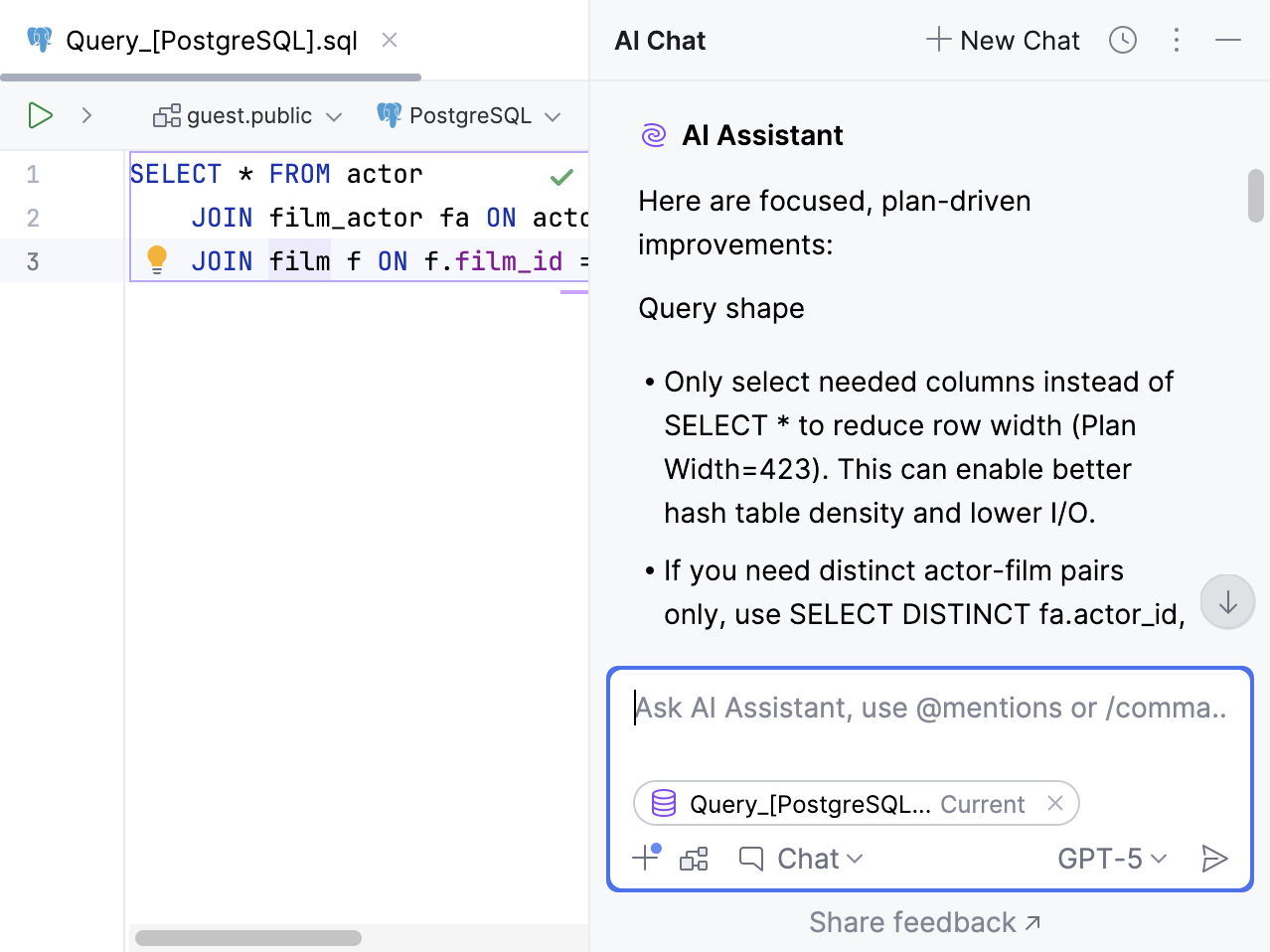
Use AI with databases
Available in: DataGrip and IDEs with Database Tools and SQL plugin
AI Assistant enhances your database workflows by enabling natural language interactions within your IDE. It allows you to generate, explain, and optimize SQL queries more efficiently.
Explanation for query plans
IDE versions: starting from 2026.1
You can ask our AI Assistant to explain your query plans. To do this, you have to invoke the Explain Plan action on your query first.
In a query console, right-click your query and go to or .
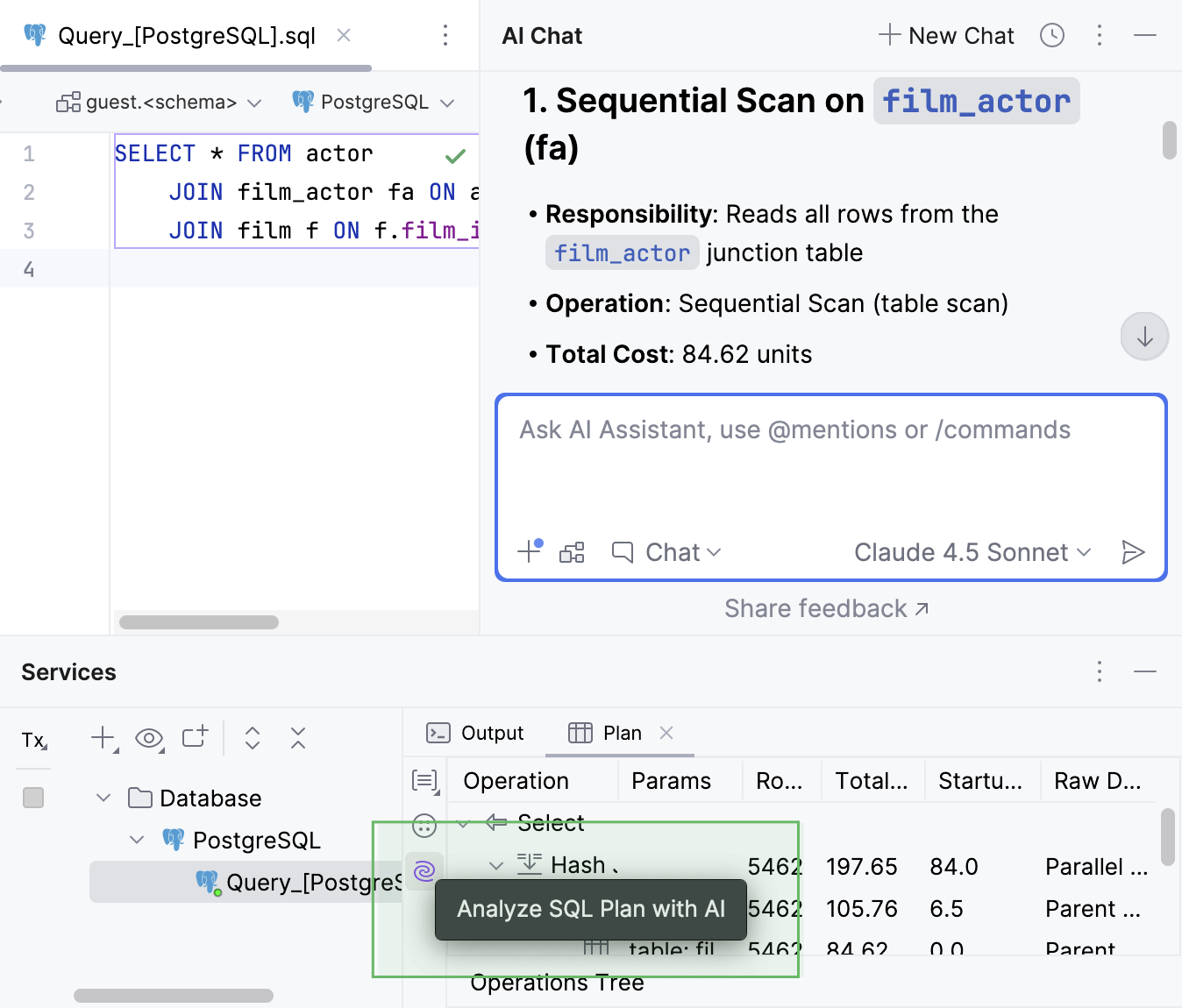
The plan appears in the Query Plan tab of the Services tool window.
On the left toolbar of the tab, click Analyze SQL Plan with AI. AI Assistant will then provide an explanation in the chat, where you can ask any additional questions you might have about the plan.
Query optimization
IDE versions: starting from 2026.1
AI Assistant can now optimize your query for better performance and efficiency. It does this by:
Automatically detecting inefficiencies such as redundant
JOINclauses, missing indexes, or suboptimal execution plans.Providing actionable suggestions or automatically rewriting queries to improve performance.
Leveraging Explain Plan outputs for deeper analysis and diagnostics.
This feature may require attaching the database schema to suggest proper explanations.
In a query console, right-click your query and select .
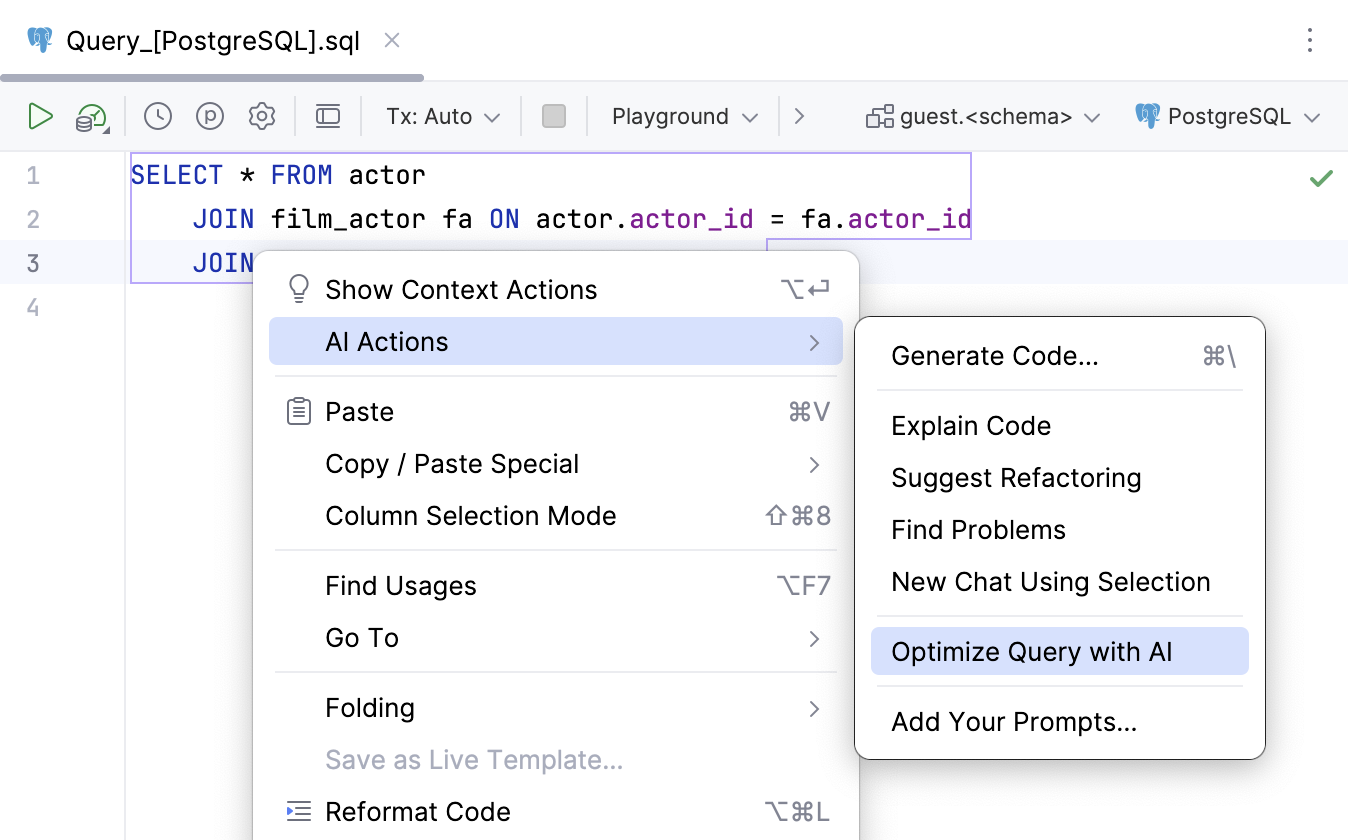
AI Assistant gives you a list of suggestions in the chat, and you can continue to ask any questions you might have there.