Use Claude subscription
To use your Claude subscription with JetBrains Air in IDEs, you need to run Claude Code in the terminal surface instead of the chat surface. The chat relies on an SDK integration, and Anthropic terms do not allow subscriptions to be used this way.
Before you start
Make sure the following requirements are met:
Claude Code is installed on your machine. The terminal surface runs this command-line tool.
You have a Claude Pro or Max subscription.
Switch Claude to the terminal surface
To run Claude Code with your Claude subscription:
In the Agent Sessions tool window, click
 next to the New Session button and select Manage Agents.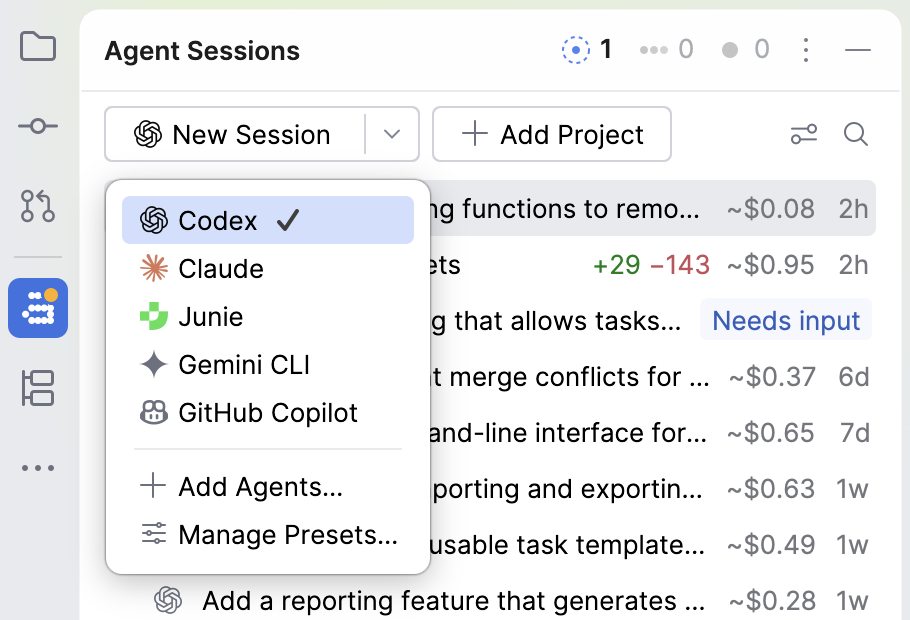
On the Claude card in the Featured section of the Agents page, select Terminal.
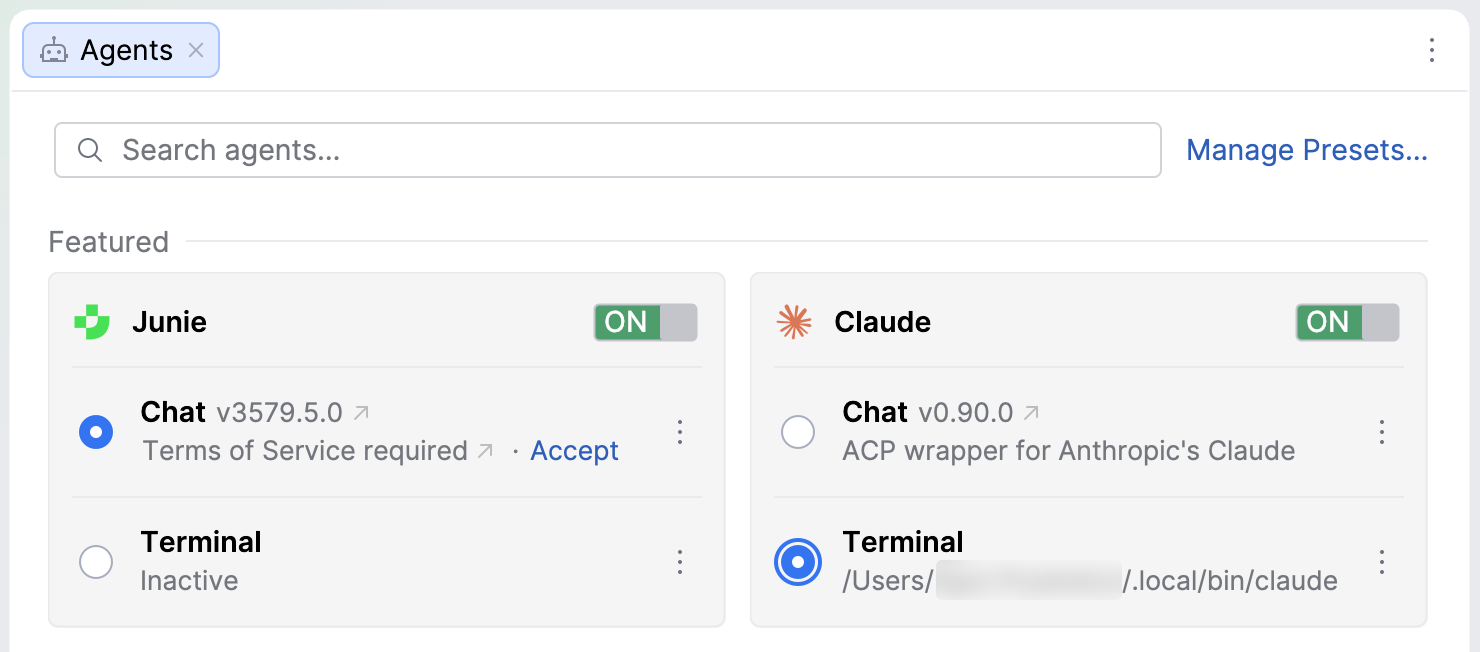
Start a new session with a Claude preset.
In the editor tab that opens, make sure that Claude Code shows the model and your subscription plan.
If you are not logged in to Claude Code yet, select the option to log in with your Claude account, and complete the login with your Claude Pro or Max subscription.
You can follow and manage all Claude Code sessions in the Agent Sessions tool window, as described in Manage agent sessions.
Show Claude usage in the status bar
You can add an indicator to the status bar to monitor Claude usage:
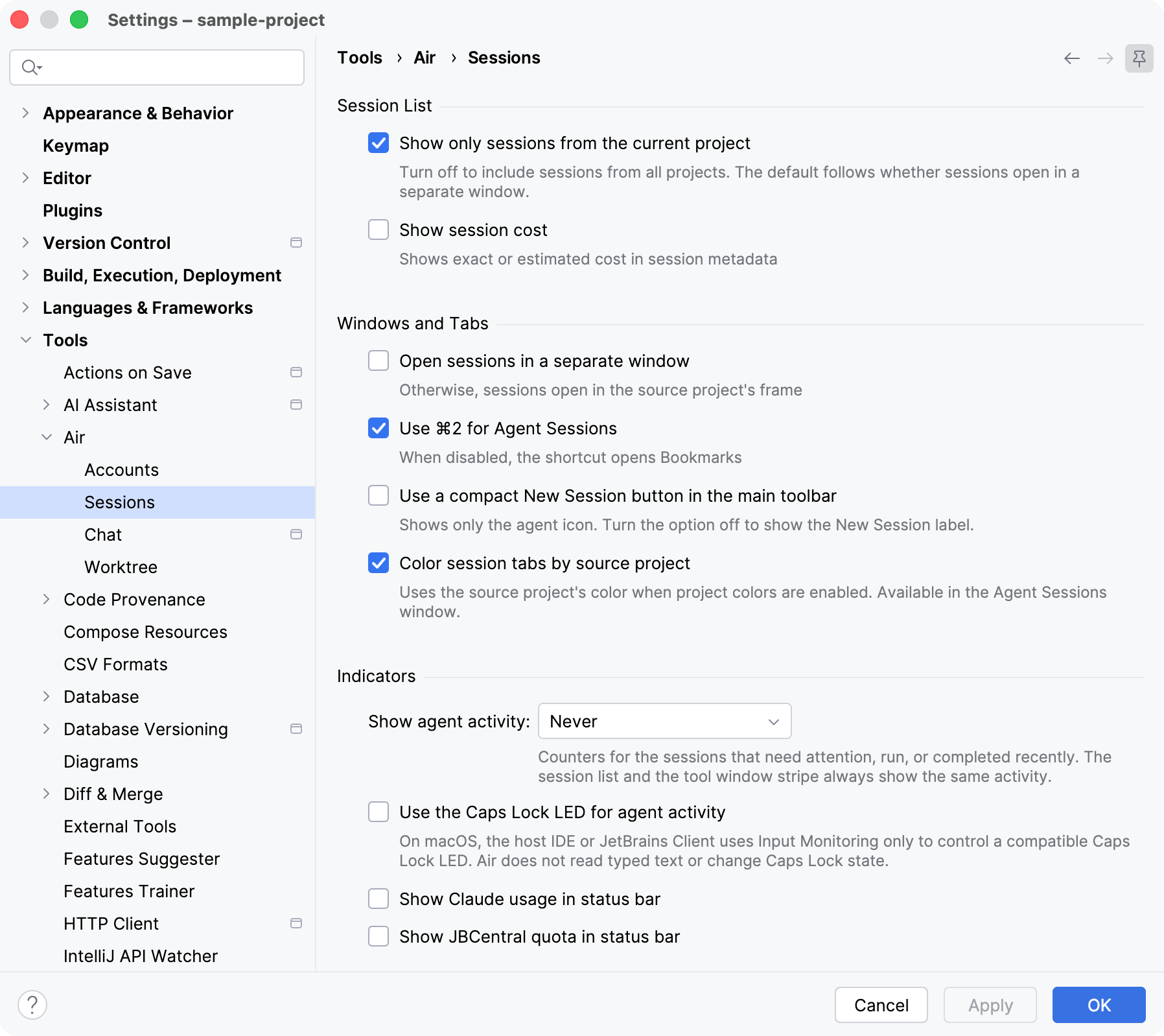
Your Claude usage appears in the status bar at the bottom of the IDE window.
For other JetBrains Air in IDEs settings, refer to JetBrains Air in IDEs settings.