Constexpr Debugger
The Constexpr Debugger provides insights into compile-time evaluations, particularly for constexpr and consteval code. It allows you to stay in the compiler's world and see exactly what happens during evaluation.
Here is what you currently can do with the Constexpr Debugger:
Start step-by-step debugging from the gutter by clicking the Debug button next to
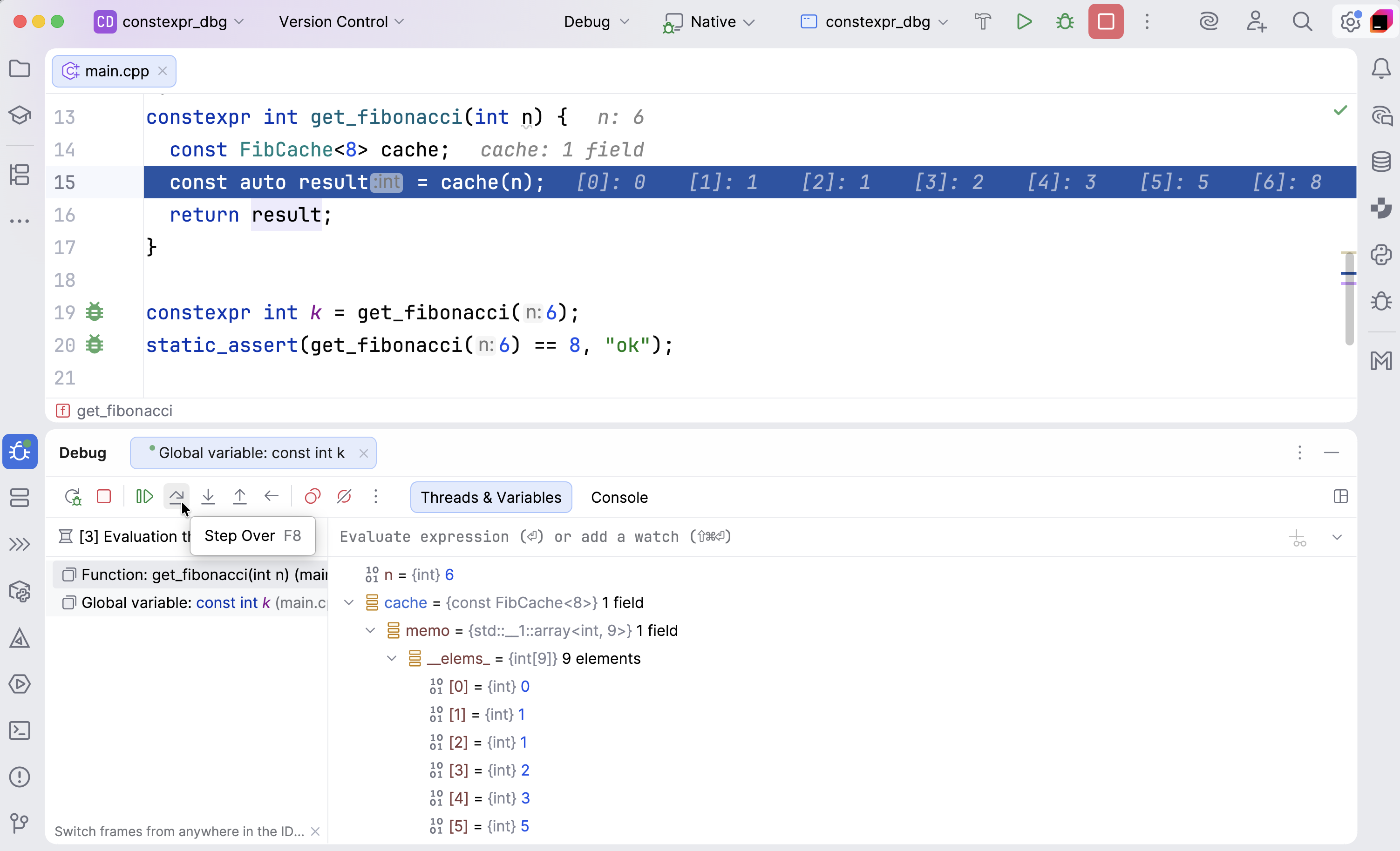
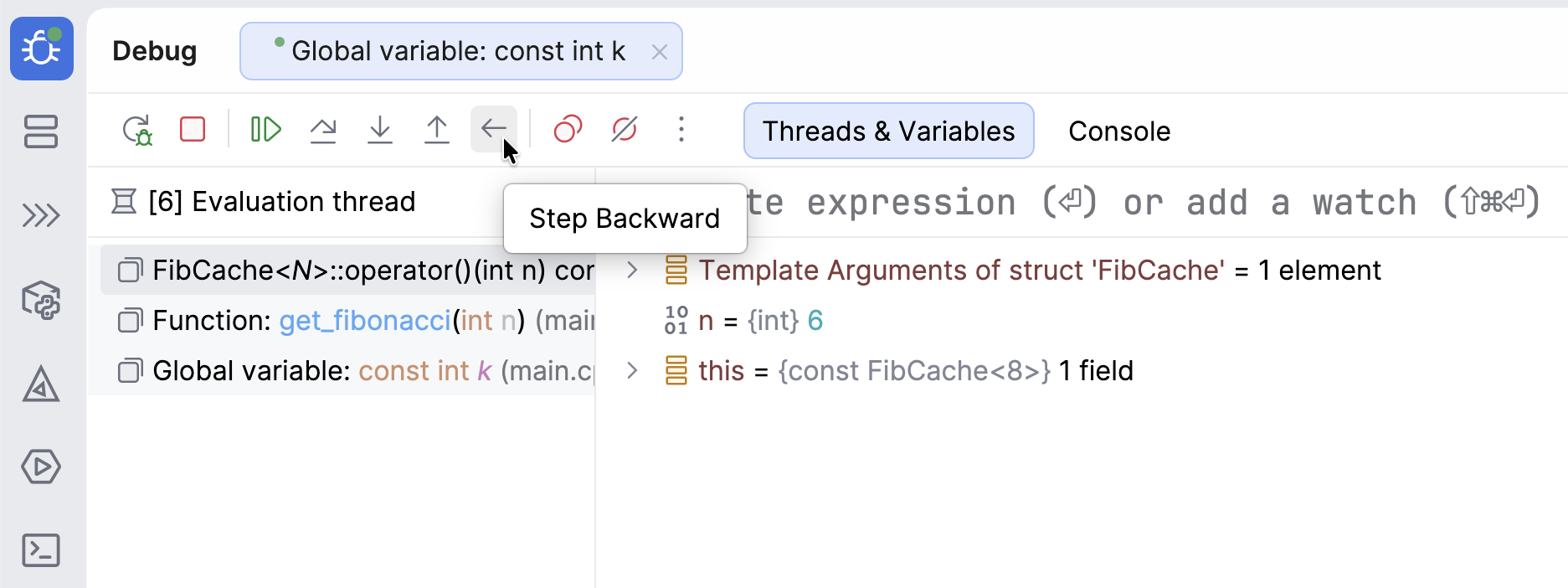
static_assert(...)or aconstexprdeclarator to check how it was evaluated or why it failed.Use the same actions as in the regular debugger, such as Step Into or Step Over. Additionally, you can use Step Backward, the compile-time reverse stepping feature.
See what the compiler sees: the call stack, locals, last returns, and template arguments of the current instantiation.
Hover over a variable to see its values, use Evaluate Expression, or navigate to the source code from the call stack.
Inspect the entire context when constant evaluation fails to determine when and why it occurred.
Key debugging features
The following sections is an overview of the essential actions that you can perform when debugging constexpr code.
Start debugging
As a code example, let's consider this implementation of the compile-time Fibonacci cache:
Click the
 icon next to the
 constexprdeclarator orstatic_assertto start debugging: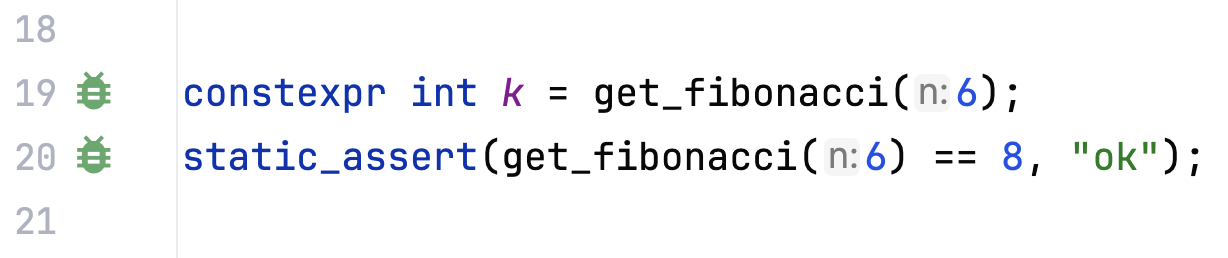
Use the standard Step Into or Step Over debugger actions to evaluate expressions:
Use Step Backward to navigate back through each step of the compile-time evaluation:
Inspect the state:
Hover over
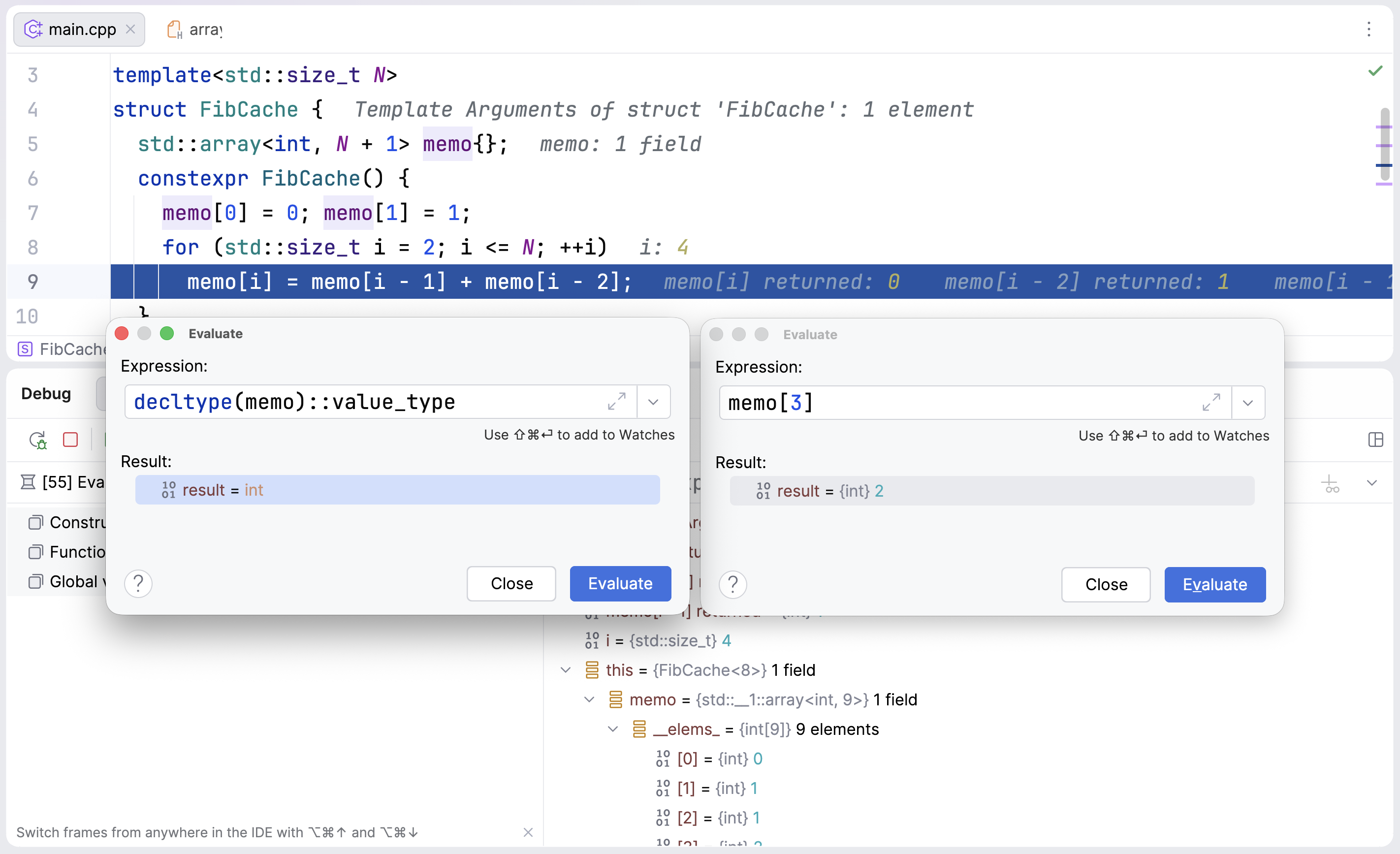
this->memoin the editor to watch how the array fills during construction: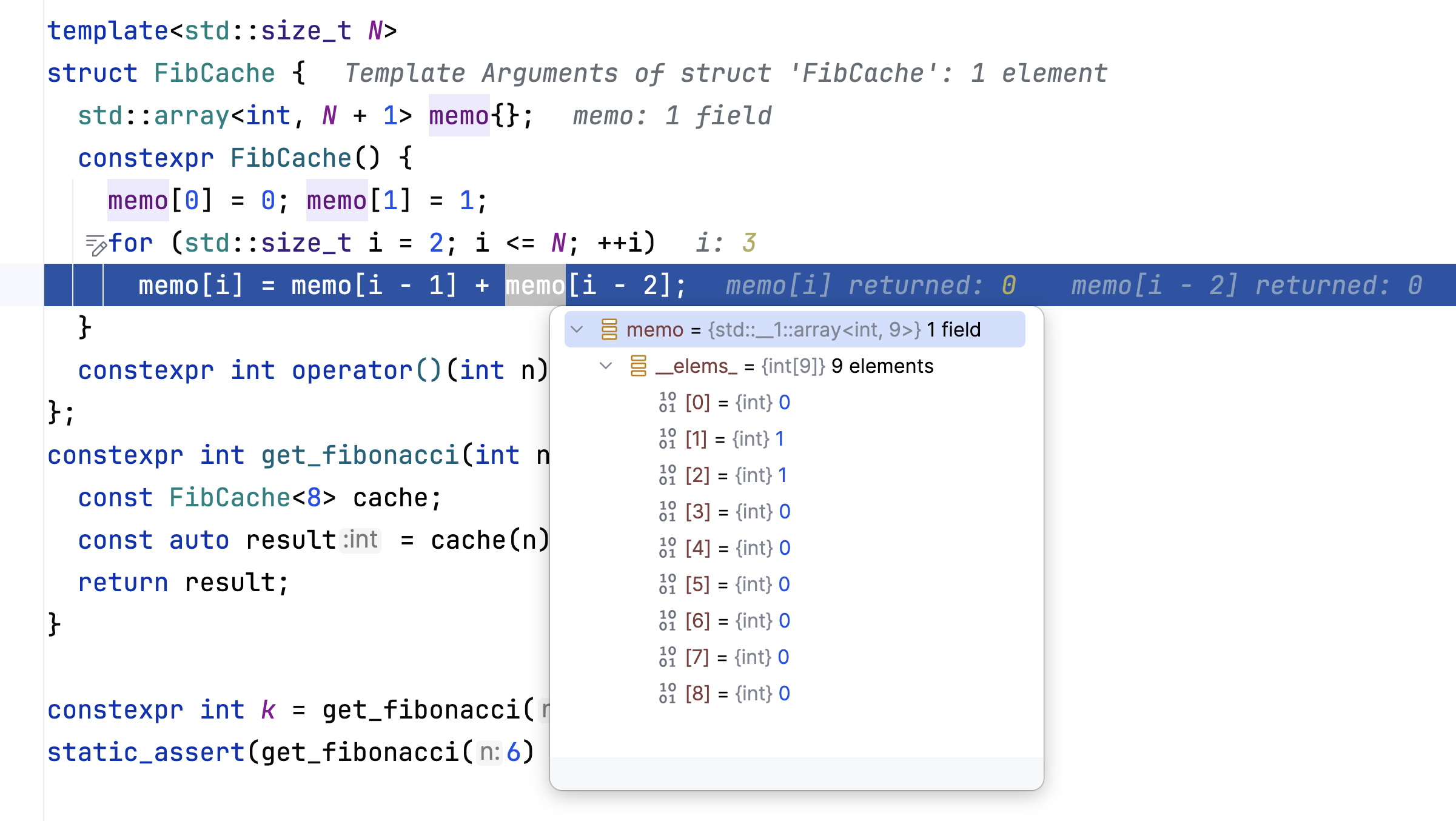
Evaluate expressions or types by pressing Alt+F8:
Check the pane to see
this, locals likei, and recent returns: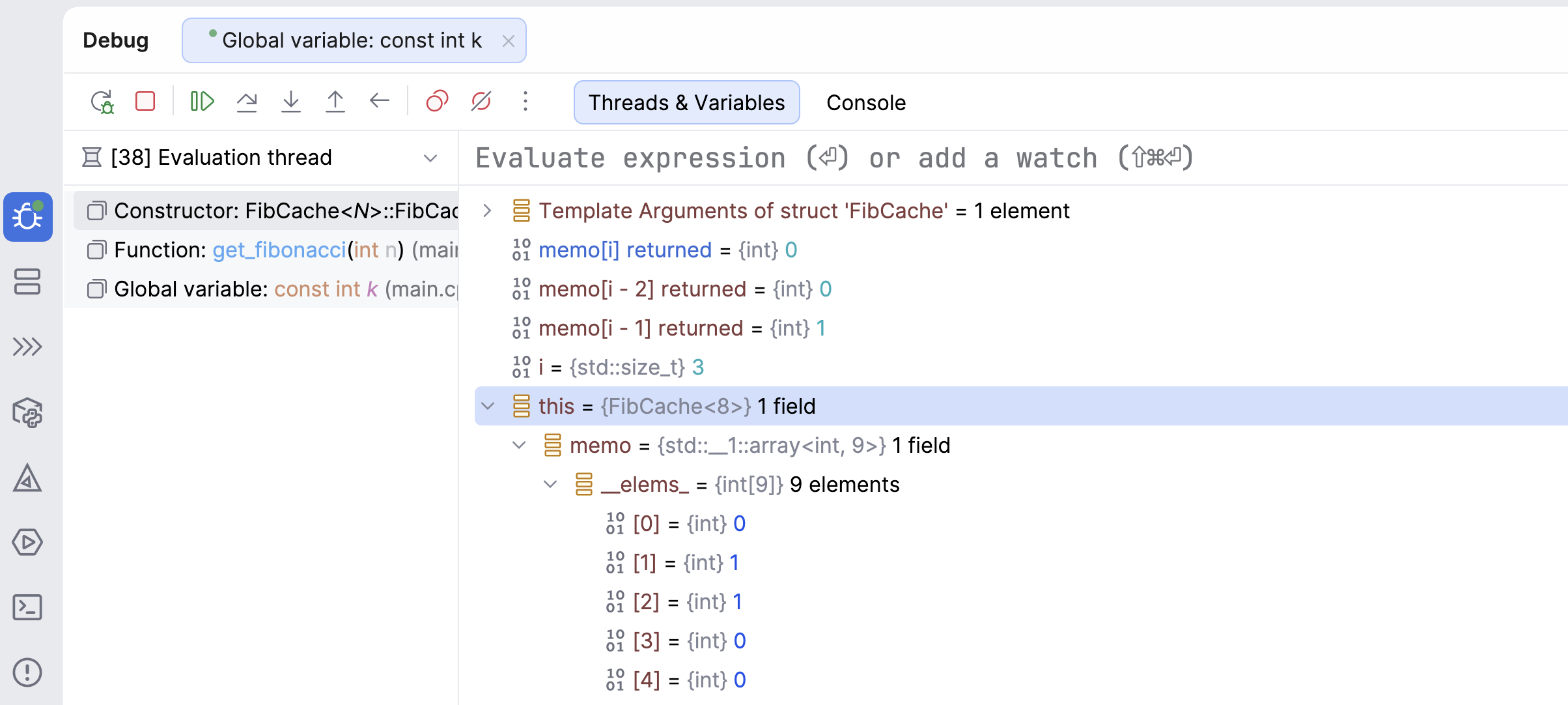
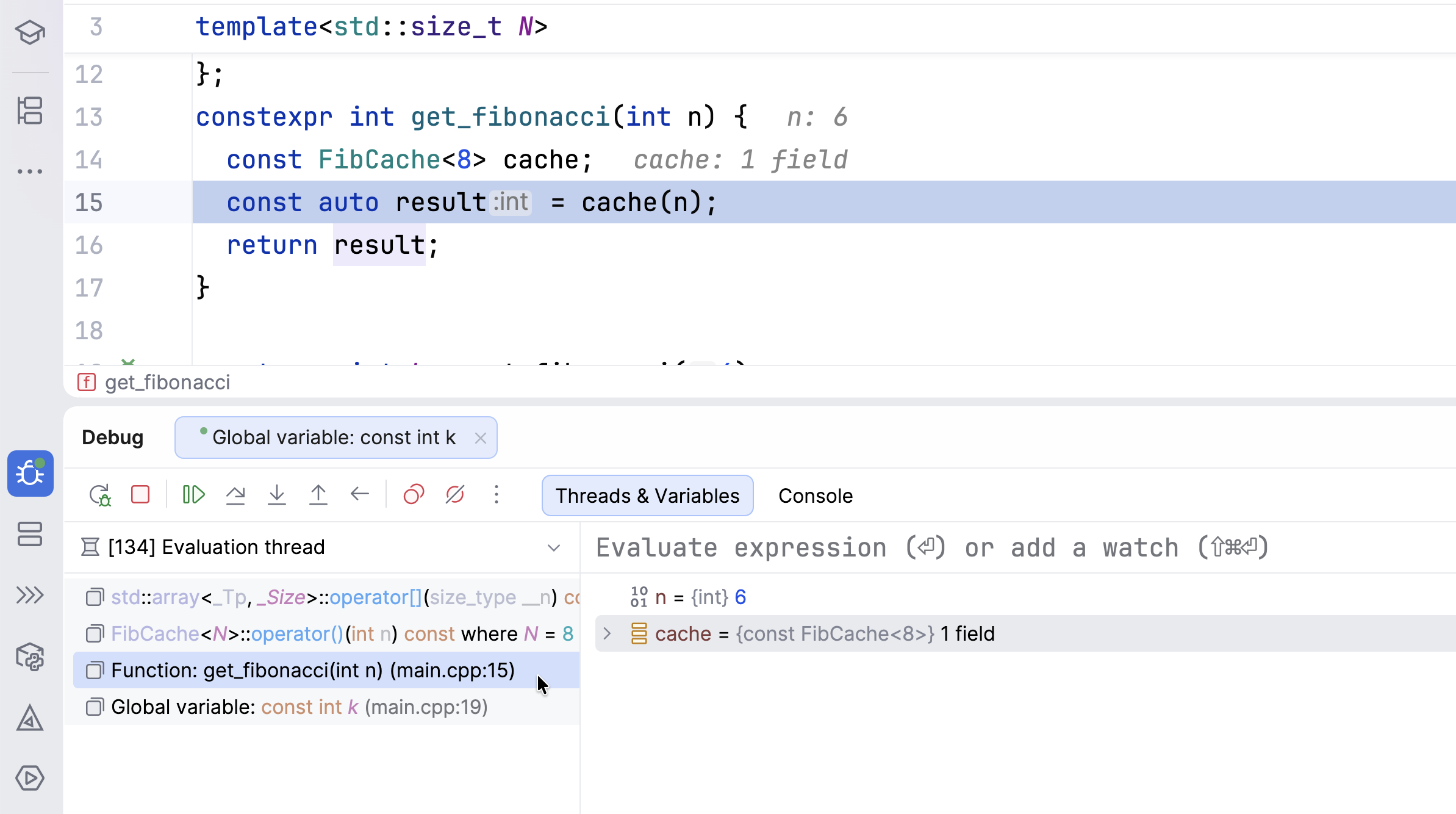
Use the pane to see the call stack and navigate to the source code:
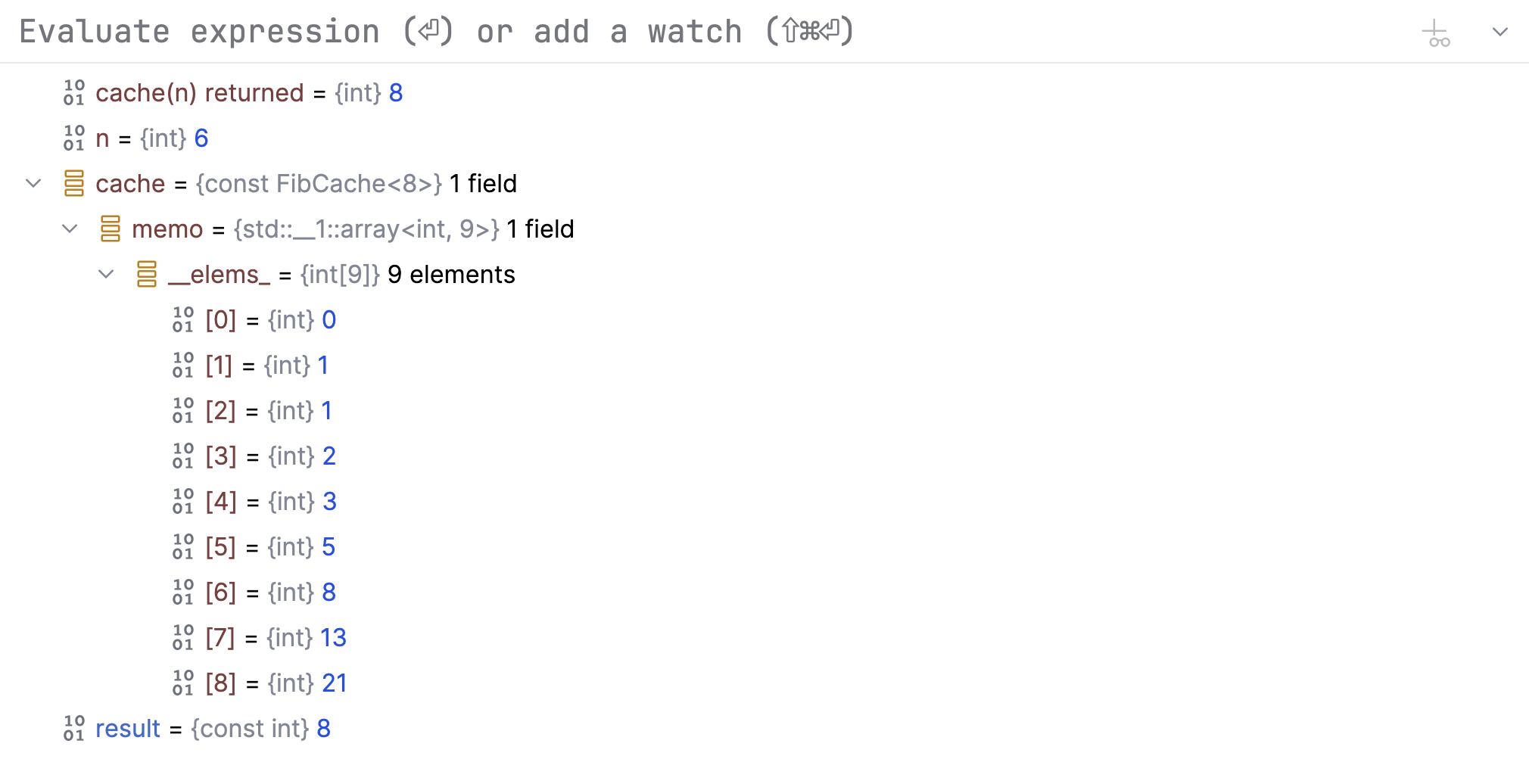
Check the result in the pane after the constructor has precomputed all the Fibonacci numbers:
Diagnose and fix compile-time errors
When evaluation fails, for example, because of incorrect code logic, CLion highlights the error. When you hover over it, a popup appears with the problem explanation:
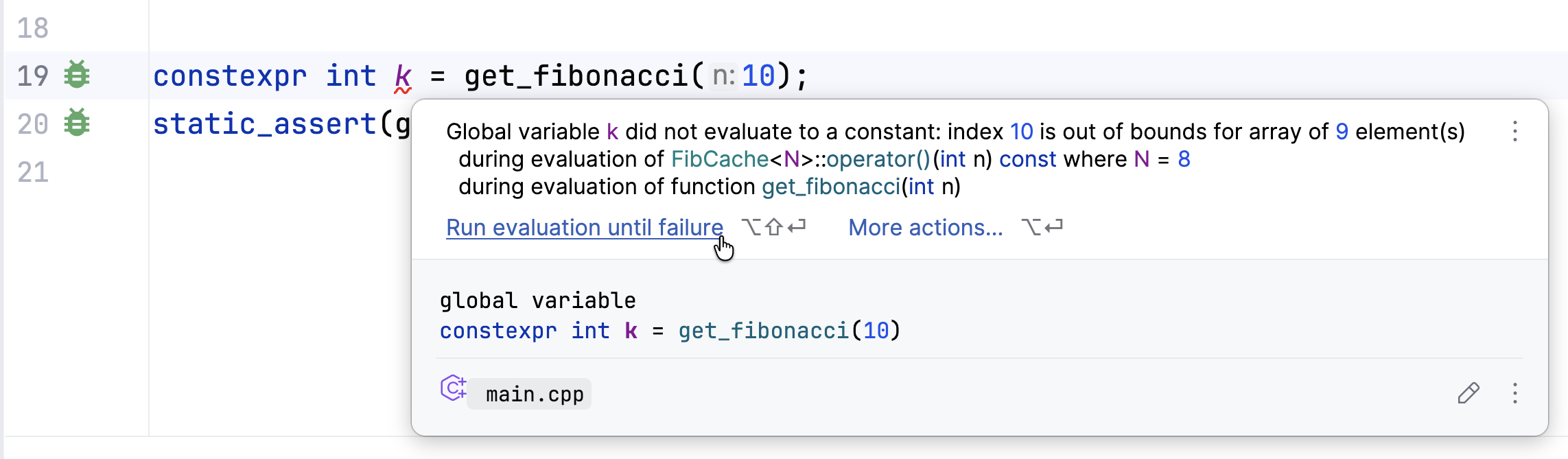
If it is still unclear what causes the error and at what step it occurs, click Run evaluation until failure to debug it. The Constexpr Debugger will stop at the failed evaluation and show you the error message and the context.
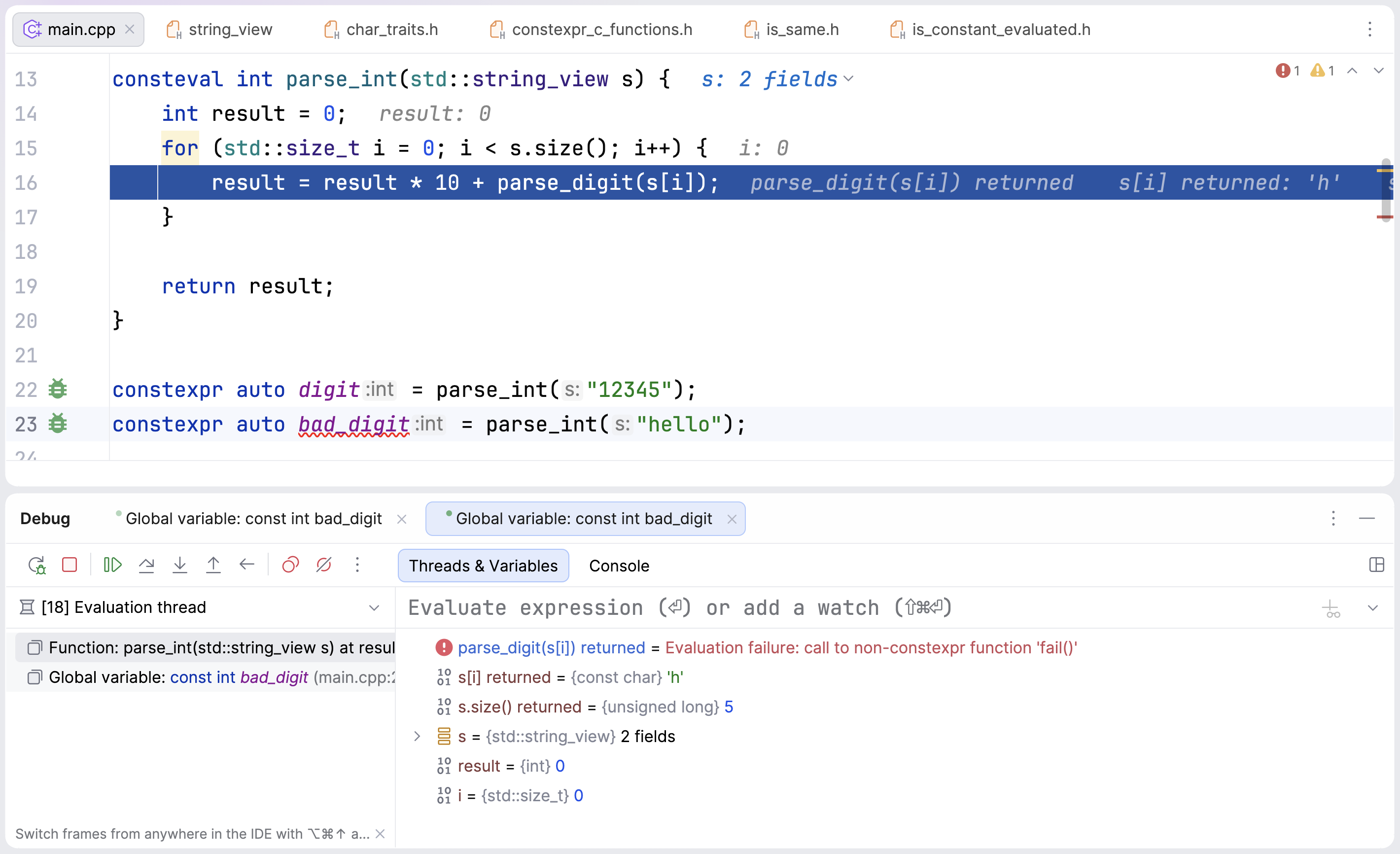
When an expression cannot be evaluated at compile time – for example, when a non-constexpr function is called – CLion highlights the error, both in the editor and during debugging:
Limitations
Breakpoints and Run to Cursor / Force Run to Cursor are not supported in constexpr evaluation.
Some constructs aren’t yet supported by our constexpr evaluator. You can track progress and upvote related issues on YouTrack.