Font
Use this page to configure font for the GoLand editor.
Item | Description | ||||
|---|---|---|---|---|---|
Font | Use this option to select your font. The Show only monospaced fonts option if selected shortens the list of available fonts. | ||||
Size | Select the size of your font. If you need to quickly change the font size while in the editor, use the Change font size (Zoom) with Ctrl + Mouse Wheel option located in . | ||||
Line height | Specify the factor of the point size to define the vertical distance between lines of code in the editor. The default value | ||||
Fallback font | Select a font to use if GoLand encounters a character that is not part of the main font. | ||||
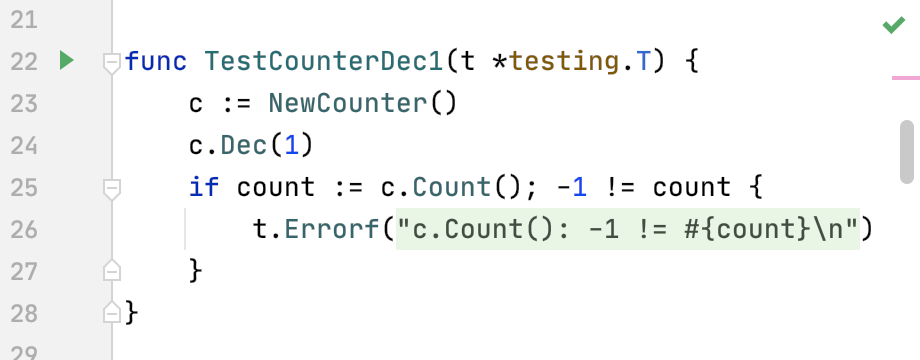
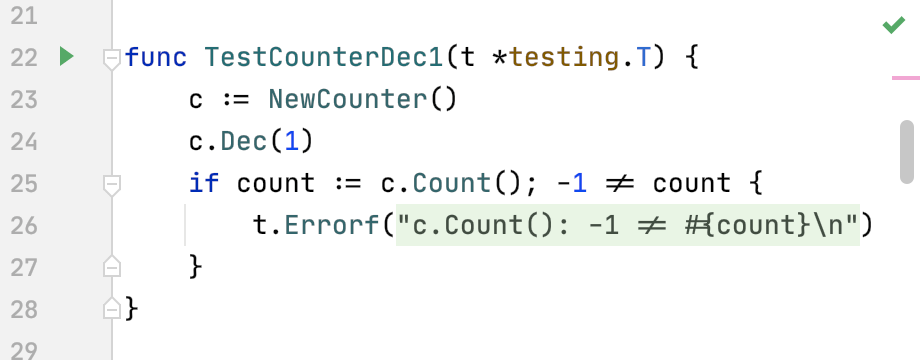
Enable ligatures | Select this option to enable font ligatures. Ligatures are special symbols in a font that combine two or more symbols into one. For example, in some fonts,
| ||||
Restore defaults | This option becomes available when you override the default font settings through the Console Font page located in . Press this option, if you need to restore your default settings. |