Analyzing code for syntax updates
Syntax updates help you migrate Go code to newer language versions. When a new Go version becomes available, GoLand analyzes your code and suggests updates that use modern language and standard library features.
Syntax updates are implemented as inspections. Each inspection reports a specific outdated construct and provides a quick-fix that rewrites the code to the newer form. These fixes are designed to be safe and behavior-preserving, so you can apply them individually or in bulk.
You can use syntax updates to modernize existing codebases and keep them aligned with the latest Go language evolution.
Applying syntax updates
When a syntax update is available, GoLand highlights the affected code in the editor. You can apply a fix using the intention actions menu or run the inspection over a larger scope to update multiple files at once.
By default, these updates are highlighted with a blue underline and marked with the language updates icon ( ).
).
Apply syntax updates by using a quick-fix
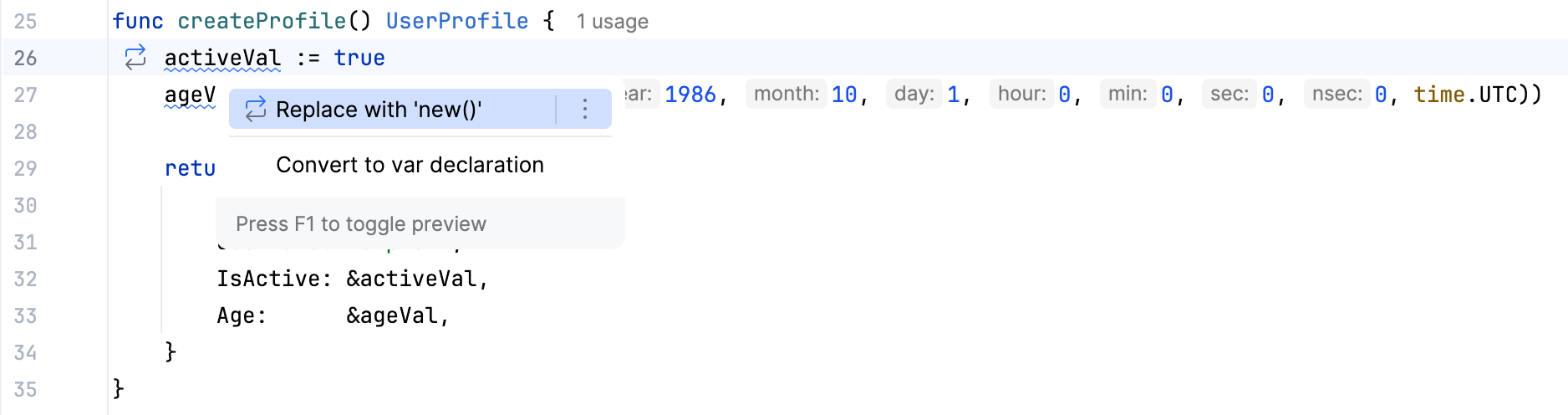
Place the caret at the code element that you want to modify. Then click the light bulb icon (or press Alt+Enter) to open the list of suggestions.
Intention preview opens automatically. If an intention is complex, and the preview cannot be generated, you will see the intention description. Hover over available intentions on the suggestion list to preview them.
Press Enter or click an intention on the list to apply it.
For more information about quick-fixes, refer to Intention actions.
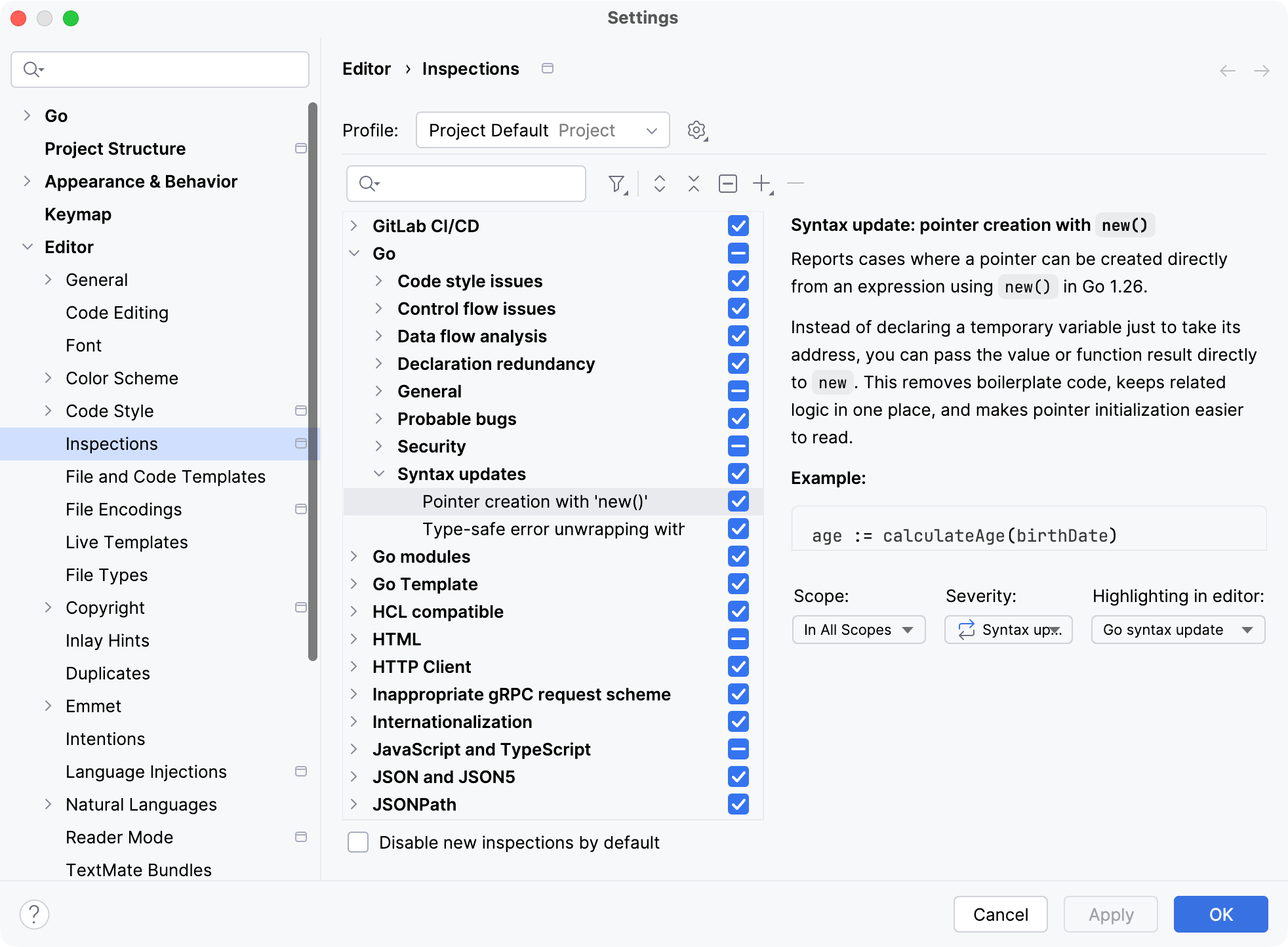
Syntax updates use a dedicated inspection severity level called Syntax updates. You can configure this level the same way as other inspections in the settings.
Change severity for syntax updates
Press Ctrl+Alt+S to open settings and then select .
Navigate to .
Select an inspection from the list.
From the Severity list, select a new severity level.
From the Highlighting in editor list, select the style that you want to use to highlight code fragments in the editor.
Apply the changes and close the dialog.
The modified inspection will now have the new severity level in the selected profile.
For more information about inspections, refer to Code inspections.
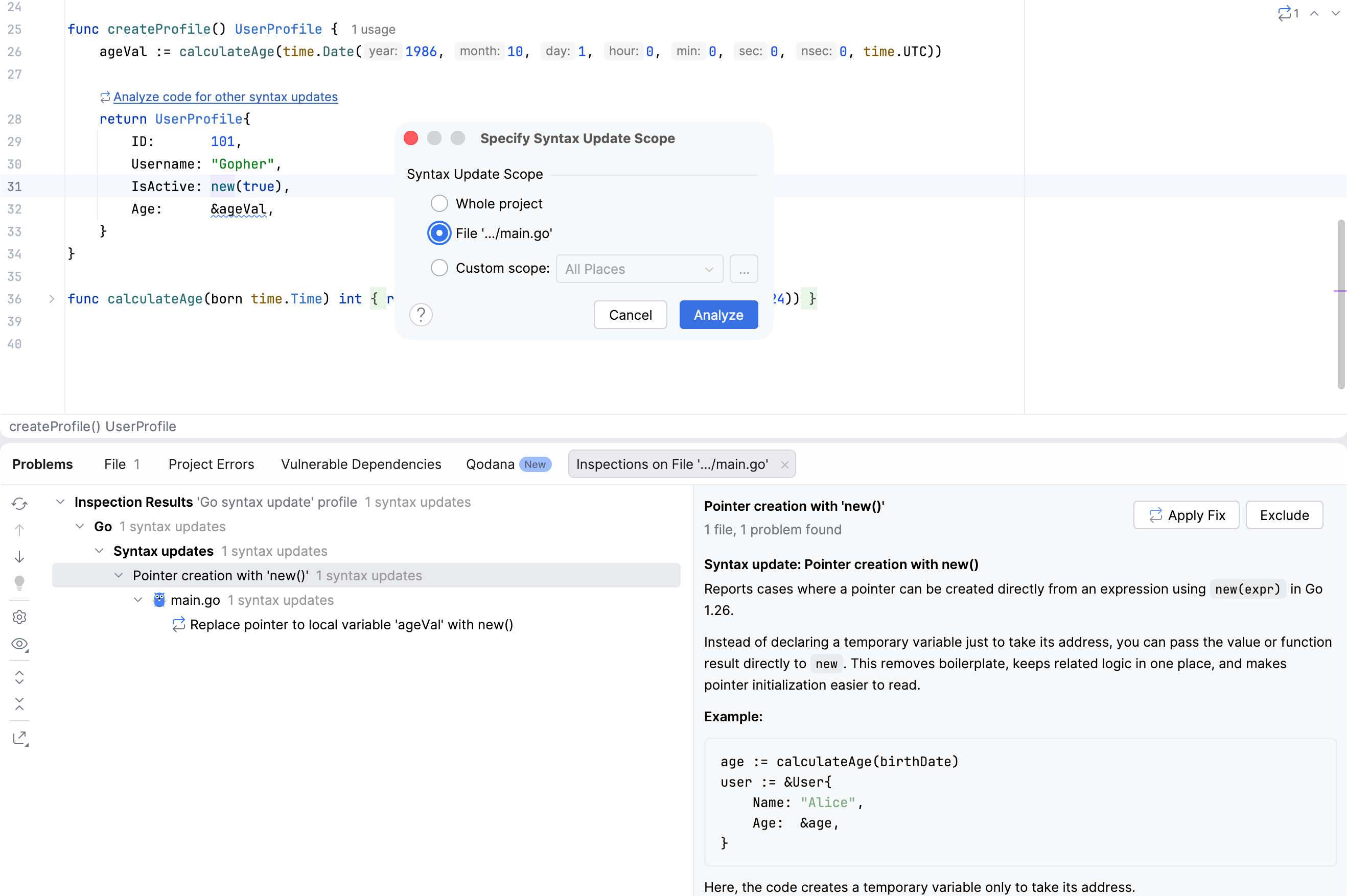
After you apply a quick-fix, GoLand suggests analyzing your code to find other places where syntax updates can be applied.
Analyze code for additional syntax updates
Click Analyze code for syntax updates.
In the Specify Syntax Update Scope dialog, select the scope and click Analyze.
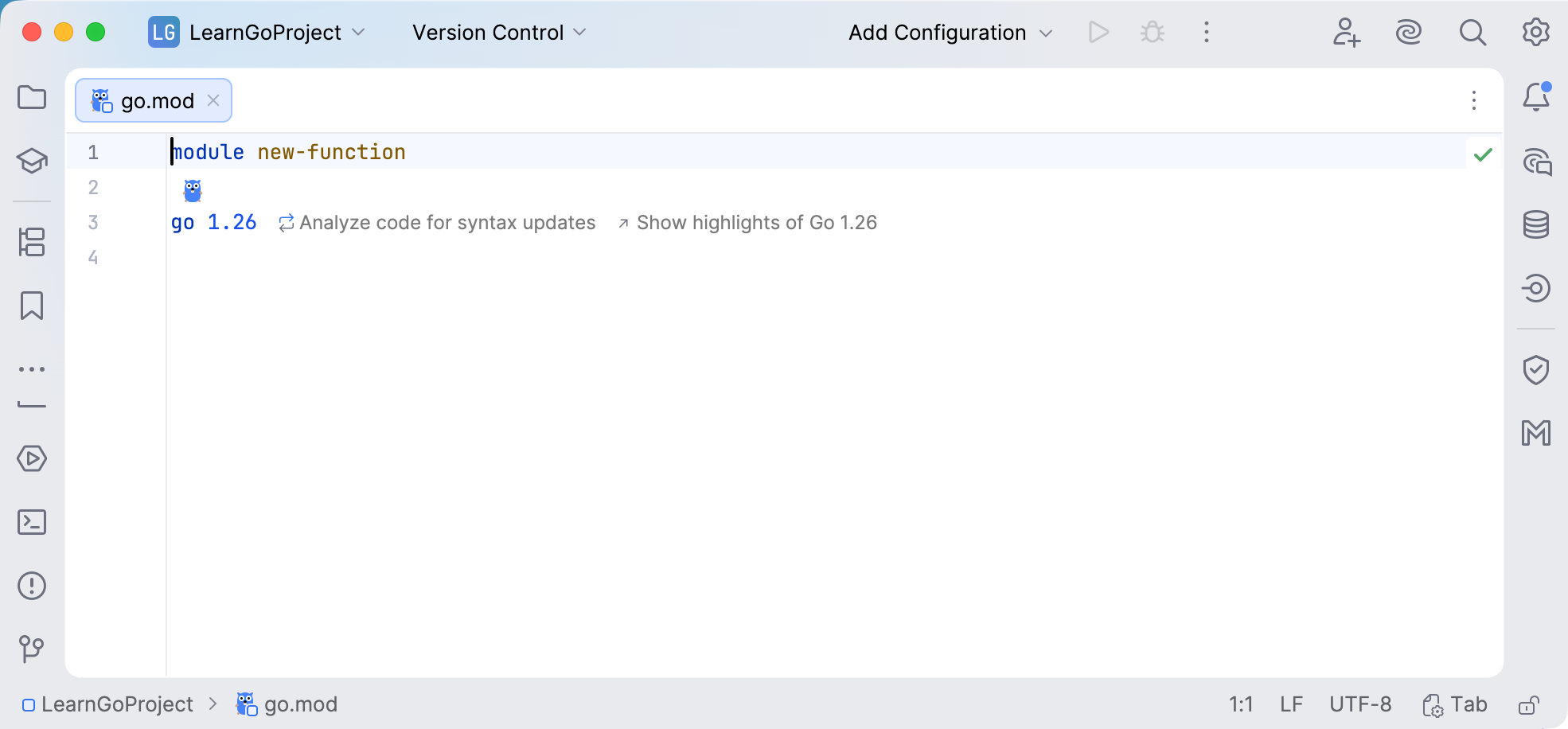
Alternatively, you can run code analysis for syntax updates from go.mod.
Running analysis from go.mod
In go.mod, click Analyze code for syntax updates. Click Show highlights of Go to see an overview of new languages.
You can apply a quick-fix to a single occurrence or apply all available fixes at once.
Apply syntax update quick-fixes
To apply a fix to a specific occurrence, open the Problems tool window, select the occurrence, and click Apply Fix.
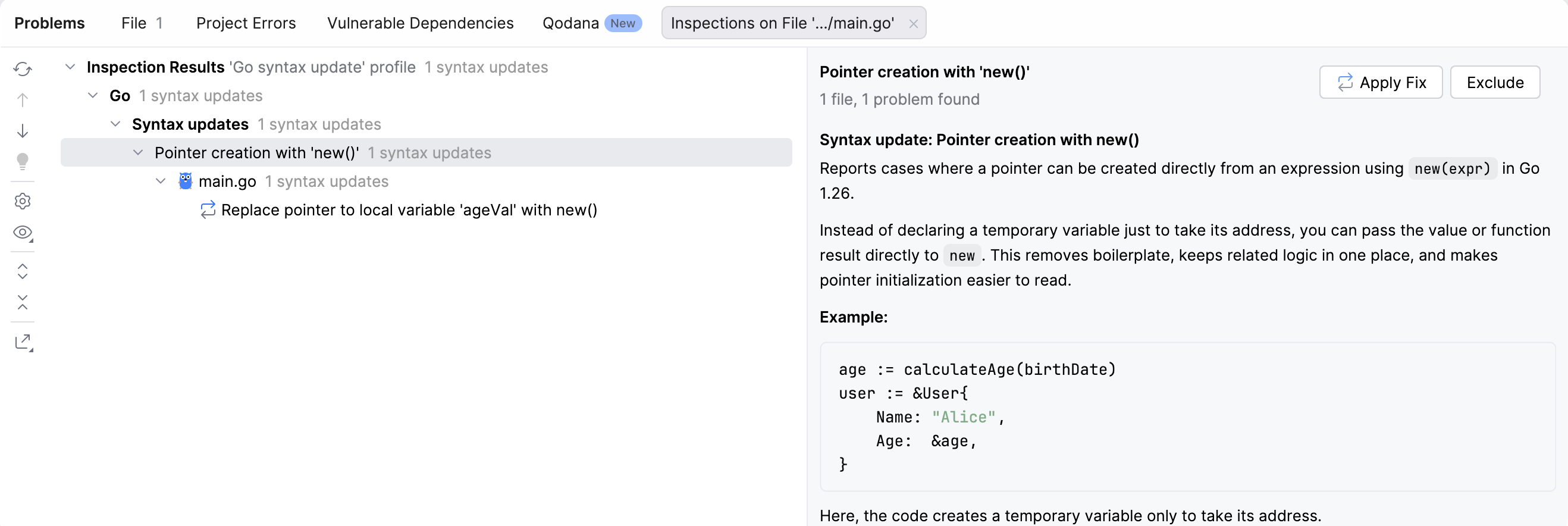
To apply fixes in bulk, open the Problems tool window, right-click a group under the Syntax updates node, and select the available quick-fix. You can also click the Apply Fixes button for the group.
Supported syntax updates in Go 1.26
Go 1.26 introduces several language and API improvements. GoLand provides dedicated inspections to help you adopt these changes automatically.
Pointer creation with new(expr)
Go 1.26 extends the new built-in function so it can accept expressions, not only type names. This allows you to create pointers directly from expressions, without introducing temporary variables.
This change also removes the need for helper functions that exist only to create pointers, such as proto.Int64(), proto.String(), or proto.Bool().
Before:
After:
GoLand provides the Pointer creation with new() inspection. It detects cases where a temporary variable is created only to take its address and suggests the Replace with new() quick-fix.
Type-safe error unwrapping with errors.AsType
Go 1.26 introduces errors.AsType, a generic and type-safe alternative to errors.As.
The errors.As function requires manual pointer handling and can panic if the target type is incorrect.
Problematic usage:
errors.AsType infers the target type automatically and returns a typed result. It does not rely on caller-prepared pointers and cannot panic due to a mismatched target type.
Using errors.AsType:
GoLand provides the Type-safe error unwrapping with errors.AsType inspection. It reports usages of errors.As that can be replaced and offers the Replace with errors.AsType quick-fix.