Flow
Flow is a static type checker that brings type annotations to JavaScript. GoLand recognizes Flow structures and provides syntax highlighting for them on all operating systems.
Before you start
Download and install Node.js.
Installing and configuring Flow
In the embedded Terminal (Alt+F12) , use one of the following commands:
To install Flow globally, run:
npm install --global flow-binTo install Flow as a development dependency, run:
npm install --save-dev flow-bin
Learn more from the Flow official website.
To have GoLand recognize Flow structures, provide correct syntax highlighting, report errors properly, and avoid false-positive error highlighting, change the JavaScript language level in your project to Flow, add a .flowconfig configuration file to your project, and supply every file to be checked with a // @flow comment on top.
Change the project language level to Flow
In the Settings dialog (Ctrl+Alt+S) , go to . The JavaScript page opens.
From the JavaScript Language Version list, choose Flow.
In the Flow package or executable field, specify the path to the node_modules\flow-bin package or the Flow binary executable file. To use node_modules\.bin\flow, make sure the path to Node.js is added to the
PATHenvironment variable.In the Use Flow server for: area, specify the basis for coding assistance by selecting or clearing the following checkboxes:
Type checking: When this checkbox is selected, syntax and error highlighting is provided based on the data received from the Flow server. When the checkbox is cleared, only the basic internal GoLand highlighting is available.
Navigation, code completion, and type hinting: When this checkbox is selected, suggestion lists for reference resolution and code completiong contain both suggestions retrieved from integration with Flow and suggestions calculated by GoLand. When the checkbox is cleared, references are resolved through GoLand calculation only.
The checkboxes are available only when the path to the Flow executable file is specified.
Keep the Save all modified files automatically checkbox selected to ensure that Flow is applied continuously because Flow checks the current files only after all the other modified files are saved.
Enable Flow
To add a .flowconfig, open the embedded Terminal (Alt+F12) and type:
flow initTo add .flowconfig to a specific folder, type:
cd <path to the folder to check>flow initTo enable Flow in a file, add a
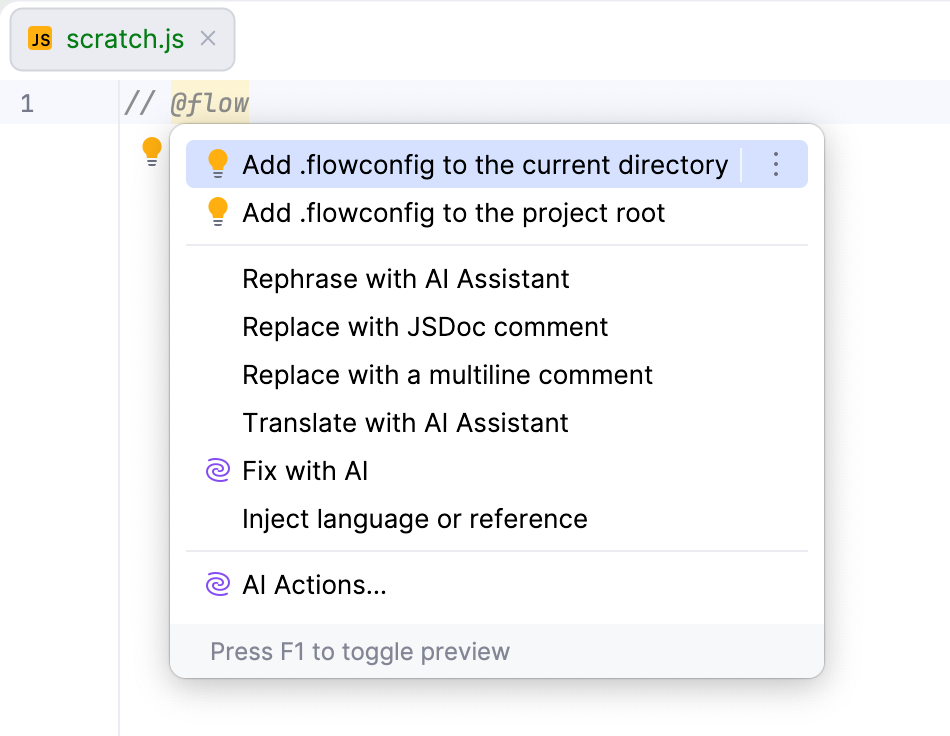
// @flowcomment at the top of the file: just typeflow, press Tab, and GoLand will expand it into// @flow.If you still don't have a .flowconfig yet, GoLand shows a tooltip prompting you to add a configuration file to the current folder.
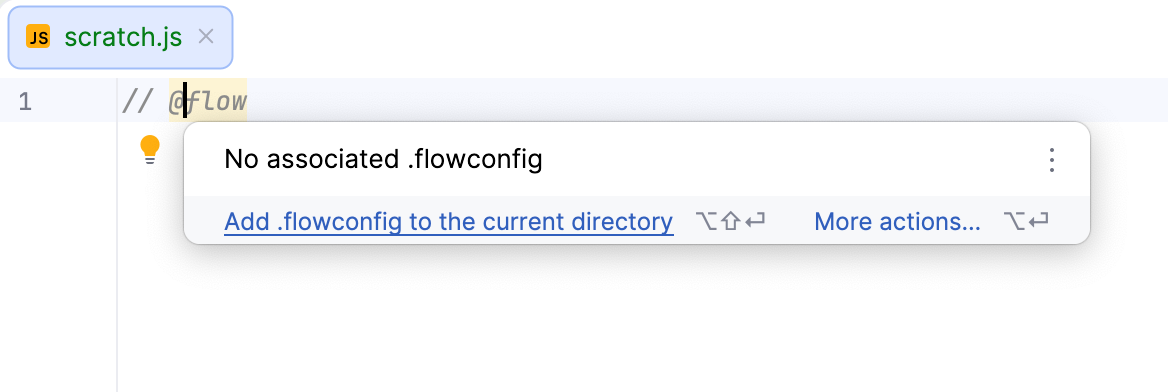
To choose between the current folder and the project root, click More actions or press Alt+Enter.