Backup Hub 1.0
With Hub versions 2.0 and later, you can create a backup of your database on the Backup Settings page. For instructions, see Backup.
For earlier versions, follow these instructions to create a backup manually.
To create a backup manually:
- Stop the Hub service. For more information, see Stop and Start the Hub Service.
- Create a directory where you want to store the backup.
- In the directory, create two subdirectories:
- Copy the contents of the
confdirectory that are used by the existing Hub service to theconfdirectory in the prepared backup location. - Copy the contents of the
datadirectory that is used by the existing Hub service to thedatadirectory in the prepared backup location.- For a ZIP distribution, the
datadirectory is located in the installation directory (the target directory where the ZIP installation packages was extracted). If the default data directory was changed during installation, thedatadirectory is found in the set location. If you don't know where the data directory is located, open the configuration fileinternal\bundle.propertiesin theconfdirectory. The current path to thedatadirectory is set in thedata-dirparameter.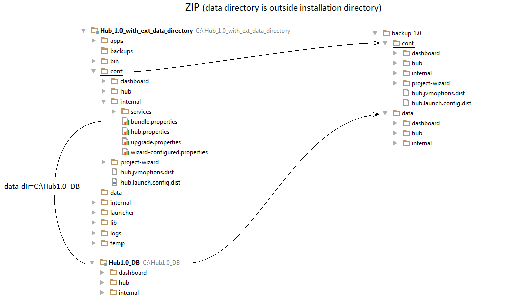
- For an MSI distribution, the
datadirectory is located in the%programdata%\JetBrains\Hub\directory. If the default data directory was changed during installation, thedatadirectory is found in the set location. If you don't know where the data directory is located, open the configuration fileinternal\bundle.propertiesin theconfdirectory. The current path to thedatadirectory is set in thedata-dirparameter.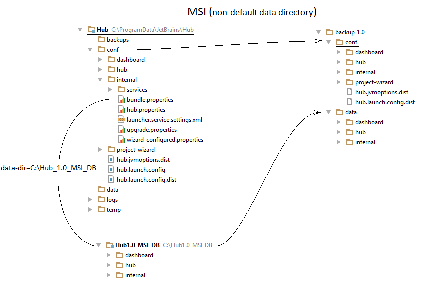
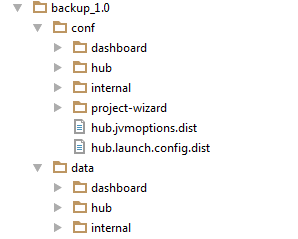
The finished backup directory should be similar to the directory that is shown below:
- For a ZIP distribution, the
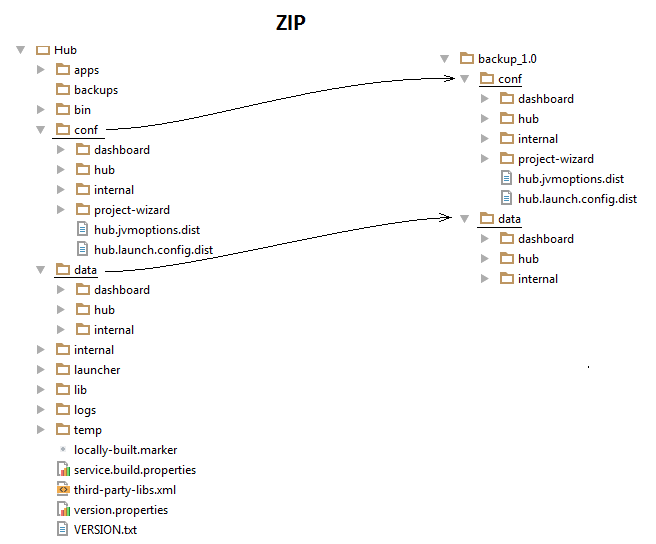
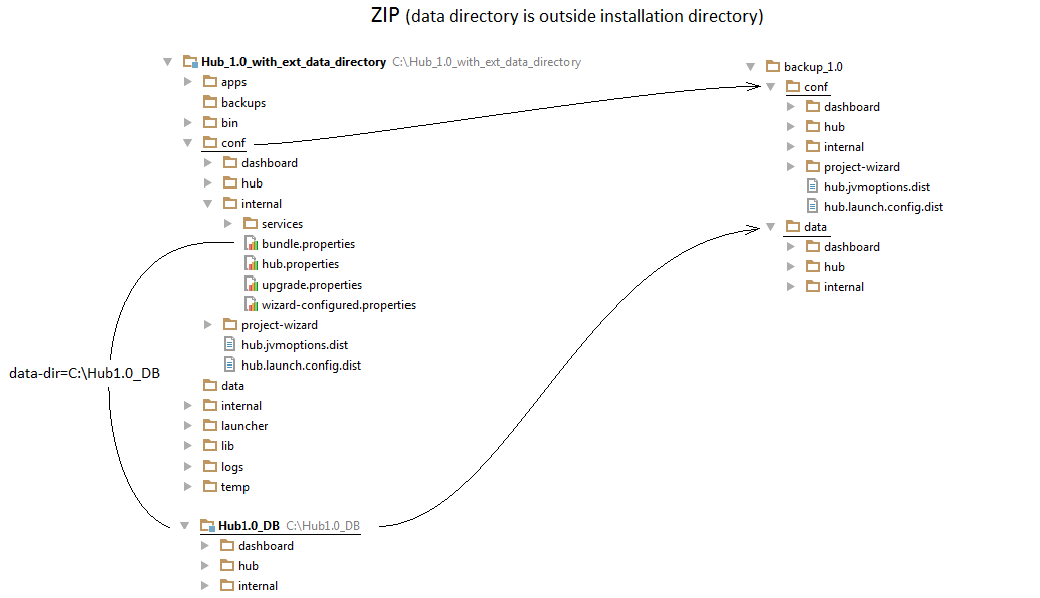
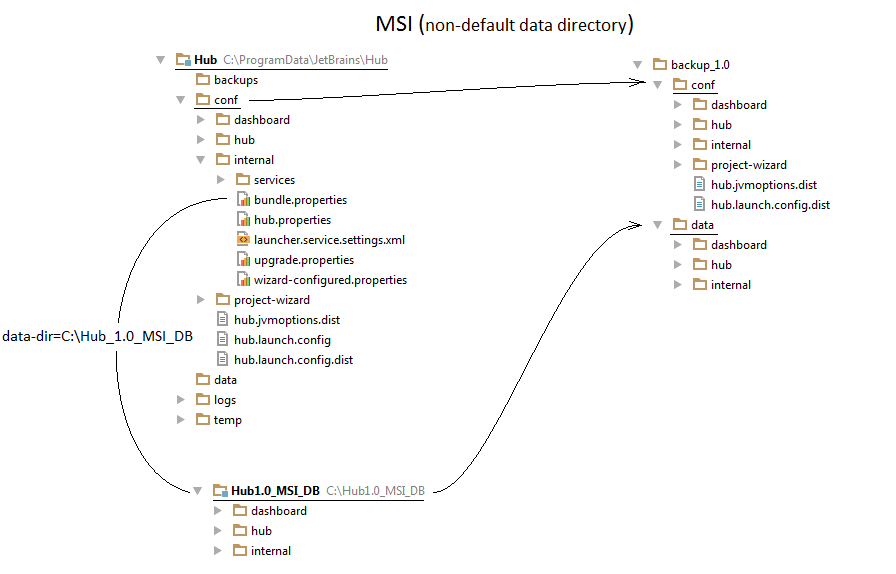
The resulting directory that contains the conf and data directories is a valid backup.
Last modified: 6 April 2017