Resource bundles
A resource bundle is a set of properties files with the same base name and a language-specific suffix. For example, if you create file_en.properties and file_de.properties, IntelliJ IDEA will recognize and combine them into a resource bundle.
IntelliJ IDEA marks resource bundles with the following icon:  .
.
Create a new resource bundle
In the Project tool window, select the directory where the new resource bundle should be created.
In the main menu, go to , or press Alt+Insert and click Resource Bundle.
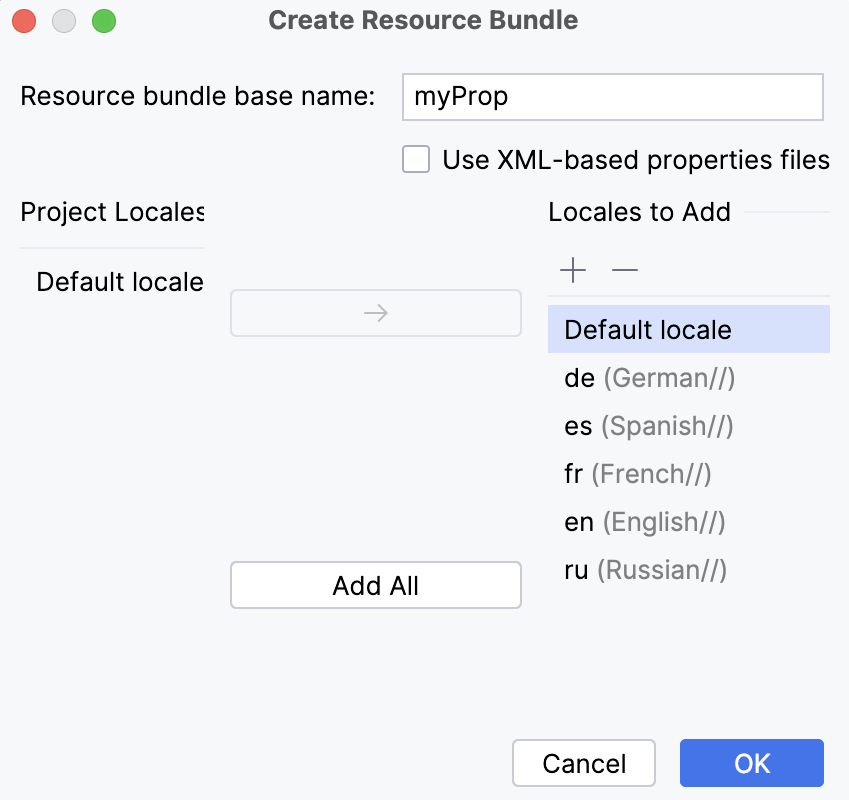
In the Create Resource Bundle dialog, specify the base name of the resource bundle.
If necessary, select the Use XML-based properties files.
In the dialog, you may also define the additional locales you want to include.
By default, the list of locales includes the Default locale which is defined by a properties file without a language-specific suffix.
To add locales, click
 and type the comma-separated suffixes of the required locales.
If you already have properties files created in your project, those locales will appear as suggestions.
Click OK when ready.
A new node Resource Bundle '<base_name>' appears in the Project tool window:
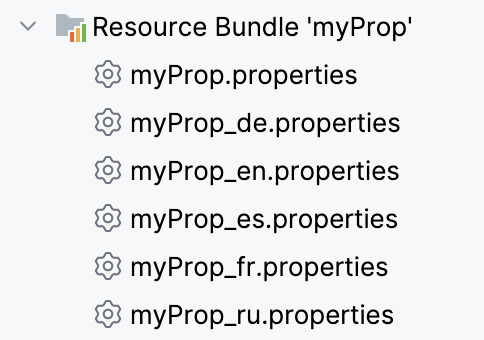
By default, the bundle contains properties files for all specified locales. You can dissociate it to show only the properties files without the bundle.
Dissociate a resource bundle
Right-click the resource bundle you want to dissociate.
From the context menu, click Dissociate Resource Bundle.
Combine several properties files into a resource bundle
Select the properties files to be combined.
Right-click the selection.
From the context menu, click Combine to Resource Bundle.
Specify the base name of the resource bundle.
Productivity tips
Copy property keys and values
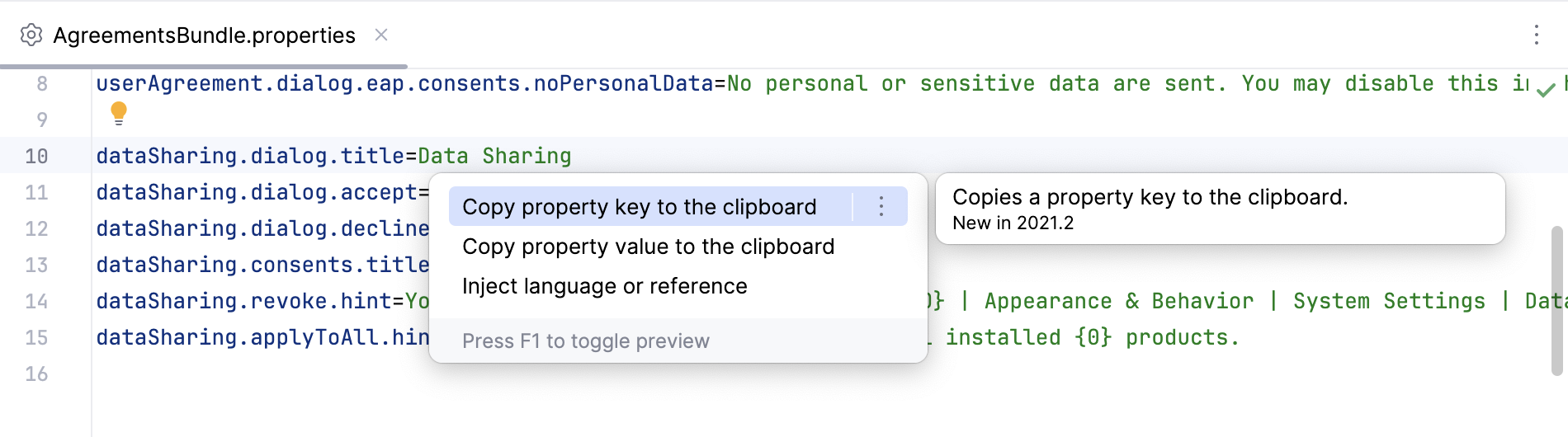
When editing properties files, you can press Alt+Enter to use the context actions for copying the key or value of the property at the caret to the clipboard.