Enable web service client development support
To develop a web service client in IntelliJ IDEA, configure the corresponding module and supply all required libraries. The instructions on this page are applicable for developing a web service client of the following types:
GlassFish/JAXWS2.X RI/Netro 1.X/JWSDP2.0
Apache Axis
RESTful Web Service
Install the Jakarta EE: Web Services (JAX-WS) plugin
This functionality relies on the plugin, which you need to install and enable.
Press Ctrl+Alt+S to open settings and then select .
Find the Jakarta EE: Web Services (JAX-WS) plugin, and click Install. Restart the IDE if prompted.
Create a new Jakarta EE project with JAX-WS
Open the New Project wizard:
If you are on the Home screen, select
 New |
 Project….
If you have another project open, go to .
From the Generators list on the left, select
 Jakarta EE.
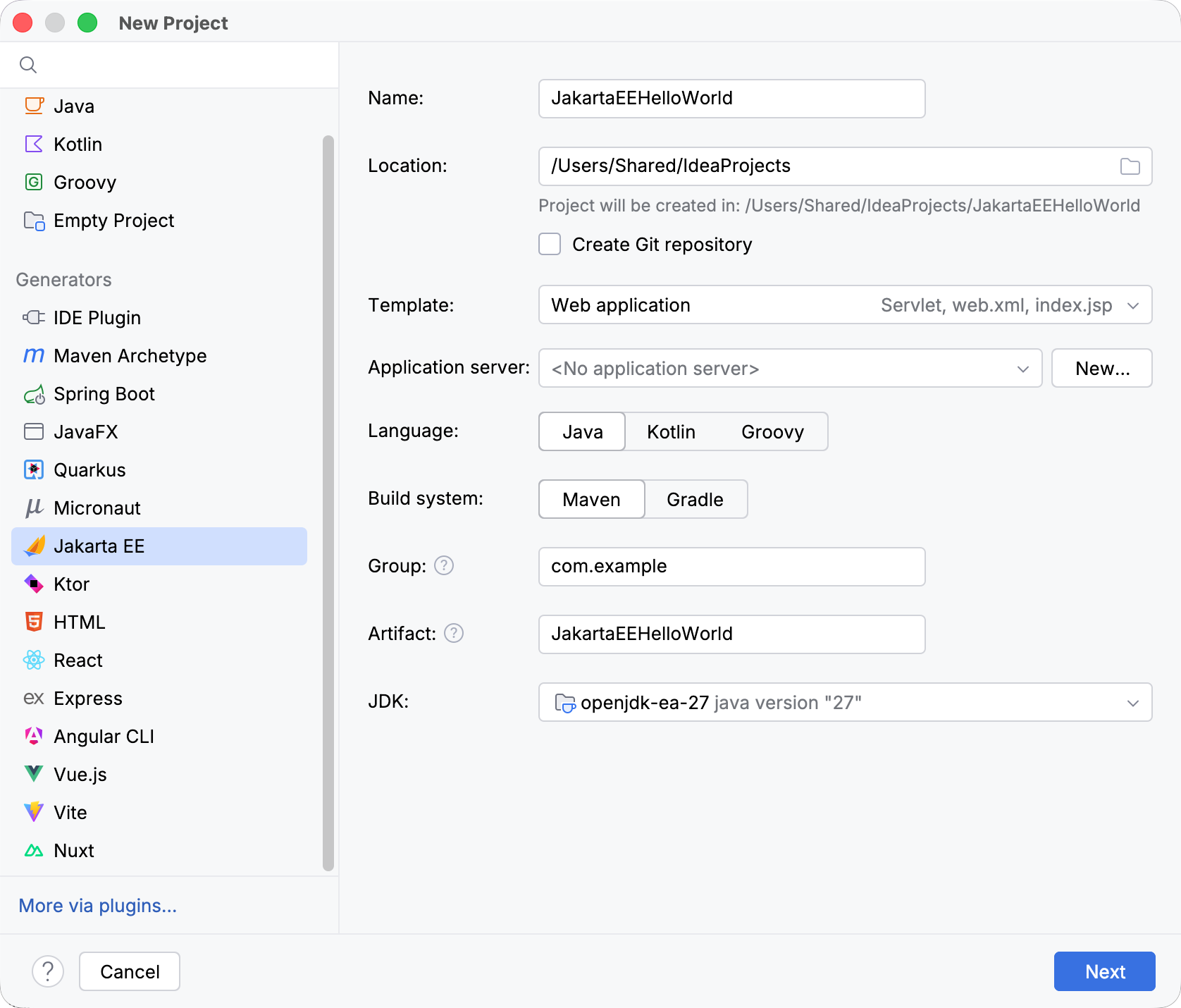
Select the Web application template and set up the rest of the Jakarta EE project settings.
When you are ready, click Next.
From the Version drop-down list, select the Jakarta EE version you want to use.
From the Dependencies list, select XML Web Services (JAX-WS) and any additional specifications or implementations you want to include in your project. Because of the web application template, the Servlet specification is already selected.
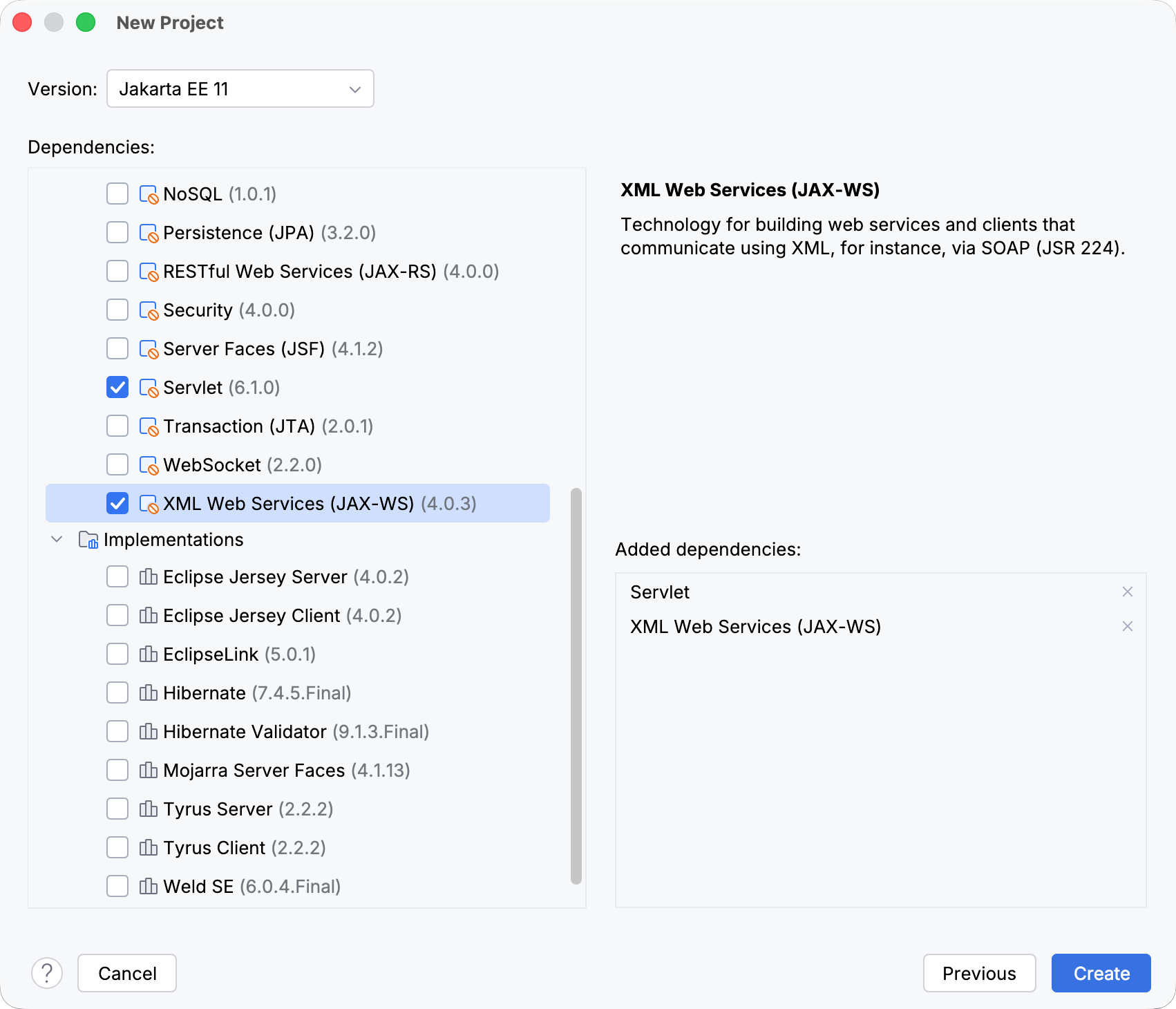
Click Create.
For more information about creating Jakarta EE projects, such as how to set up an application server, refer to Tutorial: Your first Jakarta EE application.
Add JAX-WS to an existing project
Open the build file in the editor (pom.xml or build.gradle depending on the build tool used in your project).
Add the JAX-WS library, and make sure its version matches the rest of your project:
- Jakarta EE
- <dependency> <groupId>jakarta.xml.ws</groupId> <artifactId>jakarta.xml.ws-api</artifactId> <version>4.0.2</version> </dependency>
- Java EE
- <dependency> <groupId>javax.xml.ws</groupId> <artifactId>jaxws-api</artifactId> <version>2.3.1</version> </dependency> <dependency> <groupId>javax.jws</groupId> <artifactId>javax.jws-api</artifactId> <version>1.1</version> </dependency>
- Jakarta EE
- implementation 'jakarta.xml.ws:jakarta.xml.ws-api:4.0.2'
- Java EE
- implementation 'javax.xml.ws:jaxws-api:2.3.1' implementation 'javax.jws:javax.jws-api:1.1'
- Jakarta EE
- implementation("jakarta.xml.ws:jakarta.xml.ws-api:4.0.2")
- Java EE
- implementation("javax.xml.ws:jaxws-api:2.3.1") implementation("javax.jws:javax.jws-api:1.1")
Press Ctrl+Shift+O to import the changes.
For more information about working with build tools, refer to Maven or Gradle.
Enable support for any web service engine
IntelliJ IDEA uses facets to enable support for the most common web service engines. However, you can enable any web service engine or implementation version, even if it is not supported by IntelliJ IDEA facets.
Download the desired web service engine implementation.
Press Ctrl+Alt+S to open settings and then select . Specify the path to the external web service engine, desired server name and port, and other options For more information, refer to Web Services.