Markdown language settings
Use this page to configure Markdown support in IntelliJ IDEA.
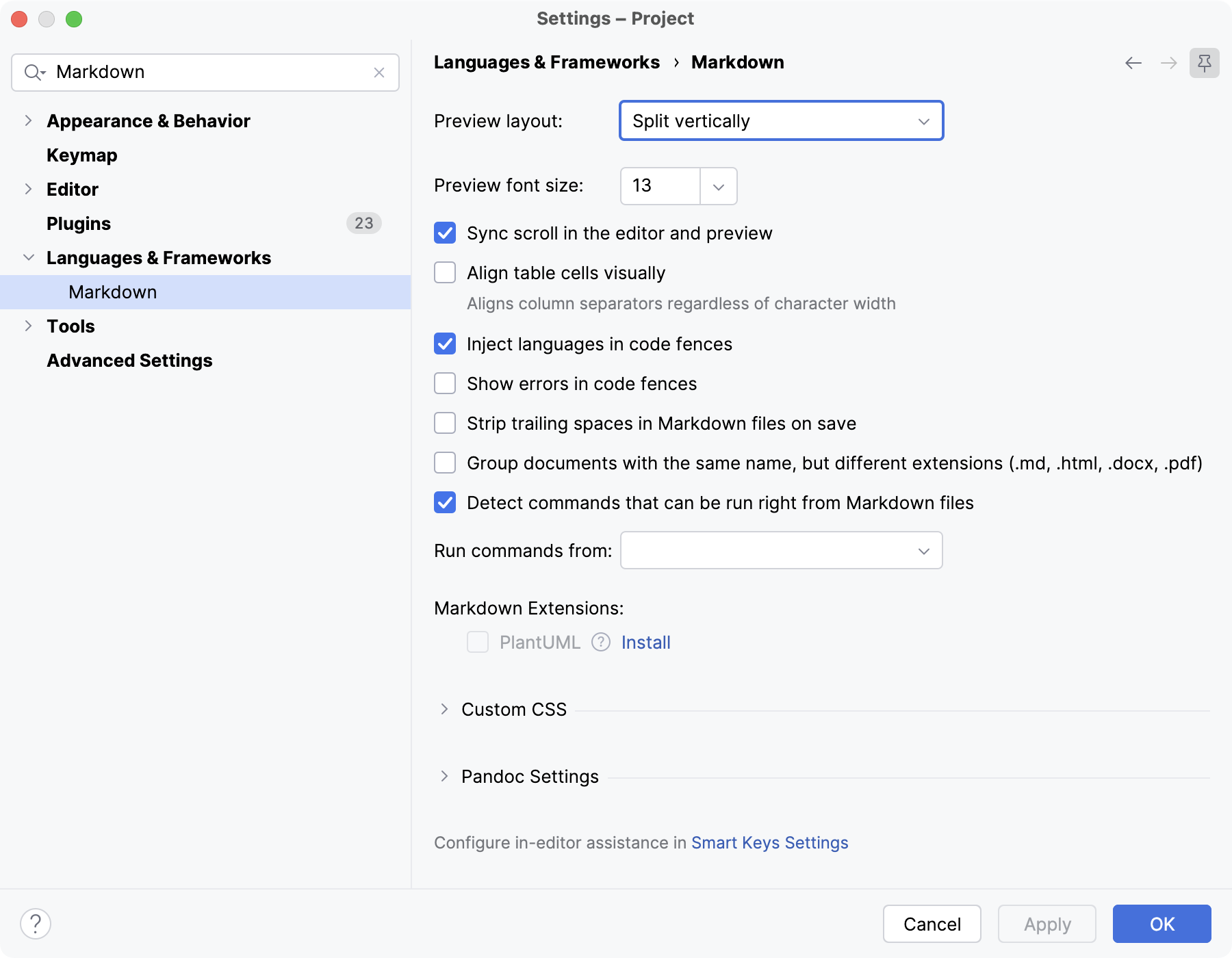
- Preview layout
Select how to split the editor and preview pane: vertically (side by side) or horizontally (preview below the editor).
- Preview font size
Select the font size for the built-in style sheets in the Preview Markdown.
- Sync scroll in the editor and preview
Synchronize the scroll position in the editor with the scroll position in the preview pane.
- Align table cells visually
Visually align table cells and column separators in the editor without modifying the table's source text.
- Inject languages in code fences
Inject the language specified for the code block to enable coding assistance. For more information, refer to Code blocks.
- Show errors in code fences
Check code blocks for syntax errors according to the specified language.
- Group documents with the same name, but different extensions (.md, .html, .docx, .pdf)
Show MD, HTML, DOCX, and PDF files with the same name as a group in the Project tool window.
- Detect commands that can be run right from Markdown files
Show gutter icons for running commands in Markdown files.
For more information, refer to Run commands from Markdown files.
- Run commands from
Select which directory to use as the working directory when running commands from Markdown files.
Markdown file parent directory: run commands using the directory containing the current Markdown file as the working directory.
Project directory: run commands using the project directory as the working directory.
- Markdown Extensions
Install and enable markdown extensions: Mermaid and PlantUML.
Custom CSS
Customize the style sheets used for rendering HTML in the preview pane. For more information, refer to Custom CSS.
- Load from
Specify the location of a custom CSS file.
- CSS rules
Enter specific CSS rules that you want to override.
Pandoc Settings
Configure the settings related to converting files to and from Markdown and other formats. For more information, refer to Convert Markdown files
- Path to Pandoc executable
Specify the location of the Pandoc executable.
- Save images from Microsoft Word to
Specify the location where you want to save images imported from DOC files.