Plugins
Use this page to manage plugins: browse available plugins, install, remove, enable, disable, and update plugins.
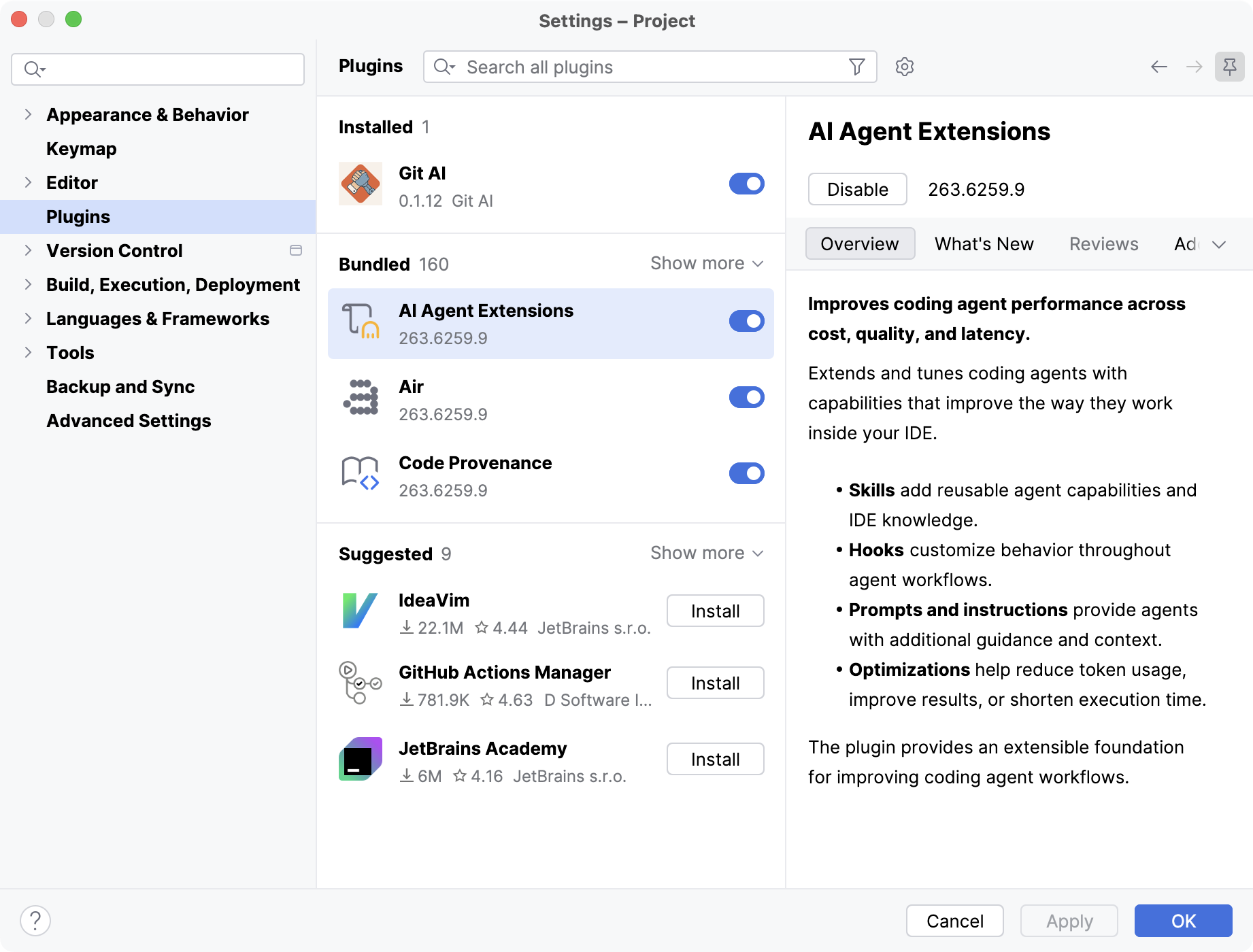
On the Plugins page, you can find several categories of plugins:
Installed: additional plugins that have been installed from JetBrains Marketplace, a custom plugin repository, or a local archive.
Bundled: plugins that are included with IntelliJ IDEA by default. You can enable or disable most of them, but you cannot uninstall them.
Suggested: plugins that IntelliJ IDEA recommends based on the technologies detected in the current project.
Marketplace: plugins that are available for installation from JetBrains Marketplace. These plugins appear as search results when you look for plugins.
Plugins that come from your custom repository if you use one.
Icon | Tooltip | Description |
|---|---|---|
| Show Marketplace results | Sort plugins in search results by relevance, number of downloads, rating, name, or last updated date. |
| Filter plugins | Filter plugins in the list. For example, if you use a custom plugin repository, click |
| Manage Repositories, Configure Proxy or Install Plugin from Disk | Configure additional plugin settings:
|


