IntelliJ IDEA for Education
IntelliJ IDEA can be used for learning and teaching programming. You can learn Java, Kotlin, and Scala from scratch or perfect your skills in these languages with interactive courses and programming contests. If you are interested in creating your own courses, you can do it right in IntelliJ IDEA as well.
Install the JetBrains Academy plugin
This functionality relies on the JetBrains Academy plugin, which you need to install and enable.
Press Ctrl+Alt+S to open settings and then select .
Find the JetBrains Academy plugin, and click Install. Restart the IDE if prompted.
Start the learning course
In the main menu, go to .
In the Select Course dialog, select a course you want to take and click Open.
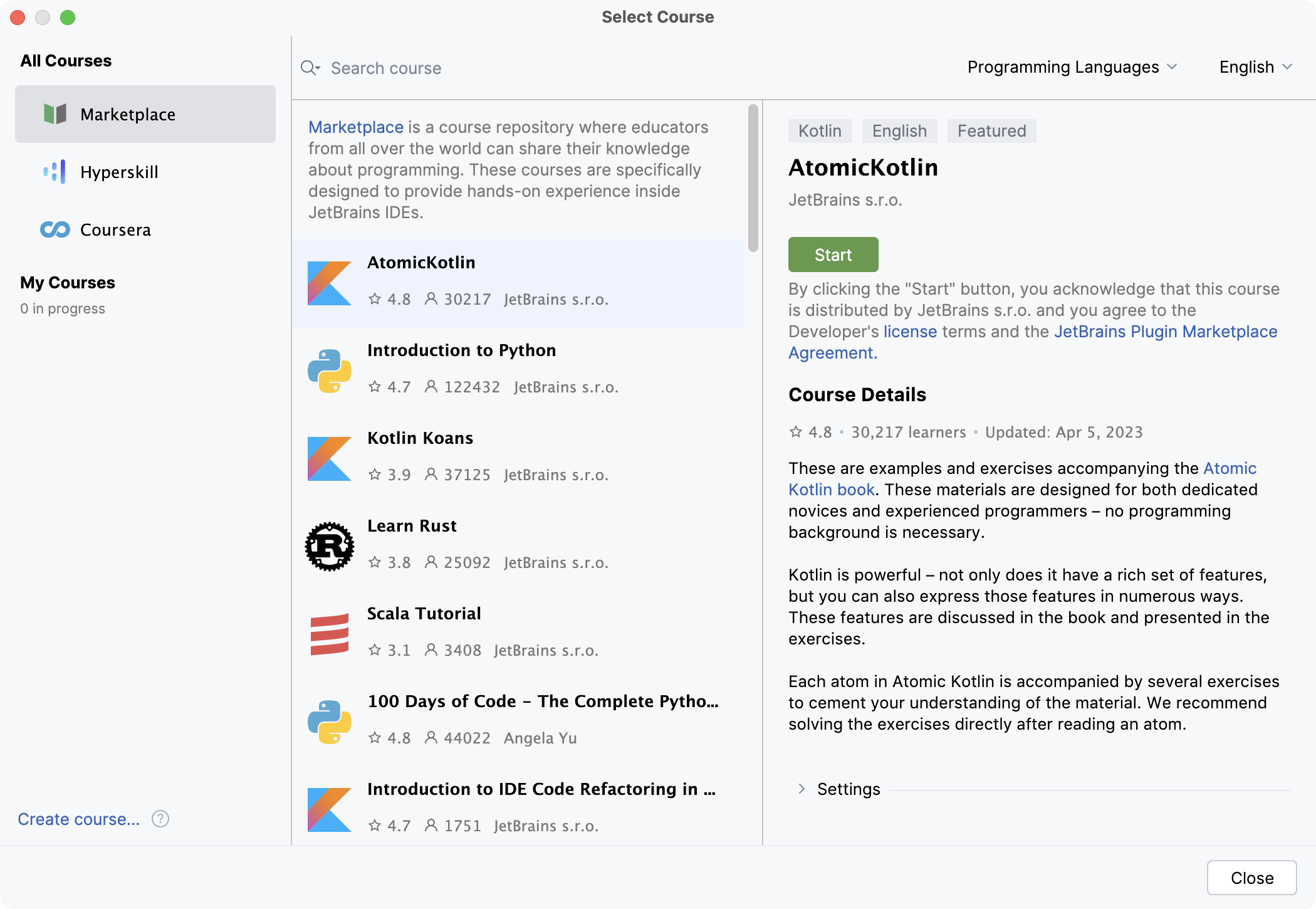
IntelliJ IDEA downloads the selected course and opens it inside the IDE.
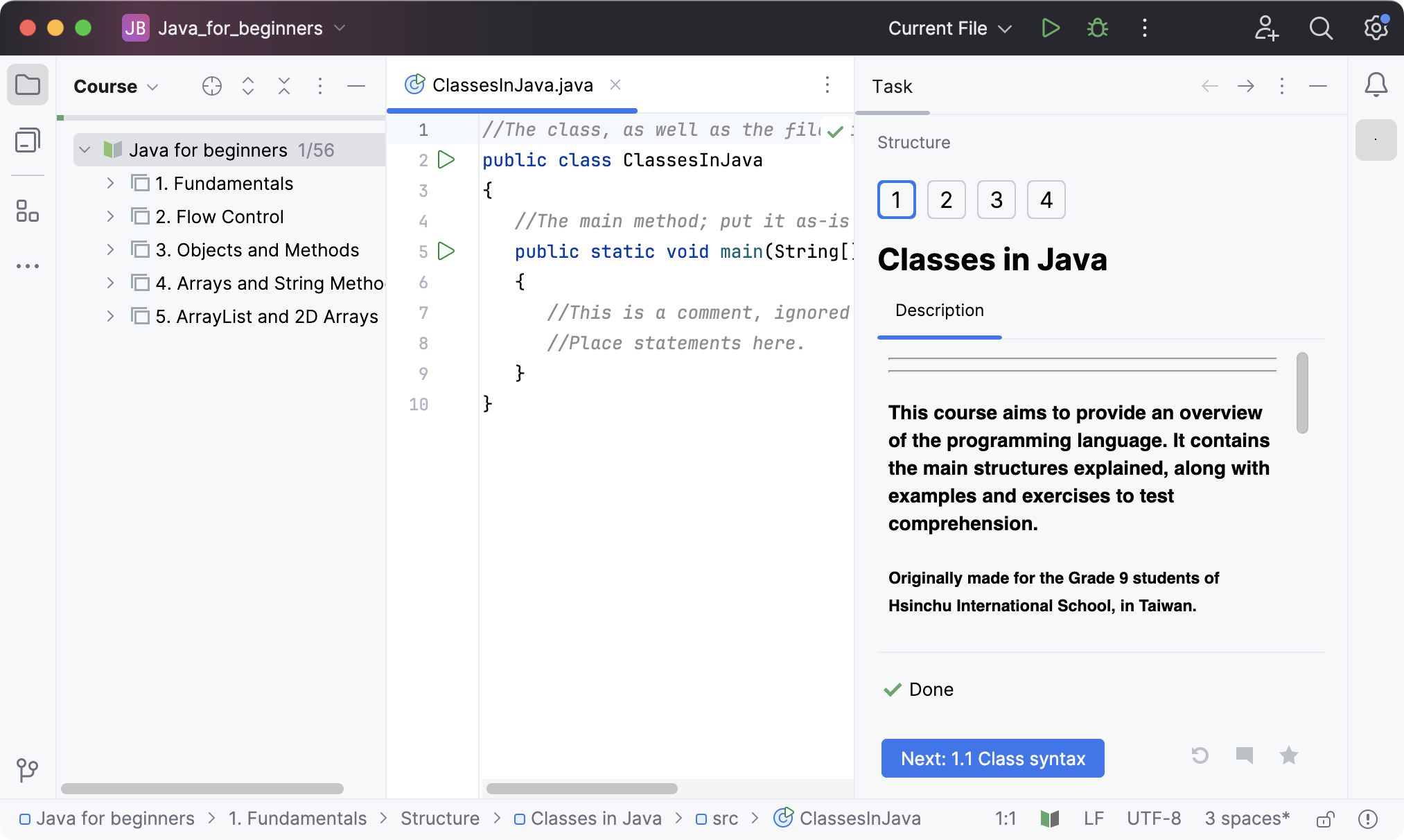
When the course gets opened inside the IDE, you are ready to start. Its tasks can be easily followed.
If you want to learn more, check out the IntelliJ IDEA for Education webpage.
Work with the main menu
You can also use the main menu to browse other courses, create new ones, or report issues.
In the main menu, go to to choose options for browsing new courses, create the new or the hyper skill course.
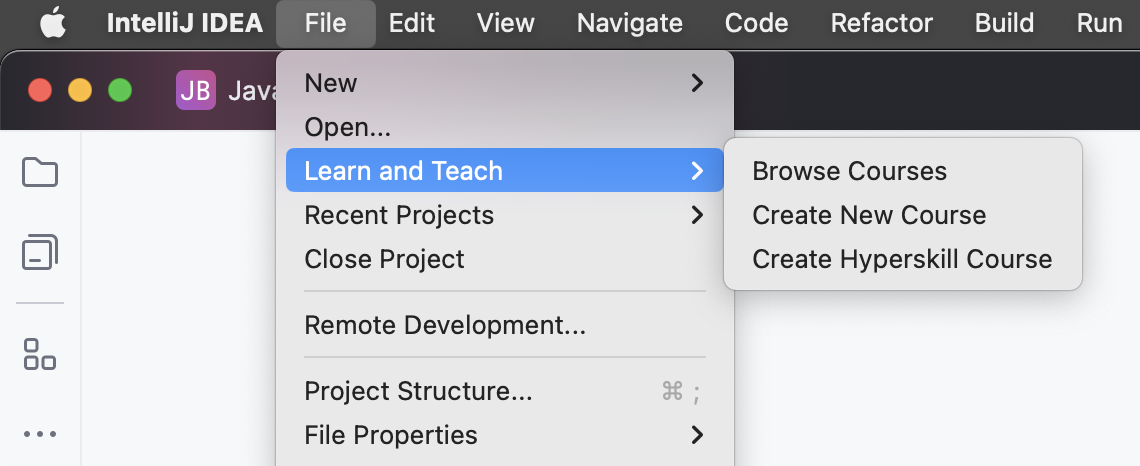
Go to to file found issues in the project.