Smart Keys settings: Markdown
Use this settings page to configure typing assistance features in Markdown.
For more information about Markdown support in IntelliJ IDEA, see Markdown.
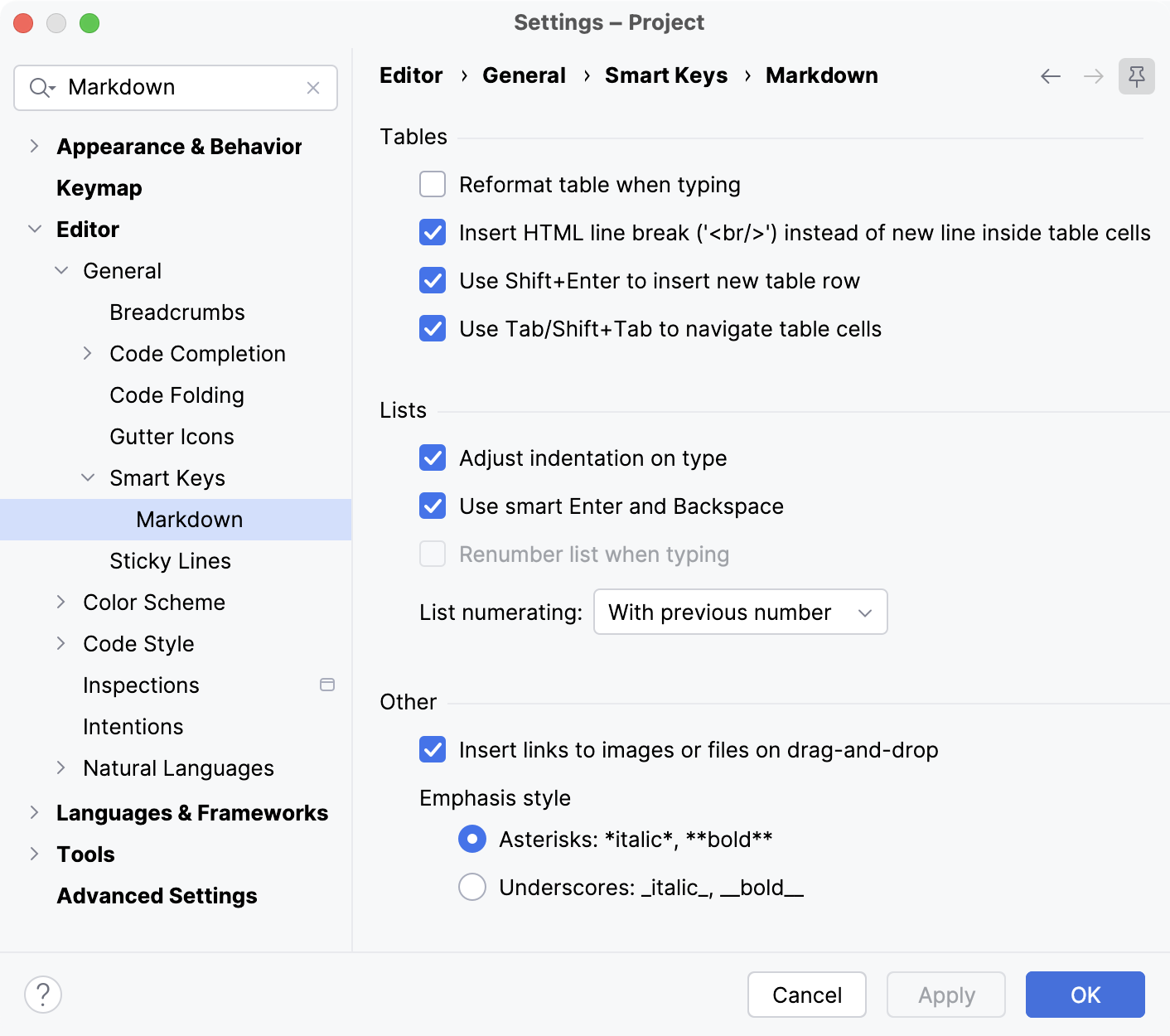
Tables
Item | Description |
|---|---|
Reformat table when typing | Automatically adjust the rows and columns of tables to fit the content into the cells. |
Insert HTML line break ('<br/>') instead of new line inside table cells | Add a proper line break when you press Enter inside a table cell. Without this option, the line will not actually break in the rendered HTML. You need to add an empty line if you want to start a new paragraph. |
Use Shift+Enter to insert new table row | Press Shift + Enter to add a new table row. |
Use Tab/Shift+Tab to navigate table cells | Press Tab to jump to the next table cell. Press Shift + Tab to jump to the previous table cell. |
Lists
Item | Description |
|---|---|
Adjust indentation on type | Automatically adjust the indentation for list items when you type. |
Use smart Enter and Backspace | Press Enter to add new list items. Press Backspace to remove the item bullets. |
Renumber list when typing | Automatically adjust the numbering of ordered lists as you type. When enabled, the IDE rewrites the ordered list after inserting an item. |
List numerating | Select how ordered lists are numbered:
|
Other
Item | Description |
|---|---|
Insert links to images or files on drag-and-drop | Drag and drop images and other files into the Markdown file editor to automatically generate a reference. |
Emphasis style | Select whether to use asterisks |
For more information, refer to the Markdown topic.