# Properties files
Properties files are text files with the `.properties` extension, containing localization strings in the form of key and value pairs that can be accessed and rendered in the UI.
IntelliJ IDEA marks these files with the following icon: .
IntelliJ IDEA also recognizes properties files in XML format. They are marked with the icon .
Several properties files with the same base name and a language-specific suffix can be combined into a [resource bundle](resource-bundle.html) for convenience.
Procedure: Create a properties file
1. Right-click a directory where you would like to create the file.
2. From the context menu of the target directory, choose `New | File`.
3. In the New File dialog, type the filename with the corresponding extension `.properties`, and click OK.
> **Note:**
> If you create several files with the same name and different locale suffixes (for example, `myProp_en.properties`, `myProp_fr.properties`, and so on), such properties files will be combined into a [resource bundle](resource-bundle.html).
## Encoding of properties files
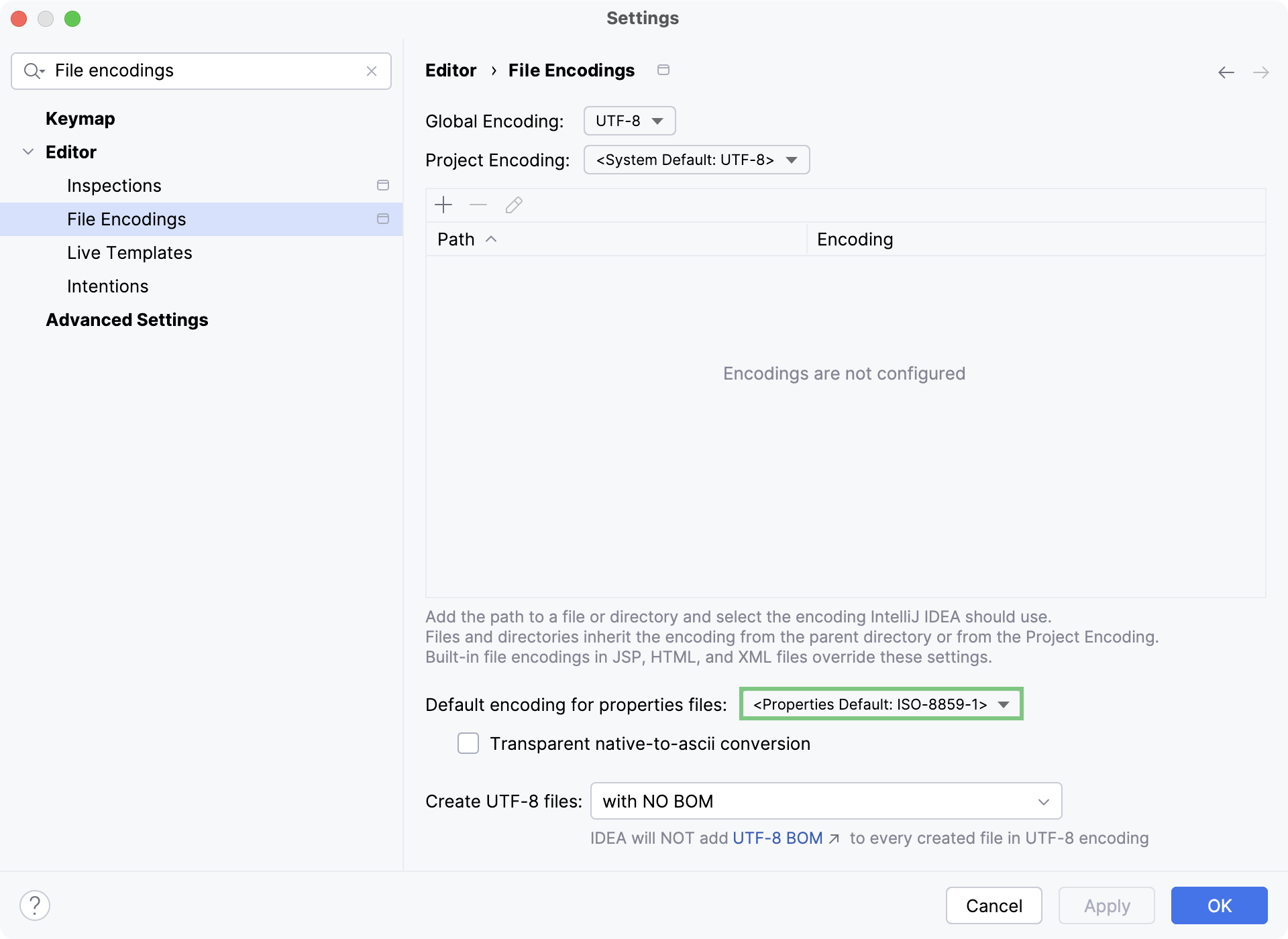
In IntelliJ IDEA, the default encoding for properties files is ISO-8859-1. You can also use escape sequences for characters not defined by the selected encoding. Alternatively, you may choose to define a different default encoding for properties files on the project level.
Procedure: Configure default encoding for properties files
1. In the Settings dialog (`Ctrl+Alt+S` (Windows), `⌘ Comma` (macOS), `⌘ Comma` (IntelliJ IDEA Classic (macOS)), `⌘ Comma` (macOS System Shortcuts), `Ctrl+Alt+S` (XWin), `Ctrl+Alt+S` (GNOME), `Ctrl+Alt+S` (KDE), `Ctrl+Alt+S` (Emacs), `Ctrl+Alt+S` (Sublime Text), `⌘ Comma` (Sublime Text (macOS)), `Ctrl+Alt+S` (NetBeans), `Ctrl+Alt+S` (Visual Studio), `⌘ Comma` (Visual Studio (macOS)), `Ctrl+Alt+S` (Eclipse), `⌘ Comma` (Eclipse (macOS))), select `Editor | File Encodings`.
2. Select the encoding from the Default encoding for properties files list.
3. If necessary, enable Transparent native-to-ascii conversion to show native characters (those not defined in [ISO-8859-1](https://en.wikipedia.org/wiki/ISO/IEC_8859-1)) in place of the corresponding escape sequences.
For more information, refer to [Encoding](encoding.html).
If the default encoding for properties files is set to the UTF-8 properties default option in your settings and IntelliJ IDEA encounters a character in the properties file not supported by UTF-8, then IntelliJ IDEA will automatically switch the encoding of that properties file to ISO-8559-1.
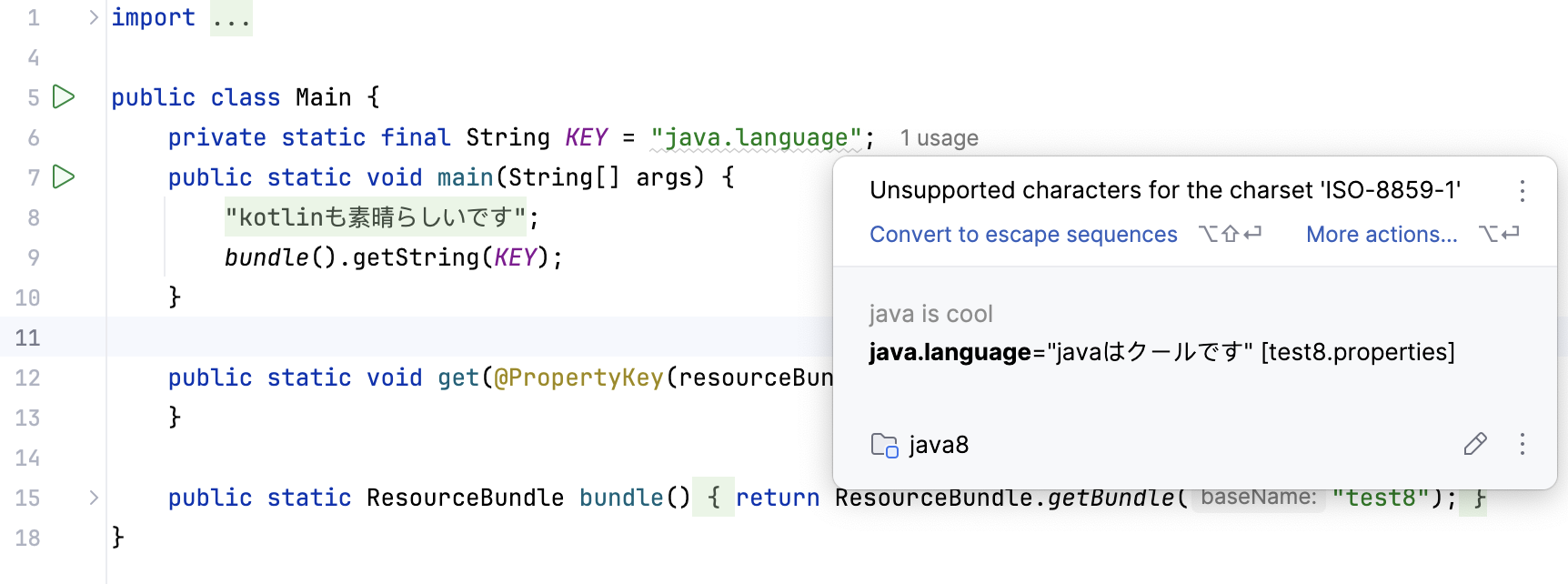
If your properties files are using the UTF-8 encoding and IntelliJ IDEA identifies that Java code that is version 8 or earlier (for example, in the runtime of your server) accesses properties files with characters not defined in the ISO-8859-1 character set, the Convert to escape sequences inspection allows you to convert the non-compliant characters into escape sequences for compatibility.