Closing Files in the Editor
MPS suggests several ways to close editor tabs.
To close a file in the editor, do one of the following
On the main menu point to , choose one of the appropriate closing commands.
- Close
- Close All
- Close Others
 Alt
Alt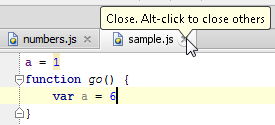
- Close Unmodified
- Close All But Pinned
Right-click any editor tab, and choose same commands from the context menu.
Point with your mouse cursor to a tab and click the middle mouse button.
Point with your mouse cursor to a tab and click
.Press Ctrl+F4.
Last modified: 25 January 2021