Troubleshooting materials
Consider attaching some troubleshooting materials for a more precise and quick answer. The following materials might be helpful for our investigation: log files, screenshots, animations, videos, database dumps.
Locate log files
Locate PhpStorm log
Click . The idea.log file contains recent log information about your IDE performance.
The idea.log file contains recent log information about your IDE performance.
Change location of the SQL log
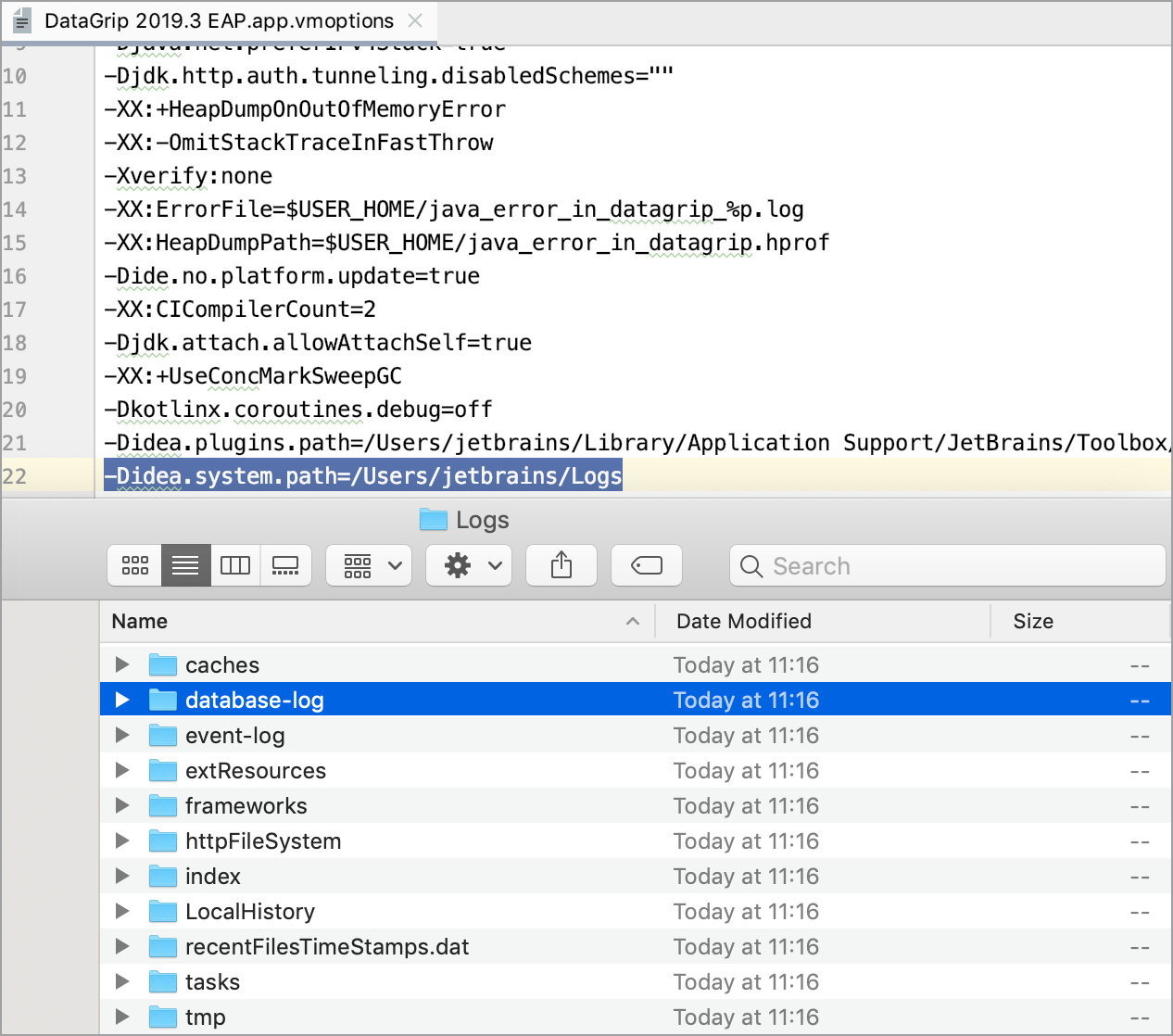
To change location of the SQL log, add the -Didea.system.path property to the custom VM options. This change affects all logs.
Click .
At the end of the option list, add the following line:
-Didea.system.path=/path/to/your_log_directory.
Configure PhpStorm log settings
To avoid editing the log.xml file itself, PhpStorm suggests a handy dialog to change logging level for a category. This file resides under the bin directory of PhpStorm installation.
Click .
In the Custom Debug Log Configuration dialog, type the log categories names, separated with new lines.