Generate a schema from an XML file
A schema is required for running structure validation checks on a web content file. PhpStorm can scan any XML file for the existing elements and attributes and generate a DTD for it.
Generate a schema from an XML file
Open the file in the editor.
In the main menu, go to . The Convert Schema File dialog opens.
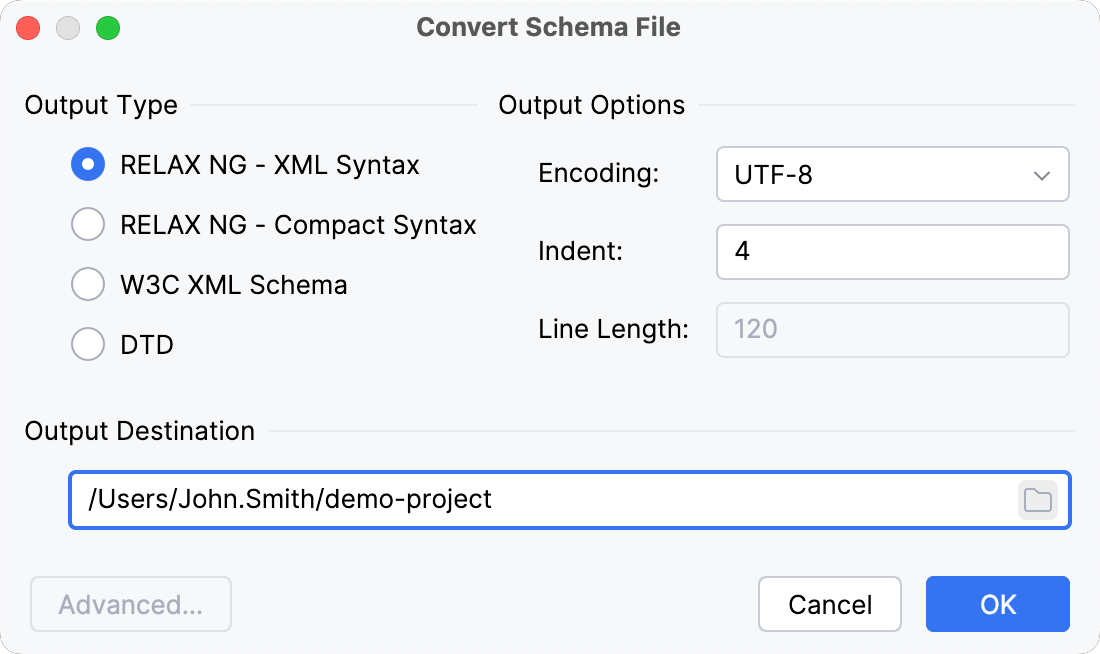
In the Output type area, specify the format for the generated schema. The available options are:
Specify the encoding, indentation, and maximum line length.
In the Output Destination field, specify where you want the generated schema file to be stored.
Optionally:
Click Advanced and specify additional options in the Advanced Conversion Options dialog that opens. For more information, refer to the RELAX NG official website.
Convert DTD to other schemas
Open the .dtd file in the editor and select from the main menu. The Convert Schema File dialog opens.
In the Output type area, specify the format for the generated schema. The available options are:
Specify the encoding, indentation, and maximum line length.
In the Output Destination field, specify where you want the generated schema file to be stored.
Optionally:
Click Advanced and specify additional options in the Advanced Conversion Options dialog that opens. For more information, refer to the RELAX NG official website.