SSL connection is not supported in Java 25
JDBC drivers in Java 25 do not support SSL connections. To connect to Microsoft SQL Server using SSL, do either of the following:
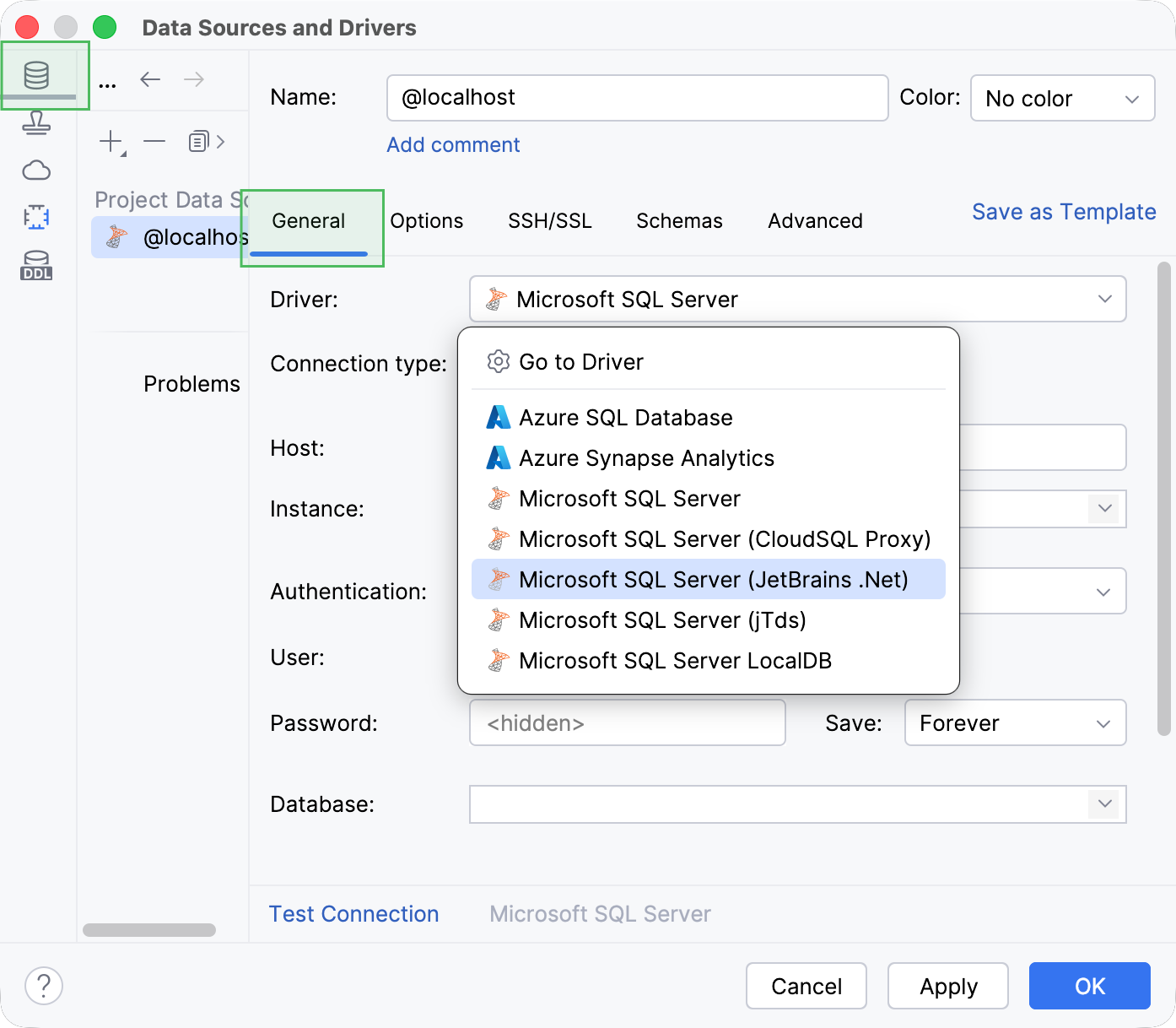
Use JetBrains .Net driver for your data source
In the Data Sources and Drivers, navigate to the Data Sources section and open the General tab.
From the Driver dropdown, select JetBrains .Net Driver.
Click Apply to save the new driver selection.
Use Java 21 for Microsoft SQL Server driver
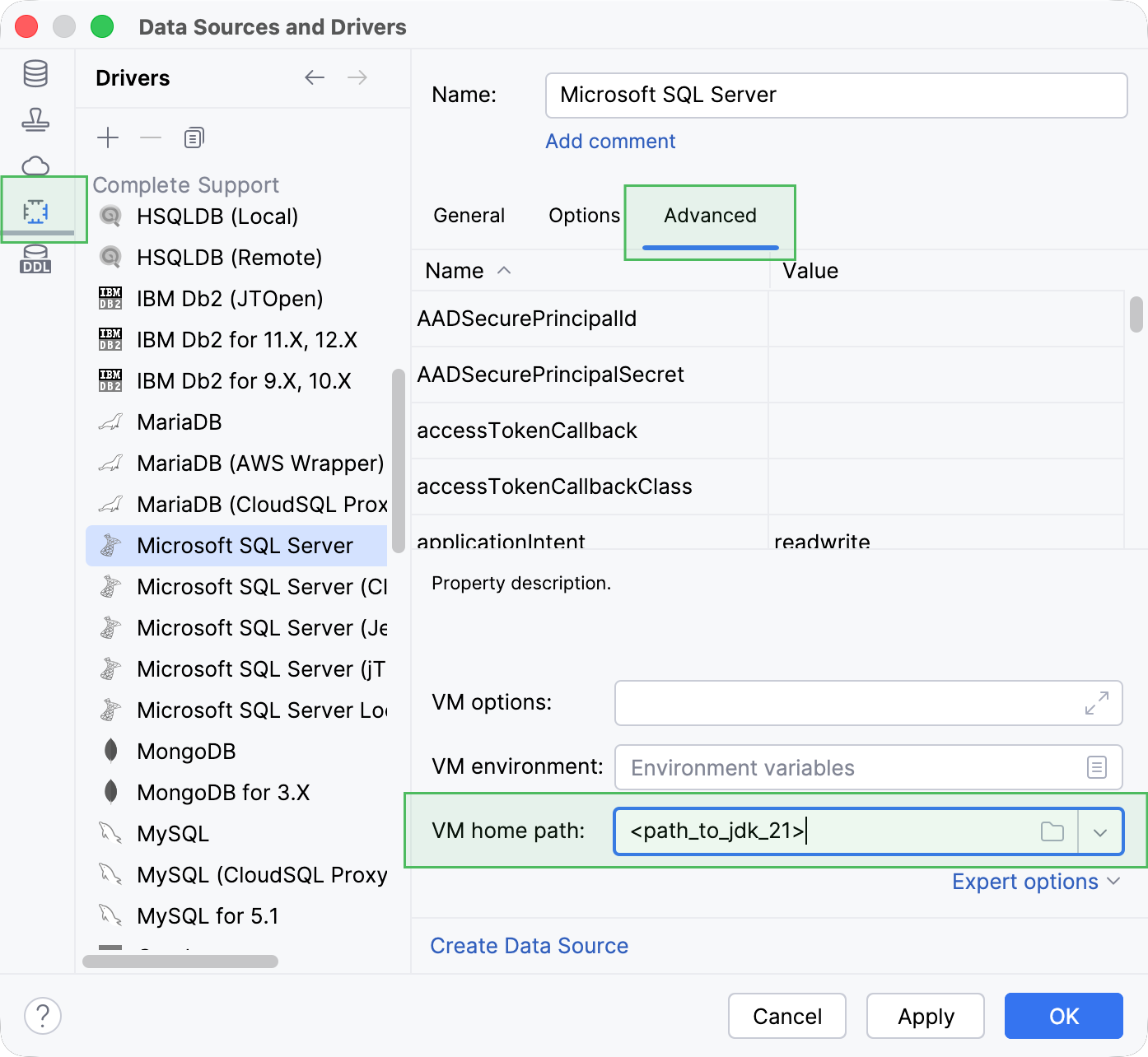
You can download JDK 21 from the Oracle website or another trusted source you prefer. To specify this JDK for you Microsoft SQL Server driver, do the following:
In the Data Sources and Drivers, navigate to the Data Sources section and open the Advanced tab.
In the VM home path field, specify the path to JDK 21 on your machine.
Click Apply to save the change.
17 April 2026