Start Dev Container with Podman
PyCharm supports creating a Dev Container using Podman. Currently, this support is still in development.
Before you start creating a Dev Container, ensure that Podman is configured and the minimal prerequisites for Dev Containers are met.
Create a Dev Container with Podman
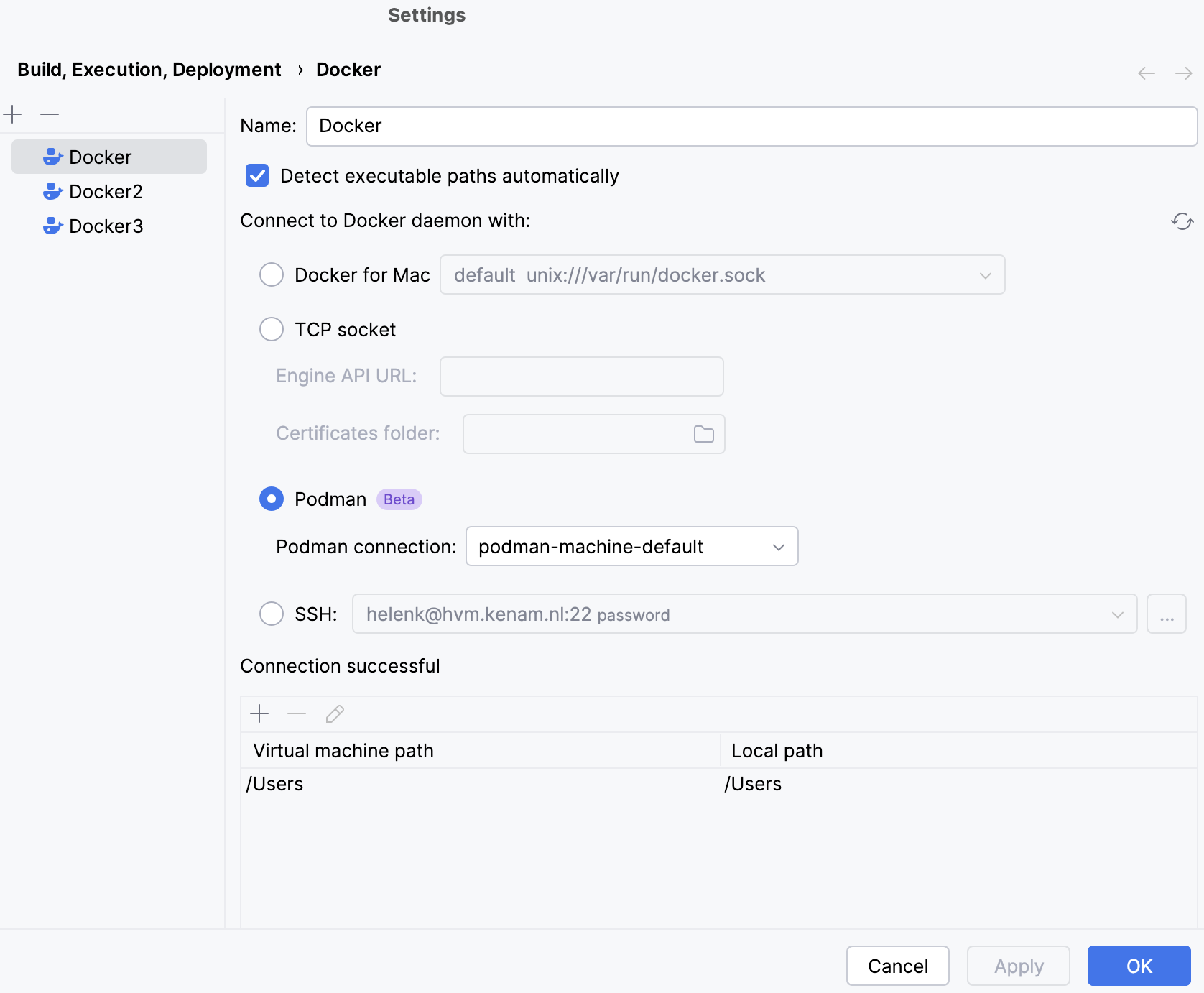
Configure Podman.
Press Ctrl+Alt+S to open settings and then select .
Under the Podman section in the Podman connection list, ensure that you have a Podman machine up and running. Click OK.
In the left-hand pane of the Welcome screen, click Remote Development.
Select Dev Containers and click the Create Dev Containers button in the upper-right corner of the window.
On the page that opens, select the Podman configuration and select the necessary project.
Click Build Container and Continue.
After the Dev Container is built, the project is opened with JetBrains Client.