Introduce Attribute
The Introduce Attribute refactoring lets you declare a new instance attribute and initialize it with the selected expression. The original expression is replaced with the usage of the instance attribute.
Introduce an instance attribute
Place the caret within a piece of code you want to introduce as an instance attribute.
Press Ctrl+Alt+F or go to in the main menu. Alternatively, right-click and select from the context menu.
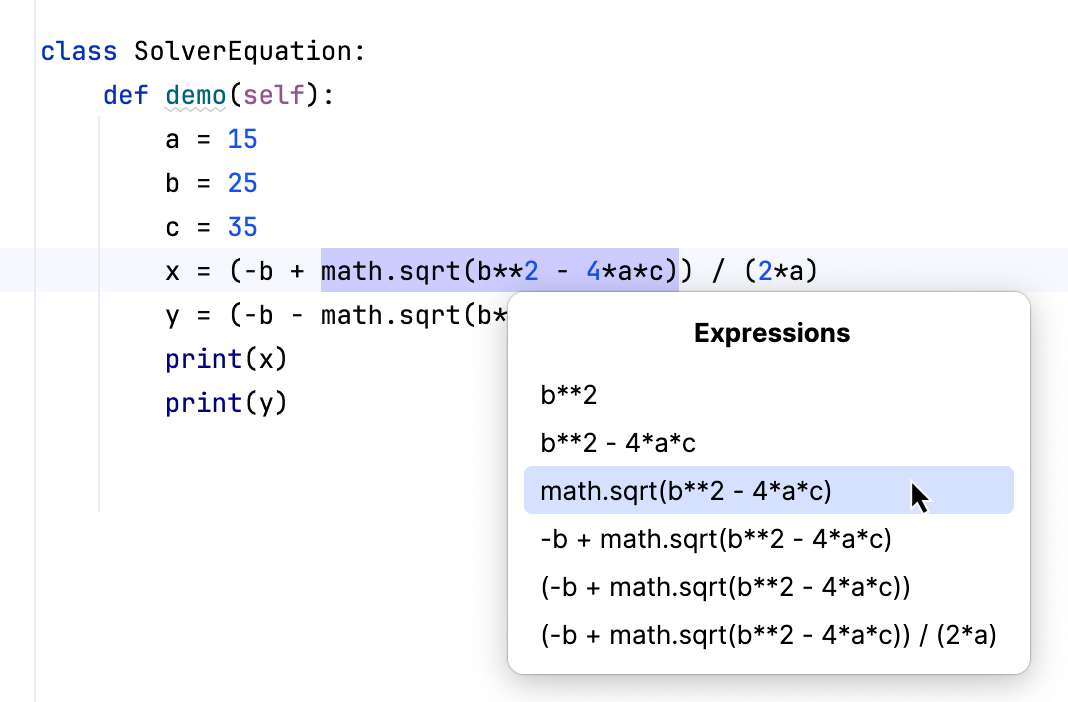
If more than one expression is detected for the current caret position, the Expressions list appears. If this is the case, click the expression to select it. Alternatively, use the Up and Down arrow keys to navigate to the expression of interest and then press Enter to select it.
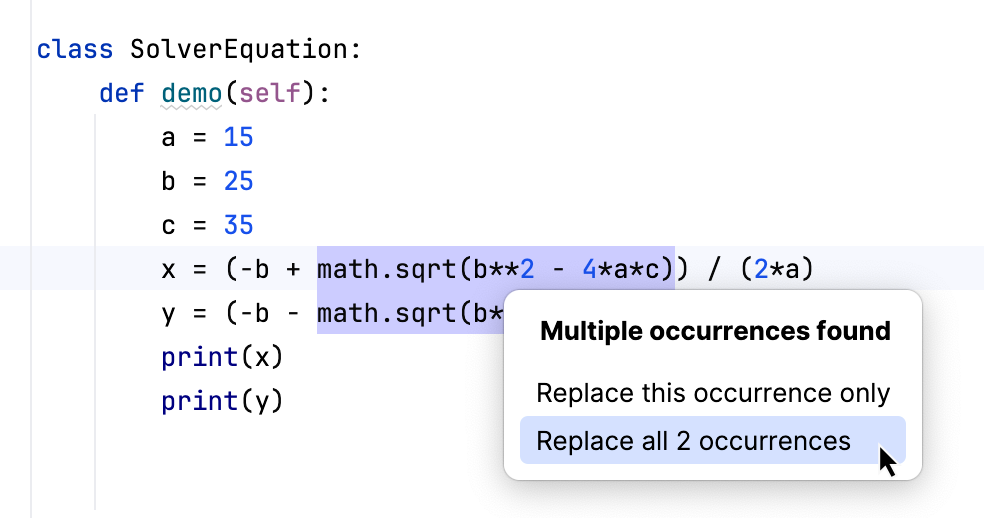
If PyCharm detects more than one occurrence in your code, it lets you specify which occurrences to replace.
If relevant, specify where the new instance attribute will be initialized—in the current method, or in a class constructor.
Specify the name of the instance attribute. Select the name from the list or type the name in the box.
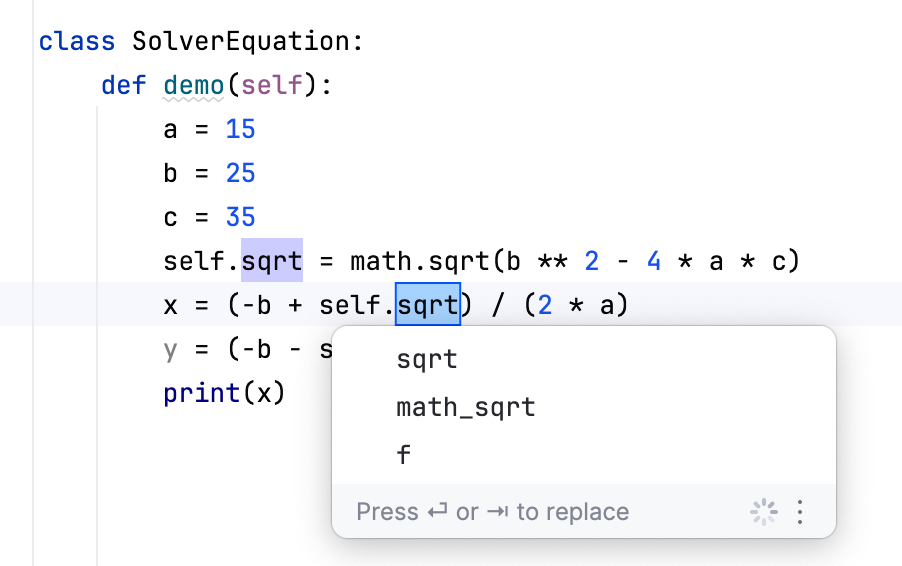
To complete the refactoring, press Tab or Enter.