LangSmith
PyCharm provides dedicated support for projects that use LangSmith, LangChain, or LangGraph. It analyzes LangSmith-related configuration in environment files, LangGraph configuration files, run configurations, and Python code.
When you open a project with LangSmith configuration problems, PyCharm shows the LangSmith project detected notification. Click Show problems to open the first problem in the editor and the Problems tool window. After you fix the problems, the notification appears again only if new problems are detected.
LangSmith environment variables
LangSmith uses environment variables to configure tracing, authentication, and service endpoints. These variables can be stored in .env files, for example .env, .env.example, or prod.env.
PyCharm recognizes LangSmith environment variables in these files and checks their names and values. For example:
In this example, PyCharm detects supported legacy LANGCHAIN_* variable names and suggests replacing them with the corresponding LANGSMITH_* names.

Use the Rename all deprecated LangSmith keys quick-fix to replace all supported deprecated variable names in the file.
PyCharm also validates LangSmith-specific values. For example, it detects an invalid tracing value or a known incorrect LangSmith endpoint host, such as eu.smith.langchain.com instead of eu.api.smith.langchain.com, and suggests valid replacements.

PyCharm also reports the following problems and suggests quick-fixes for them:
A legacy variable and the corresponding
LANGSMITH_*variable have different values. Use the Remove deprecated key quick-fix.Tracing is turned on, but no API key is set. Use the Add LANGSMITH_API_KEY quick-fix.
LangSmith variables are set, but no tracing variable is set. Use the Add LANGSMITH_TRACING=true quick-fix.
In Python code, PyCharm also reports legacy variable names that are read from the environment, for example os.environ["LANGCHAIN_API_KEY"] or os.getenv("LANGCHAIN_PROJECT"), and suggests the Change to 'LANGSMITH_…' quick-fix.
LangGraph environment files
LangGraph projects can declare an environment file in the env property of langgraph.json. For example:
PyCharm analyzes this property and checks that the referenced environment file exists. If the file does not exist, PyCharm highlights its path.

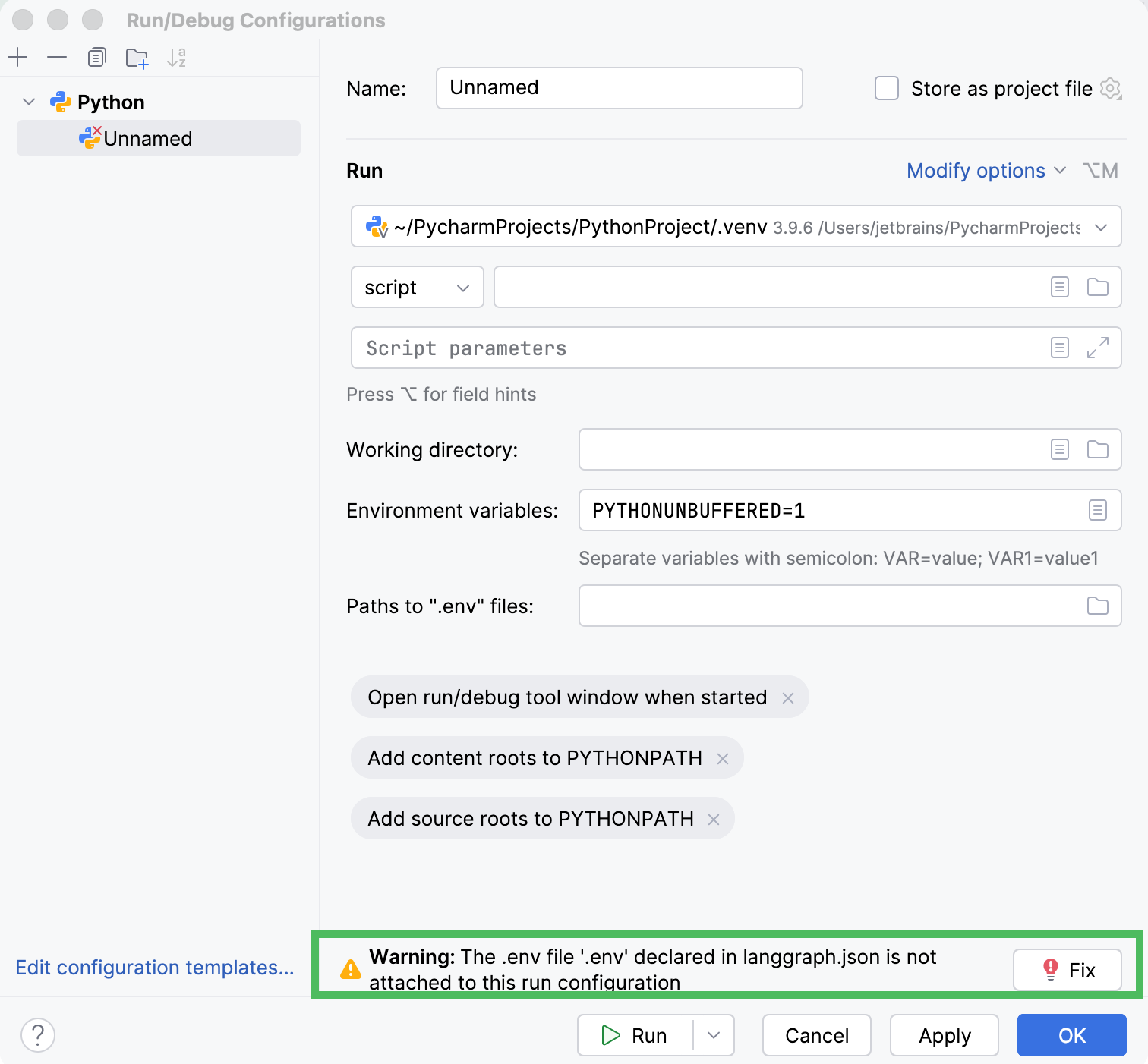
PyCharm also checks whether the environment file that is declared in langgraph.json is attached to a Python run configuration.
If the file is not attached, PyCharm displays a warning in the run configuration settings. Click Fix to add the environment file automatically.
Hard-coded LangSmith API keys
PyCharm detects LangSmith API keys that are passed directly to the LangSmith client in Python code. For example:
In this example, PyCharm highlights the API key and reports that it is hard-coded in source code. The inspection recommends storing the key in an environment variable instead.

Environment loading order
PyCharm detects cases where a module-level load_dotenv() call comes after importing LangChain, LangSmith, or LangGraph modules. Calls inside functions are not reported. In this case, environment variables from the .env file might be loaded too late to affect LangSmith configuration.
In this example, PyCharm highlights the load_dotenv() call and suggests the Move load_dotenv() above LangChain imports quick-fix.
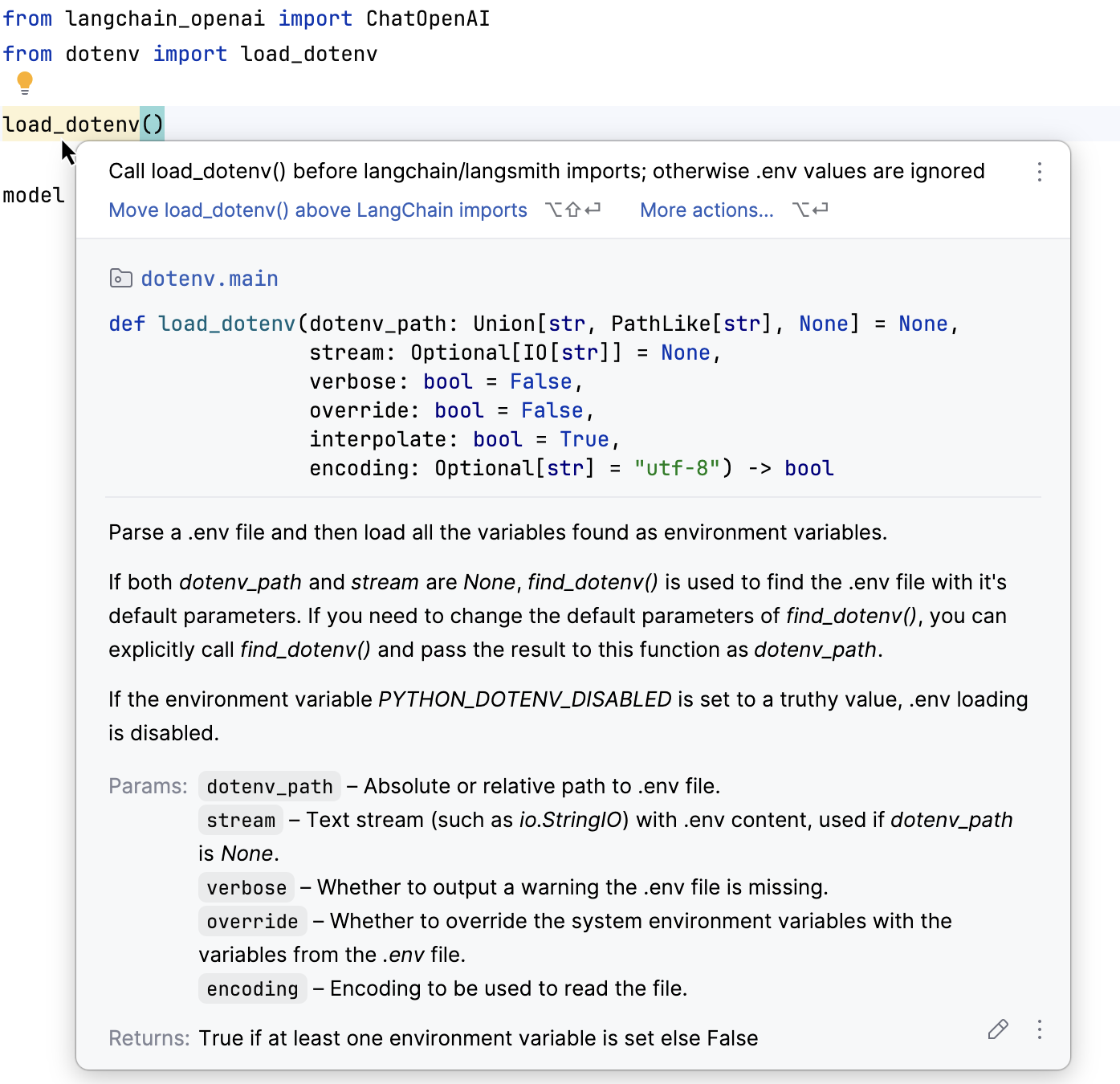
The quick-fix moves the dotenv import and the load_dotenv() call before the LangChain, LangSmith, or LangGraph imports.