GitHub Actions
Usage
The Qodana Scan GitHub action allows you to run Qodana on a GitHub repository.
Basic configuration
On the tab of the GitHub UI, create the
QODANA_TOKENencrypted secret and save the project token as its value.On the tab of the GitHub UI, set up a new workflow and create the
.github/workflows/code_quality.ymlfile.To inspect the
mainbranch, release branches, and the pull requests coming to your repository, save this workflow configuration to the.github/workflows/code_quality.ymlfile:name: Qodana on: workflow_dispatch: pull_request: push: branches: - main - 'releases/*' jobs: qodana: runs-on: ubuntu-latest permissions: contents: write pull-requests: write checks: write steps: - uses: actions/checkout@v3 with: ref: ${{ github.event.pull_request.head.sha }} # to check out the actual pull request commit, not the merge commit fetch-depth: 0 # a full history is required for pull request analysis - name: 'Qodana Scan' uses: JetBrains/qodana-action@v2023.2 env: QODANA_TOKEN: ${{ secrets.QODANA_TOKEN }}
We recommend that you have a separate workflow file for Qodana because different jobs run in parallel
Apply quick-fixes
To make Qodana automatically fix found issues and push the changes to your repository, you need to
Choose what kind of fixes to apply
Specify
fixesStrategyin theqodana.yamlfile in your repository rootOr set the action
argsproperty with the quick-fix strategy to use:--apply-fixesor--cleanup
Set
push-fixesproperty topull-request: create a new branch with fixes and create a pull request to the original branchor
branch: push fixes to the original branch. Also, setpr-modetofalse: currently, this mode is not supported for applying fixes.
Set the correct permissions for the job (
contents: write,pull-requests: write,checks: write)If you use
pull-requestvalue forpush-fixesproperty: allow GitHub Actions to create and approve pull requests
Example configuration:
GitHub code scanning
You can set up GitHub code scanning for your project using Qodana. To do it, add these lines to the code_quality.yml workflow file right below the basic configuration of Qodana Scan:
This sample invokes codeql-action for uploading a SARIF-formatted Qodana report to GitHub, and specifies the report file using the sarif_file key.
Pull request quality gate
You can enforce GitHub to block the merge of pull requests if a quality gate has failed. To do it, create a branch protection rule as described below:
Create a new or open an existing GitHub workflow that invokes the Qodana Scan action.
Set the workflow to run on
pull_requestevents that target themainbranch.
Instead of main, you can specify your branch here.
Set the number of problems (integer) for the Qodana action
fail-thresholdoption.Under your repository name, click Settings.
On the left menu, click Branches.
In the branch protection rules section, click Add rule.
Add
mainto Branch name pattern.Select Require status checks to pass before merging.
Search for the
Qodanastatus check, then check it.Click Create.
Quality gate and baseline
You can combine the quality gate and baseline features to manage your technical debt, report only new problems, and block pull requests that contain too many problems.
Follow these steps to establish a baseline for your project:
Run Qodana locally over your project:
Open your report at
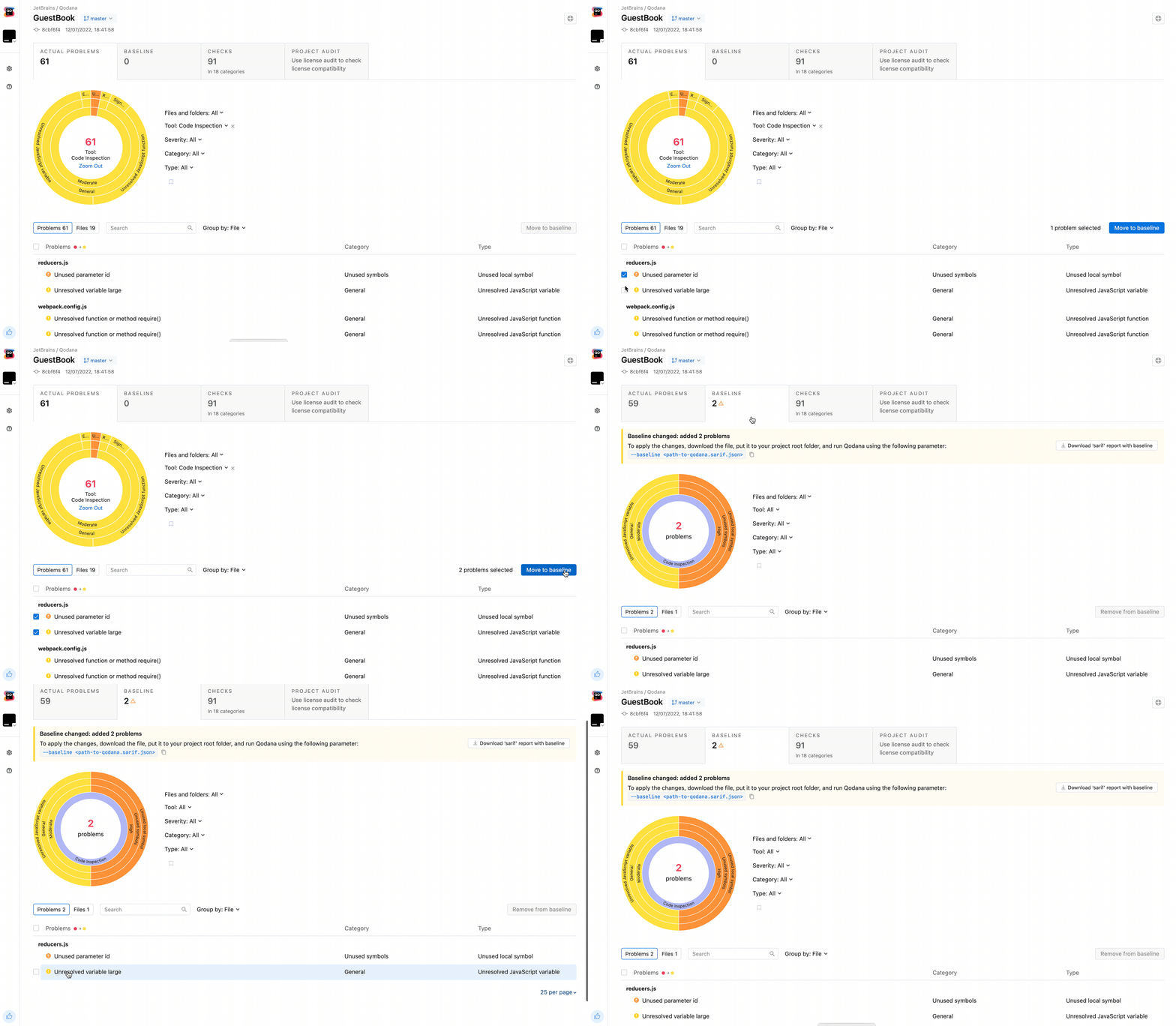
http://localhost:8080/, add detected problems to the baseline, and download theqodana.sarif.jsonfile.Upload the
qodana.sarif.jsonfile to your project root folder on GitHub.Append the
--baseline,qodana.sarif.jsonargument to the Qodana Scan action configurationargsparameter in thecode_quality.ymlfile:
If you want to update the baseline, you need to repeat these steps once again.
Starting from this, GitHub will generate alters only for the problems that were not added to the baseline as new.
To establish a quality gate additionally to a baseline, add this line to code_quality.yml right after the baseline-path line:
Based on this, you will be able to detect only new problems in pull requests that fall beyond the baseline. At the same time, pull requests with new problems exceeding the fail-threshold limit will be blocked, and the workflow will fail.
Get a Qodana badge
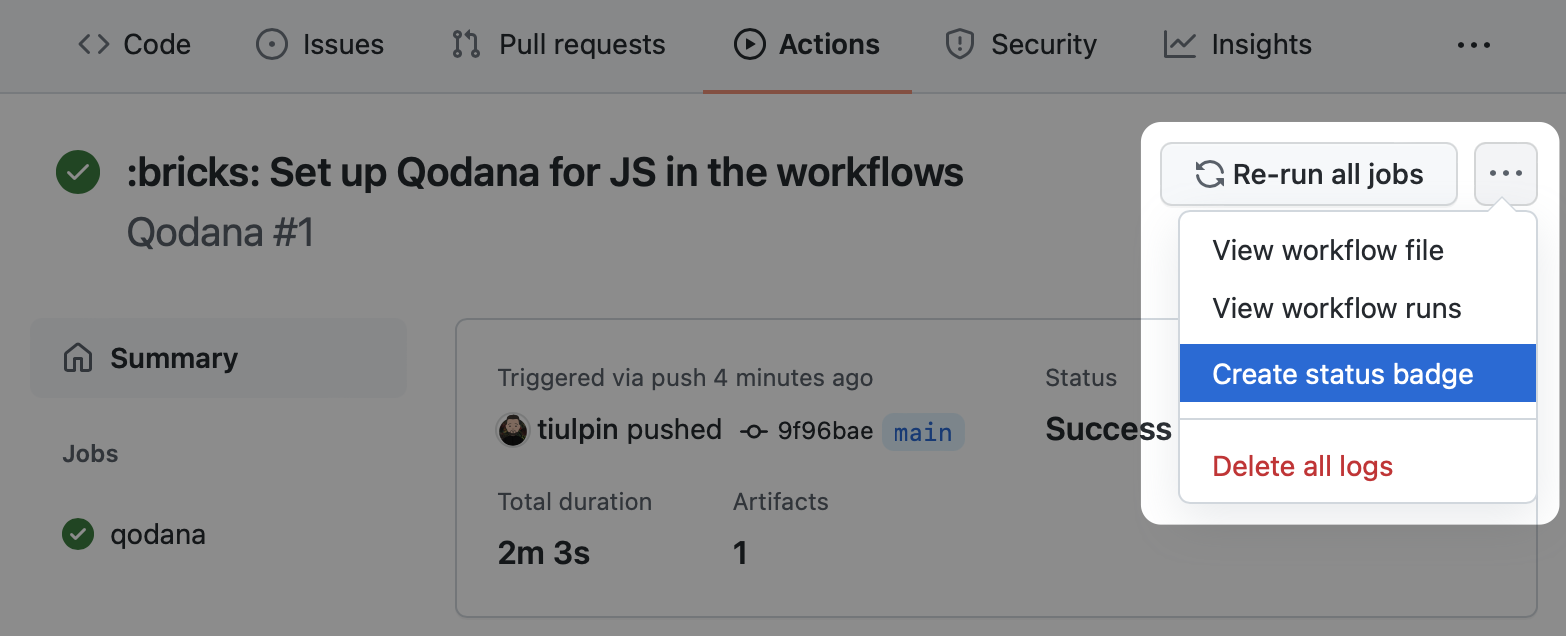
You can set up a Qodana workflow badge in your repository, to do it, follow these steps:
Navigate to the workflow run that you previously configured.
On the workflow page, select Create status badge.
Copy the Markdown text to your repository README file.
Configuration
Most likely, you won't need other options than args: all other options can be helpful if you are configuring multiple Qodana Scan jobs in one workflow.
Use with to define any action parameters:
Name | Description | Default Value |
|---|---|---|
| Additional Qodana CLI | - |
| Directory to store the analysis results. Optional. |
|
| Upload Qodana results (SARIF, other artifacts, logs) as an artifact to the job. Optional. |
|
| Specify Qodana results artifact name, used for results uploading. Optional. |
|
| Directory to store Qodana cache. Optional. |
|
| Utilize GitHub caches for Qodana runs. Optional. |
|
| Set the primary cache key. Optional. |
|
| Set the additional cache key. Optional. |
|
| Upload cache for the default branch only. Optional. |
|
| Use annotation to mark the results in the GitHub user interface. Optional. |
|
| Analyze ONLY changed files in a pull request. Optional. |
|
| Post a comment with the Qodana results summary to the pull request. Optional. |
|
| GitHub token to access the repository: post annotations, comments. Optional. |
|
| Push Qodana fixes to the repository, can be |
|