Call Hierarchy
Call Hierarchy enables you to view and navigate through call chains in your code. ReSharper Call Hierarchy lets you explore functions, events, interfaces, and closures.
In the hierarchy view, ReSharper uses icons to distinguish between different kinds of symbols.
Investigate incoming calls
Place the caret at the name of a method, event, property, or constructor.
Right-click it and choose Call Hierarchy.
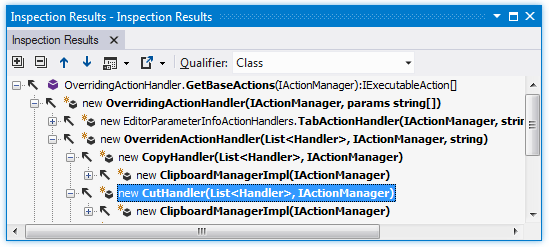
In the References window that opens, you can expand the member node to run code analysis and to display all members that call the current member. You can also expand each of the child nodes.
Investigate outgoing calls
Invoke the Call Hierarchy of a symbol as described above.
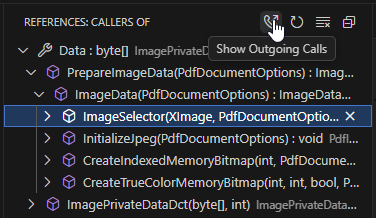
Optionally, you can select another call in the call hierarchy to study its outgoing calls. Click Show Outgoing Calls on the toolbar:
When studying the Call Hierarchy, you can right-click any call in the tree and choose Show Incoming/Outgoing Calls to study the corresponding call hierarchy of that call.
When you get a lot of calls in the call hierarchy results, you can hide specific calls or the whole branches of the result tree to have a clearer picture of what you are looking for. To do so, right-click the node that you want to hide and choose Dismiss in the context menu.