General
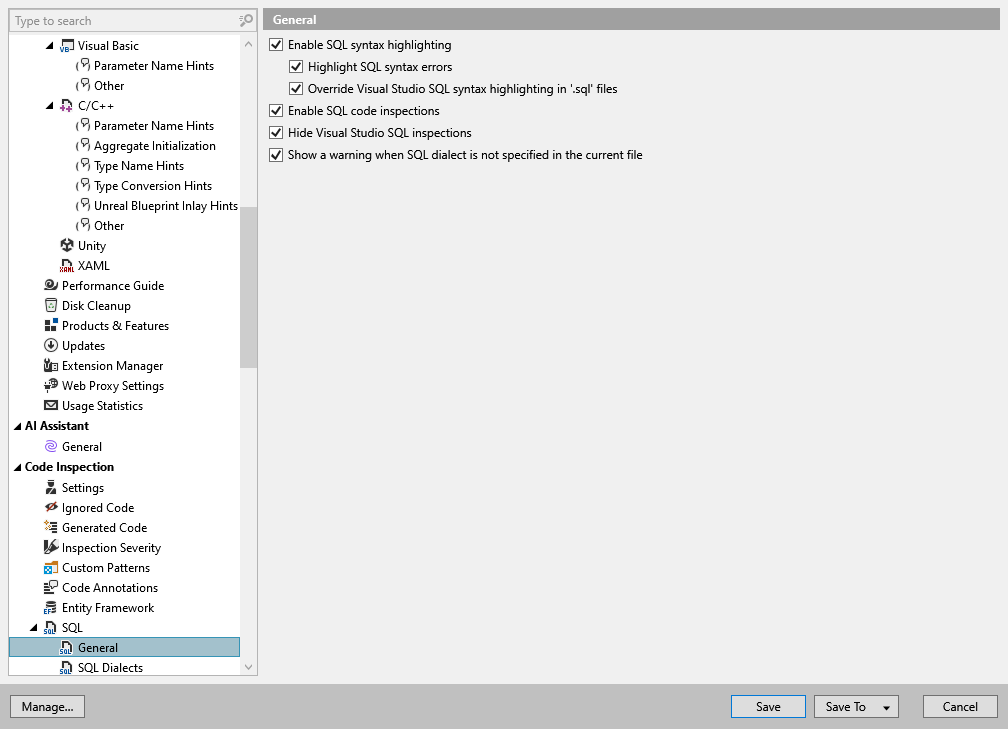
This page of ReSharper options allows you to configure coding assistance and inspection features for SQL languages. inspection.
Enable SQL syntax highlighting | Use this checkbox to highlight syntax according to the selected SQL dialect. |
Highlight SQL syntax errors | Use this checkbox to highlight syntax errors according to the selected SQL dialect. |
Override Visual Studio SQL syntax highlighting in '.sql' files | By default, ReSharper overrides native Visual Studio syntax highlighting in SQL. You can clear this checkbox to highlight SQL syntax using both ReSharper and Visual Studio colors when possible. |
Enable SQL code inspections | Use this checkbox to toggle code inspections in SQL files and in SQL injections. |
Hide Visual Studio SQL inspections | Use this checkbox to disable Visual Studio features such as syntax highlighting in SQL inside string literals. |
Show a warning when SQL dialect is not specified in the current file | If this checkbox is selected, ReSharper will display a warning if neither solution SQL dialect nor the dialect for the current file is specified on the page of ReSharper options Alt+R, O 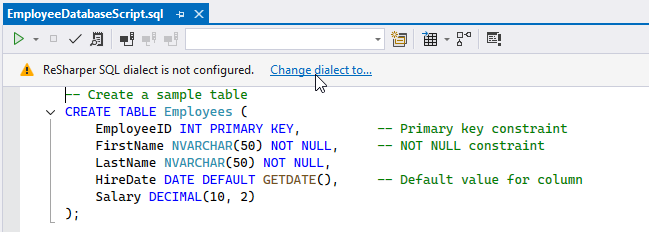 |