File nesting dialog
This dialog opens when you click File Nesting  on the toolbar of the Solution Explorer.
JetBrains Rider provides a default configuration of file types and typical suffixes that are used for related file types — for example, a file with the .map.ts suffix is normally related to a file having the same name and the .ts extension — such files will be automatically grouped in the Solution Explorer.
You can configure these relations or disable logical nesting altogether by clicking on the toolbar of the Solution Explorer. 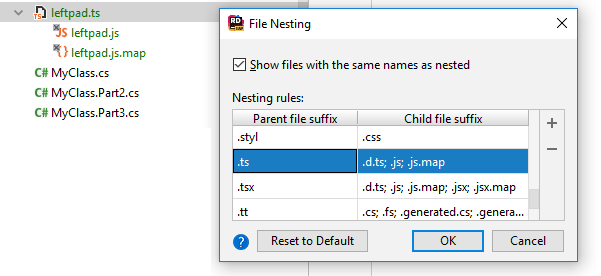
| Item | Shortcut | Description |
|---|---|---|
| Show files with the same names as nested |
| |
 | Alt+Insert | Click this button to add a new row and specify the "parent" file suffix and the matching "child" file suffix. |
 | Alt+Delete | Click this button to remove the selected rule from the list. |
| Reset to Default | Click this button to discard all your custom patterns and reload the default rules. | |
