Templates with multiple files
Some programming patterns and frameworks require a set of related files, usually with a very specific structure. For example, with the model-view-controller (MVC) pattern, you need separate files for the model, view, and controller.
In RubyMine, you can create sets of related files by adding child templates to a file template. When you create a file from such a template, it will also create files from child templates.
Create a template with multiple files
In the Settings dialog (Ctrl+Alt+S) , select .
Create the main file template.
On the Files tab, click
 and specify the name, file extension, and body of the template.
Select the new template in the list and click
 on the toolbar. Specify the name, file extension, and body of the child template.
Example: Template with several files
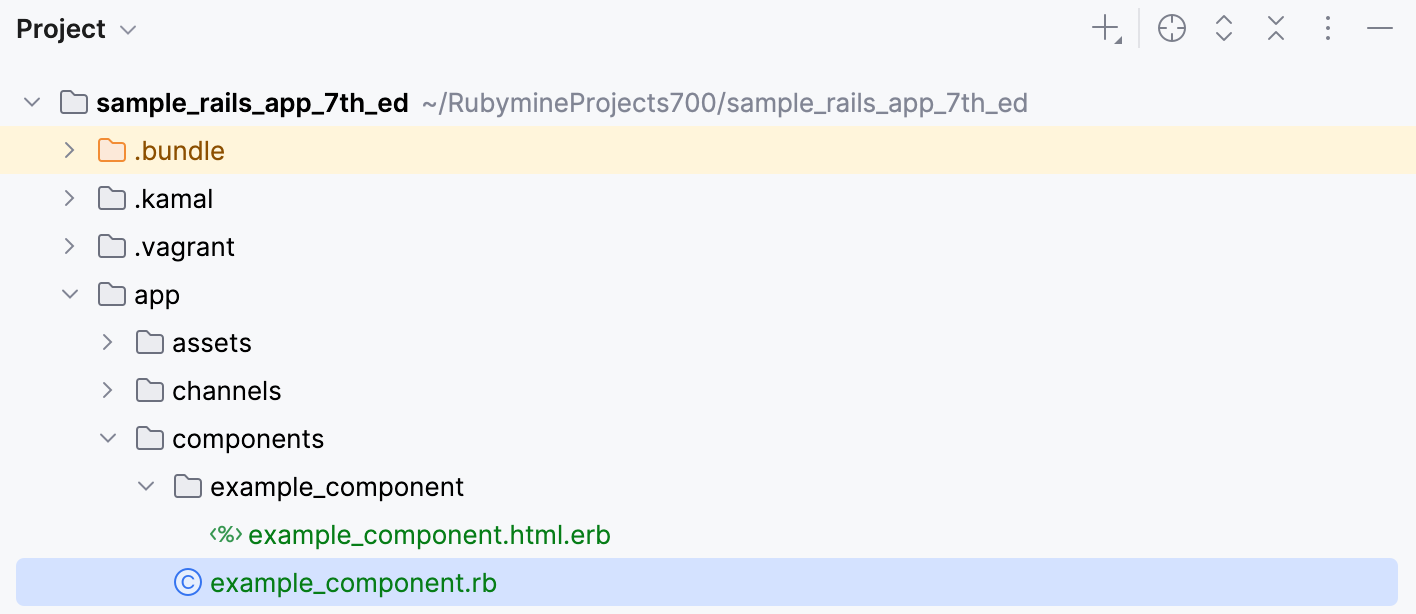
A parent template can have any number of child templates, and a single action creates all of them at once. This is useful whenever a class is never written alone. A ViewComponent is a good example: it always consists of a Ruby class and the template that the class renders.
In the Settings dialog (Ctrl+Alt+S) , select .
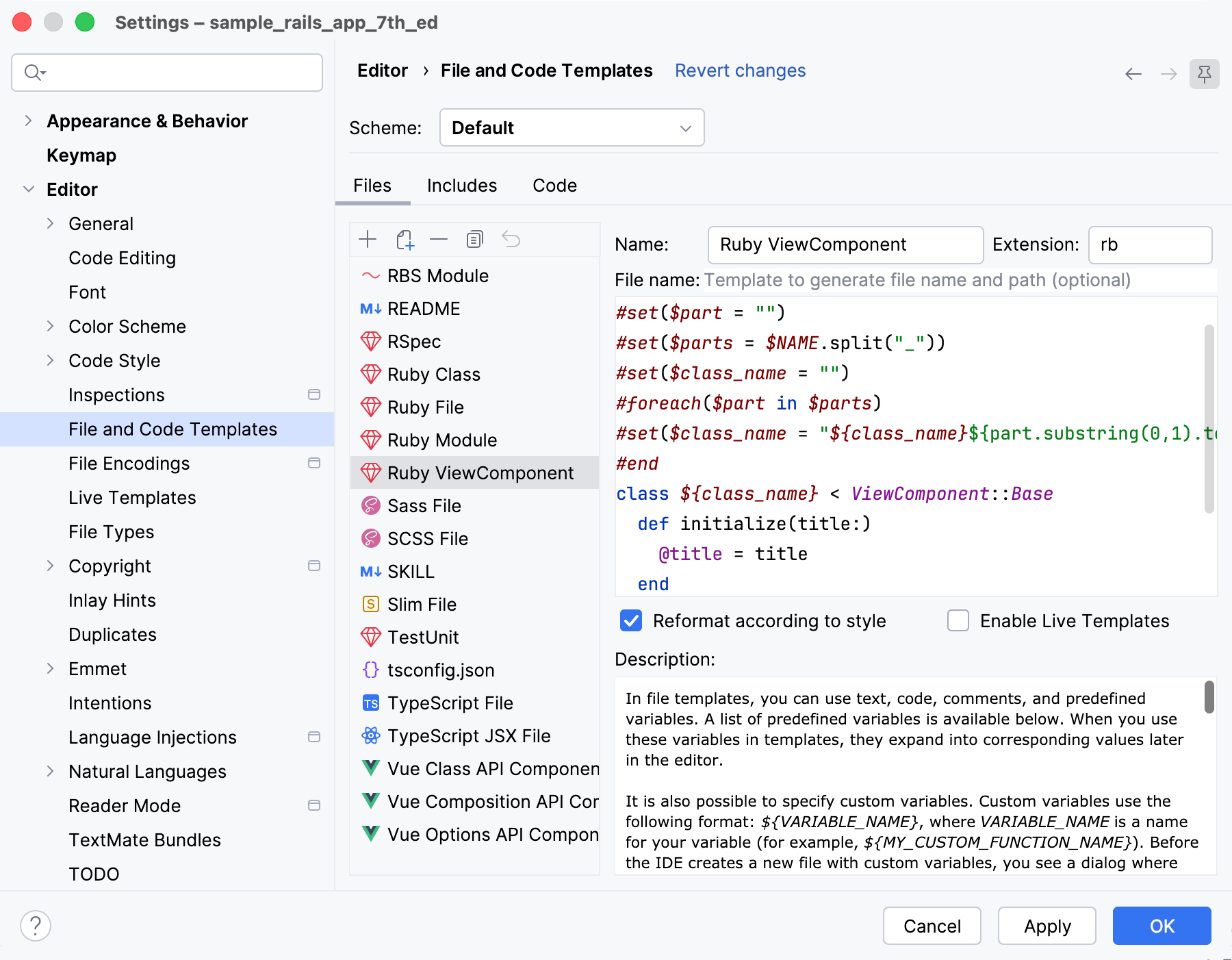
Create the component class template.
On the Files tab, click
and specify the following:Name:
Ruby ViewComponentExtension:
rbFile name: leave this field empty
Add the following code to the template body:
#set($part = "") #set($parts = $NAME.split("_")) #set($class_name = "") #foreach($part in $parts) #set($class_name = "${class_name}${part.substring(0,1).toUpperCase()}${part.substring(1)}") #end class ${class_name} < ViewComponent::Base def initialize(title:) @title = title end endBecause the File name field is empty, the file is named exactly as you type it, and it is created in the directory in which you invoke the template, for example: app/components/example_component.rb.
Create the template file.
Select the new Ruby ViewComponent template in the list and click
on the toolbar. Specify the following:File name:
${NAME}/${NAME}.htmlExtension:
erb
Add the following code to the template body:
<div class="example-component"> <h2><%= @title %></h2> </div>A child template reuses the variables of its parent, so
${NAME}resolves to the same name in both files: the template belongs to the class that the parent template creates. A child template also has its own Extension, which is how one action can produce files of different types, for example: app/components/example_component/example_component.html.erb.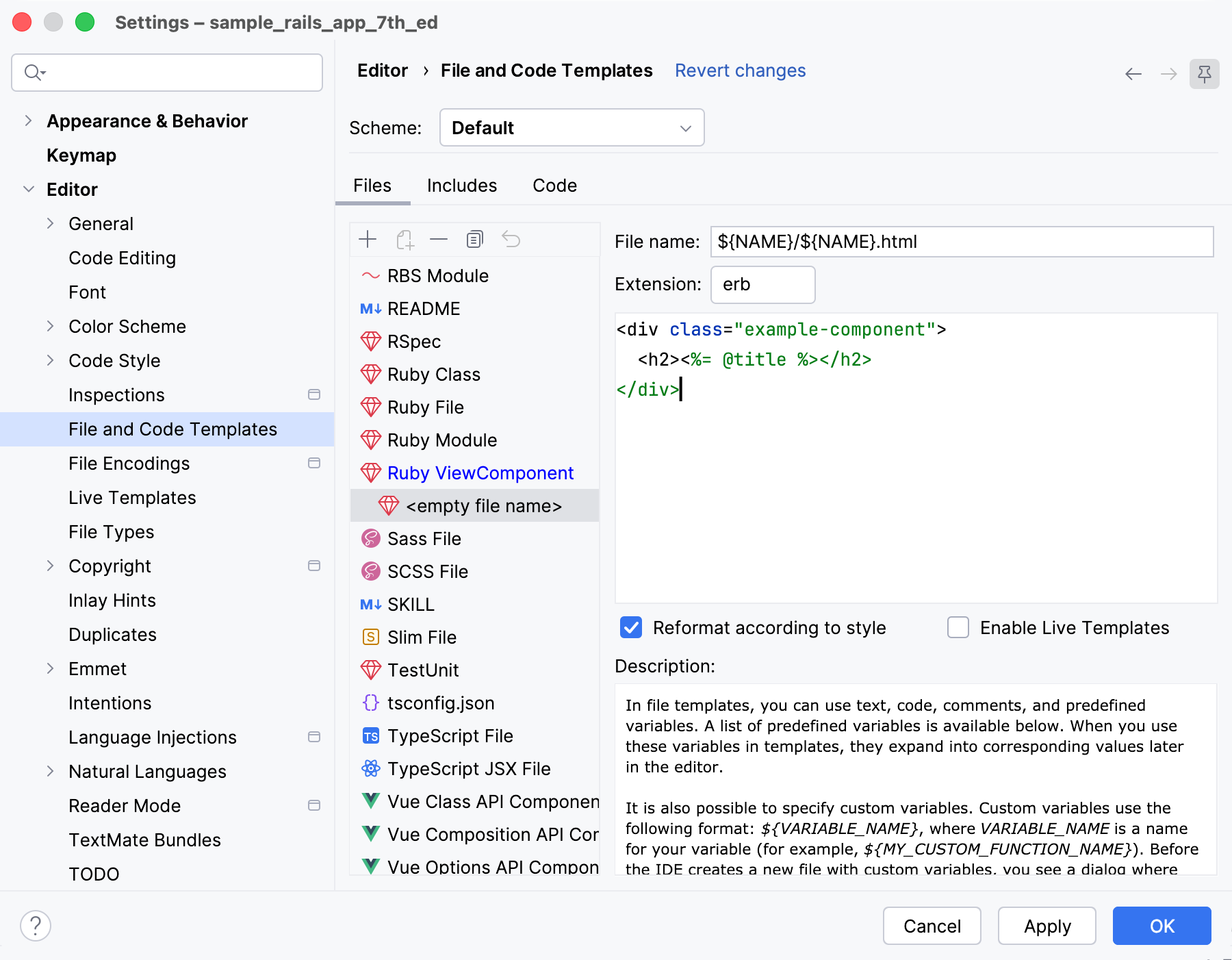
Click OK to apply the changes.
To use the new template, do the following:
Right-click the directory in the Project tool window or press Alt+Insert, and select the Ruby ViewComponent template.
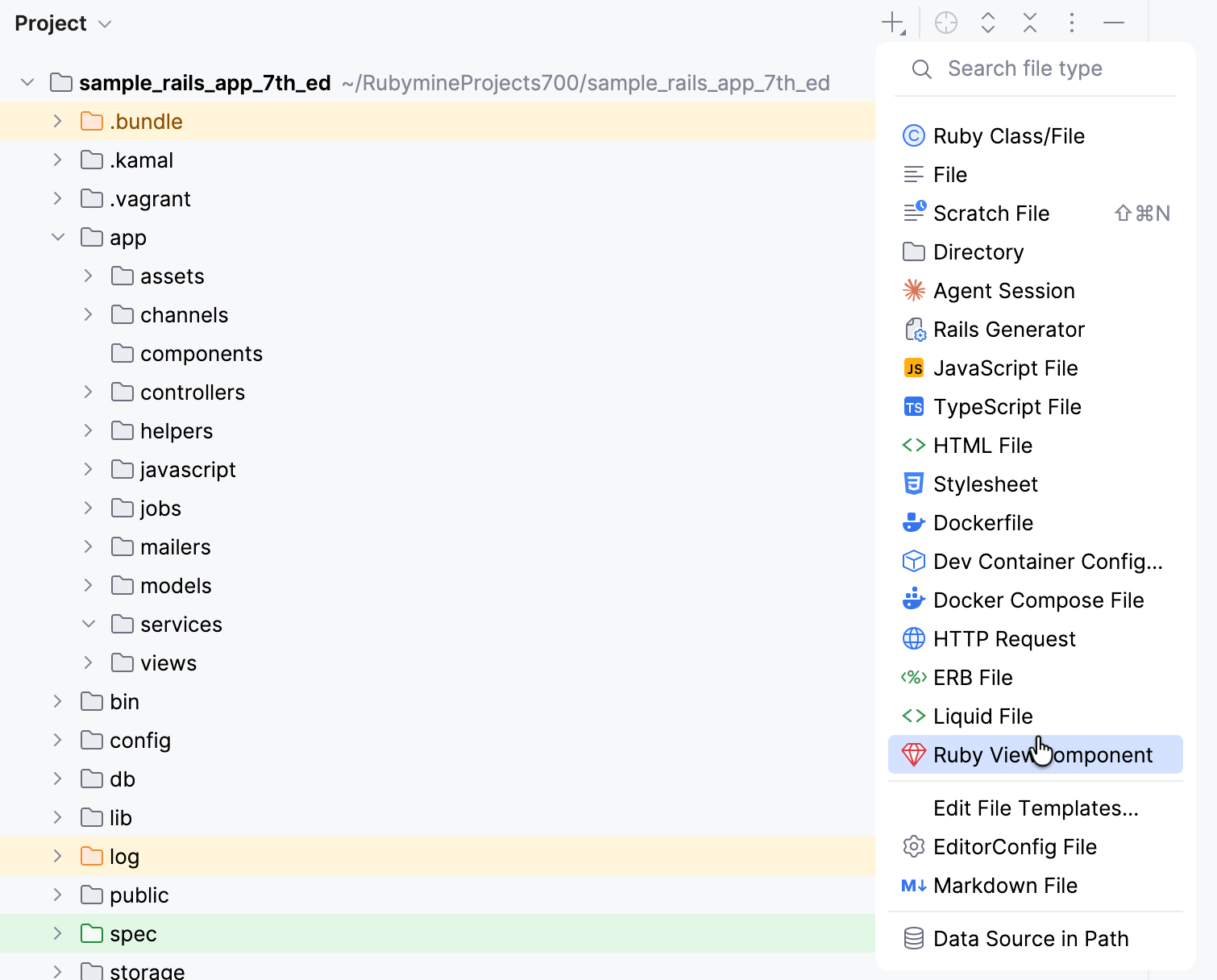
Specify a file name in
snake_case, for exampleexample_component, and RubyMine will create both files.