Open a project with Dev Container natively
Starting with RubyMine version 2026.3, you can open a Dev Container project in native mode, in the same window where the Dev Container was built. This feature is in beta and may change in the future.
In Native mode, RubyMine runs on your local machine and works with a project stored in WSL or in a Dev Container directly. Your code, Ruby installation, gems, and tools stay in the Linux environment. A lightweight agent in the environment handles file access and process execution.
Compared with Remote Development, Native mode works as follows:
RubyMine does not download or install an IDE backend in the environment.
The project opens in a regular RubyMine window instead of a separate client. Your local settings, plugins, and keymap apply as usual.
Linux paths and symbolic links are handled correctly, without converting them to Windows paths.
Compared with legacy remote interpreters, native interpreters do not require path mappings and do not copy helper scripts to the environment. RubyMine runs Ruby, Bundler, tests, and other tools directly in the environment.
Remote Development remains the recommended option when your project is located on a remote machine that you connect to over SSH.
Before you start, note the following limitations:
This feature is not supported in the RubyMine versions earlier than 2026.3.
Only Docker-based Dev Containers are supported.
The scenario of starting a Dev Container for a remote project is not supported.
Enable Dev Container settings
Press Ctrl+Alt+S to open settings and then select .
From the options on the right, under the Dev Containers section, select Open devcontainer projects natively.
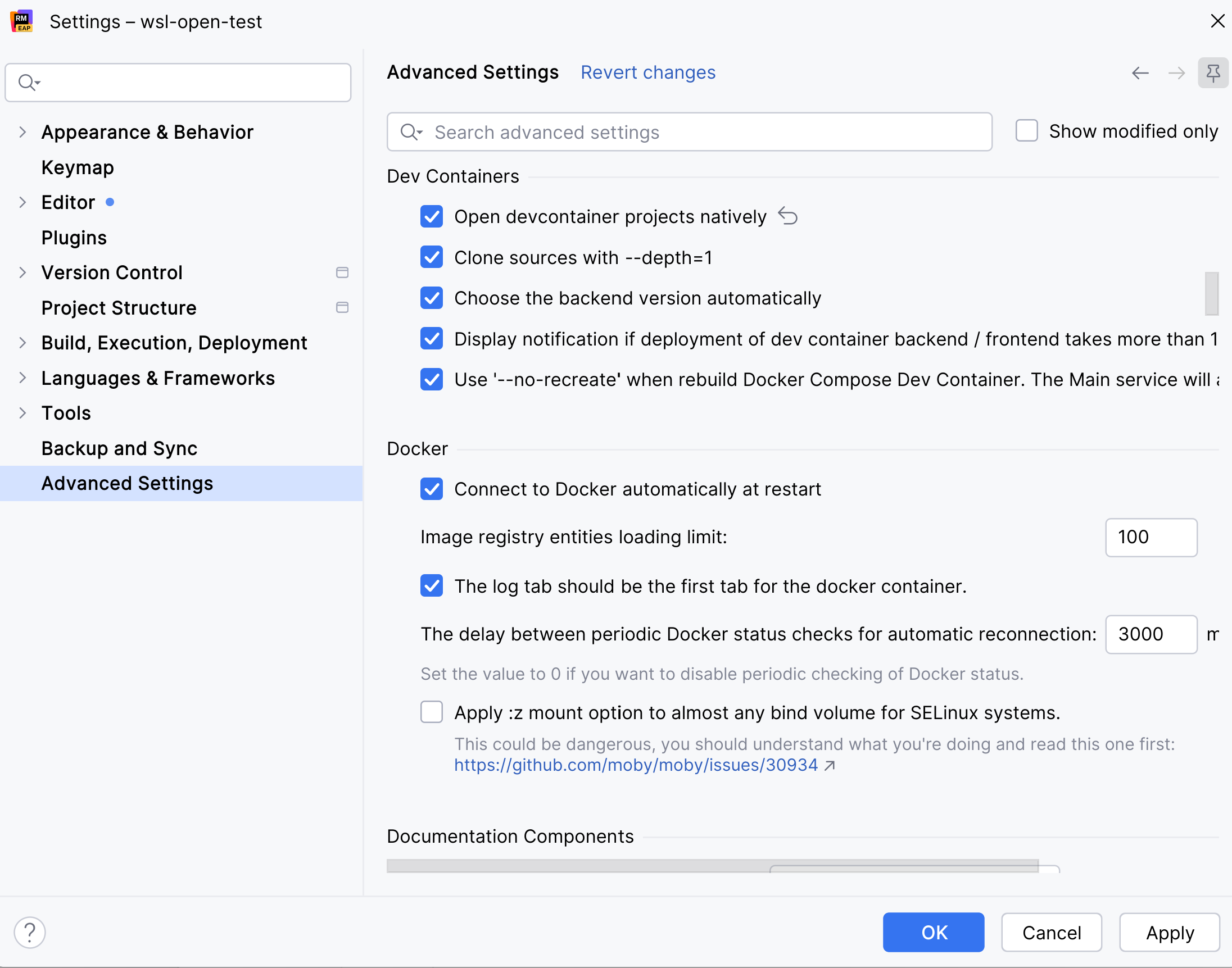
Click OK to save the changes.
Use one of the available scenarios to start a Dev Container and open your project. The project will be opened without connecting to a backend and additional client windows.
Ruby interpreters in native Dev Containers
In a Dev Container opened in Native mode, RubyMine uses native interpreters and detects Ruby installed in the container automatically. No additional Ruby settings are required.
If the Dev Container has several Ruby versions installed, select the interpreter for your project on the Ruby settings page.