Repository Settings
On the repository page, click the Settings tab.
The Repository Settings page will open:
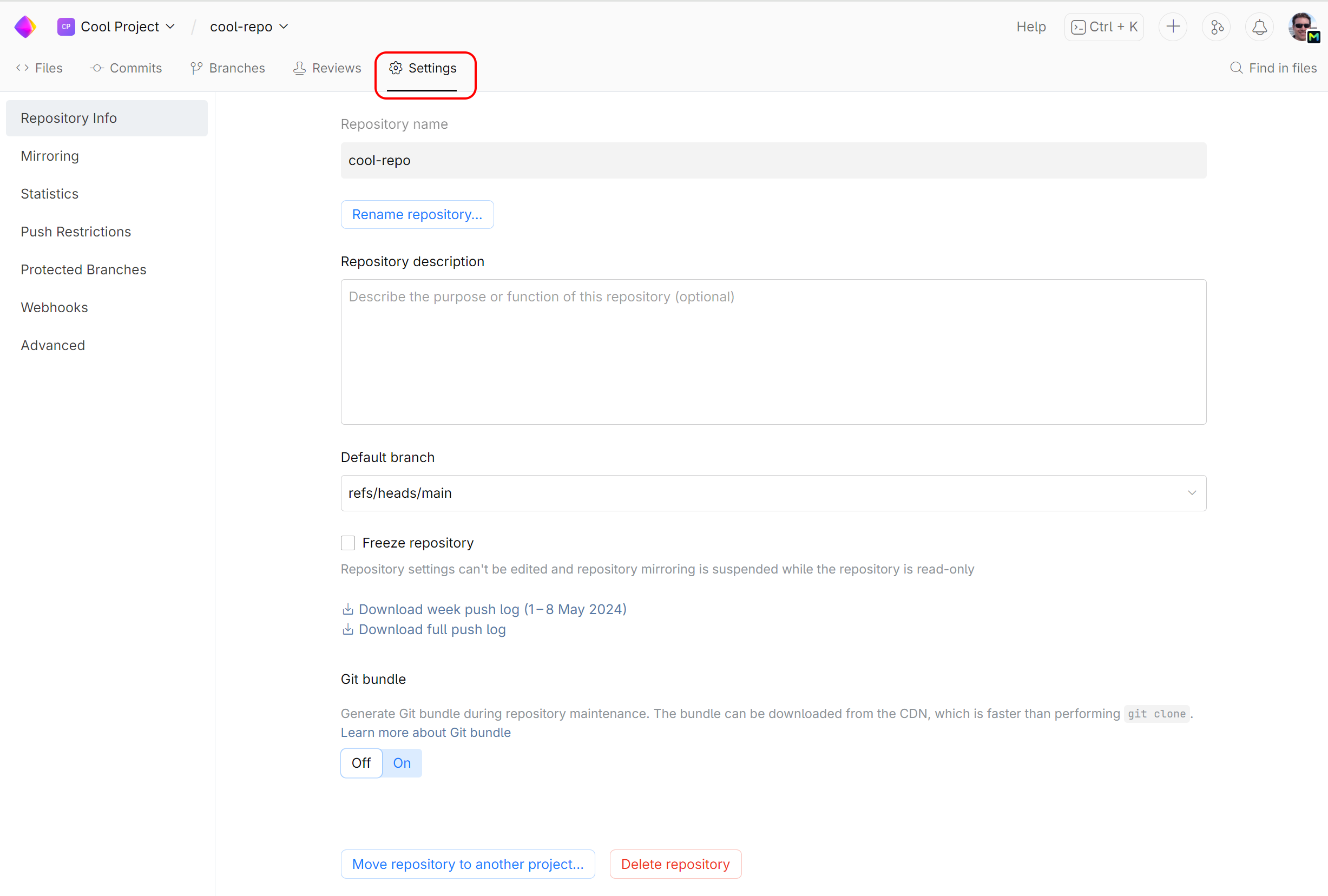
View and edit repository properties
In the Repository info section, you can change the following properties:
Repository name: You can rename your repository and keep the old name as an alias.
Repository description: A short informative description that will be displayed under the repository name.
Default branch: The default branch name in Git is main. You can choose another branch to be the default one.
This setting will affect the merge request workflow.
Read-only repository: Check this option if you don't want anyone to push changes to this repository.
You can also download and view the repository push log.
View repository statistics
On the left sidebar menu, choose Statistics to view your repository and index size, number of files and git objects.
Configure repository settings
Set up or edit repository mirroring for externally hosted repositories.
Set up and apply file size and name restrictions and committer validation requirement.
Set up branch and merge restrictions to protect important branches from undesirable actions and unapproved merges.
Set up repository webhooks to send notifications when the repository is updated with new commits or its settings get changed.