Create Organization
In SpaceCode, an organization is a top level workspace created for you and your team when you sign up. It is also a home for separate projects that can be created by any organization member to contain repositories and code reviews.
Your organization is run as a maintenance-free cloud instance with a unique web address. Here is what you need to do to set it up:
Sign up for SpaceCode
Fill out the registration form on the JetBrains SpaceCode website.
Provide your first and last name, email, and your company name.
All fields are mandatory.
Click Try SpaceCode for free to submit the form.
Receive an email with activation link
After your submit the form, you will receive the email "Get started with SpaceCode".
Click the link in the email. It will take you to the SpaceCode setup wizard.
Follow the wizard to complete setup
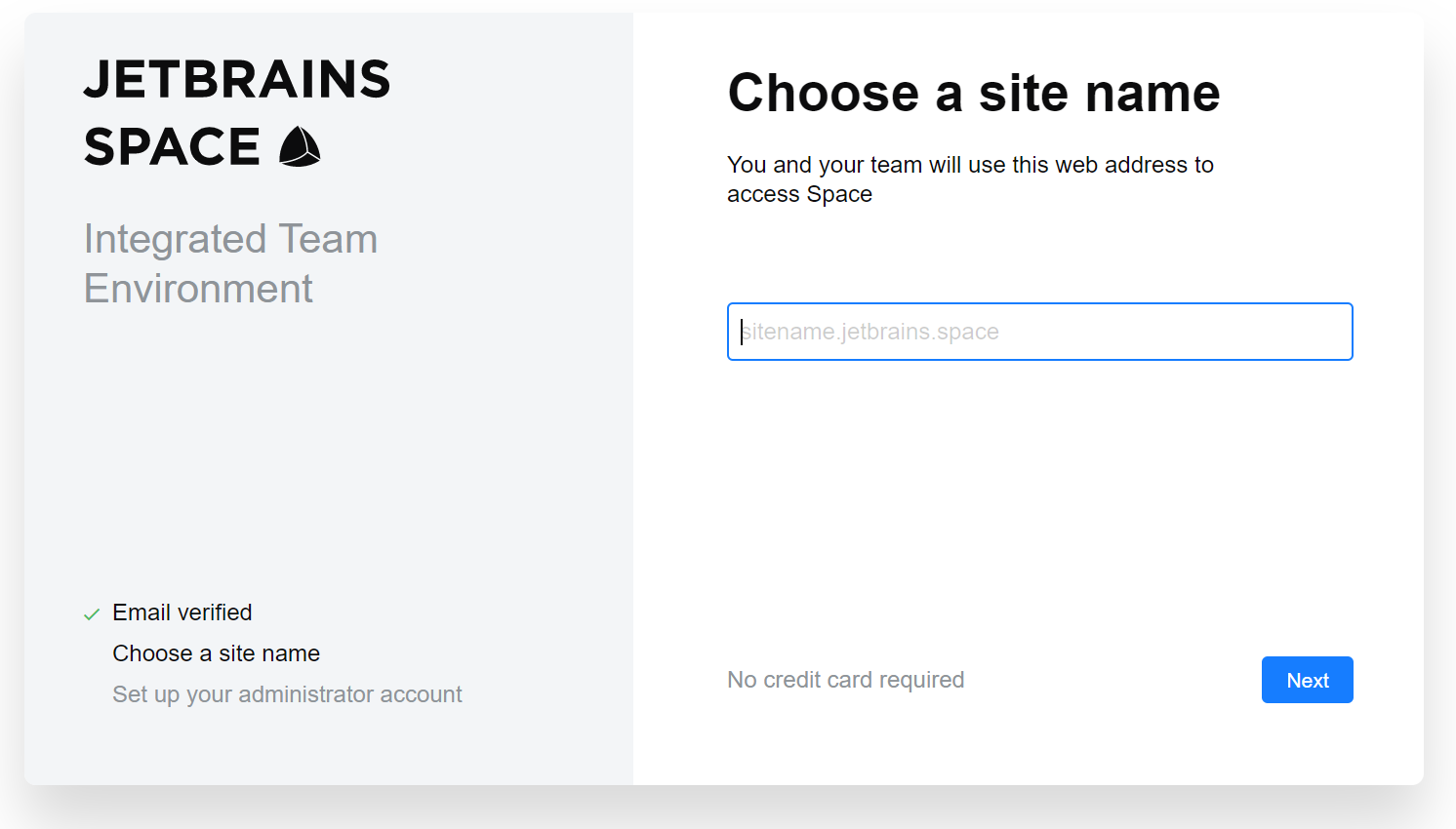
Create the site name for your SpaceCode instance.
The name you enter will be your instance's local hostname on the jetbrains.space domain.
Most likely you want to use your organization name here.
For example, if you enter
mycompany, the hostname will bemycompany.jetbrains.space.Click Next.
Set up your administrator account.
Create username and password for your administrator account.
Read and accept the agreement.
Click Launch me into SpaceCode.
Your SpaceCode instance will be activated and you will be redirected to your SpaceCode organization website.
You can follow the wizard to invite people, create a first project, and add a logo, or skip these steps for now. You can configure your organization at any time.
Organization name, slogan, and logo
You can specify you company name as it should appear on your SpaceCode organization website, and also add a slogan and a logo:
On the top right, click your avatar and choose Administration.
On the right sidebar menu, choose Basics.
Enter your company name and its slogan (optional) that will be displayed on the entry page.
To add a logo, select an image from disk, or drag-and-drop it to the input field.
Click Save when done.