Distribute Your Application
There are two types of SpaceCode applications depending on the distribution type: single-org and multi-org applications.
Single-org applications

These are applications that are installed only to a single SpaceCode organization. For example, this could be an application developed by an organization for internal use only. Another case of a single-org application is an application that is still in development: As a developer, you may first want to test the application in your SpaceCode instance and only then start implementing logic required for public distribution.
To add a single-org application to your SpaceCode organization, you must manually register it on the Extensions | Applications page. On the same page, you can also configure the application: choose authorization flow, request permissions, add webhooks, and so on.
Multi-org applications
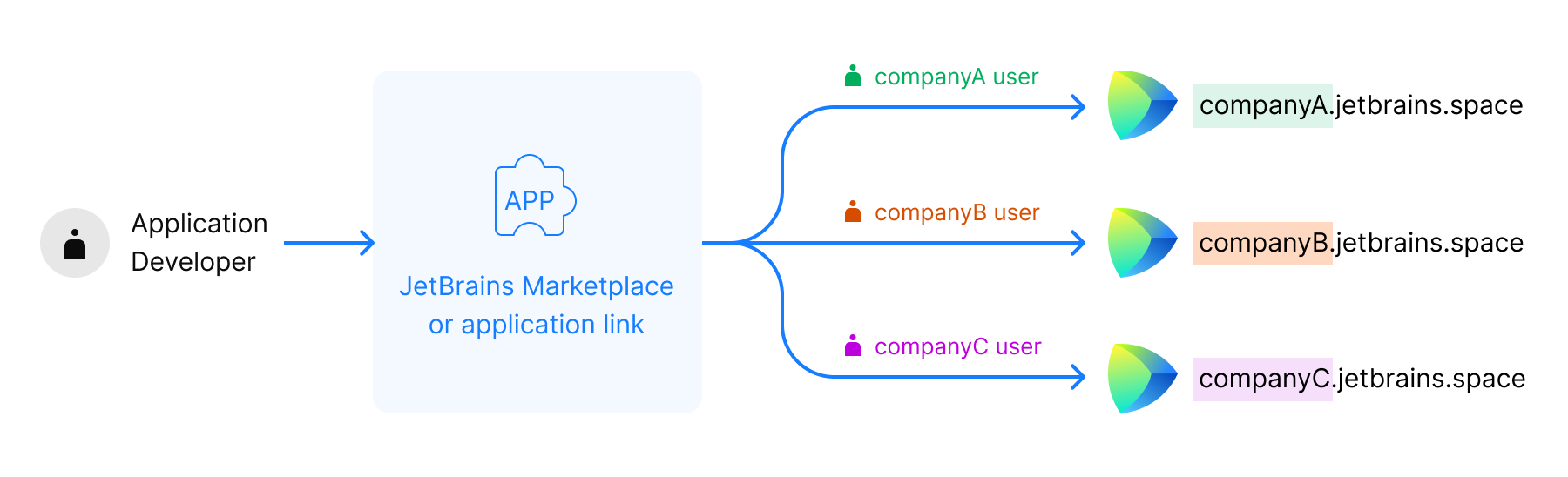
These are applications that can be installed to multiple SpaceCode organizations. You can distribute multi-org applications using a distribution link or JetBrains Marketplace.
A multi-org application must configure itself via SpaceCode API calls. Configuration is initiated when a user installs the application to their SpaceCode organization. During the installation, SpaceCode sends a payload of the InitPayload type to the application endpoint.
When creating a multi-org application, it's important to explicitly declare the supported SpaceCode version.