Git Subtree
Git subtree allows you to include the contents of one Git repository into another repository as a subdirectory.
You can incorporate the contents and history of another repository into your repository while keeping it as a separate entity. This means that you can make changes to the external codebase, pull updates and push your changes back, all from within your main repository.
Git subtree lets you combine multiple repositories into a single repository, making it easier to manage dependencies, incorporate external codebases, or share code between projects. It helps you maintain a clean and organized repository structure while effectively managing code from multiple sources.
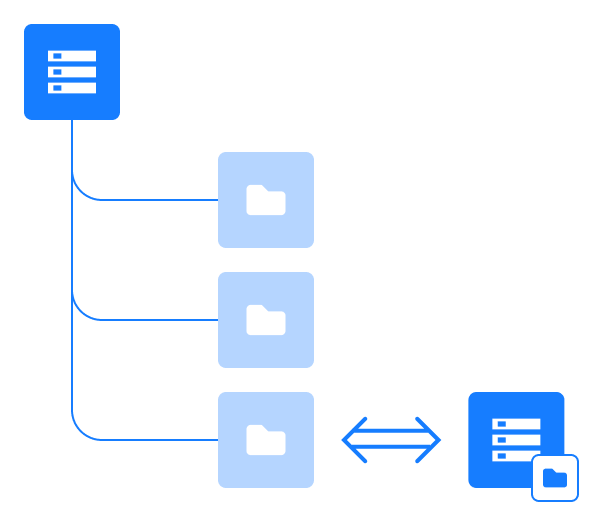
SpaceCode implementation of Git subtree
SpaceCode enables seamless two-way synchronization between a specific directory in one repository and a corresponding directory in another repository. You can sync folders at any level, whether it's a sub-folder or the root directory which contains the entire repository.
SpaceCode provides a simple form that allows you to quickly set up a subtree without running any Git commands.
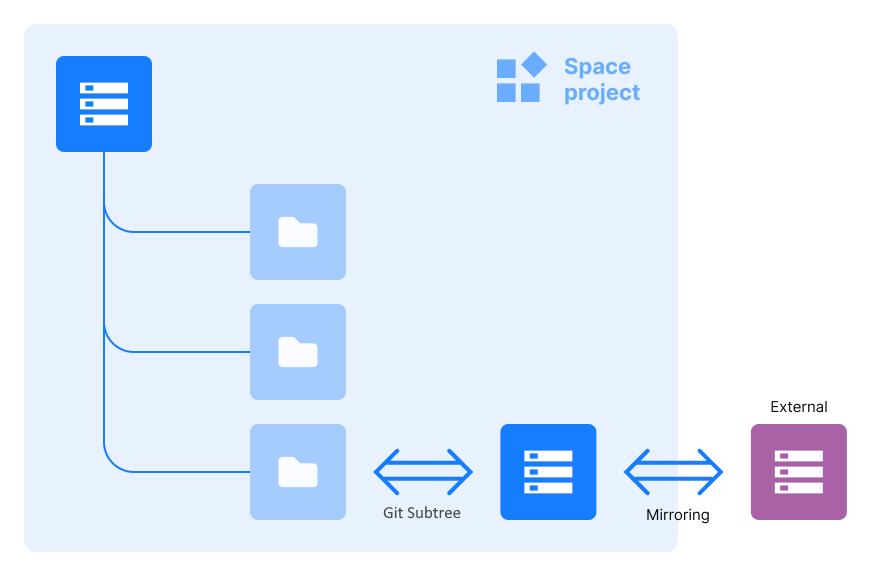
SpaceCode support of the Git subtree functionality is limited to repositories within the same project. If you need to link your SpaceCode repository with an external repository hosted outside of SpaceCode, you can first create a SpaceCode mirror of the external repository, then link that mirror to your main repository using subtree. Read more.
Why do I need a Git subtree?
Here's a breakdown of the common use cases:
Managing dependencies
If your project depends on a specific library or framework developed by another team and hosted in a separate Git repository, by using Git subtree, you can include the code from that repository directly into your project. This simplifies the process of managing dependencies, as you can keep the required codebase alongside your project's code, ensuring version compatibility and making it easier to distribute or deploy your project as a whole.
Sharing code
If you have codebase that can be shared among multiple repositories within the same SpaceCode project, you can use Git subtree to include it as a subdirectory in each repository. This way, you can make changes or improvements to the shared code in one place and easily propagate those changes to all the repositories using it.
Collaboration and outsourcing
Suppose you want to outsource a part of your project to a third-party team outside of SpaceCode. Or make that code open-source, readily available to all external contributors, while keeping the rest of your project private. You can accomplish that by combining Git subtree with the SpaceCode mirroring functionality.
Set up a Git subtree
Open the repository you want to link to another one using Git subtree.
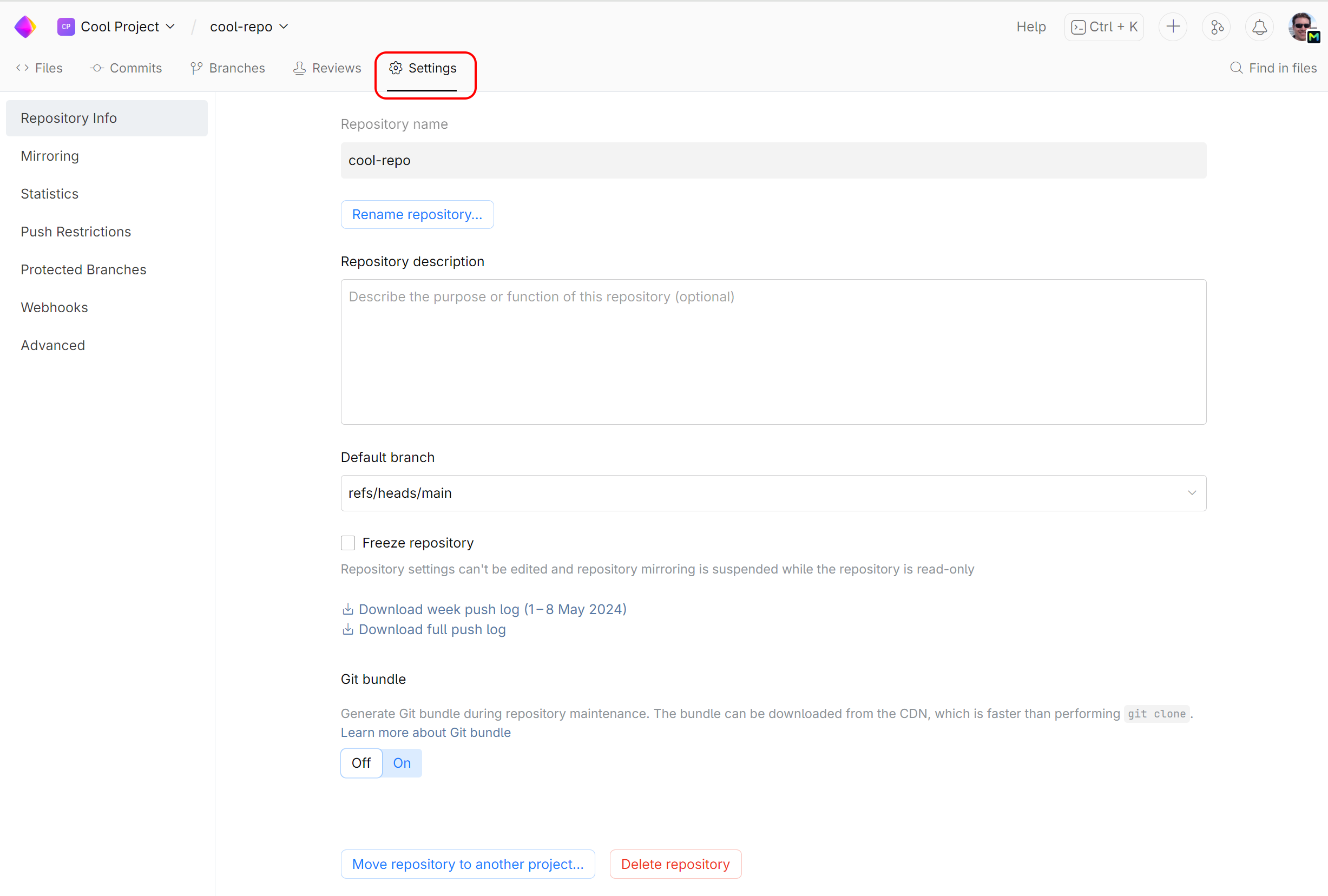
On the repository page, click Settings:
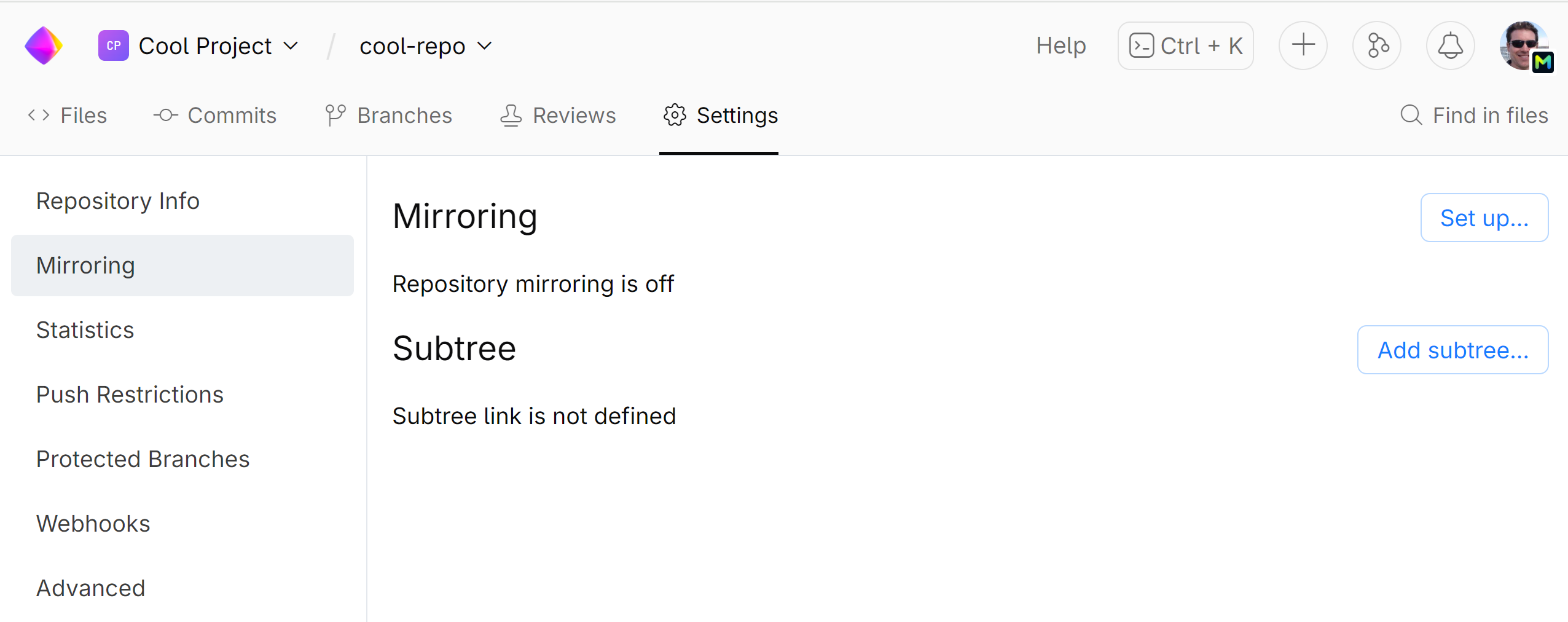
On the left sidebar menu, choose Mirroring and click Add subtree:
Fill out the configuration form as follows:
Select the branch and the subdirectory in your repository that will be synced with another (target) repository.
Select the repository you want to sync with (target repository).
Select the branch in the target repository and optionally the directory that should be synced. To sync the entire target repository, leave the Target path field blank.
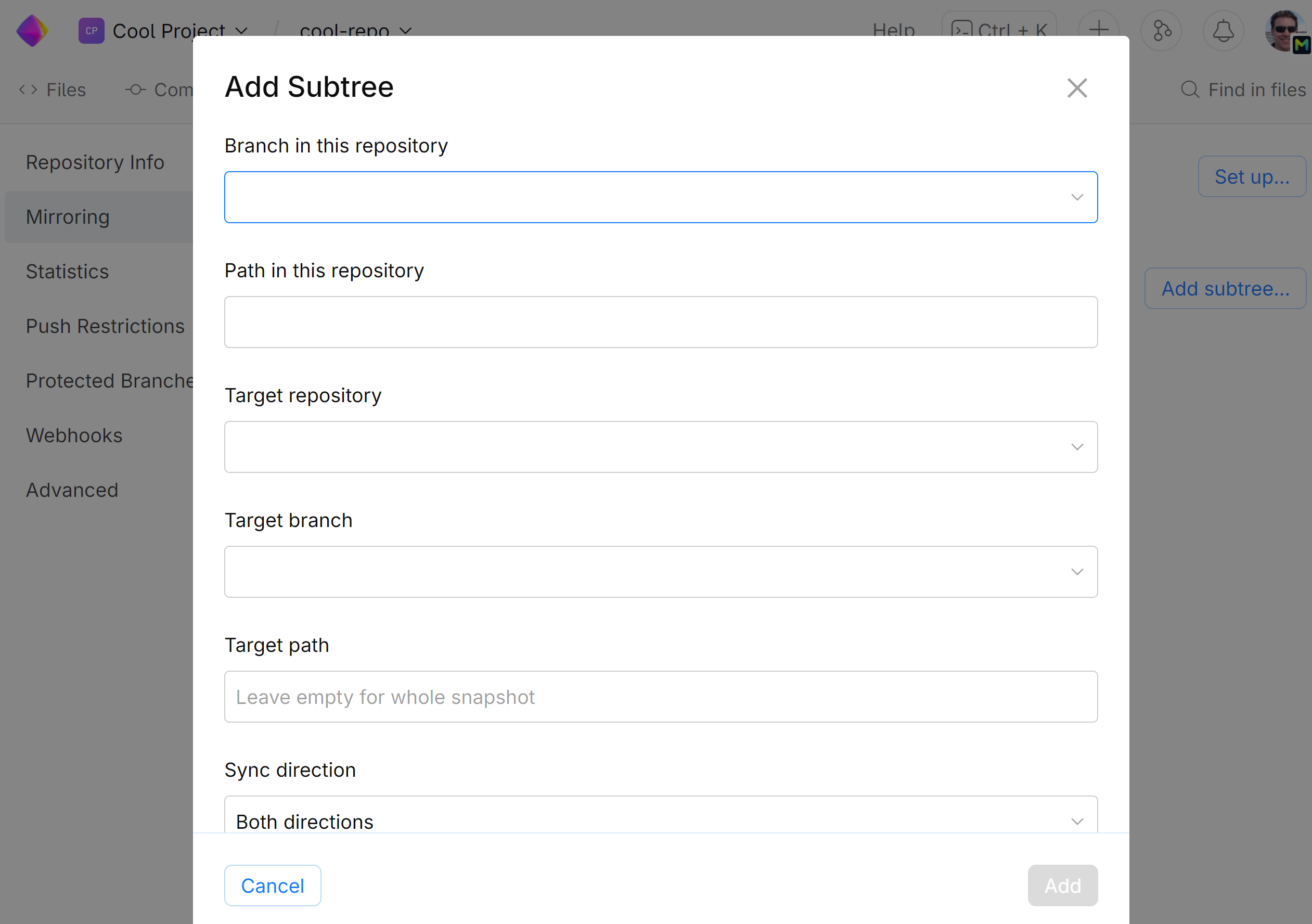
Click Add.
Using Git subtree with external repositories
If you want to include some open-source library hosted outside of SpaceCode into your SpaceCode repository as a subdirectory, or extract a part of your SpaceCode repository to an external project, you can't do it directly, since SpaceCode doesn't support Git subtree synchronization with external repositories. Here's how you should proceed:
Using SpaceCode mirroring, create a synchronised copy of the external repository you want to link with. Make sure you create your SpaceCode mirror in the same project your main SpaceCode repository is located.
Set up Git subtree in your main repository, linking its subdirectory with your newly created SpaceCode mirror repository.
The external repository will be synced with the mirror, which is in turn will be incorporated into your main repository as its subdirectory: