InstallationToken Endpoint: How to Issue GitHub Auth Tokens Programmatically
TeamCity GitHub App connections can issue authentication tokens that let TeamCity access GitHub repositories. This usually happens automatically when you create projects in the UI or manually issue tokens on the VCS Auth Tokens page.
The <TeamCity_Server_URL/app/oauth/githubapp/installationToken endpoint provides an alternative way to generate these tokens without using the UI. This is especially useful when configuring build configurations and VCS roots via the REST API, as it allows you to programmatically obtain the token IDs needed for those roots.
Main Properties
- Endpoint
/app/oauth/githubapp/installationToken
- Request type
POST
- Headers
Content-Type:
application/x-www-form-urlencodedAccept:
application/json(optional) X-TC-GitHub-PAT: a US-ASCII string that is your personal GitHub access token (issued on the GitHub user settings page). If omitted, TeamCity will try to identify a user and their permissions by checking existing tokens stored in its internal storage. See the Special Notes section for more information.
- Body
An x-www-form-urlencoded string with the following keys:
projectId— the internal ID of a project that will own a newly issued auth token.connectionId— the internal ID of a GitHub App connection that will be used to issue a new token. By default, has thePROJECT_EXT_INT32format.repositoryName— the name of a repository that the newly issued token will be able to access. The username should be omitted ("my-repo-name" instead of "johndoe/my-repo-name"). Allows you to list multiple repositories in the `repositoryName=name1&repositoryName=name2&..." format.Only accepts names of repositories owned by organizations or users that installed the corresponding GitHub App.
- Response
Successful requests return an HTTP 200 "OK" response with a JSON payload containing the following fields:
tokenId— the full ID of the newly issued token.permissions— the list of permission-value pairs that describe access permissions of the issued token.repositories— the array of repository names that can be accessed using this token.personalAccessTokenSource— returns either "USER_PROVIDED" or "TOKEN_STORAGE_LOOKUP" depending on whether the user's personal access token was explicitly provided via theX-TC-GitHub-PATheader, or retrieved by TeamCity.
Failed requests return code 400 "Bad request".
The cURL sample below illustrates how to use the GitHub App connection with the "PROJECT_EXT_31" ID to issue a token that has access to the "sample-java-app-maven" and "HelpLinkGenerator" repositories. The token will be owned by a project with the "GitHubMavenJavaApp" ID.
If successful, the request returns the following payload:
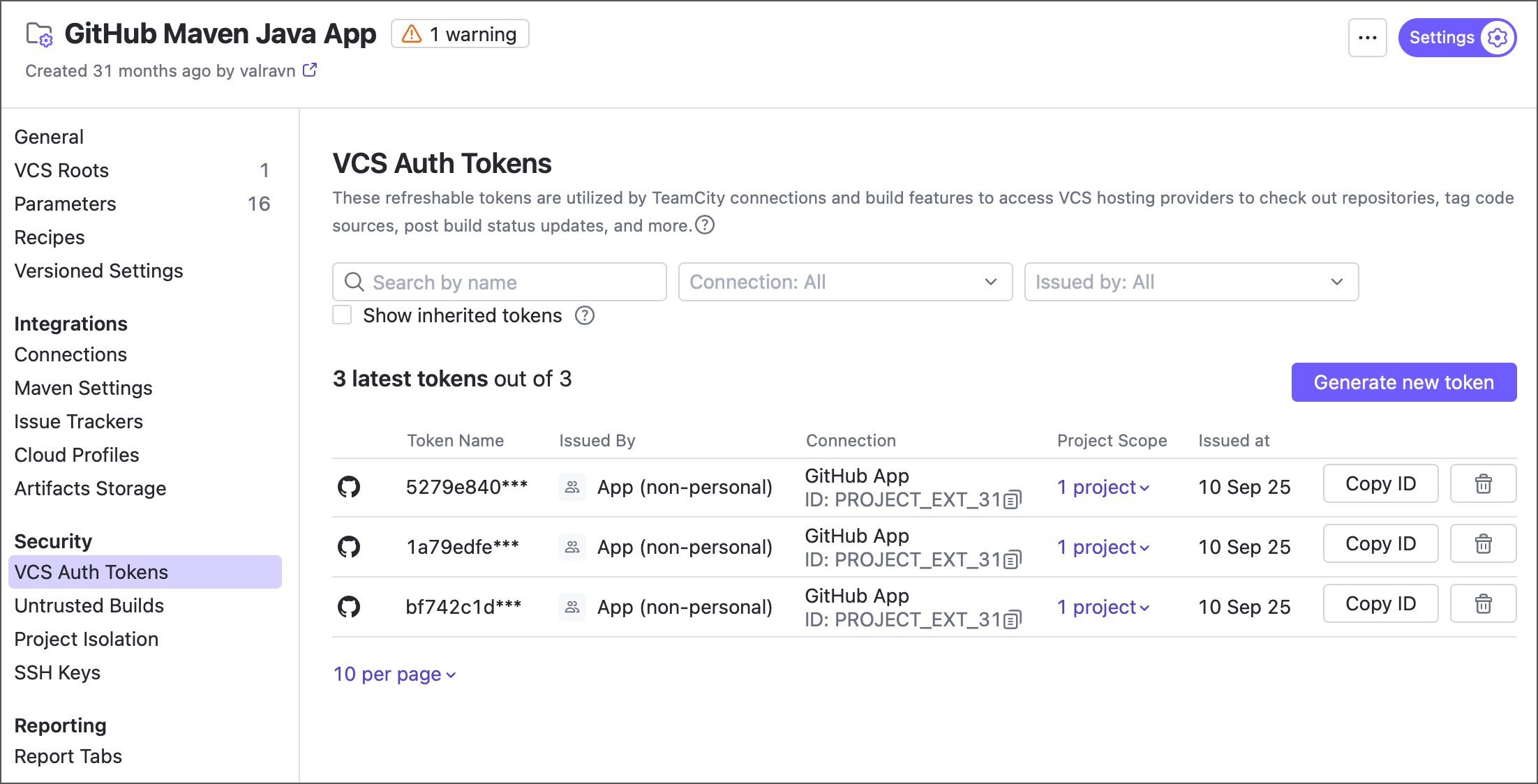
The issued token is visible on the VCS Auth Tokens tab of parent project settings.
Special Notes
The user sending a
POSTrequest must be a project administrator of the referenced TeamCity project. Only this project (and its child subprojects) will be able to use the newly issued token.The issued token has access permissions only for repositories whose names were passed in the request body. It is not possible to issue an unrestricted token that can access any user/organization repository.
TeamCity limits an installation token’s permissions to the lowest level the user has across the selected GitHub repositories. Therefore, the user must have previously signed in to TeamCity through the corresponding GitHub App connection, such as by logging in or listing repositories on the "New Project" page. Alternatively, use the
X-TC-GitHub-PATto explicitly specify the user's personal access token (PAT).