Re-Running Failed Tests
TeamCity IntelliJ IDEA Plugin allows you to locally re-run or debug failed tests (the JUnit- and TestNG-based tests are supported). You can re-run or debug failed tests when viewing the results of failed tests in a dedicated tab in the TeamCity tool window.
To rerun or debug failed tests
- In the TeamCity tool window, find the desired build with failed tests, and then on the toolbar, click
 .
. TeamCity adds a dedicated tab to the TeamCity tool window. This tab is similar to the following screen:
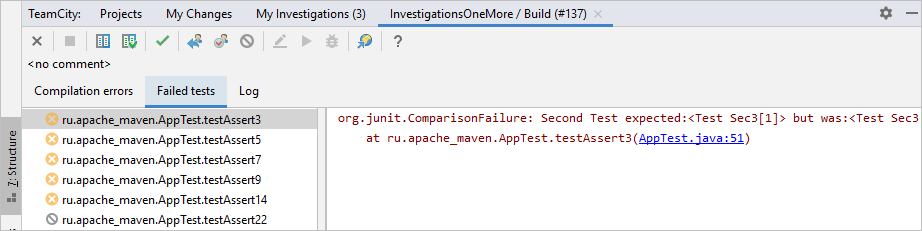
In the Failed tests tab, select the failed test(s) to re-run.
On the toolbar, click
 or
or  , respectively, and then choose or on the shortcut menu.
Last modified: 1 April 2019