Add Credentials to a User Account
You can add a username and password to an existing YouTrack account as a new login. If a user has deleted or disabled an existing login, you can provide the user with a new set of credentials and add them manually to the user profile. The user can then log in to YouTrack with the new credentials. However, they are required to change the password immediately.
Administrators with the required permissions can add credentials to any user account in the system. Individual users with the Update Self permission can add credentials to their own accounts. For more information, see Add Credentials to Your Account.
To add credentials to a user account:
From the main navigation menu, select
 .
.Open a user profile.
Switch to the Account Security tab.
In the Credentials section of the page, click the Add credentials button.
The Add Credentials dialog opens.
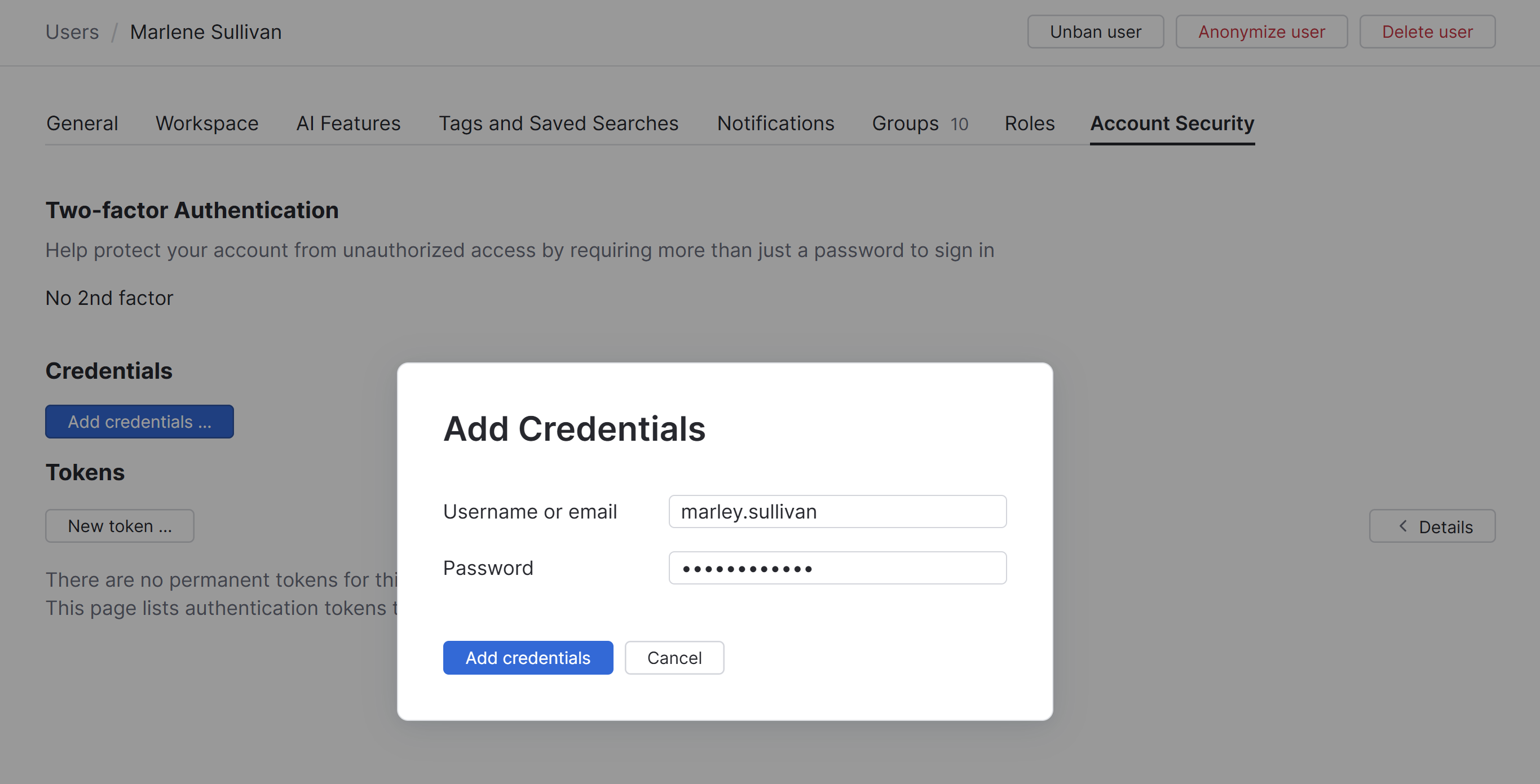
Enter the username/email address and password that you want to add to this account.
Click the Add credentials button.
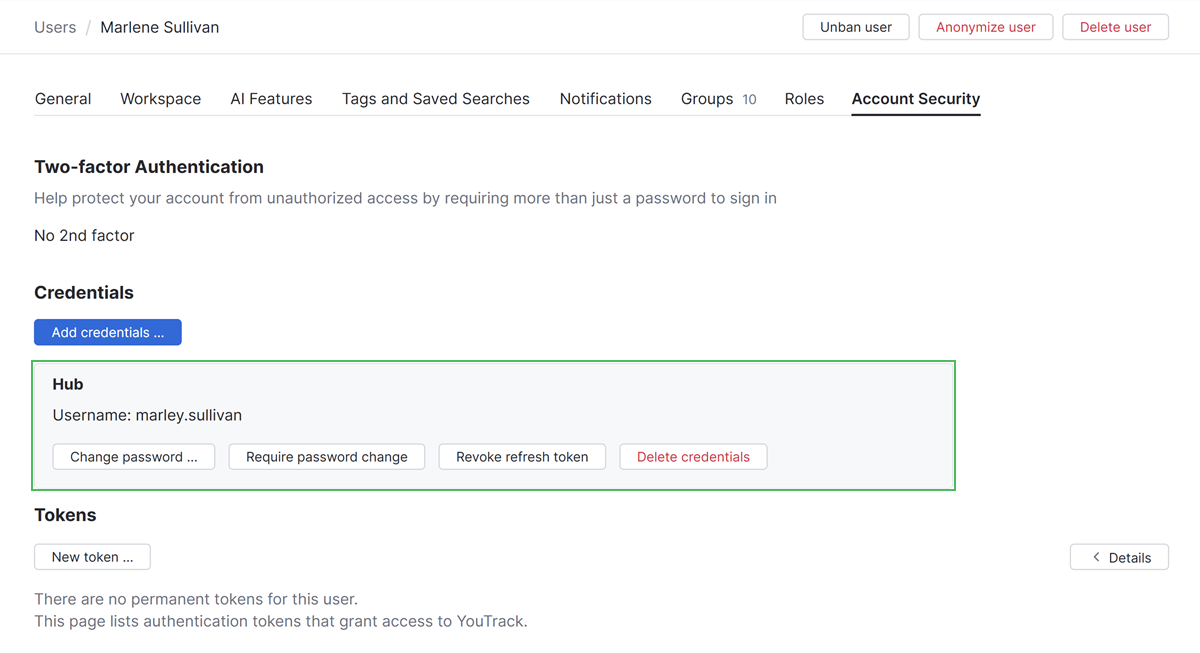
The specified credentials are added as a login to the current user profile.