Manage Project Assignments
The primary purpose of an organization is to collect and manage projects that are related to each other. To assign projects to organizations, you can either update these assignments in the project settings or manage multiple project assignments directly in the settings for each organization.
Projects can only be assigned to a single organization.
To add a project to an organization:
From the main navigation menu, select
 .
.From the list, select the organization to which you want to add a project.
Select the Projects tab in the sidebar.
Click the Add projects button.
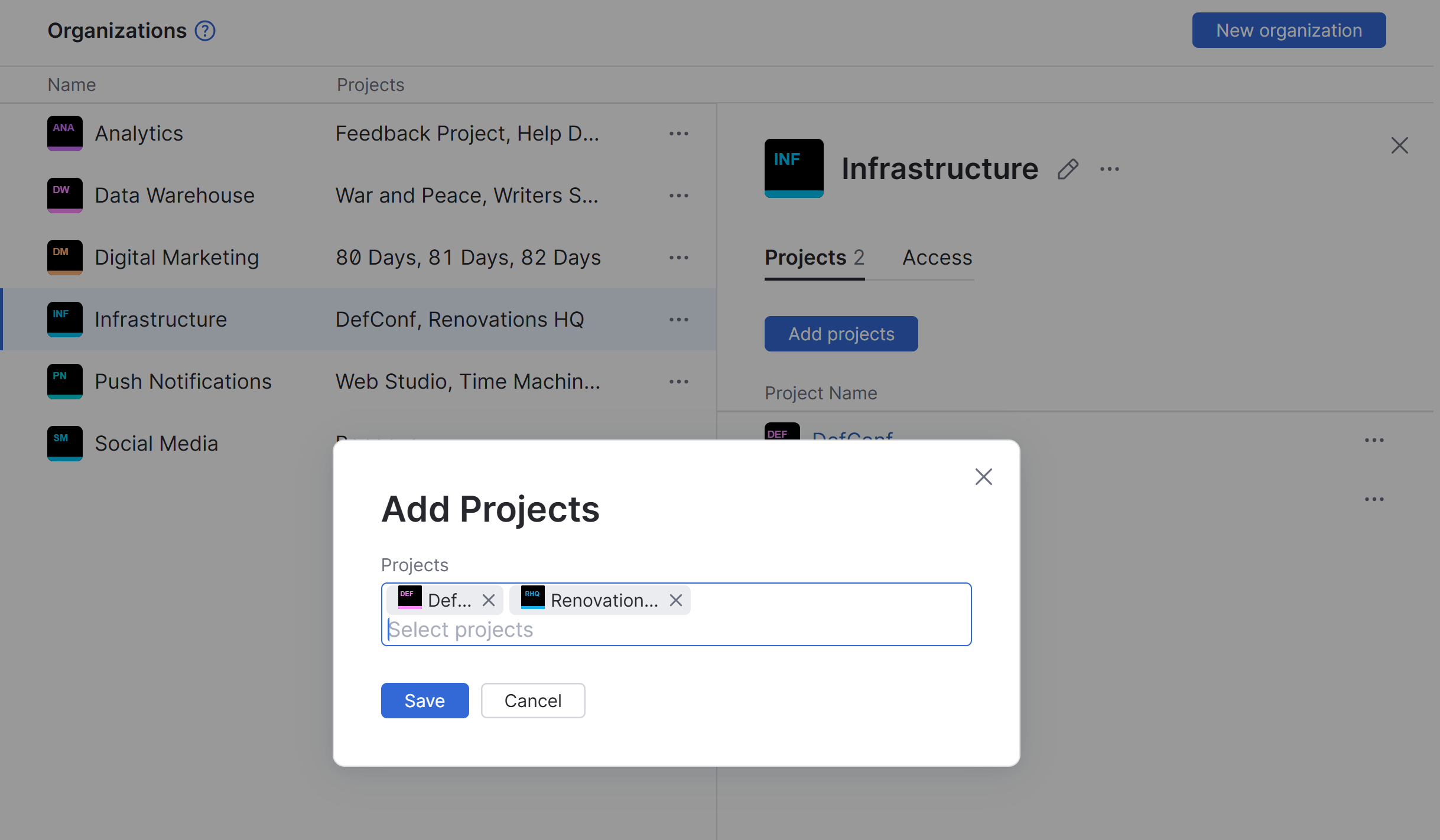
Add the desired projects to the Projects field.
The selected project is associated with the current organization.
The project is grouped with the current organization in the Projects list.
If a particular project is no longer associated with a specific organization, you can update the record in YouTrack in one of the following ways.
You can move the project to another parent organization. You can update this assignment in the settings for the project or use the procedure described above to move the project to a different organization.
You can remove the project from its current organization and manage it independently. Again, you can either update this assignment in the project settings or use the following procedure to remove the project from the organization directly.
To remove a project from an organization:
From the main navigation menu, select
.From the list, select the organization from which you want to remove a project.
Select the Projects tab in the sidebar.
Click to open the
 Show more menu next to the project you want to remove from the organization, then select the Remove project option.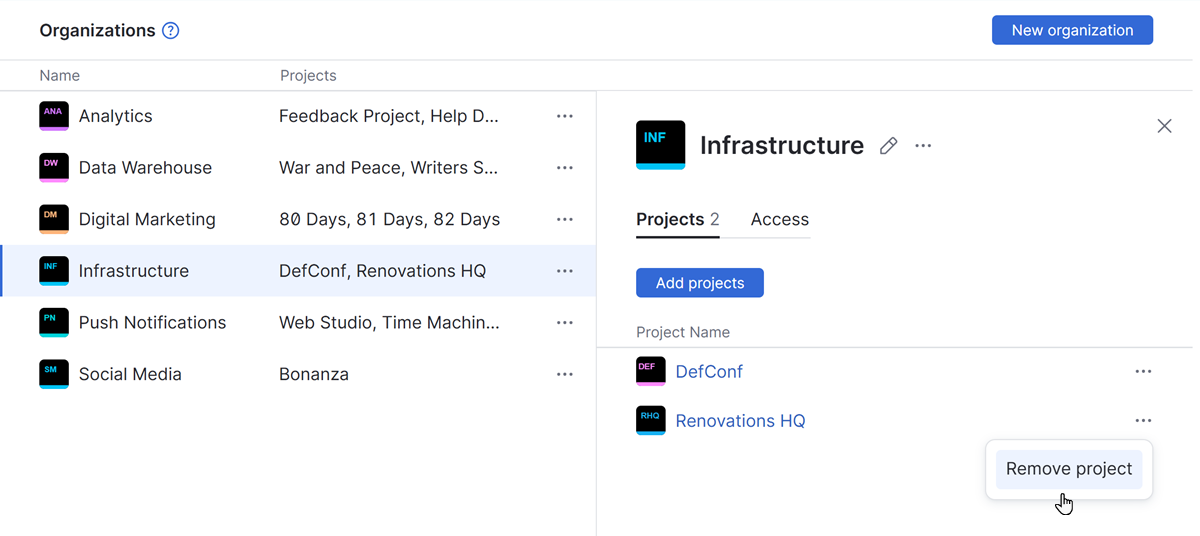
The project is removed from the current organization.
The project is listed in the section for independent projects on the Projects list.