Manage User Accounts for Agents
The number of active agents along with standard users affects the price of the YouTrack license. In this article, we describe how you can manage agent users in YouTrack.
When you purchase a YouTrack license, you decide how many agent and standard user licenses you need. Each registered user with full access to YouTrack features needs a standard user license. In addition to a standard user license, every agent user needs an agent license to be able to communicate with external helpdesk users.
View Agents
On the Users page, you can view the list of all agents in YouTrack.
To view the list of agents:
From the main navigation menu, select
 .
.Deselect the Standard user and Reporter options so that only the Agent option remains selected.
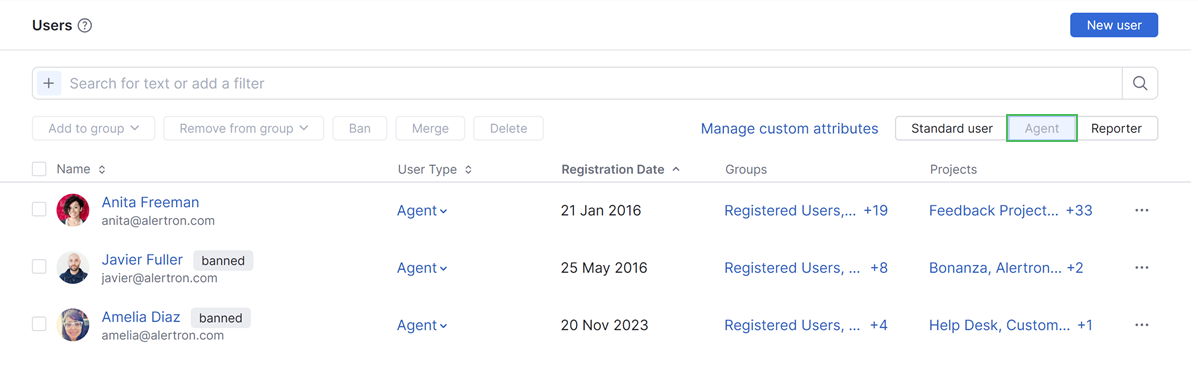
You can see the list of all Agent users, including banned accounts.
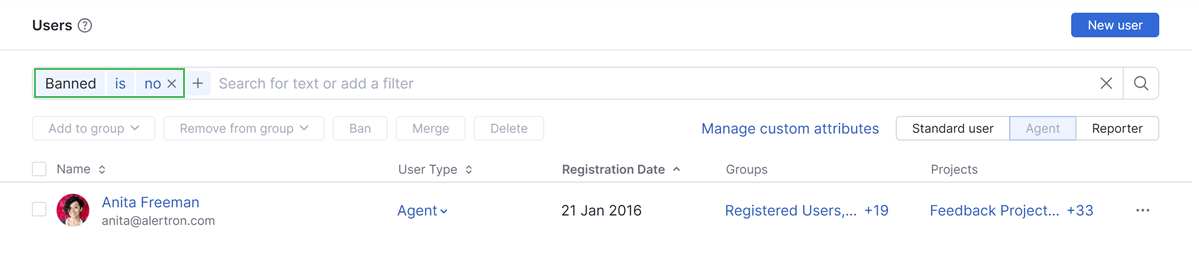
To view only unbanned agents, use the filter Banned is no. This shows you how many agents are counted for license limitations.
For more details about filtering the list of users, see Search for Users.
Reallocate Agent Licenses
When you need to grant some users agent licenses and revoke agent access from others, you can do that either on the Users page or in the profile of a particular user.
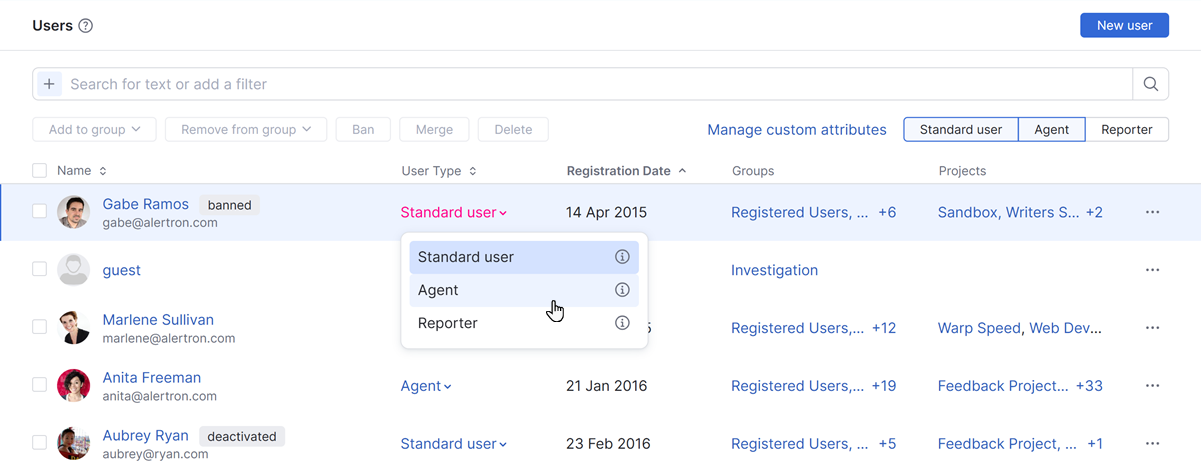
On the Users page, locate the target user and select the new user type from the dropdown in the User Type column.
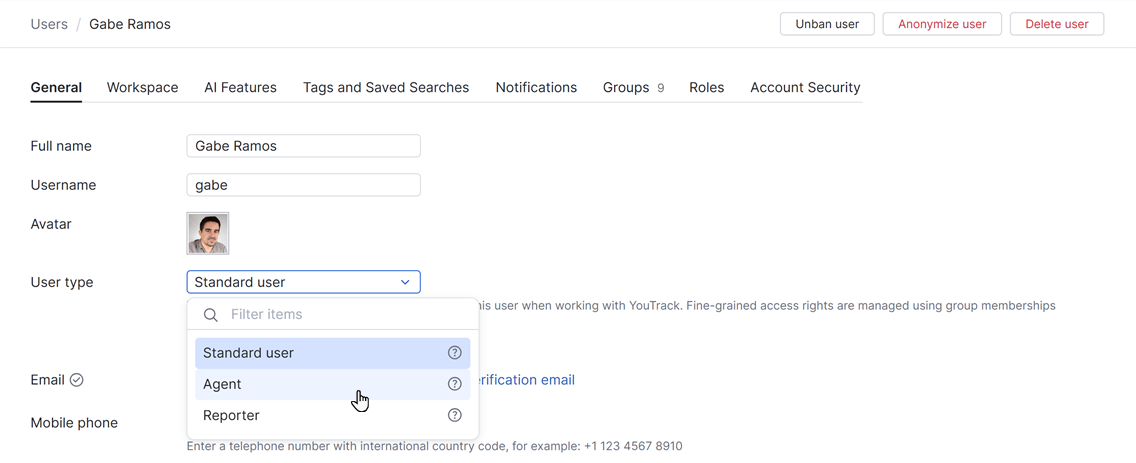
In the profile of a user, select the new type from the User type dropdown and click the Save button.
For more details, see Change the User Type.
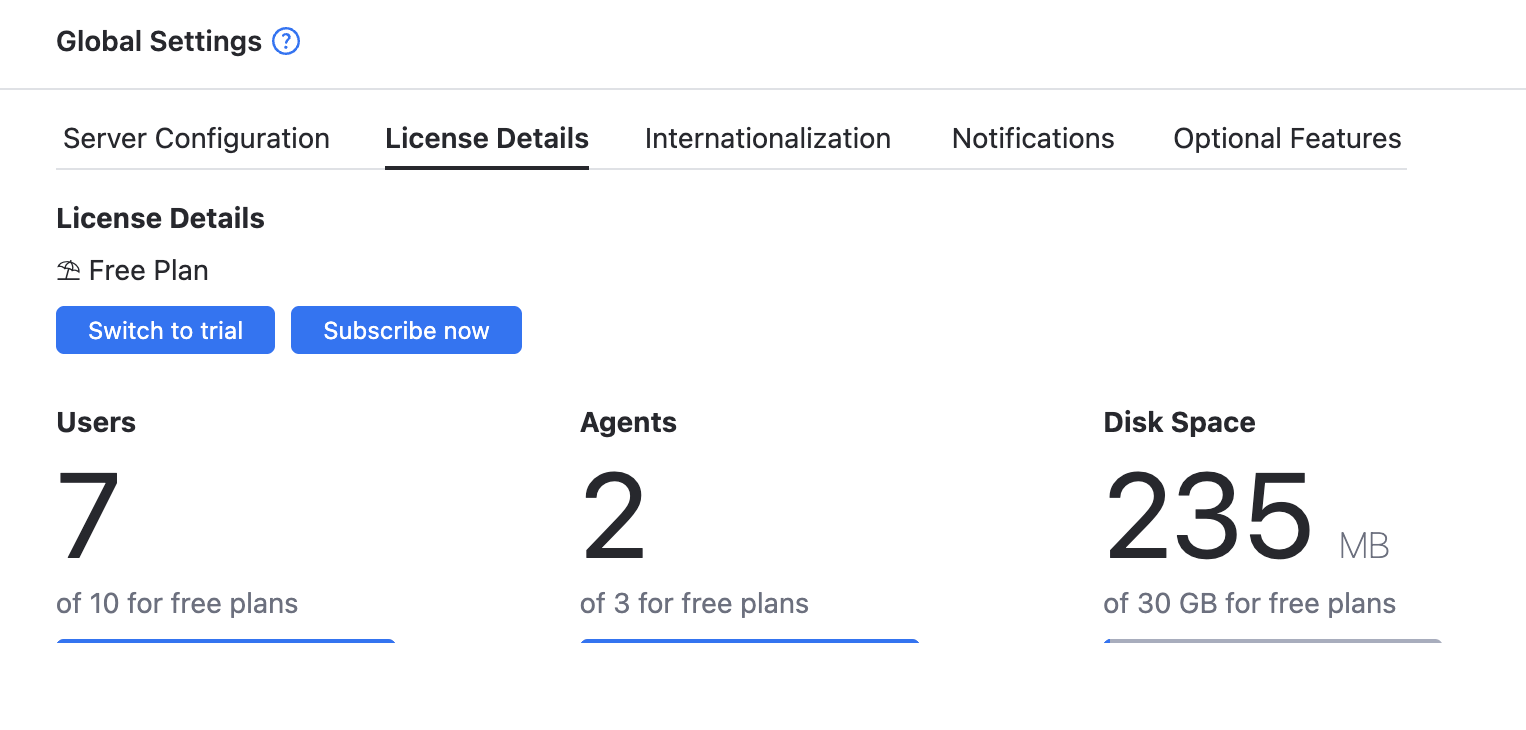
To view the number of currently used agent licenses, open the License Details tab on the Global Settings page.
To learn more about agents in helpdesk projects, see Helpdesk Agents.