Replying to Tickets
If the support agent requests additional information from you, you have two options to continue the conversation.
Replying in the Email Thread
You can reply directly to the email thread that was sent to you when the ticket was created. This is the simplest way to respond to a ticket, as you're still in the same email client.
If the ticket is already open, you can reply directly to the email thread. If the ticket is closed, you can reopen it and reply to the email thread.
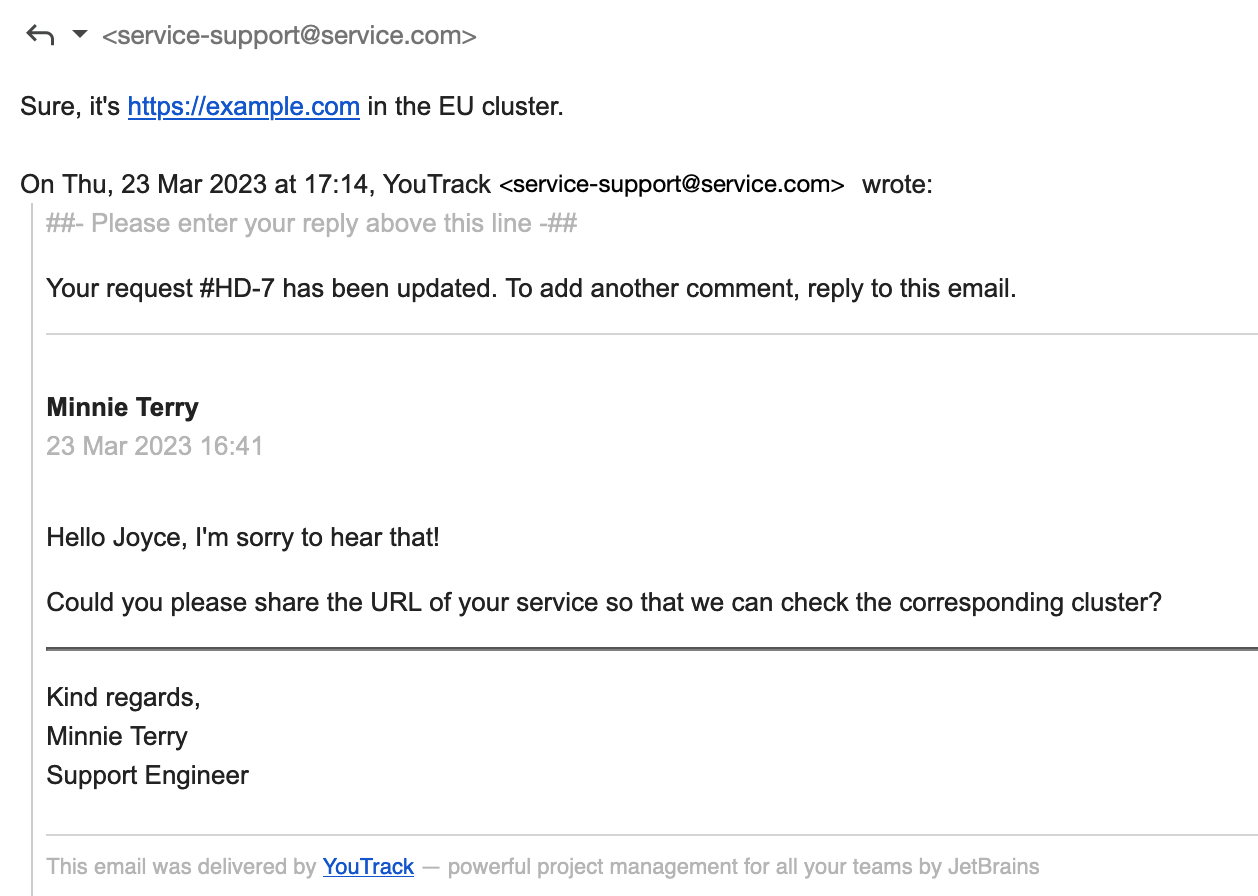
In the email notification for your ticket, reply above the delimiter.
This option is the simplest one, as you're staying in the same email client. However, when a conversation gets longer, its presentation in an email thread might become cluttered and unmanageable. In such cases, you have the option to continue the discussion in the ticket in YouTrack.
Replying in the YouTrack Ticket
When you need to provide additional information or respond to an agent's question, you can post a reply directly to the ticket. This keeps the entire conversation history in one place, making it easier for both you and the support team to track the progress of your request.
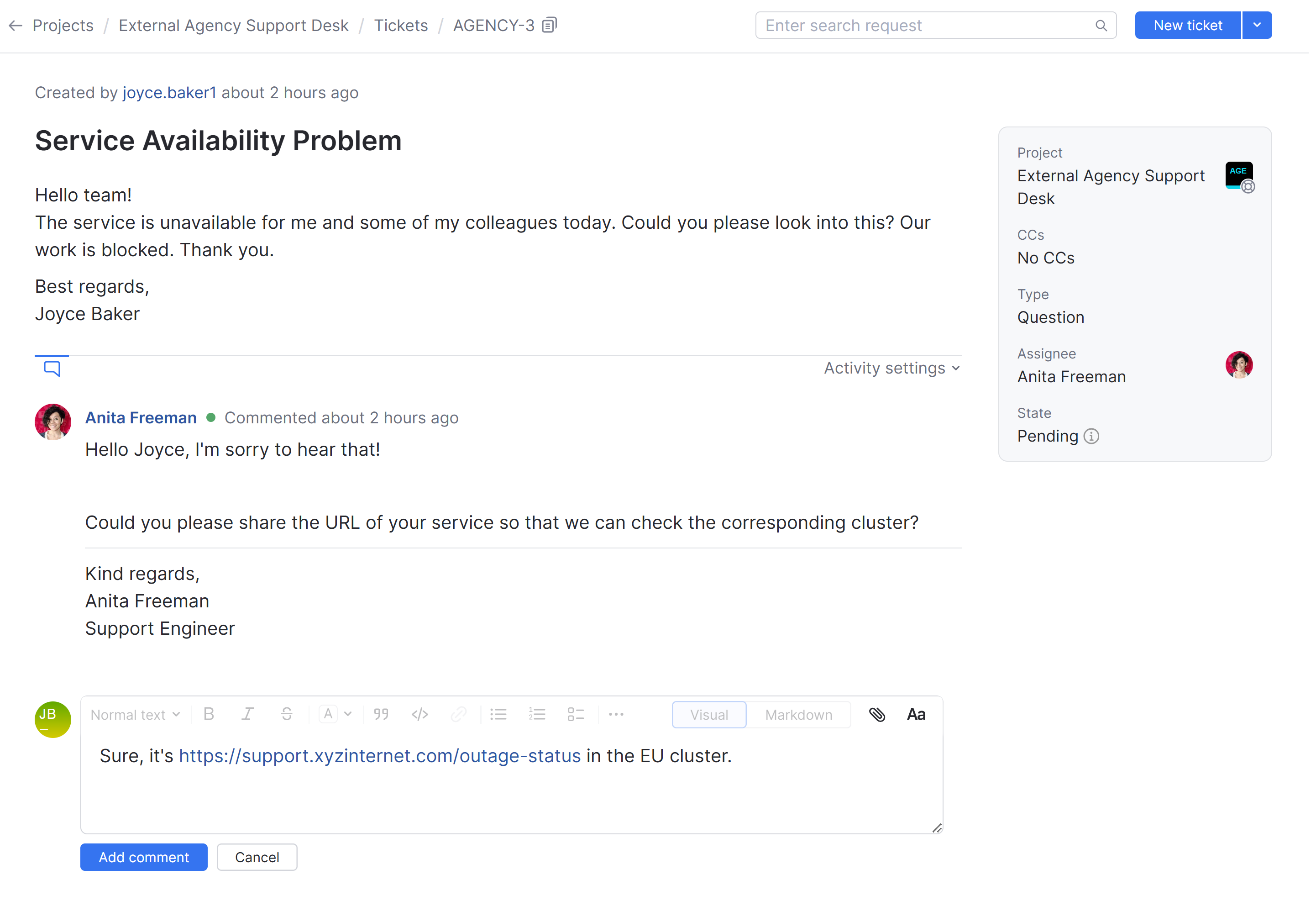
To open a ticket in YouTrack, follow the link in the notification. When you open the link, YouTrack logs you in automatically, and you can immediately reply in the ticket or view the ticket details.
In YouTrack, you also have access to all tickets that were reported from the same email address, including those that are open, pending, or closed. For more details, see Reviewing Your Tickets.
To post a reply to an agent in YouTrack:
From the main navigation menu, select
 Tickets.
Select the ticket you want to update from the list.
Type your message in the comment area at the bottom of the ticket.
Click the Add comment button to send your reply.
Once posted, your message is added to the ticket history, and the assigned agent receives a notification.
Reporter Personas and Access
The experience of replying to a ticket is designed to be consistent for everyone seeking support. Even if you hold a standard user or agent license for other projects in YouTrack, your experience in a helpdesk project is tailored to the reporter role.
Regardless of your account type, you will see a streamlined view of the ticket that focuses on the conversation and public information.
In your capacity as a reporter, you only see public replies from agents, and you are only able to post public comments. Internal comments remain hidden from you, even if you are an agent in a different project.
If you are a member of the project team or have been granted specific roles within that helpdesk project, you might see additional details like private custom fields. However, your primary interaction for support remains through the standard reporter comment area.