Merge Roles
If you have multiple roles with overlapping permissions or want to simplify your access management scheme, you can merge two or more roles into a single target role.
When you merge roles, YouTrack performs the following actions:
The target role inherits all permissions from the source roles.
All users and groups assigned to the source roles are reassigned to the target role.
The source roles are deleted from the system once the merge is complete.
To merge one or more roles:
From the main navigation menu, select
 .
.In the roles list, select the checkboxes next to the roles you wish to merge.
Click the Merge button in the toolbar. A confirmation dialog is shown.
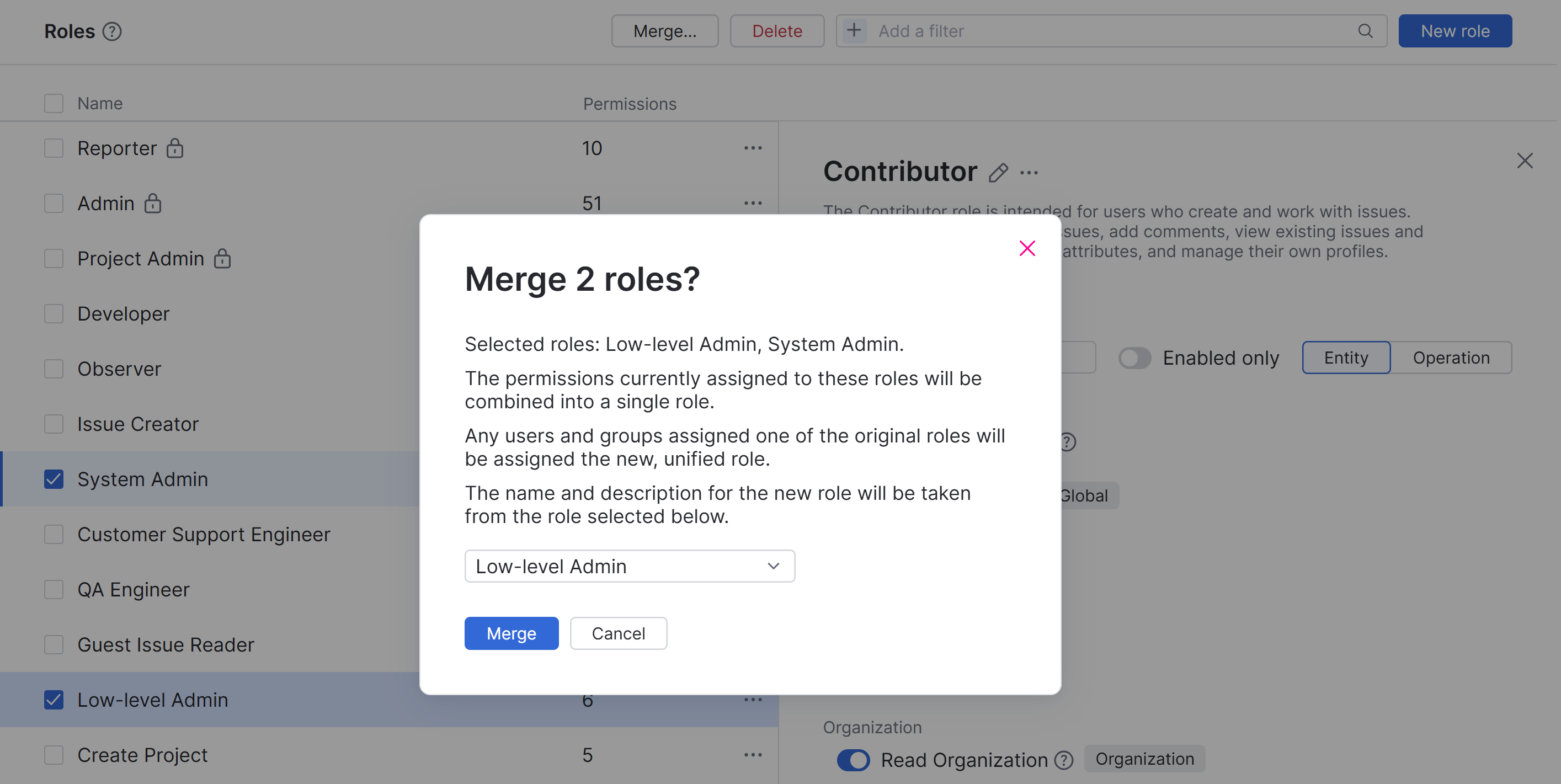
Select the role you want to use as the source for the name and description of the unified role.
You can edit the role to update these values later, if desired. For specific instructions, see Edit an Existing Role.
Click the Merge button.
YouTrack updates all access assignments and deletes the source roles.