Roles
A role in YouTrack is a container for a set of permissions. Roles are assigned to users and groups on a per-project basis. Users and groups can also inherit roles based on their assignment to a project team.
To access the list of roles in YouTrack, select Roles from the Access Management section of the  Administration menu.
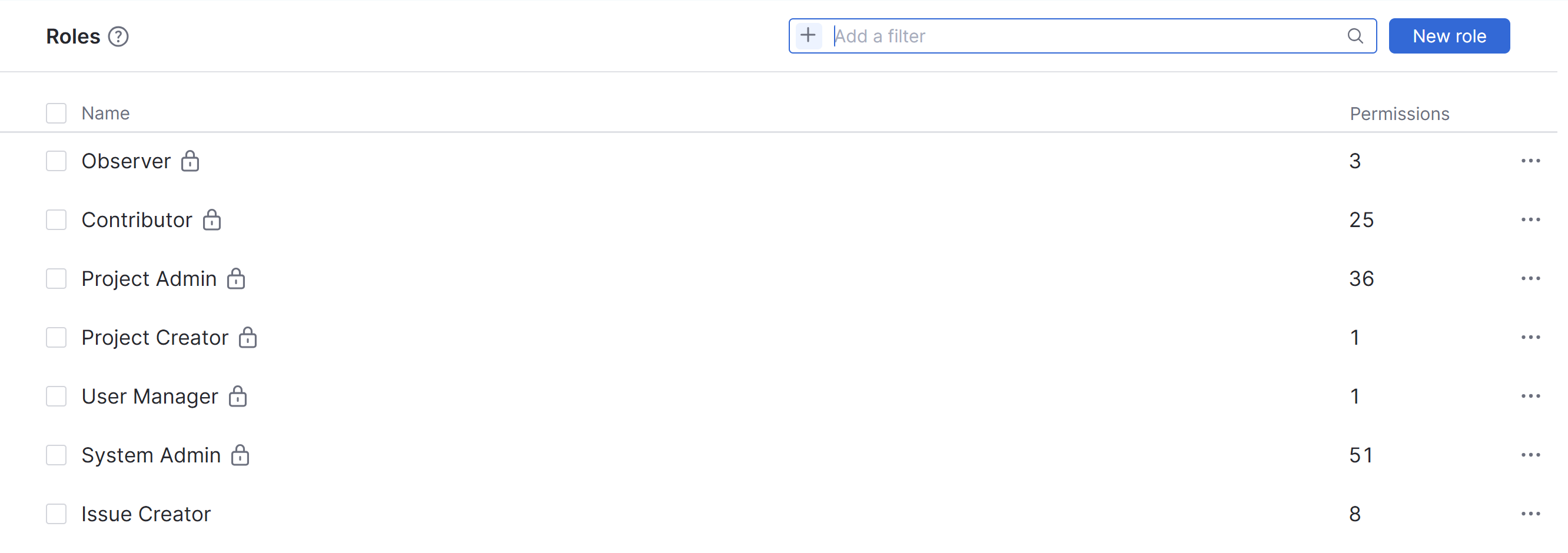
The Roles page features a search box that lets you filter the list. YouTrack supports the following attributes in search queries that are applied as a filter on the Roles page.
Attribute | Description |
|---|---|
Name | Returns the role with the selected name. |
Permission | Returns roles that contain the selected permission. |
To apply a filter, start typing in the search box. YouTrack will suggest available attributes that match your input as you type. When you select an attribute, YouTrack automatically inserts a search operator and suggests possible values. From there, you have the following options:
Enter the value or values you want to filter for.
Click the
 icon to remove a parameter.
The topics in this section of the documentation explain how to perform a variety of actions related to roles in YouTrack.