コード生成
CLion provides multiple ways to generate common code constructs and recurring elements, which helps you increase productivity. これには、新しいファイルの作成時に使用される ファイルテンプレート 、コンテキストに応じて異なる方法で適用されるカスタムまたは定義済みの ライブテンプレート 、各種ラッパー、文字の自動ペアリングなどがあります。
生成 メニューは、コード内に標準的なコード構造をすばやく作成できます。 Depending on the current context, the caret position, or selected code, CLion gives you a list of constructs to be generated.
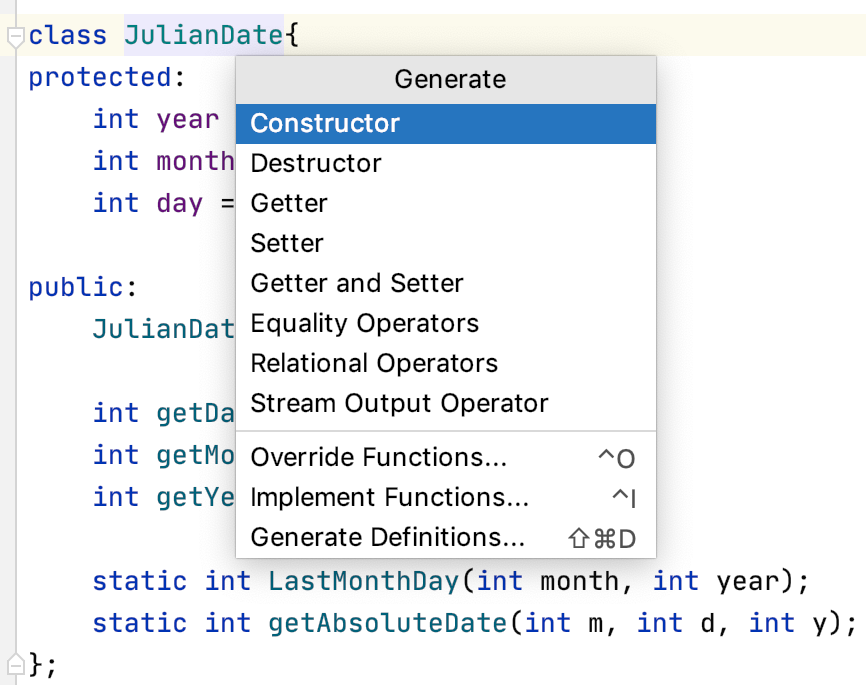
生成ポップアップを呼び出す
次のいずれかのオプションを使用します。
Alt+Insert を押す。
メインメニューから を呼び出します。
エディターを右クリックし、コンテキストメニューから 生成 を選択します。
コンストラクターを生成
生成 ポップアップから コンストラクター を選択します。
If the class contains fields, select the fields to be initialized:
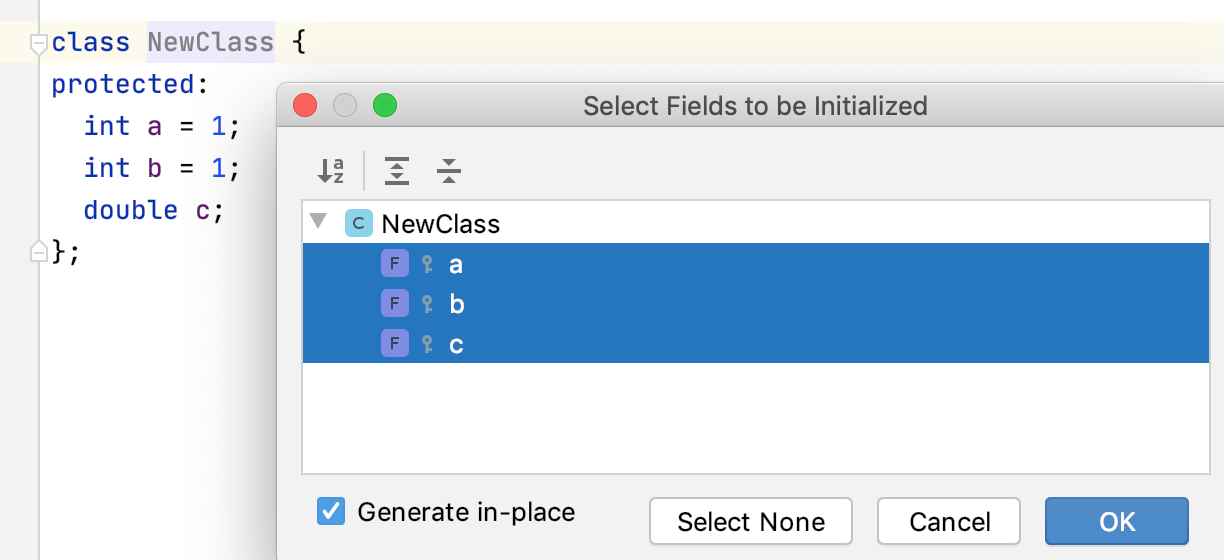
If the インプレースで生成 checkbox is selected, the template constructor will be generated in the
publicarea of the class, otherwise the code will be placed in the corresponding cpp file.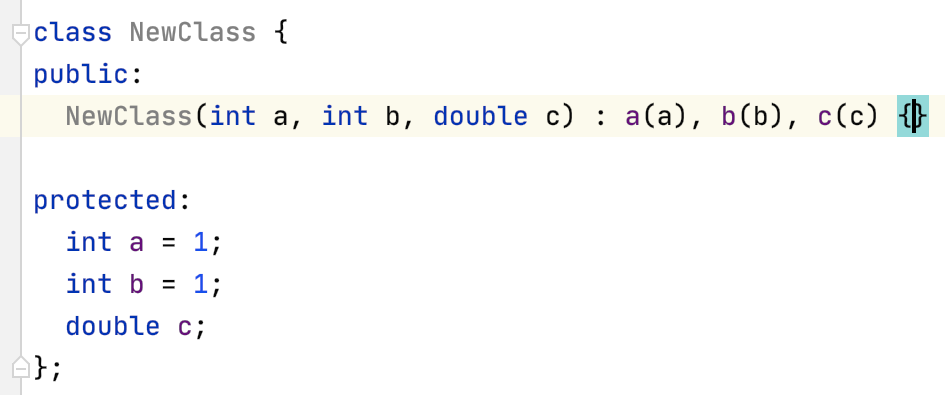
getter および setter を生成
生成 ポップアップから Getter、 Setter、 Getter と Setter を選択します。
Select the fields to generate the getters/setters for:
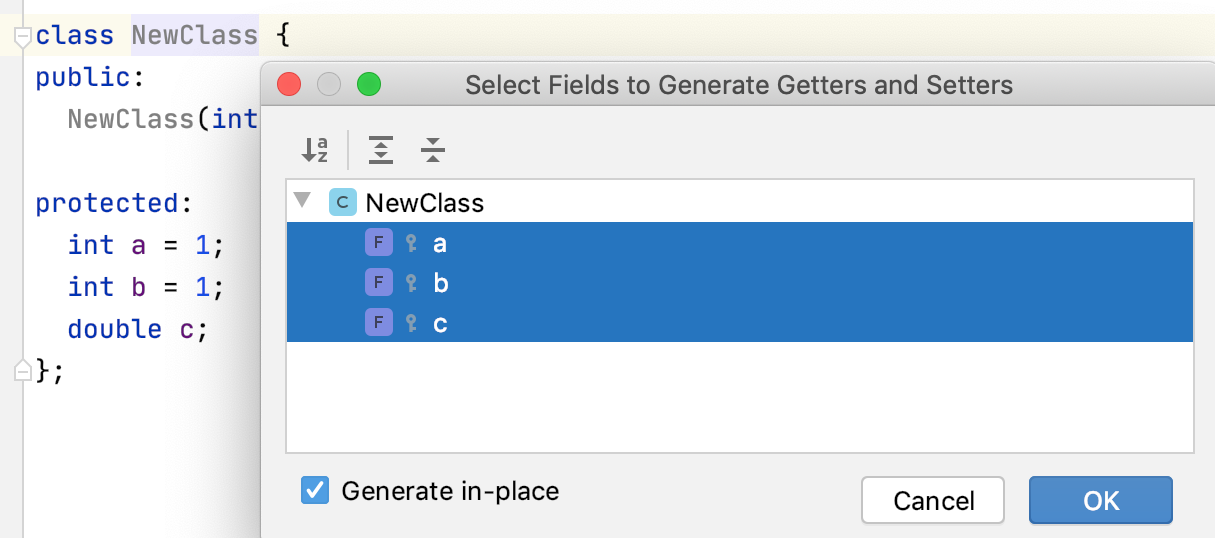
If the インプレースで生成 checkbox is selected, the getters/setters will be generated in the
publicarea of the class, otherwise the code will be placed in the corresponding cpp file.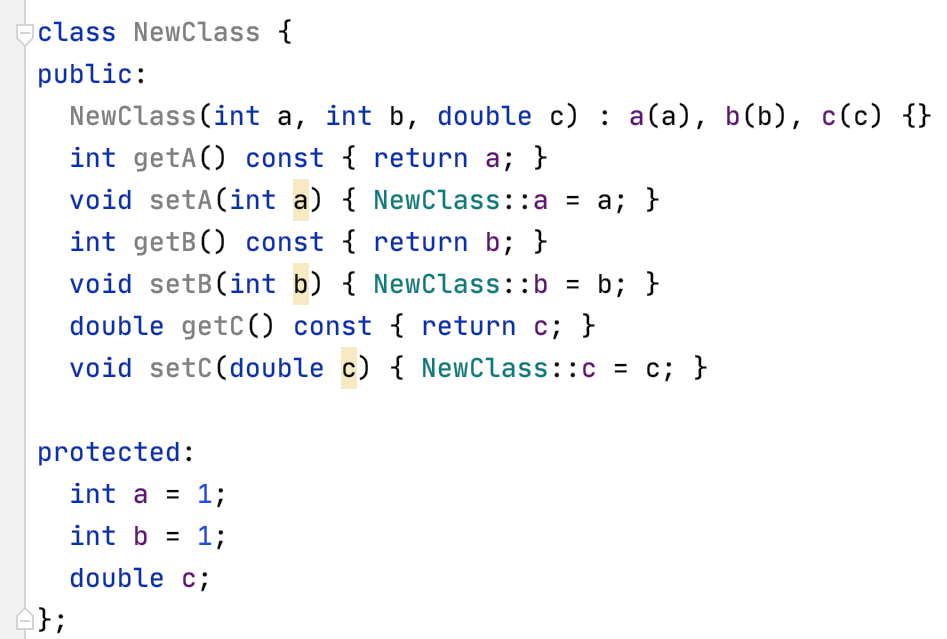
等値演算子を生成する
このアクションは、選択されたフィールドを使用して現在のクラスのオブジェクトを比較する operator== および operator!= 関数を生成します。
生成 ポップアップから 等価演算子 を選択します。
Select the fields to be used and set addition options:
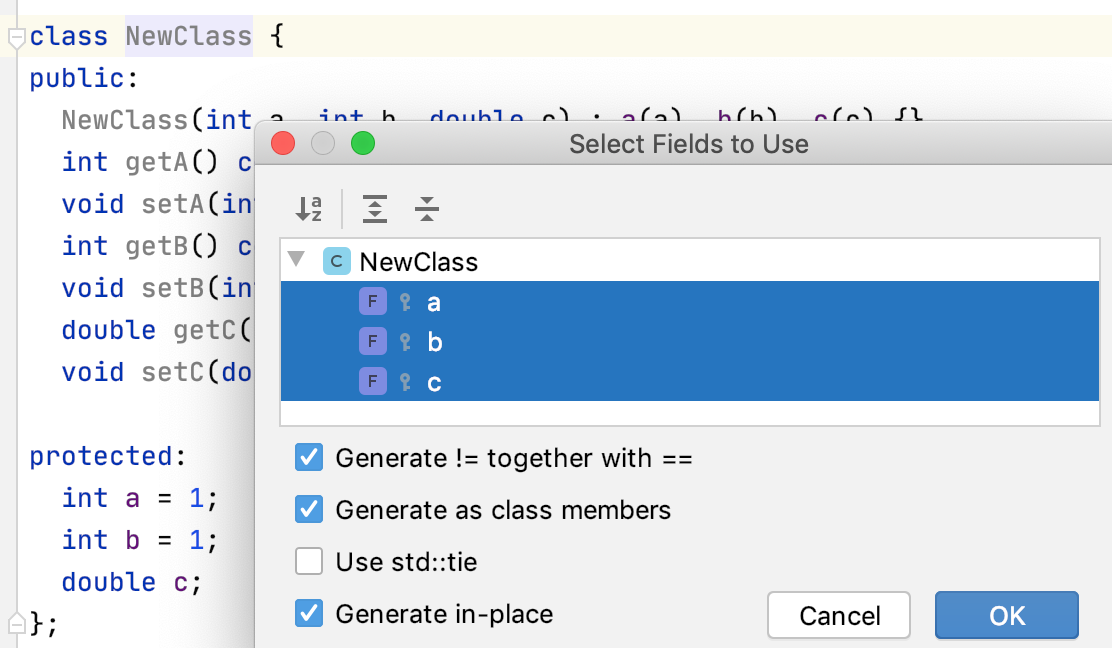
If the インプレースで生成 checkbox is selected, the operator functions will be generated in the
publicarea of the class, otherwise the code will be placed in the corresponding cpp file.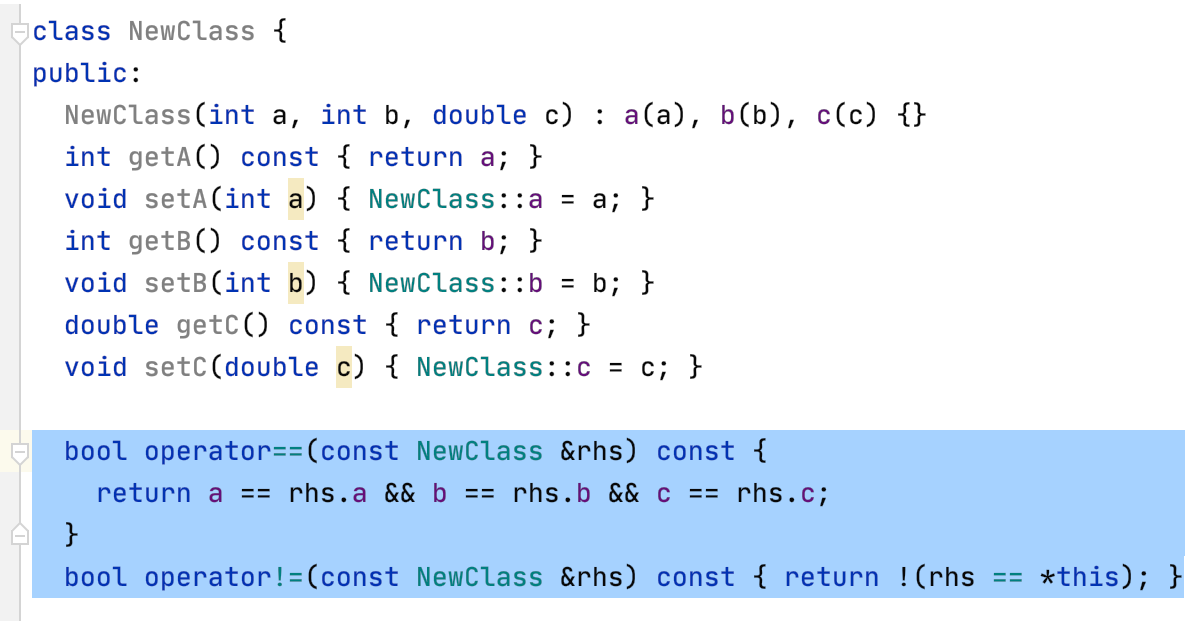
関係演算子を生成する
このアクションは、選択したフィールドを使用して現在のクラスのオブジェクトを比較する operator<、 operator>、 operator<=、 operator>= 関数を生成します。
生成 ポップアップから 比較演算子 を選択します。
Select the fields to be used and set addition options:
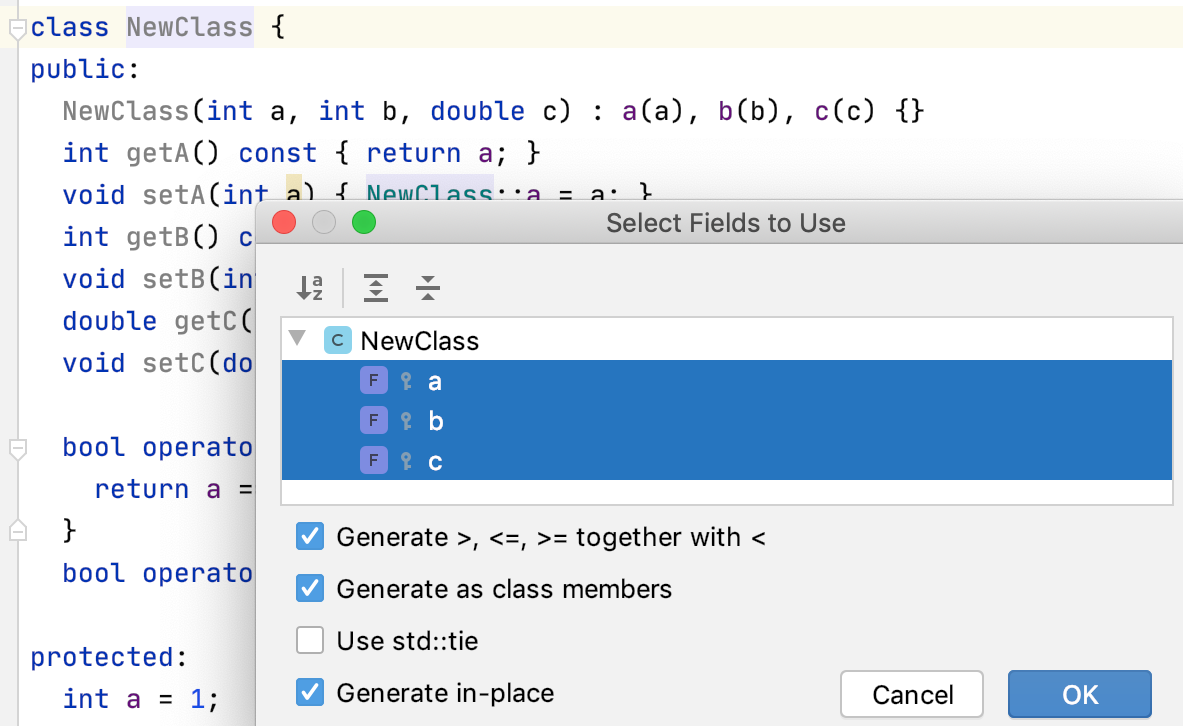
If the インプレースで生成 checkbox is selected, the operator functions will be generated in the
publicarea of the class, otherwise the code will be placed in the corresponding cpp file.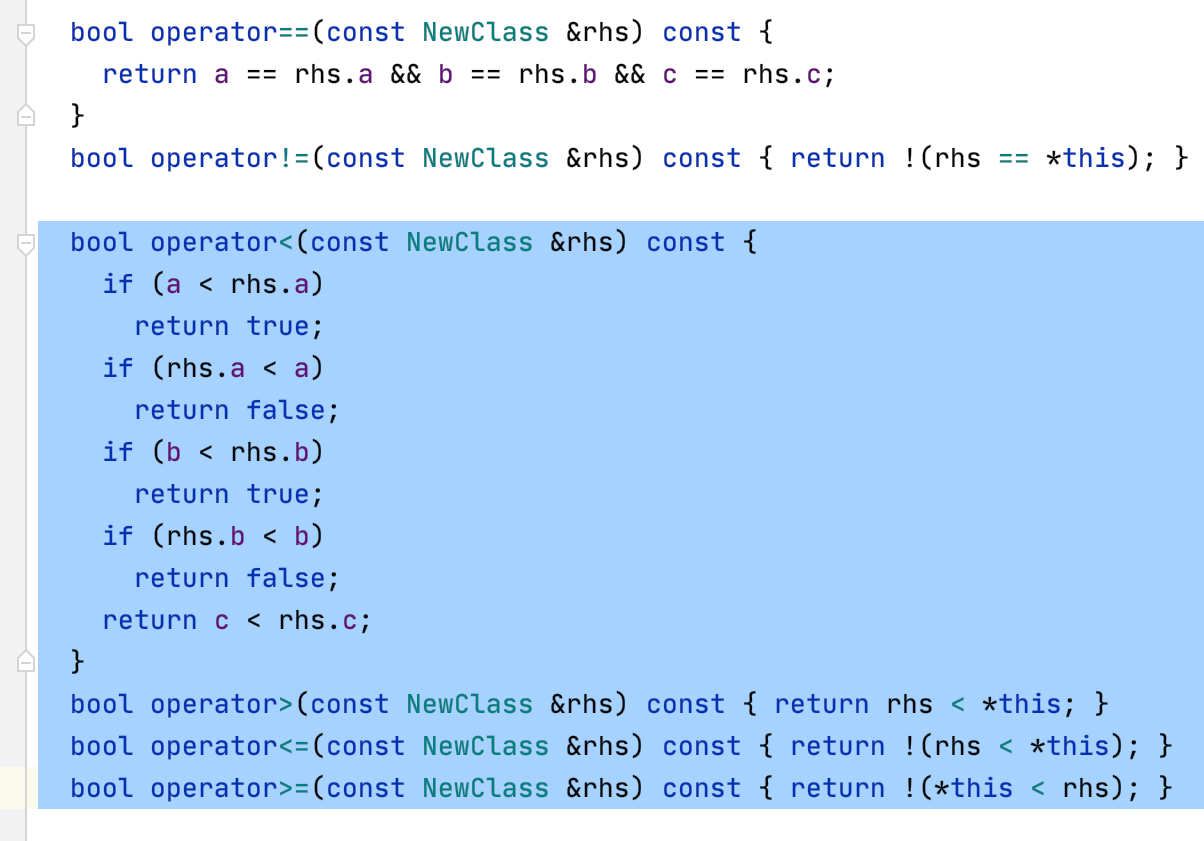
ストリーム出力演算子を生成する
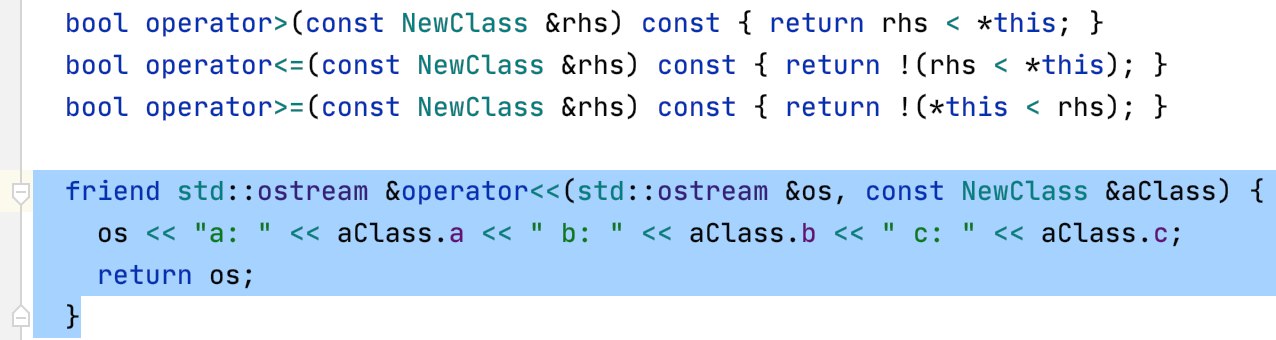
このアクションは、選択したフィールドを使用して現在のクラスのオブジェクトのストリーム出力を生成する方法を定義する挿入演算子 operator<< を生成します。
生成 ポップアップから ストリーム出力操作 を選択します。 使用するフィールドを選択します。
If the インプレースで生成 checkbox is selected, the operator function will be generated in the
publicarea of the class, otherwise the code will be placed in the corresponding cpp file.