プロパティファイル
プロパティファイルは .properties 拡張子を持つテキストファイルであり、UI でアクセスしてレンダリングできるキーと値のペアの形式でローカライズ文字列が含まれています。
PyCharm はこれらのファイルを次のアイコンでマークします:  。
。
PyCharm は XML 形式のプロパティファイルも認識します。 これらのファイルには  アイコンが表示されます。
同じベース名と言語固有のサフィックスを持つ複数のプロパティファイルは、便宜上、 リソースバンドルにまとめることができます。
プロパティファイルを作成する
ターゲットディレクトリのコンテキストメニューから、 を選択します。
新規ファイル ダイアログで、対応する拡張子 .properties を付けてファイル名を入力し、 OK をクリックします。
プロパティファイルのエンコード
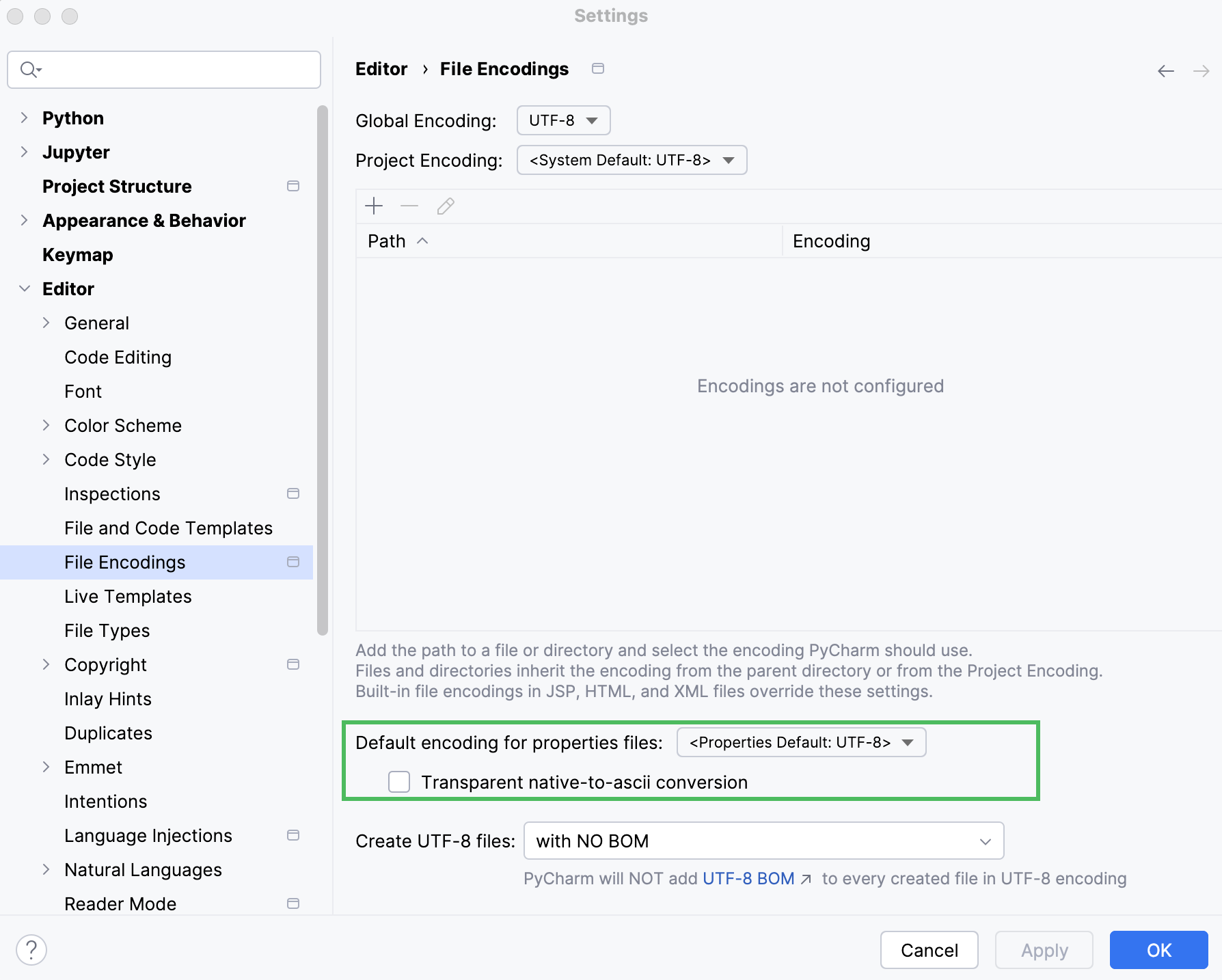
プロパティファイルのデフォルトのエンコードを設定する
設定 ダイアログ(Ctrl+Alt+S )で、 を選択します。
プロパティファイルのデフォルトエンコーディング リストからエンコーディングを選択します。
必要に応じて、 ネイティブから ASCII への変換を自動的に行う を有効にして、対応するエスケープシーケンスの代わりにネイティブ文字 (ISO-8859-1(英語) で定義されていない文字) を表示します。
2026 年 7 月 14 日