ReSharper 2026.1의 새로운 기능
Welcome to the ReSharper 2026.1 release overview. This version is designed to make everyday .NET development more comfortable and efficient, with:
- Enhanced performance monitoring – All runtime behavior insights can now be displayed in a single tool window.
- Expansion beyond Visual Studio – Use ReSharper in VS Code–compatible editors like Cursor and Google Antigravity.
- Improved C# support – Better handling of extension members, new inspections, and early support for upcoming features.
- More stable Out-of-Process mode – Over 70 fixes for improved reliability.
- Modernized editor UI – Updated completion, tooltips, and popups with better scaling.
진화된 성능 모니터링
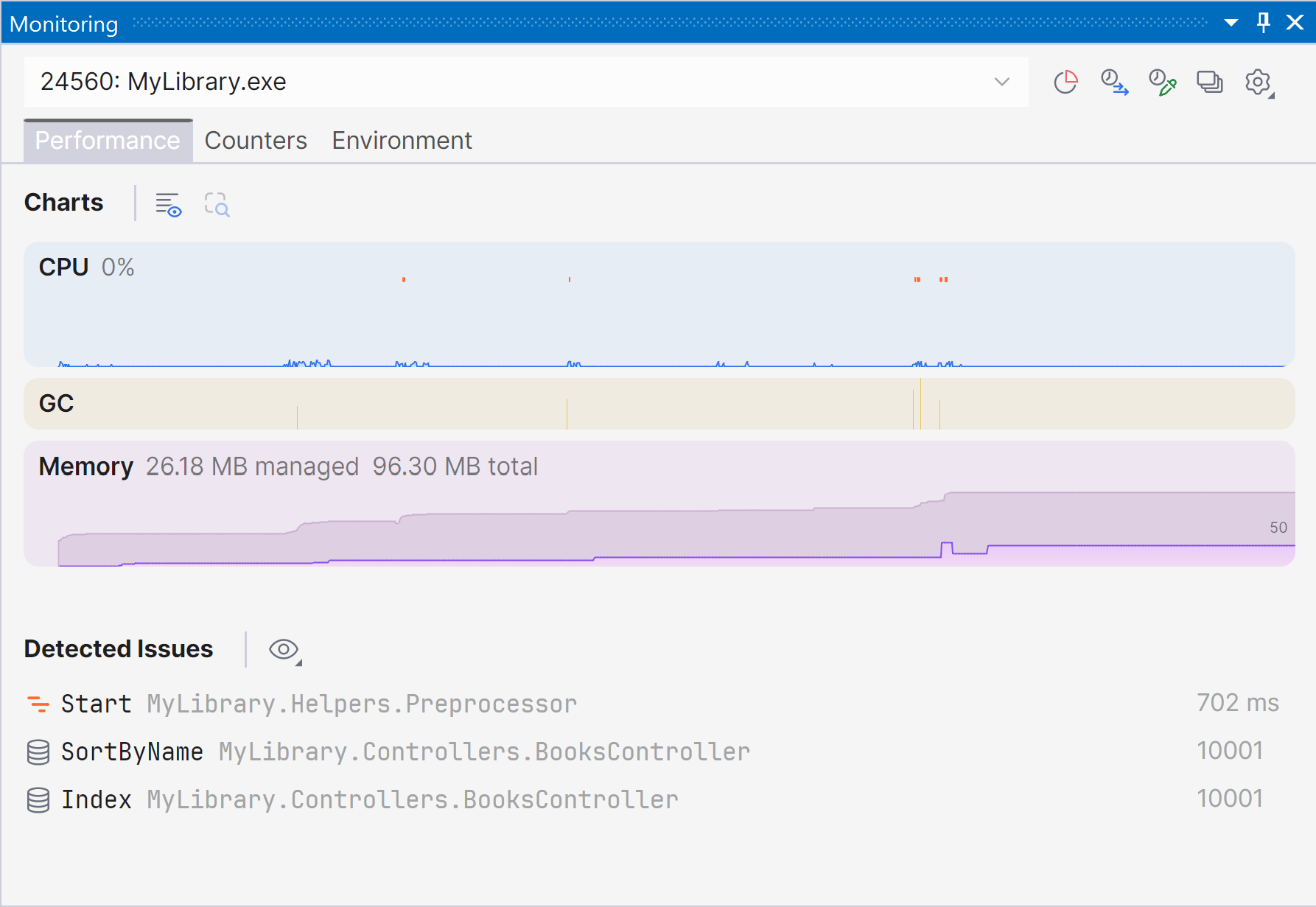
Marking a new step in the evolution of performance monitoring, ReSharper 2026.1 introduces the Monitoring tool window. 이 새로운 전용 도구 창은 런타임 성능에 대한 더 명확하고 완전한 정보를 제공하며, 자동화된 문제 탐지 기능으로 최적화 기회를 쉽게 파악할 수 있도록 도와줍니다.
The Monitoring tool window lets you observe key runtime metrics of your application as it runs or during debugging. It builds on the capabilities already previously available through our .NET profiling tools and Dynamic Program Analysis (DPA), but brings them together in a single view that makes it easier to evaluate runtime behavior at a glance.
Starting with ReSharper 2026.1, the Monitoring tool window is available when using ReSharper as part of the dotUltimate subscription.
The Dynamic Program Analysis (DPA) feature will be retired in the 2026.2 release, while its core capabilities will continue to be provided through the new monitoring experience.
Current limitations:
The Monitoring tool window is not currently supported in Out-of-Process mode. We are working to remove this limitation in ReSharper 2026.2.
For more details on how monitoring works and how to use it, see our documentation.
VS Code 호환 에디터로 확장
ReSharper를 이제 Visual Studio Code와 Cursor, Google Antigravity와 같은 호환 에디터에서도 사용할 수 있게 되어 JetBrains의 C# 도구를 원하는 에디터 환경에서 쓸 수 있습니다.
확장 프로그램은 C#, XAML, Razor, Blazor에 대한 실시간 코드 분석, 리팩터링, 탐색 기능을 제공합니다. 또한 프로젝트와 소스 제너레이터 관리를 위한 Solution Explorer(솔루션 탐색기)와 NUnit, xUnit.net, MSTest에 대한 유닛 테스트 지원도 포함합니다.
VS Code용 ReSharper 및 호환 에디터는 ReSharper, dotUltimate, All Products Pack 구독으로 사용할 수 있습니다. 비상업적 용도로는 무료 구독으로도 사용할 수 있습니다.
Learn more in this dedicated blog post.
언어 지원
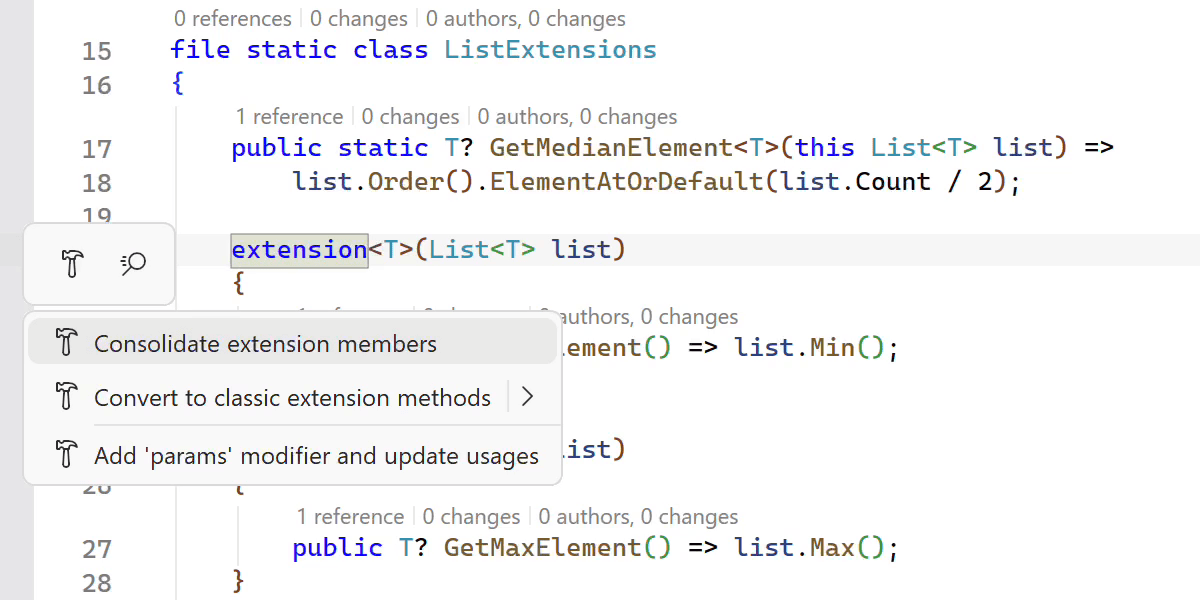
C# 확장 지원 개선
ReSharper 2026.1 expands its support for C# extension members, helping you work more efficiently with the evolving language features.
A new Consolidate extension members context action merges compatible extension declarations and classic extension methods into a single block. The Import extension member quick-fix has also been improved and now supports all kinds of extension members, automatically adding missing using directives when needed.
확장 멤버에 대한 탐색 및 리팩터링 기능도 개선되었습니다. ReSharper can now decompile extension blocks and navigate to generated sources, and the Extension Method to Plain Static refactoring now works with methods declared inside extension blocks.
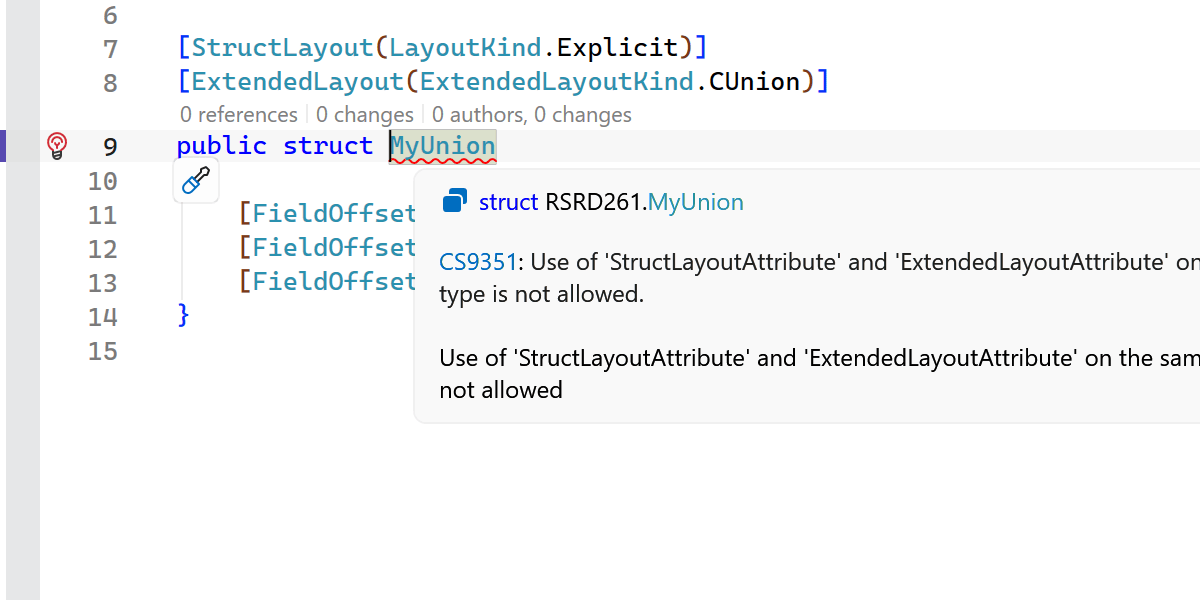
Early support for upcoming C# language features
ReSharper 2026.1 introduces early support for upcoming C# language updates, helping you experiment with new syntax as the language evolves.
This release includes initial support for collection expression arguments and support for the [ExtendedLayout] attribute, ensuring ReSharper continues to work smoothly with the latest compiler innovations.
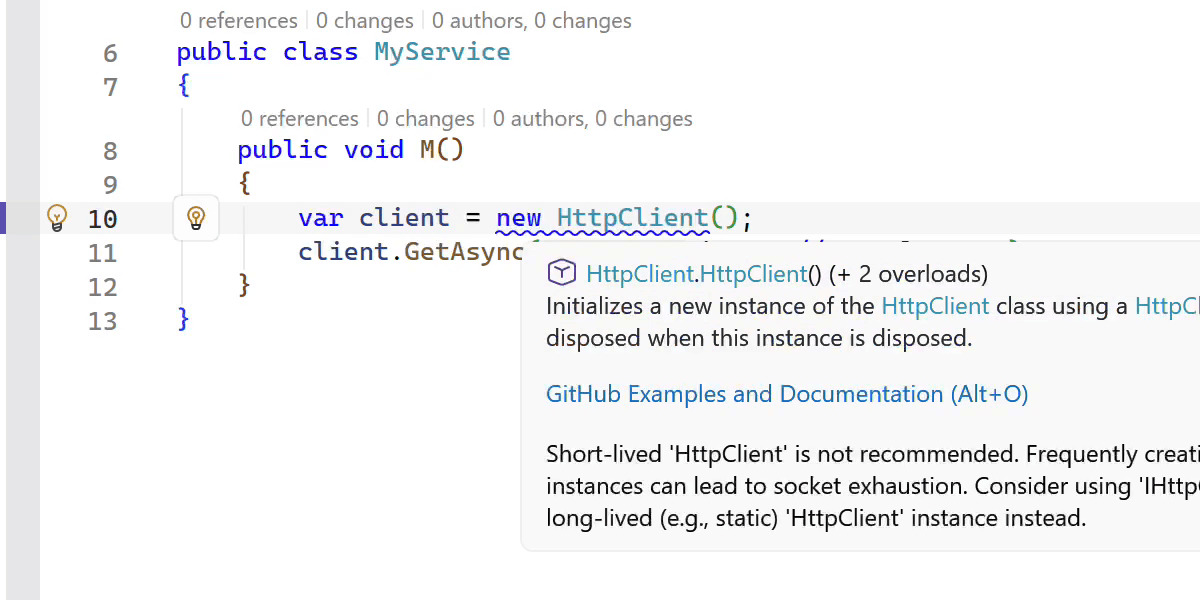
New inspections and code style options
This release adds several new inspections and style options to help you write safer and more consistent code.
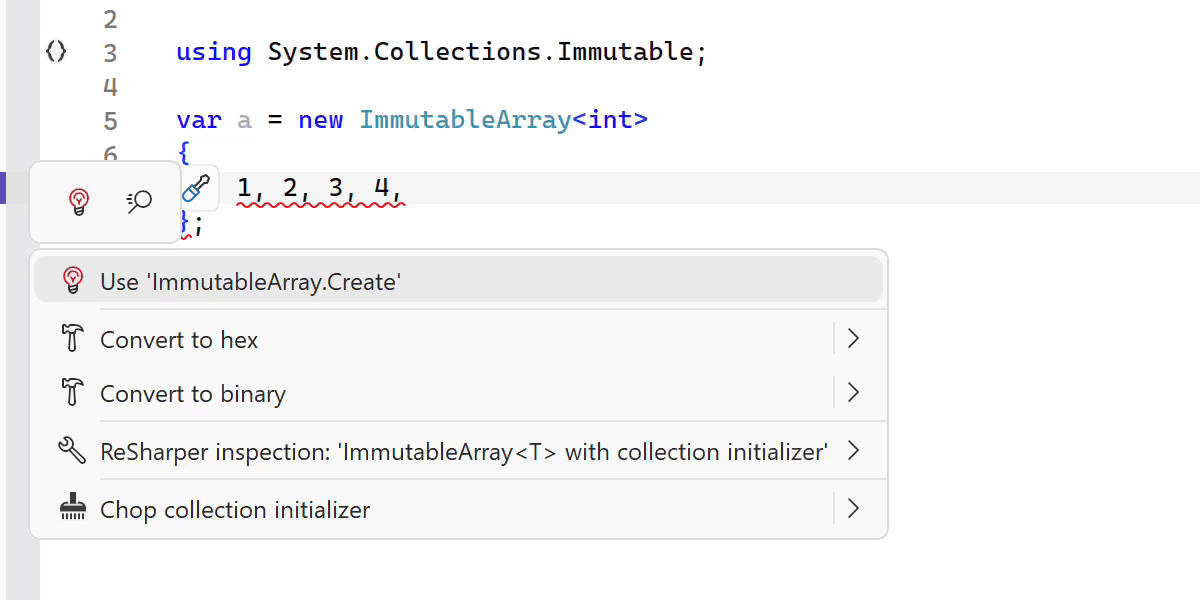
ReSharper now detects short-lived HttpClient instances and suggests safer reuse patterns. It also warns you when ImmutableArray<T> is used with collection initializers, which can lead to a runtime NullReferenceException.
기타 개선 사항은 다음과 같습니다.
- A new inspection for enforcing the order of accessor methods in properties and events.
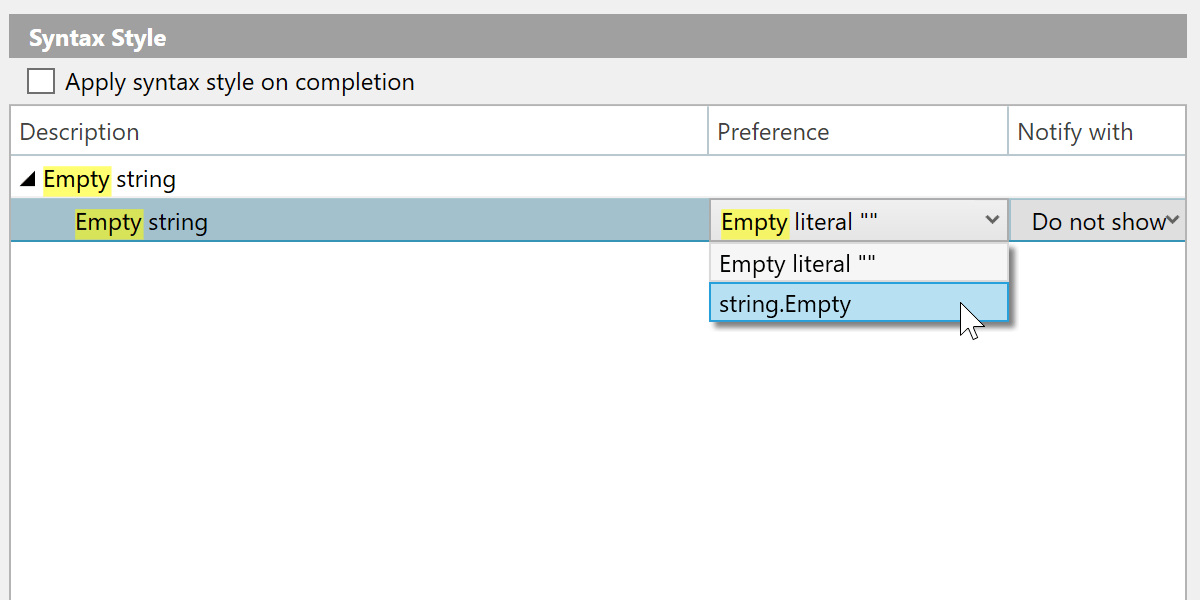
- A syntax style option for empty strings, allowing you to choose between
string.Emptyand"". - Improved nullable reference type migration, with an option to insert
#nullable enableautomatically in new files. - Enhanced code completion that can generate method definitions based on
[LoggerMessage]attributes.
더 빨라진 색인화, 코드 완성, 분석
This release brings several performance improvements across indexing, code completion, and code analysis.
어셈블리에 정의되고 어노테이션 처리된 타입 멤버의 색인화 방식이 개선되어 훨씬 빠르고 메모리 효율적으로 동작합니다.
비용이 많이 드는 일부 연산이 제거되어 Import 코드 완성 기능이 이제 더 빠르게 반응합니다.
We also optimized several performance-critical code paths by reducing costly interface type checks, resulting in faster code analysis and lower overall overhead.
C++ improvements
ReSharper 2026.1 improvements to C++ support include:
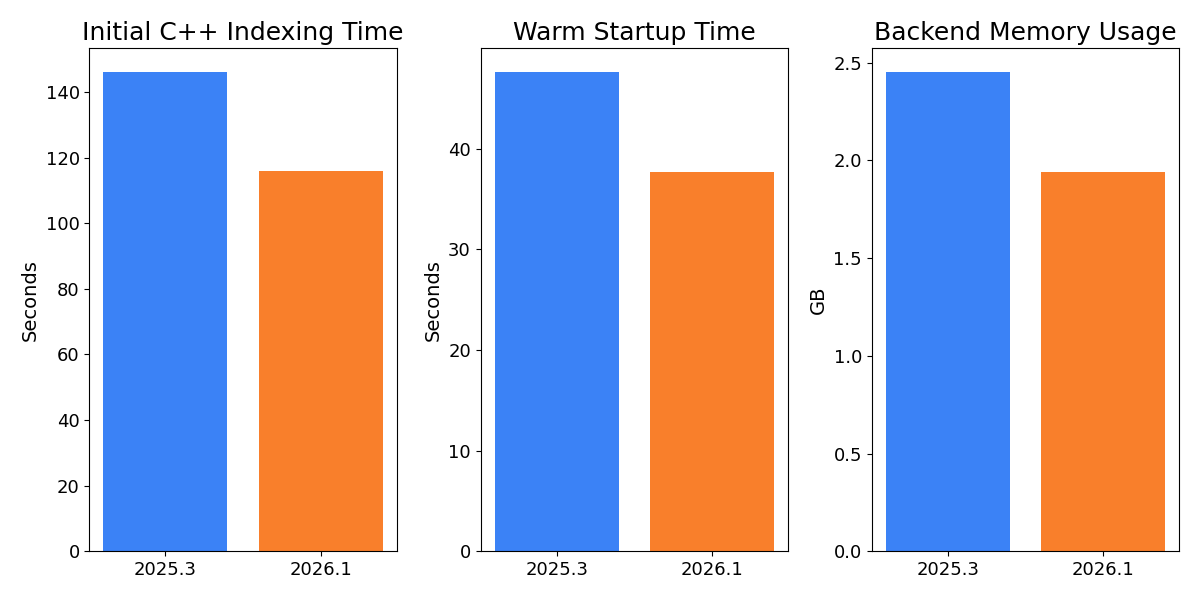
- Performance: Faster startup times and lower memory usage in Unreal Engine projects.
- Language support: Support for the C23/C++26
#embeddirective, C++23 extended floating-point types, the C2Y_Countofoperator, and other features. - Coding assistance: Auto-import for C++20 modules and postfix completion for primitive types, literals, and user-defined literal suffixes.
- Code analysis: New inspections for out-of-order designated initializers and override visibility mismatches, update of bundled Clang-Tidy to LLVM 22.
- Unreal Engine: Richer Blueprint integration in Code Vision and Find Usages, compatibility fixes for the upcoming Unreal Engine 5.8.
C++ 업데이트에 대한 자세한 내용은 ReSharper C++ 2026.1의 새로운 기능 페이지에서 확인할 수 있습니다.
Improved stability in Out-of-Process mode
We continue to improve the stability of ReSharper’s Out-of-Process (OOP) mode, which improves responsiveness and resilience by separating ReSharper’s backend from Visual Studio.
In this release, we resolved over 70 issues and made improvements related to the Out-of-Process architecture. 이번 수정 사항은 탐색(특히 Peek(피킹) 액션), UI 상호 작용, 유닛 테스트 세션, 솔루션 상태 동기화 등 다양한 상황에서 발생하는 문제를 해결합니다.
The .NET runtime used by ReSharper in Out-of-Process (OOP) mode has also been updated to .NET 10.
현대화된 코드 완성과 팝업 UI
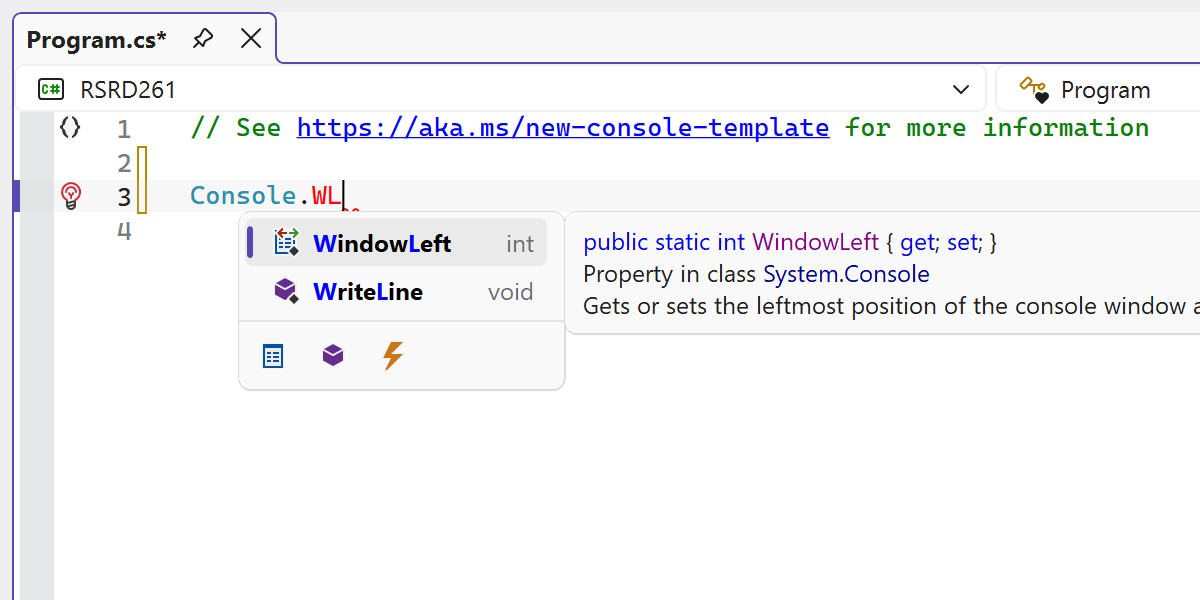
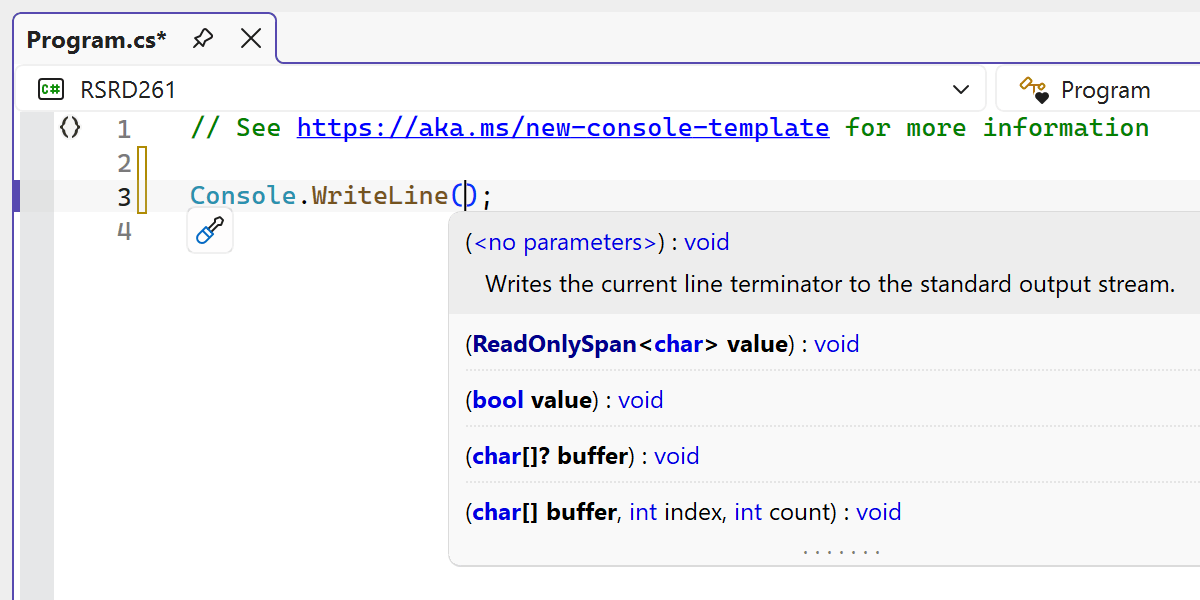
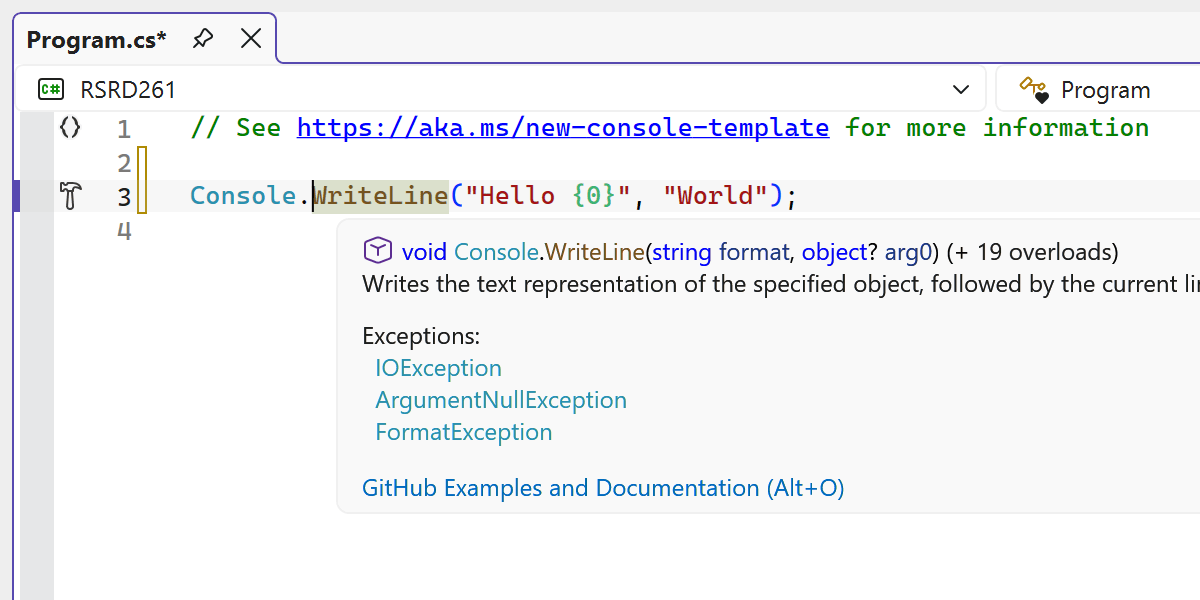
ReSharper의 여러 에디터 UI 요소가 업데이트되어 Visual Studio의 현대적인 경험과 더 잘 어울리도록 개선되었습니다.
디자인 개편으로 코드 완성 UI가 에디터 내에서 더 깔끔하고 일관된 모습을 선사합니다.
또한 여러 관련 UI 구성 요소, 예를 들어 매개변수 정보 팝업, 툴팁 및 기타 에디터 팝업도 현대적으로 개선하여, 오래된 시각적 요소를 교체하고 다양한 테마와 DPI 설정에서 시각적 완성도를 높였습니다.
The updated UI now supports Visual Studio’s editor zoom feature, ensuring completion lists and parameter info scale correctly when zoom levels change.