Qodana / Static Code Analysis Guide / C# Code Review Checklist and Best Practices

C# Code Review

Get your checklist and best practice guidance here

Code reviews are an essential part of the software development process and can significantly improve the quality and maintainability of code. They also provide a valuable opportunity for team members to learn from each other by sharing knowledge and experience.

In this article, we'll cover C#-specific issues, best practices that will help guide decision-making about code, and other things to consider at the design and architecture levels.

It's important to remember that few things in software development are black and white – there’s always some room for interpretation. While the following items should be considered when reviewing C# code, make sure to use your judgment and apply common sense when making decisions about code. You should also be considerate in the comments you make to get your perception across without sounding arrogant.

Let's get into the checklist, which you can use as a starting point for code reviews.

Follow agreed conventions

An agreed-upon coding standard should be developed within the team or company to which all codes should adhere. These conventions will make it much easier to review code, as everyone will have a common baseline. If no agreed-upon coding standard has yet been developed, this is something that should be discussed and established before starting any reviews.

Some things that may fall under agreed-upon conventions are:

  • The use of capitalization in variables, methods, and classes.
  • Code formatting such as spacing, indentation, and braces.
  • Exception handling and how logs are recorded.

Naming conventions are an important part of writing code that’s easy to read and understand. C# has many established naming conventions that your team should follow.

Classes, records, and structs all use Pascal case for their naming (e.g., a class named "DataClient"). Methods and variables both use camel case (e.g., a method named fetchAccounts). If the code you're reviewing has classes with private fields, then these should be prefixed with an underscore (e.g. a private field called _jobQueue).

These checks should be done in a linter or analyzer tool as part of the build pipeline. This helps reduce the number of comments made about style issues and frees up time to focus on more important aspects of the code. However, you should still check the code you're reading – you may identify gaps where additional linter or analyzer rules can be written.

Use descriptive names

All variables, methods, and classes should have names that accurately describe their purpose. This makes it much easier to understand what the code is doing and why. If code is self-documenting, you reduce the need for comments and the risk of the code and documentation getting out of sync.

When coming up with names, try to use terms that are universally understood within the context of the codebase. For example, if you're working on a program that deals with financial transactions, then using accurate terms such as "income" or "balance" conveys more meaning than something more vague, such as "amount" or “value”.

When reviewing new code, it’s important to take the time to understand the wider context before suggesting changes to naming. Are there any domain-specific considerations? Is there any related functionality likely to be introduced soon that warrants a more nuanced term? If you think the naming could be improved and your reasoning might not be immediately obvious, include a comment to explain your feedback.

It's generally considered good practice to match the class's name with the file name. This makes the code easier to navigate. However, unlike Java, it’s not a requirement. If you're breaking this convention, try to ensure it’s still easy to navigate the code base. An IDE like JetBrains Rider for C# uses IntelliSense and other tools to make this simple.

Apply access specifiers as appropriate

Use the principle of least privilege when deciding which members of a class should be public, protected, or private.

The more accessible a member is, the more likely it is to be used by other classes and modules. This makes it harder to change in the future, as you need to consider all of the places it's being referenced.

If the changes you’re reviewing include a publicly accessible class, consider whether the author could have used a private, protected, or internal access specifier. Ensuring that member access specifiers are explicit rather than relying on the default access removes ambiguity for others reading the code in the future.

Consider whether an interface or inheritance is more appropriate

Inheritance and interfaces are two of the main ways to share code between classes in C#.

In general, you should prefer composition (interfaces) over inheritance as it's more flexible and easier to change in the future. This is because composition allows a class to be used in many ways, implementing many interfaces, whereas a class can only inherit from a single parent.

Before deciding which approach to take, make sure to understand the code and how it will be used in the future. If unsure, ask the person who wrote the code for their opinion and start that conversation on the review.

Stick to standard data types

C# has a lot of data types available, from the standard .NET types like int and string to more complex ones like DateTime. In general, you should prefer the standard types as they're much easier to work with and understand.

The .NET common type system is more verbose and doesn't add value. The standard C# data types are automatically converted to their equivalent .NET data types when compiled. For example, an int will be converted to a System.Int32 and a string will be converted to a SystemString.

If you're reviewing code that depends on .NET types, it may be because no direct equivalent in C# exists. If you’re unsure, add a comment to the PR asking the author of the changes for clarification.

Check that unmanaged resources are disposed of correctly

C# uses a garbage collector to manage memory, so you don't have to worry about explicitly allocating and deallocating memory as you do in C or C++. However, some resource types still need to be disposed of explicitly. These are called unmanaged resources.

If resources are not disposed of correctly, they can cause memory leaks, eventually crashing the application.

The most common unmanaged resources are objects that wrap operating system resources. These might be file handlers for reading and writing, window handlers, or network or database connections.

When reviewing code, you should check that unmanaged resources are handled correctly. One way is to use the disposal pattern to enable the deterministic release of the resources.

The disposal pattern consists of two parts, a dispose method and a finalizer. The dispose method is called explicitly by the code when it's finished with the resource, for example, when closing a file or database connection. The finalizer is called by the garbage collector when it decides to reclaim the memory used by the object.

You should always prefer the dispose function to be called instead of the garbage collector invoking the finalizer, as it’s much quicker.

Consider switch expressions in place of if-else or switch statements

C# has had switch statements since version 1.0, but in version 8.0, a new feature called switch expressions was introduced. switch expressions are more concise and easier to read than if-else and switch statements, making them a good thing to look out for when reviewing code.

A switch expression is written like a switch statement, but with the keyword "when" instead of "case", and with an arrow (=>) instead of a colon. For example, the following is a switch statement:

switch (fruit)
{
   case "apple":
       color = "red";
       break;
   case "banana":
       color = "yellow";
       break;
   case "orange":
       color = "orange";
       break;
   default:
       color = "unknown";
       break;
}

The same outcome can be achieved with a switch expression like this:

color = fruit switch
{
   "apple" => "red",
   "banana" => "yellow",
   "orange" => "orange",
   _ => "unknown"
};

The switch expression provides a more elegant solution as the logic expands, making the code easier to both read and maintain.

Check console statements and log messages

Console statements and log messages can be very useful when developing software. For example, they help you understand code paths and check the values of specific variables.

Console statements should be removed before the code is deployed to production. Leaving them in is a code smell, as they make the code more convoluted to read and understand, and risk exposing sensitive information. Furthermore, unless console statements are updated as the logic changes, they risk becoming outdated and misleading future developers.

Very deliberate log messages can be left in for debugging purposes. This might be because the code depends on third-party systems or services that could fail. Therefore, you want to know why a failure occurred or to use the telemetry to help understand how the system behaved in a production environment.

Make sure you're looking out for these console statements and log messages during a code review. If they're necessary, make sure the right information is captured at the right logging level and that no sensitive data or personally identifiable information is present.

Use Qodana as a supporting C# code review tool

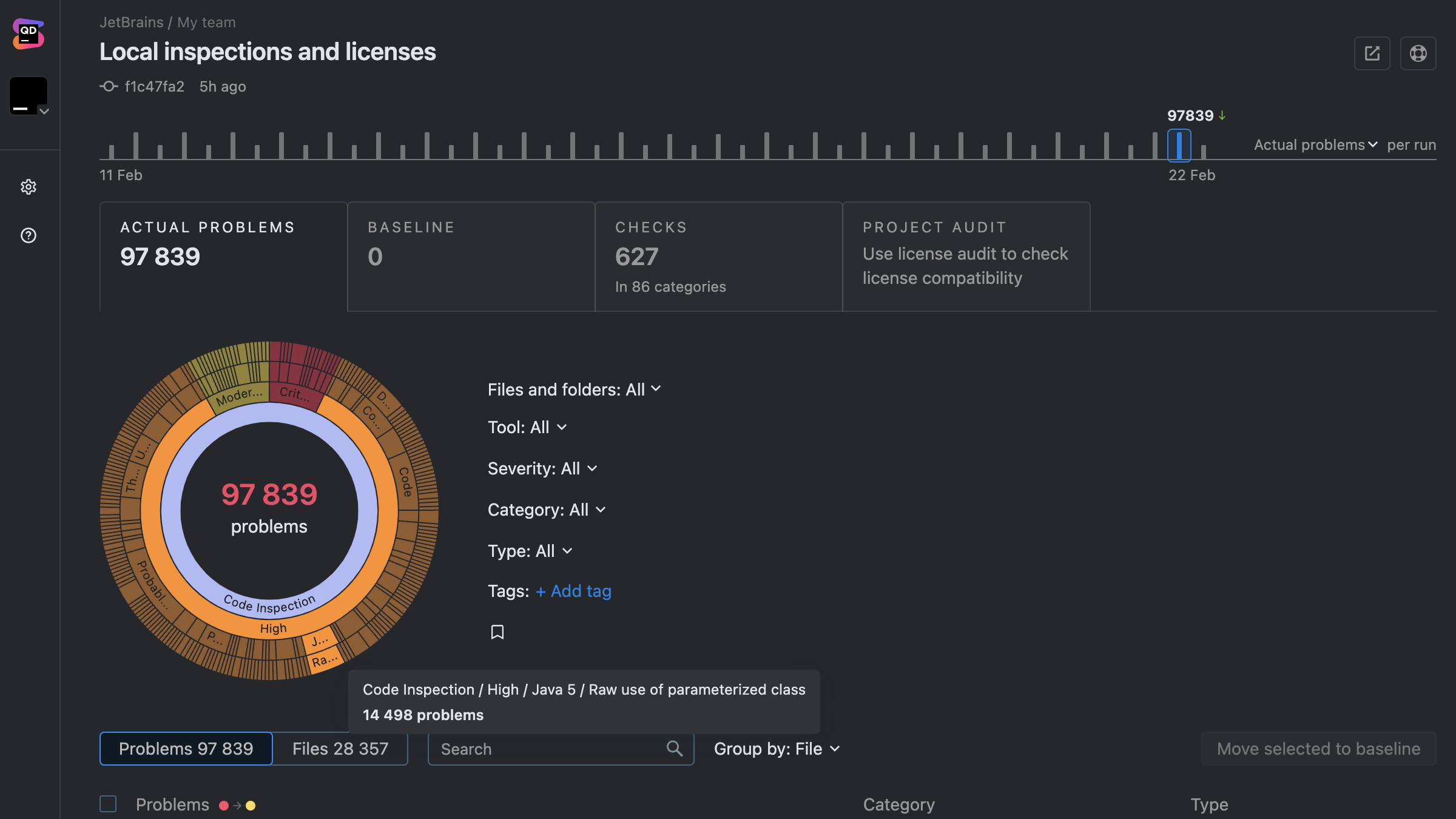
JetBrains Qodana can help with static code analysis for teams, supporting code quality within the CI pipeline. Find out about enhancing your C# code quality in more depth.

If you use JetBrains products like the Rider IDE for programming in C#, Qodana integrates tightly to provide a seamless code analysis procedure.
In a nutshell

Code reviews aim to improve the quality of the codebase. This can be done by catching errors and ensuring that the code follows best practices. Code reviews are also great for sharing knowledge between team members and teaching new developers how to write high-quality, maintainable code.

Where it's not apparent if changes are correct or if no one correct way of doing things exists, ensure you're engaging in conversation with the author and relevant parties to improve understanding and gain more significant context. This helps lead the code in the right direction.

Check out our specific code review checklist if you're using the .NET Framework.