Что нового в Rider 2026.1
Rider 2026.1 brings improved support for the .NET ecosystem and game development workflows, as well as refinements to the overall developer experience. Главное в этом релизе:
Любой агент — прямо в Rider
- ACP Registry: просматривайте и устанавливайте ИИ-агенты в один клик.
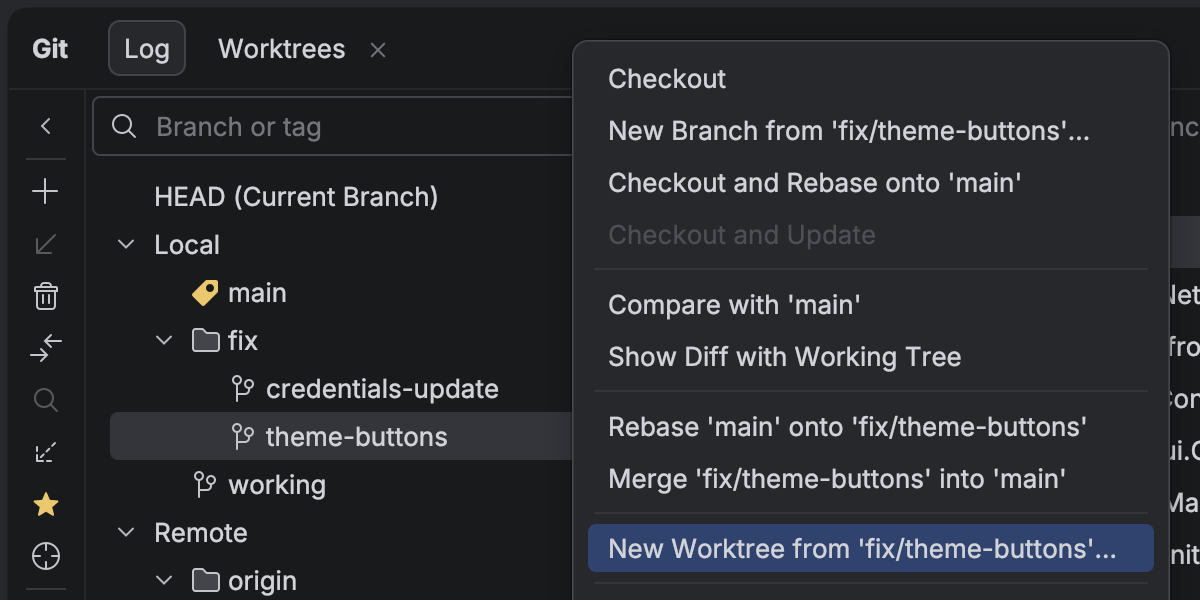
- Git worktrees: работайте в параллельных ветках — одну можно передать агенту, пока вы продолжаете в другой.
The latest language support
- C# 14 newness, C# 15 Preview features, and more
.NET support and productivity improvements
- Поддержка однофайловых C#-программ
- NuGet Package Manager Console Preview
- Просмотр дизассемблированного .NET-кода
Game development improvements
- Complete mobile development support for Unreal Engine on Android and iOS
- CMake support for C++ gaming projects Beta
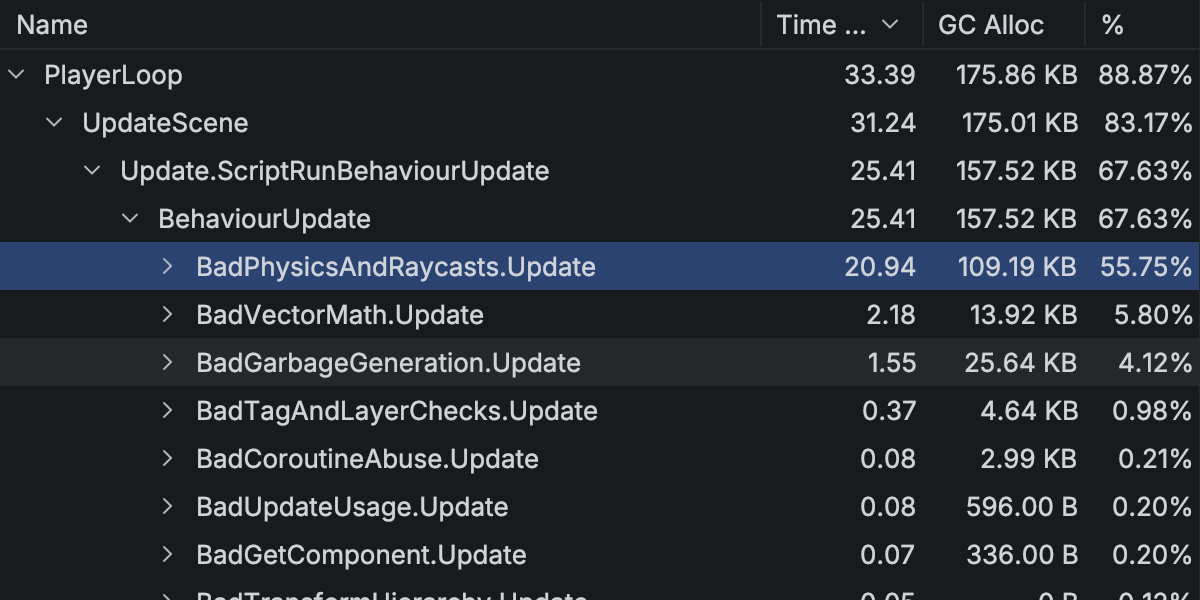
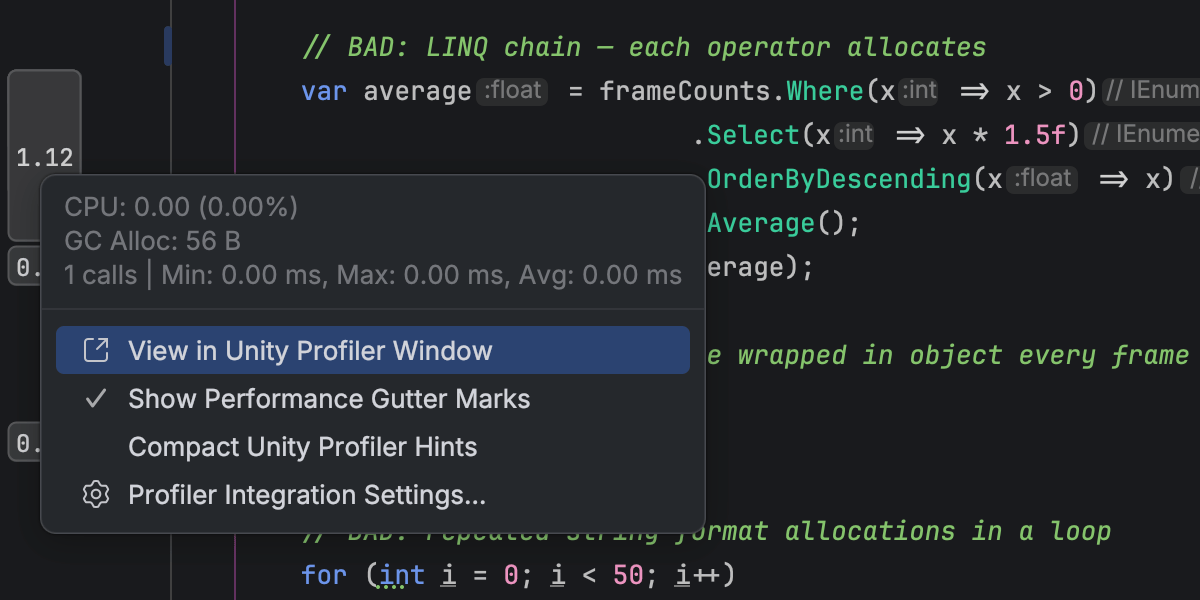
- Обновленная интеграция с Unity Profiler
- Улучшенная интеграция с Godot
ИИ
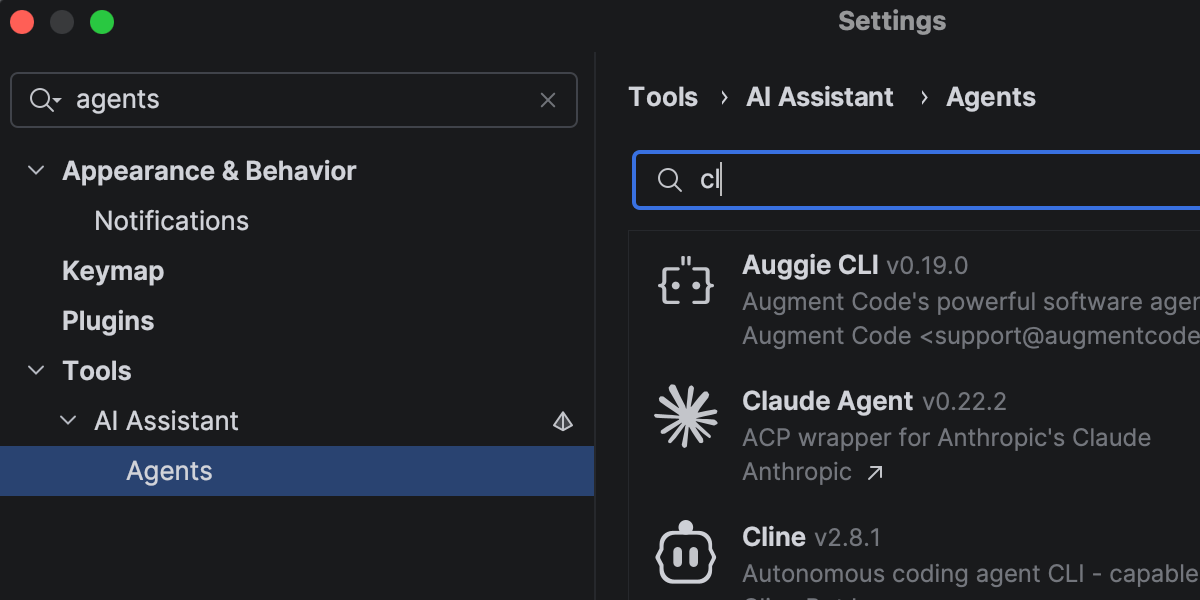
Rider продолжает развиваться как открытая платформа, позволяя интегрировать привычные ИИ-инструменты в ваш рабочий процесс.
In addition to Junie, Claude Agent, and Codex in the AI chat, you can now choose from a wider range of agents, including GitHub Copilot and Cursor, and dozens of external agents supported via the Agent Client Protocol. С новым ACP Registry вы можете находить доступных агентов и устанавливать их в один клик.
More improvements for working with AI agents in Rider here.
Faster solution loading and code completion
Rider 2026.1 improves performance in areas you notice during everyday work.
Opening solutions and attaching to running processes is now faster thanks to more efficient indexing of the referenced assemblies. Code completion is also more responsive, particularly for import suggestions, helping you stay in flow with fewer interruptions.
Code analysis has also been optimized, contributing to lower overall IDE overhead.
The latest language support
C#
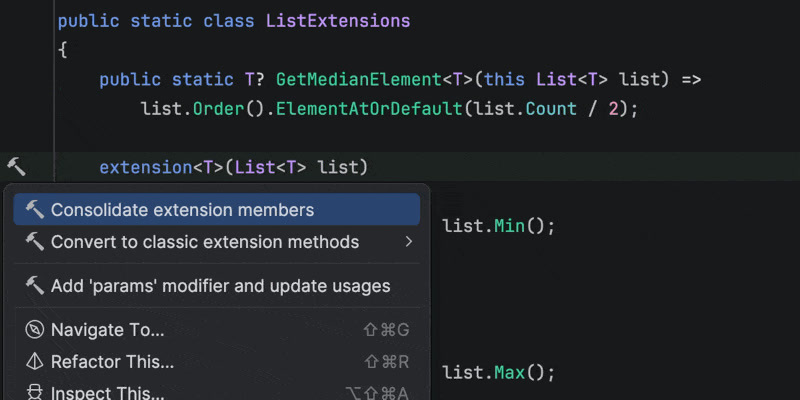
Rider 2026.1 brings improvements to code analysis, new inspections, and support for evolving language features. Enhanced support for C# extension members includes better navigation and refactorings, as well as improved quick-fixes that automatically import missing extension members when needed.
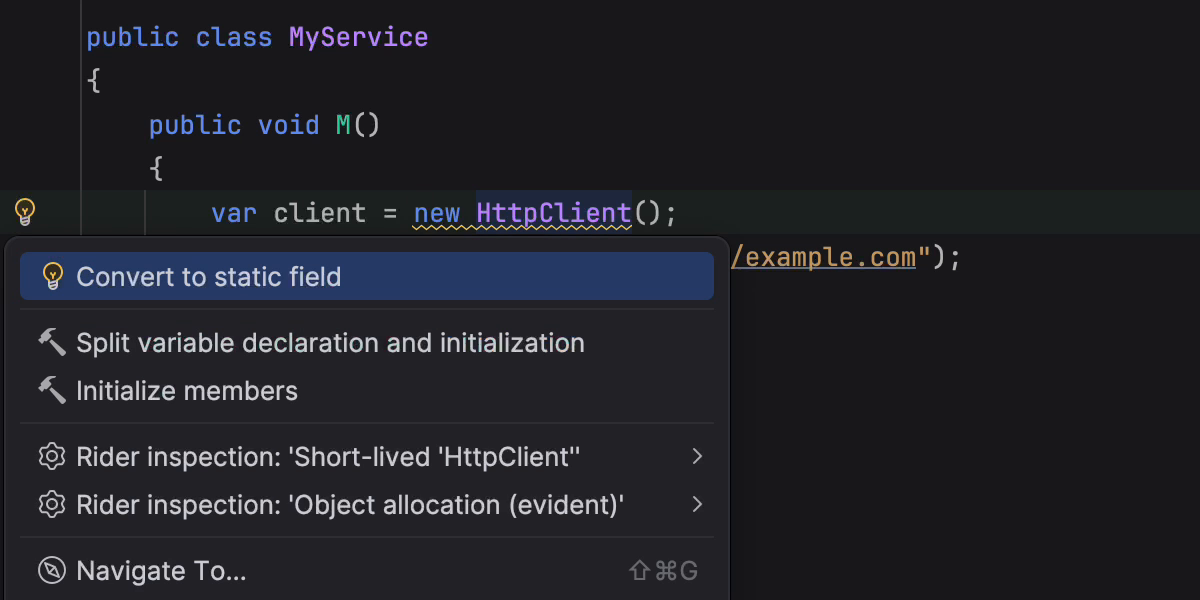
This release also introduces early support for C# 15 Preview language features, such as collection expression arguments and the [ExtendedLayout] attribute, helping you experiment with new syntax as the language evolves. In addition, several new inspections and style options help catch subtle issues, such as short-lived HttpClient instances or incorrect use of ImmutableArray<T> with collection initializers.
Rider’s C# code intelligence is powered by ReSharper. If you want to dive deeper into C# language updates, we describe them in detail on the What’s New in ReSharper 2026.1 page.
Improved debugging for F#
Rider's new Smart Step Into for F# support makes it easier for you to choose your step target. The debugger can also display return values for function calls, helping you understand program flow without adding extra logging. Stepping has been improved for async and task expressions, and multiple issues affecting F# debugging have been fixed.
For the full list of changes and fixes, see the F# plugin release notes.
.NET support and productivity improvements
Поддержка однофайловых C#-программ
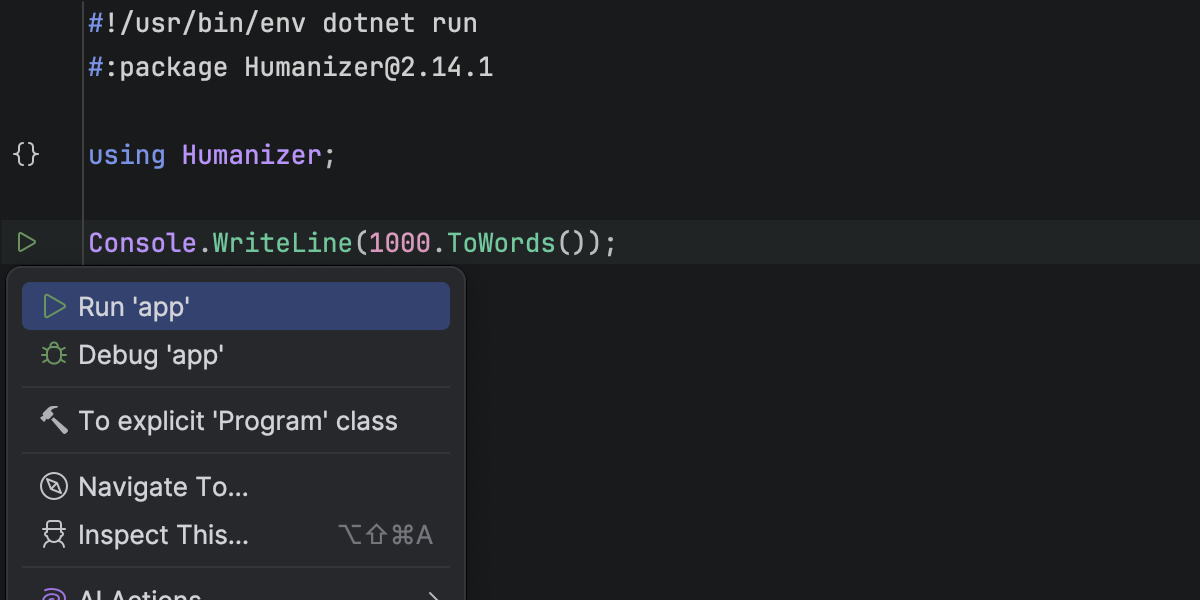
Rider теперь позволяет работать с одиночными C#-файлами, которые запускаются через команду dotnet run file.cs. Вы можете открывать и запускать отдельные .cs-файлы прямо в IDE — без необходимости создавать .csproj.
Редактор Rider распознает такие программы и поддерживает операторы верхнего уровня, шебанги (#!) shebangs, and #: directives, including #:package and #:sdk. Для таких файлов доступны подсветка синтаксиса, автодополнение, маркеры запуска и отладка. Это позволяет писать быстрые скрипты, прототипы и небольшие утилиты в виде одного C#-файла.
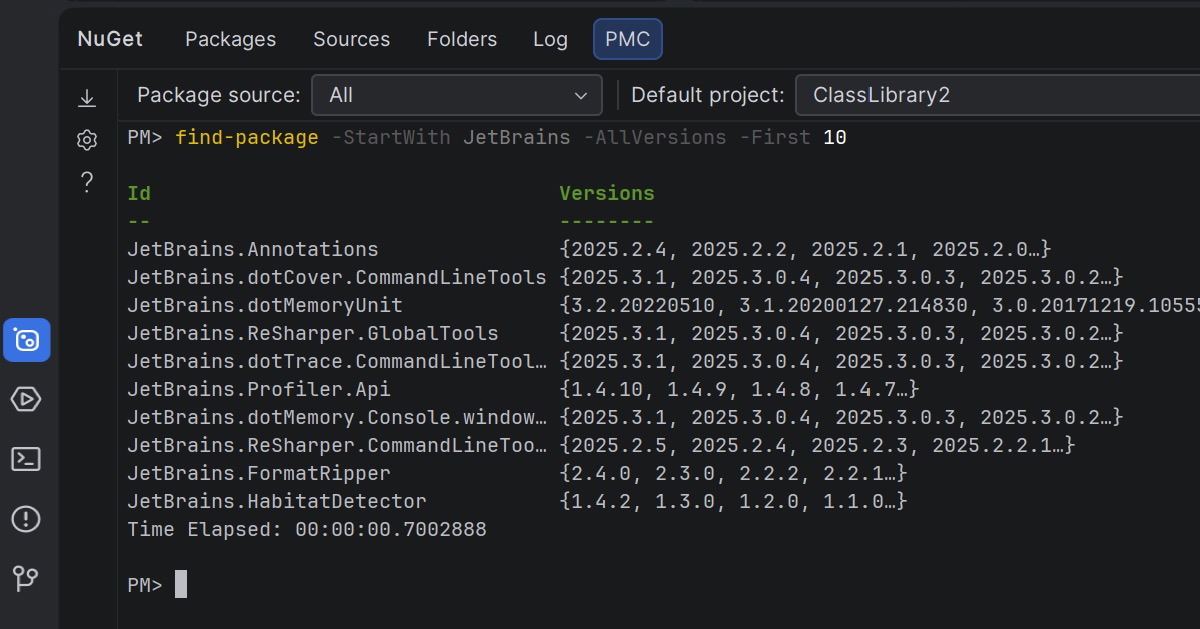
NuGet Package Manager Console Preview
Rider 2026.1 brings NuGet’s PowerShell-based workflow into the IDE, offering a Package Manager Console (PMC) that’s currently in preview.
The new console supports standard NuGet PowerShell commands, as well as commands provided by NuGet packages themselves. Полностью поддерживаются команды Entity Framework Core, так что можно использовать привычные сценарии работы с EF Core, не выходя из Rider.
Команды NuGet и Entity Framework Core можно запускать как из окна NuGet, так и напрямую в терминале. In the NuGet tool window, you can select the package source and default project using UI controls. In the terminal-based console, this context is displayed in the PowerShell prompt and can be changed using PowerShell commands.
Let us know what you think about this feature here.
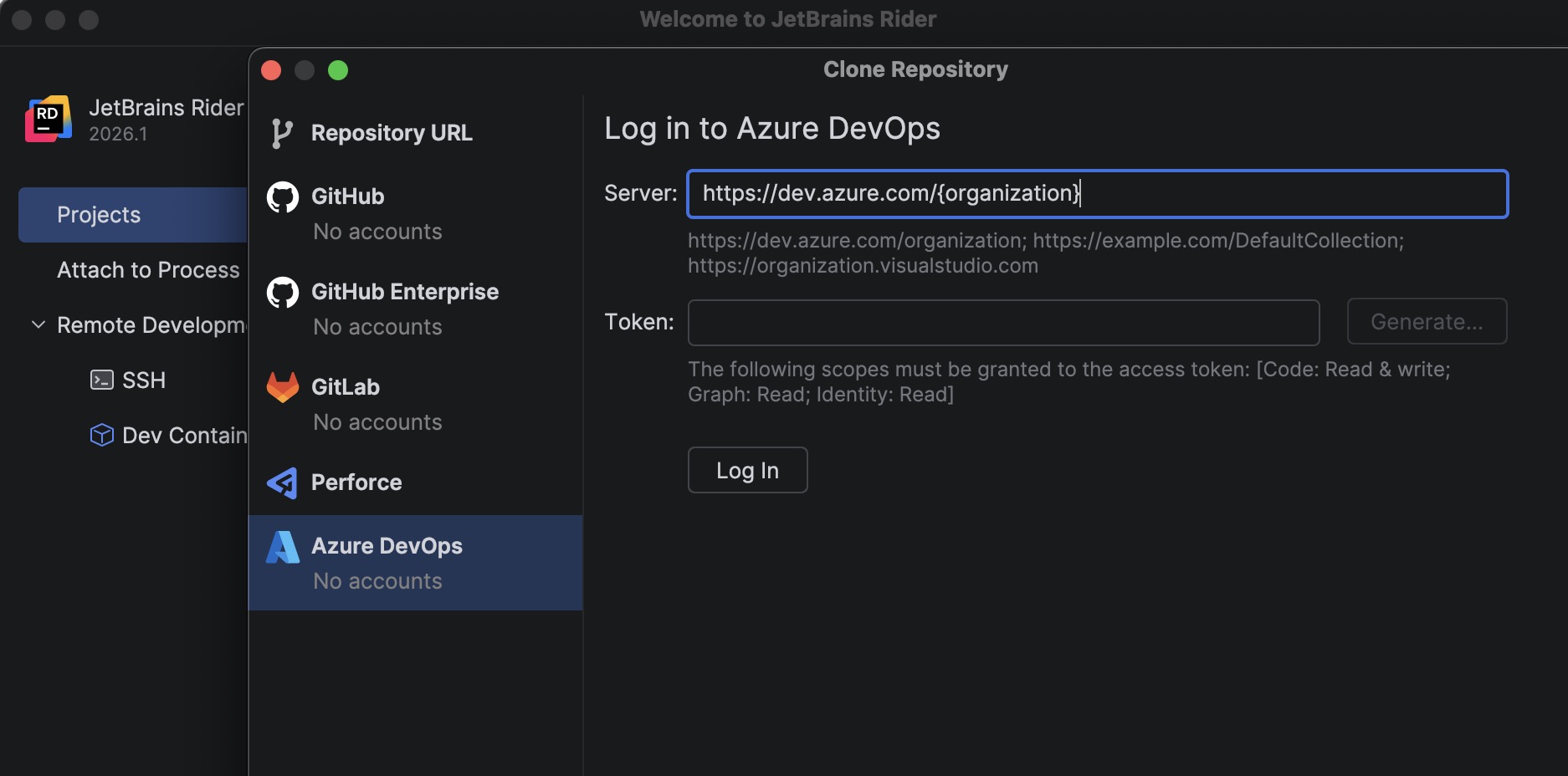
Azure DevOps: клонирование репозиториев
A new bundled Azure DevOps plugin allows you to clone repositories directly from Rider.
To get started, go to File | Open | Get from Version Control and select Azure DevOps from the list of providers. Rider authenticates you using a personal access token (PAT) and then displays the repositories available to your account so you can clone them directly from the IDE.
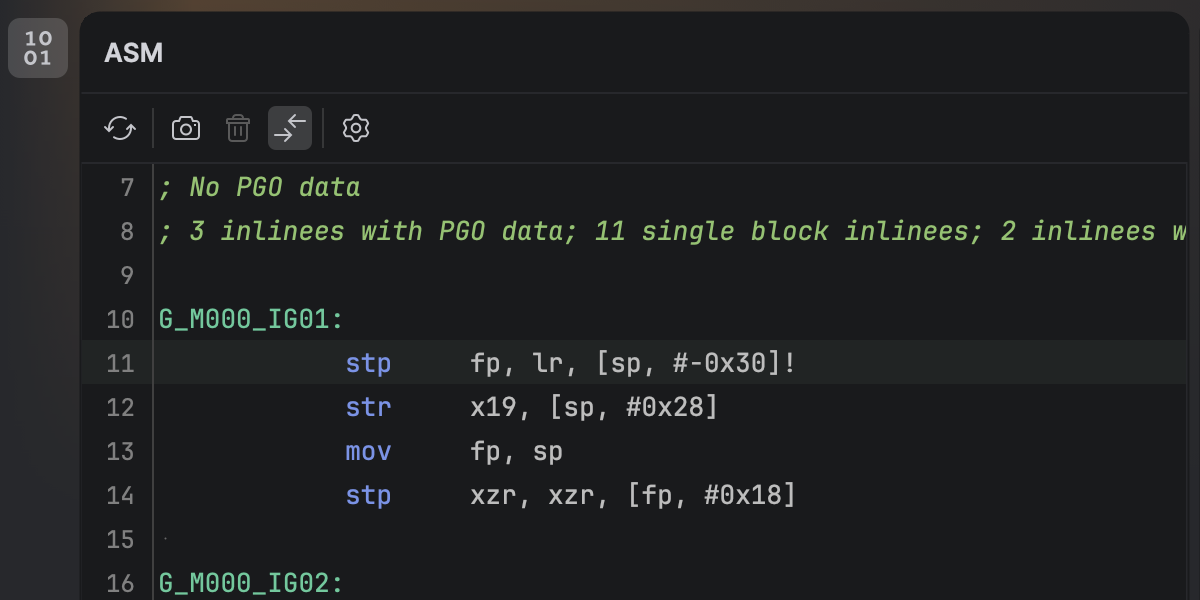
Просмотр дизассемблированного .NET-кода
Теперь можно просматривать нативный дизассемблированный код, сгенерированный из C#, не выходя из Rider. После установки нового плагина .NET Disassembler вы сможете анализировать код, сгенерированный компиляторами JIT, ReadyToRun и NativeAOT в окне ASM Viewer.
Smoother MAUI iOS development workflow from Windows
Developing .NET MAUI applications for iOS from Windows requires connecting Rider to a Mac build host. Rider 2026.1 streamlines this workflow with a new setup experience that automatically prepares the remote environment.
When you connect to a Mac, Rider now verifies that the remote system has everything configured, including macOS, Xcode, the .NET SDK, and required MAUI workloads. If any components are missing, Rider can install or update them automatically, helping you get started faster.
Additionally, you can now build, deploy, and debug MAUI iOS applications from Windows more reliably. We’ve improved diagnostics and connection stability, and fixed issues that previously prevented MAUI apps from deploying to iOS simulators or Windows devices.
Game development improvements
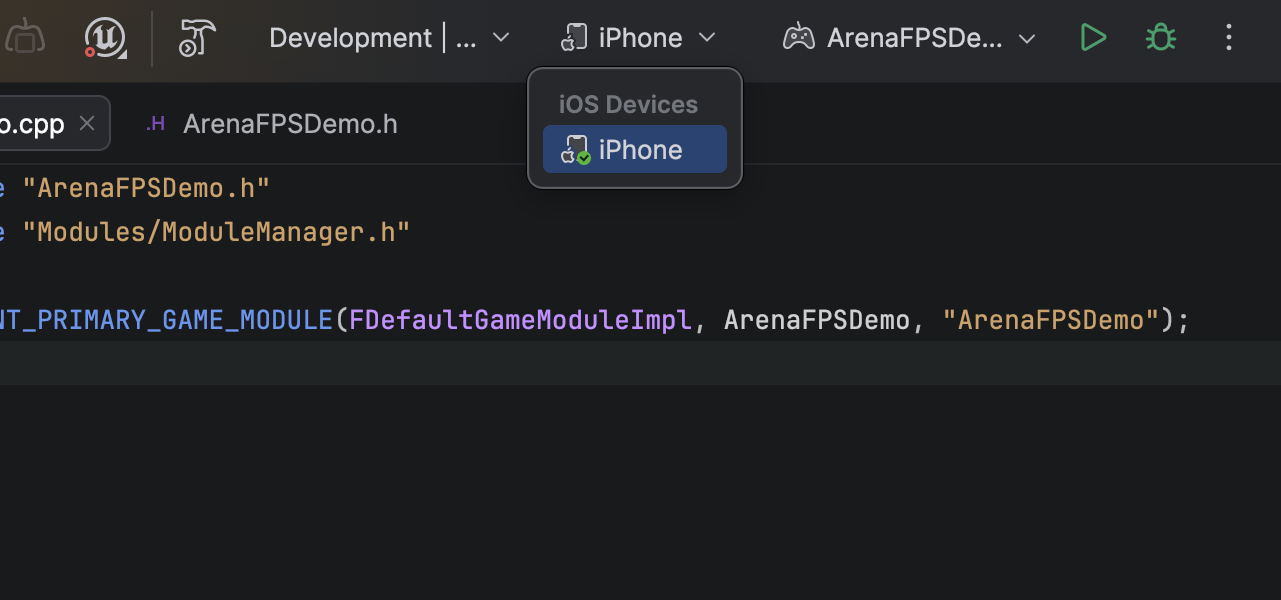
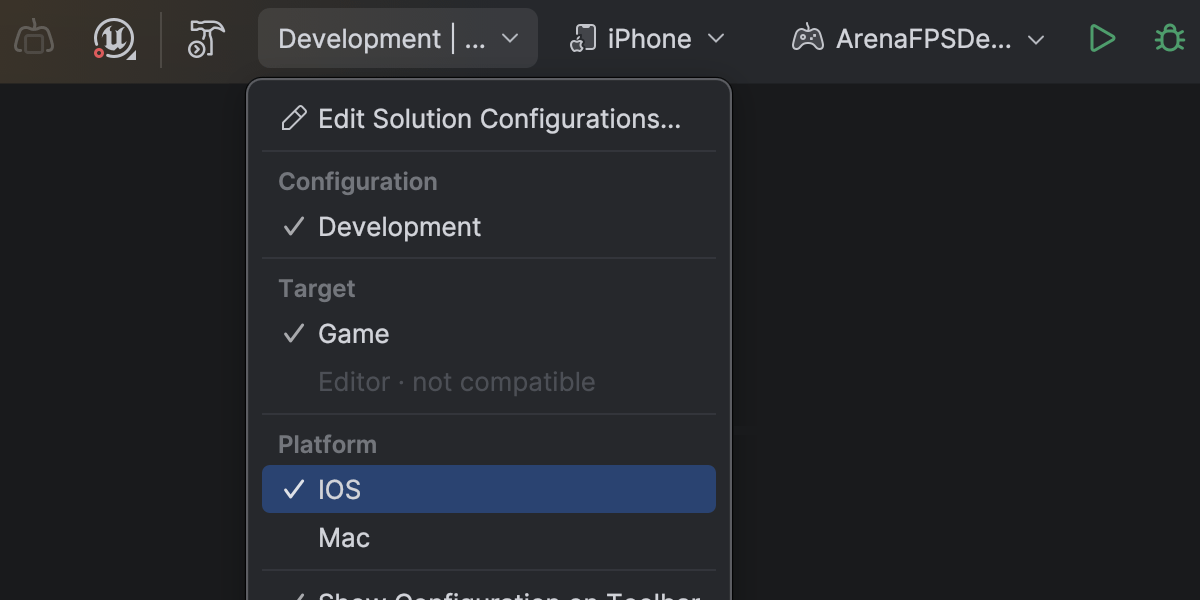
Complete mobile development support for Unreal Engine on Android and iOS
Rider 2026.1 fully supports mobile game development for Unreal Engine across both major mobile platforms. Этот релиз расширяет возможности, представленные в Rider 2025.3: тогда появилась поддержка отладки на мобильных и VR-устройствах на базе Android, а теперь добавлена и поддержка iOS.
На macOS вы можете отлаживать игры на Unreal Engine, запущенные на iOS-устройствах, прямо из Rider: ставить точки останова, смотреть значения переменных, пошагово выполнять код и анализировать стек вызовов — все в привычном интерфейсе отладчика.
Первичная настройка профилей и подписей в Xcode по-прежнему обязательна — этого требуют правила Apple.
Dramatically faster variable inspections for UE projects
Inspecting complex variables while debugging Unreal Engine projects is now much faster and more responsive. Expanding containers no longer slows down your debugging session, making it easier to explore object state and understand what’s happening at runtime.
This improvement comes from a rewritten parser and evaluator for Natvis expressions used by Rider’s debugger. Variable inspection with the rewritten evaluator is up to 87 times faster on warm runs and 16 times faster on cold ones, and the debugger’s memory usage has dropped to just over a third of what it was.
Get the full story of how we were able to achieve that in this blog post.
Blueprint improvements
Finding usages, event implementations, and delegate bindings across Unreal Engine Blueprints and C++ code is now more reliable, making it easier to trace how gameplay logic connects across assets.
Code Vision now supports the BlueprintPure specifier and correctly detects blueprint events implementations in Blueprints. Find Usages has also been improved and now identifies additional BlueprintAssignable delegate bindings.
Blueprint usage search now relies on the asset path instead of the Blueprint name, ensuring accurate results even when multiple Blueprints share the same name.
Rider’s C++ intelligence is powered by JetBrains ReSharper C++. For a complete overview of the C++ improvements in this release, see the dedicated What’s New in ReSharper C++ 2026.1 page.
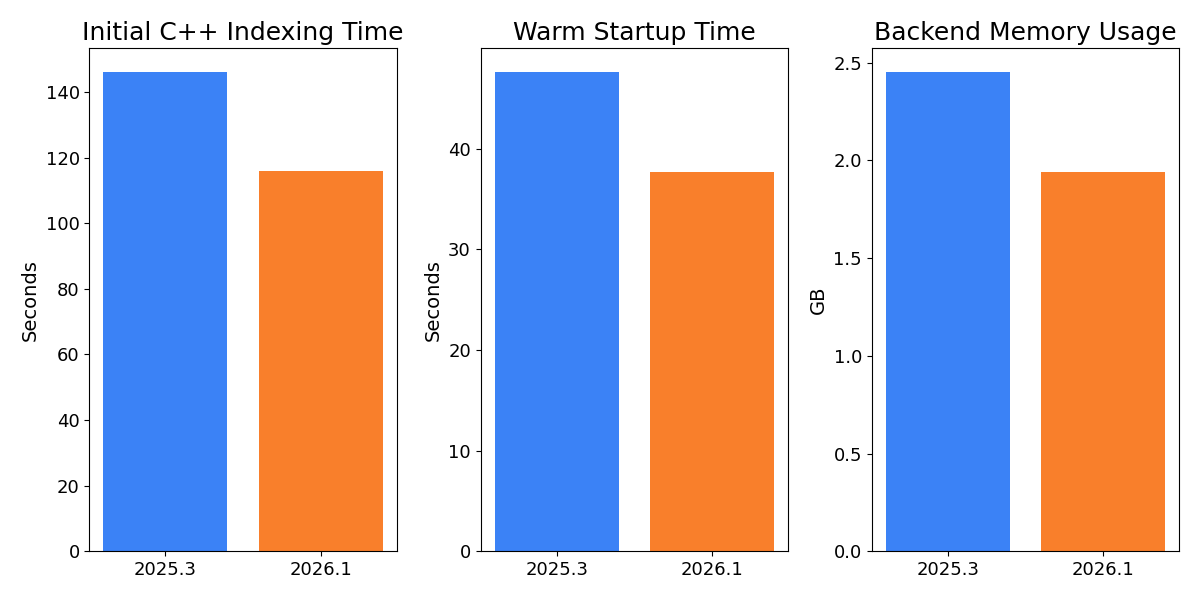
Faster indexing and lower memory usage for Unreal Engine projects
Working with large Unreal Engine codebases is now noticeably faster and more resource-efficient. In our measurements on Epic Games’ Lyra sample project, initial C++ indexing is over 20% faster, helping you get to work sooner when opening a project for the first time.
After opening an already indexed project, the backend uses approximately 14% less memory, reducing the IDE’s footprint and leaving more resources available for the rest of your workflow. Warm startup is also 10% faster, so returning to your project between sessions feels snappier.
Rider now also indexes Unreal Engine plugins by default. Учитывая, что в проектах на Unreal Engine плагины используются все чаще, а производительность IDE заметно выросла, индексация плагинов по умолчанию обеспечит более качественный анализ кода и навигацию сразу после установки. You can restore the previous behavior on the Language & Frameworks | C/C++ | Unreal Engine tab in Settings.
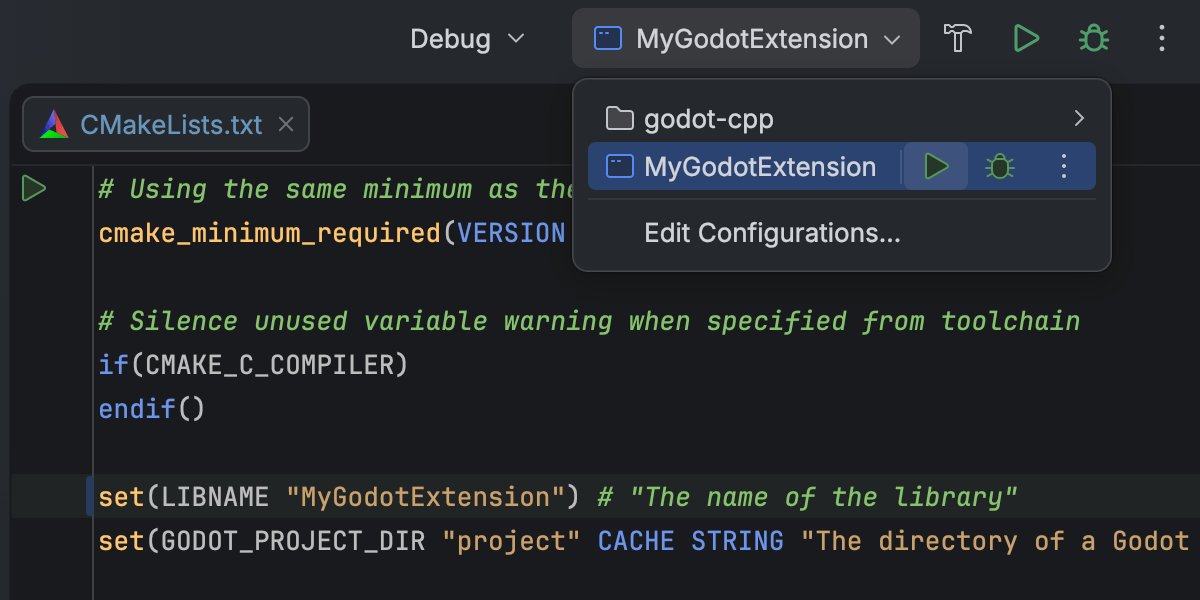
CMake support for C++ gaming projects Beta
Rider 2026.1 introduces Beta support for CMake-based C++ projects, allowing you to open, edit, and build them directly in the IDE. без необходимости переключаться на другую систему сборки — это упрощает работу с кроссплатформенными проектами.
Текущая реализация в первую очередь ориентирована на основные C++-сценарии, включая редактирование и отладку конфигурационных файлов CMake. Некоторые сценарии и особые случаи еще могут работать неидеально — мы продолжим улучшать производительность и совместимость в следующих релизах. We would love for you to share your experience in this ticket.
This addition is intended to support game development workflows that rely on CMake, such as projects built around CMake-based engines or tooling. For general-purpose C++ and embedded development, CLion remains the primary JetBrains IDE.
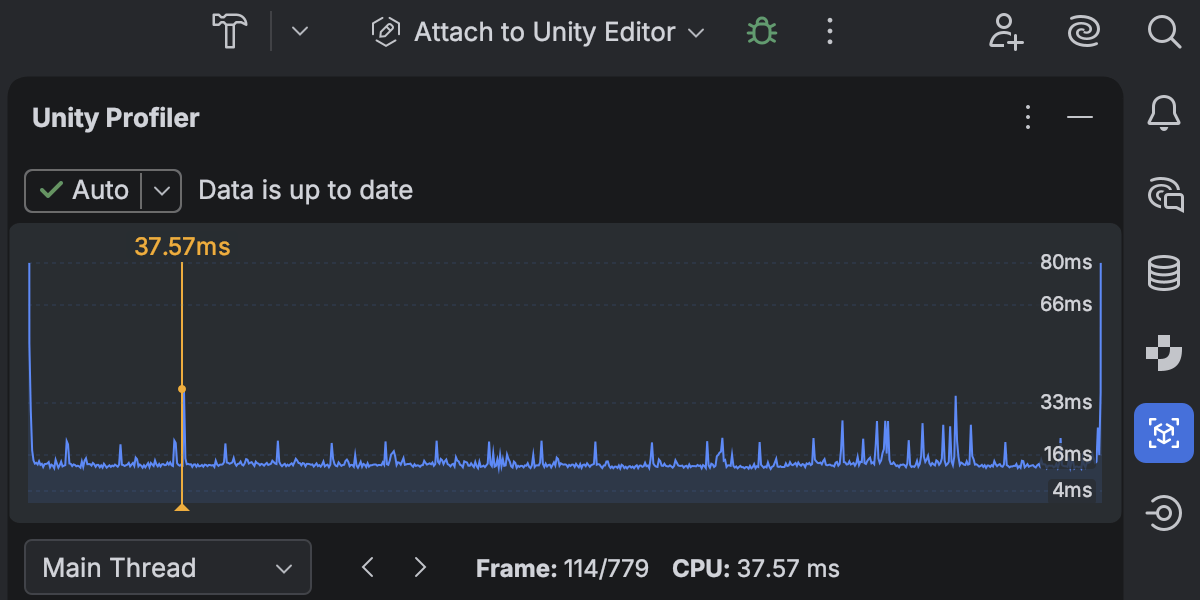
Обновленная интеграция с Unity Profiler
Performance investigation for game projects has become a first-class workflow in Rider 2026.1, thanks to the redesigned Unity Profiler integration.
Теперь снимки Unity Profiler можно открывать прямо в Rider и анализировать их в отдельном окне Profiler с наглядным представлением фреймов и стеков вызовов. A timeline view shows CPU time per frame, helping you quickly identify slow frames and performance hotspots.
Данные профилировщика тесно связаны с кодом: можно переходить от фреймов и стеков вызовов к соответствующему исходному коду, а время выполнения и использование памяти отображаются прямо в редакторе.
This integration reduces context switching between the Unity Editor and Rider, allowing you to move more naturally between performance data and code when investigating runtime issues.
Please note that Rider does not perform profiling itself and relies on profiler data produced by Unity. Learn how to get started from our documentation.
Смешанная отладка .NET на Windows
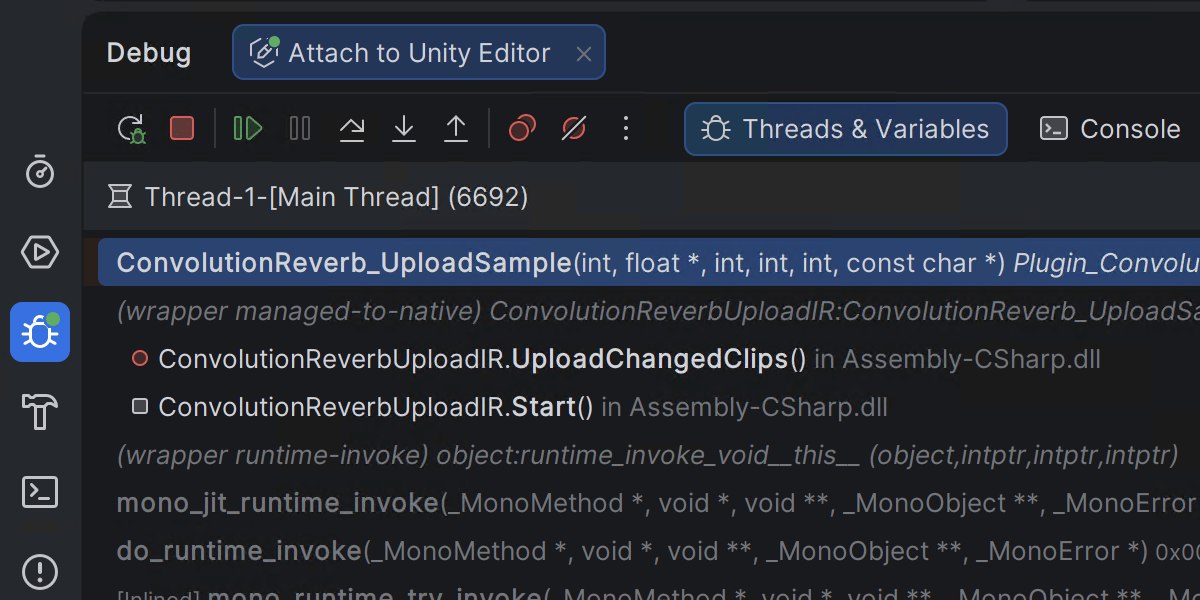
Rider 2026.1 introduces mixed-mode debugging, which lets you debug both managed (.NET and .NET Framework) and native (C/C++) code in a single debugging session. This is particularly useful for applications that cross managed-native boundaries, such as those where .NET code calls into native libraries or game engines built from a mix of managed and native components.
This feature is currently available only on Windows. You can leave your feedback on the feature in this ticket.
Улучшенная интеграция с Godot
Интеграция Rider с Godot теперь включает новый аддон, который служит связующим звеном между редактором Godot и Rider. После включения на панели инструментов Godot он автоматически настраивает параметры редактора так, чтобы с Rider было удобнее работать.
Чтобы начать, найдите JetBrains Rider Integration в AssetLib в редакторе Godot.
Platform and IDE changes
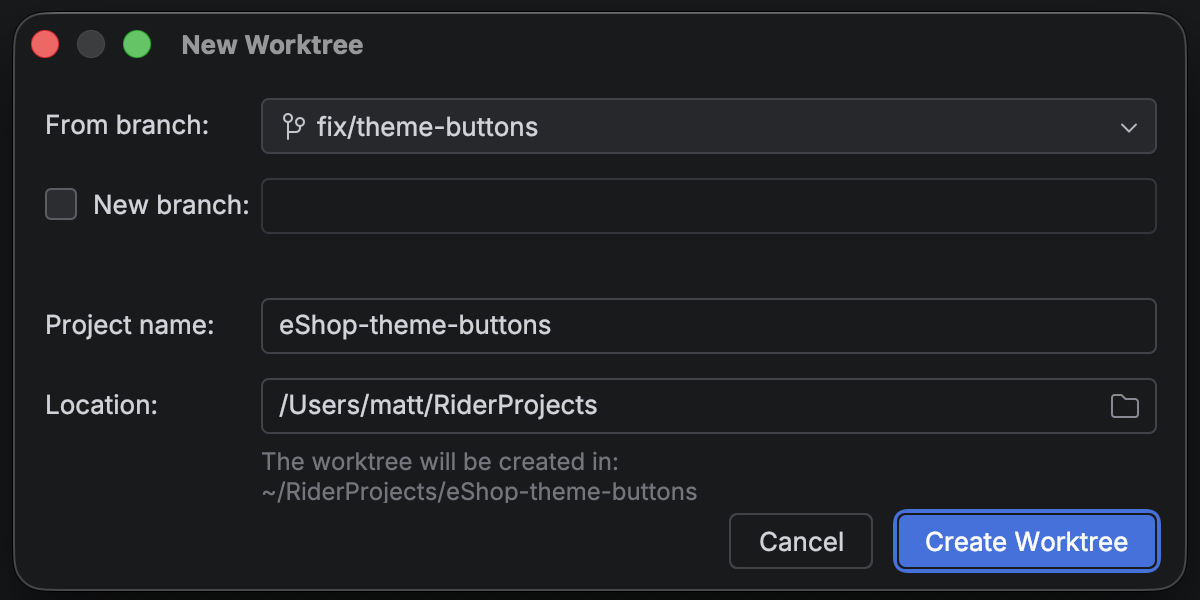
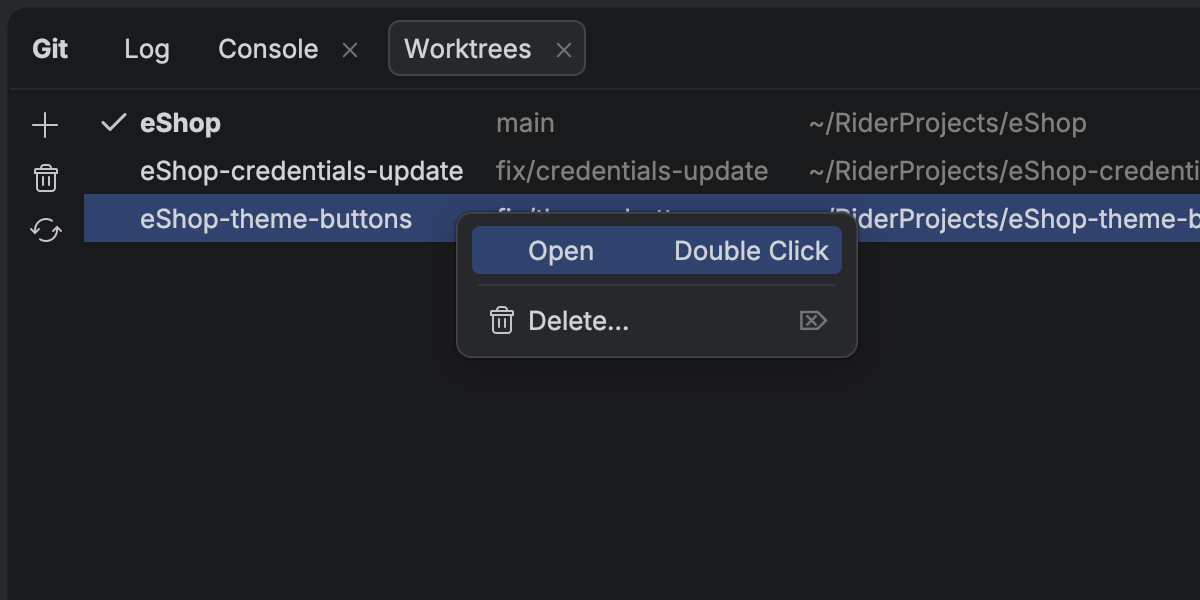
Работа с несколькими ветками одновременно с Git worktrees
Rider продолжает развиваться как открытая платформа, позволяя интегрировать привычные ИИ-инструменты в ваш рабочий процесс.
С развитием ИИ-агентов параллельное выполнение задач стало серьезной экономией времени — и именно здесь Git worktrees незаменимы. Чтобы поддержать современные сценарии разработки с ИИ, Rider теперь полноценно поддерживает Git worktrees. Создайте отдельный worktree для срочного хотфикса, передайте другой ИИ-агенту и продолжайте работу в основной ветке — всё одновременно, без переключений.
Даже без агентов worktrees сэкономят время на переключении веток — особенно в больших проектах.
Работа с базами данных
В чате с Codex и Claude появилась нативная поддержка подключенных баз данных. Теперь вы можете выполнять запросы, анализировать данные и менять состояние базы прямо из IDE с помощью обычных текстовых команд. Для внешних агентов эта функциональность доступна через MCP-сервер.
Настройки источников данных теперь можно сохранять в JetBrains-аккаунте в виде шаблонов. Это особенно удобно для пользователей All Products Pack и тех, кто работает в нескольких IDE JetBrains: шаблоны и настройки источников данных будут доступны во всех IDE с поддержкой баз данных.
Прекращение поддержки Code With Me
As we continue to evolve our IDEs and focus on the areas that deliver the most value to developers, we’ve decided to sunset Code With Me, our collaborative coding and pair programming service. Demand for this type of functionality has declined in recent years, and we’re prioritizing more modern workflows tailored to professional software development.
Начиная с версии 2026.1, Code With Me больше не входит в состав JetBrains IDE и доступен отдельно как плагин в JetBrains Marketplace. Эта версия станет последней, в которой Code With Me официально поддерживается, так как мы постепенно сворачиваем работу этого сервиса.
You can read the full announcement and see the sunset timeline in this blog post.