蓝图支持
Blueprint 文件以二进制形式编写,通常以可视化方式编辑。 尽管如此,它们仍然为游戏 C++ 部分的开发者提供了一整套有用的信息,因为 Blueprint 设计者通过 Blueprint 特定的标记扩展了用 C++ 实现的基础系统。 通过所有 Blueprint 细节,开发者可以避免意外影响游戏行为的代码更改。
ReSharper 读取 Blueprints 并提供提示和检查,帮助您从整体上了解代码:
- 派生的 Blueprint 类
如果您的游戏从
BlueprintCallable或BlueprintPure函数派生了 Blueprint 类,您可以直接在代码编辑器中看到相应提示。 要获取所有继承者的列表,请右键单击提示并从上下文菜单中选择派生类选项,或者在 C++ 类上调用 Find Usages。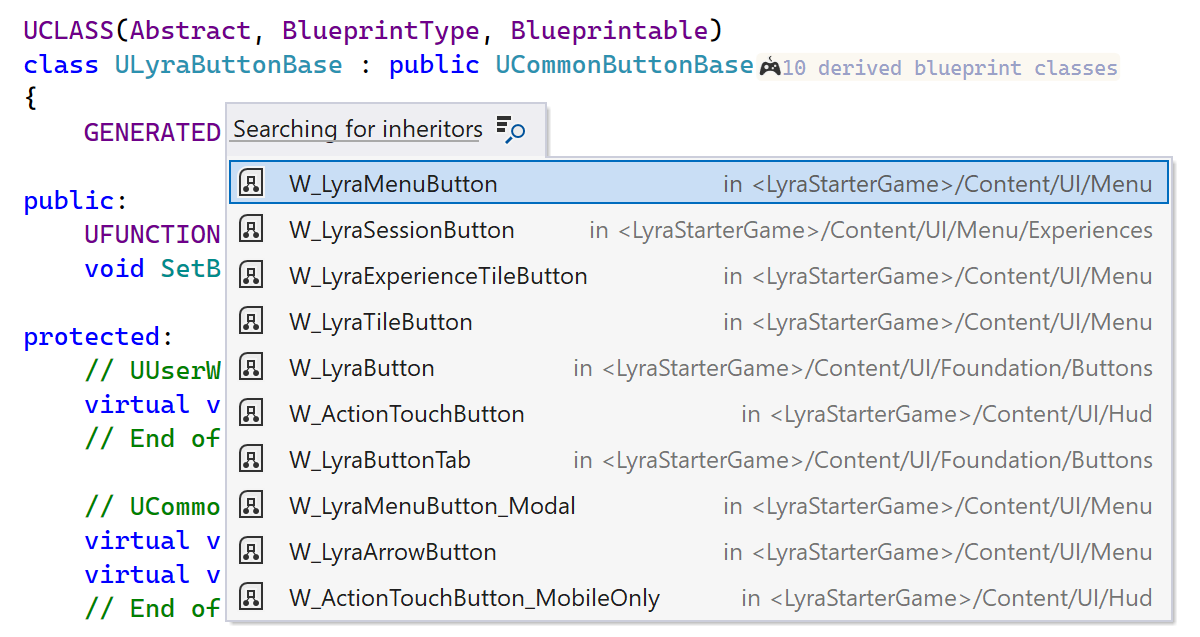
- UFunction 实现
您可以从提示的上下文菜单中获取有关在 Blueprints 中实现的
UFunctions的详细信息。 自 2026.1 起,Code Vision 也会在 Blueprint 资产中显示BlueprintNativeEvent和BlueprintImplementableEvent函数的实现。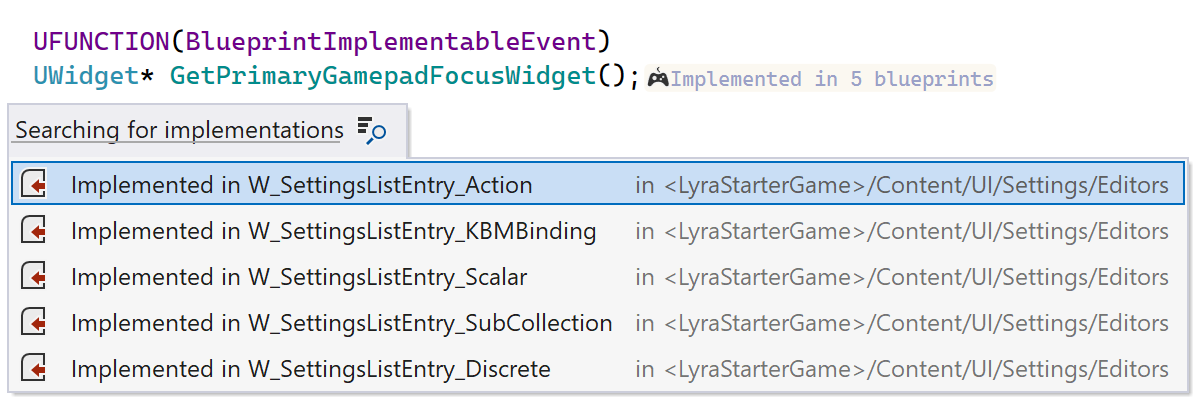
- UProperty 状态
您可以快速检查
UProperty的状态,包括是否被重写,以及在 Blueprint 文件中设置了什么值,还可以使用 查找用法 来发现BlueprintAssignable委托属性在 Blueprint 端的绑定。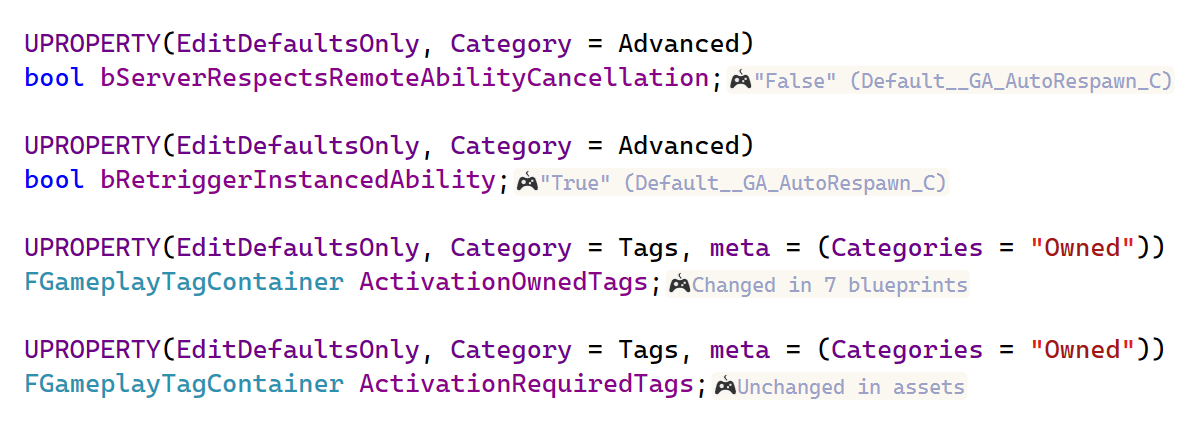
- UInterface 实现
您还可以查找实现
UInterface的所有蓝图。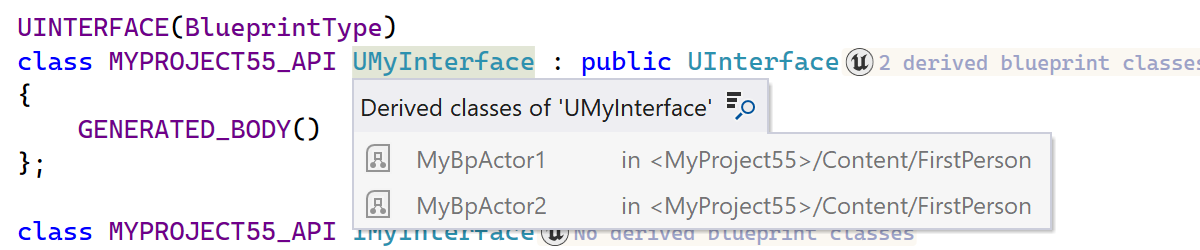
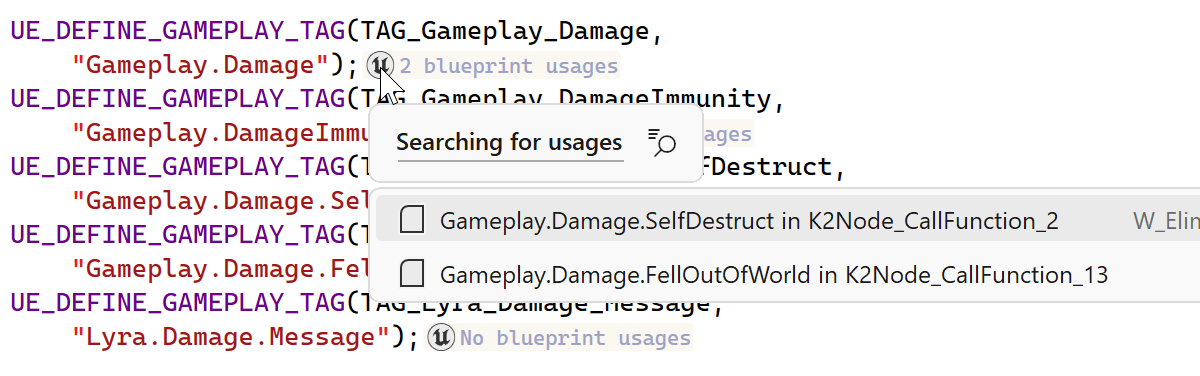
- 游戏玩法标记的用法
可以在蓝图资源中发现游戏玩法标记的用法,并在 Code Vision 和 查找用法 结果中查看,从而全面了解项目中游戏玩法标记的使用位置。
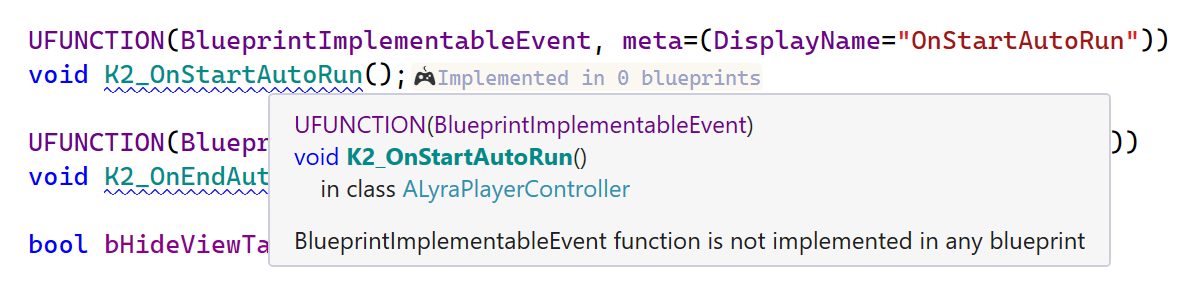
ReSharper 还提供了两个检查,帮助您了解代码中使用的 Blueprint 特定函数说明符与 Blueprints 本身之间是否存在不一致:
带有
BlueprintCallable函数说明符的UFunction应该在 Blueprint 中使用,但未找到任何使用。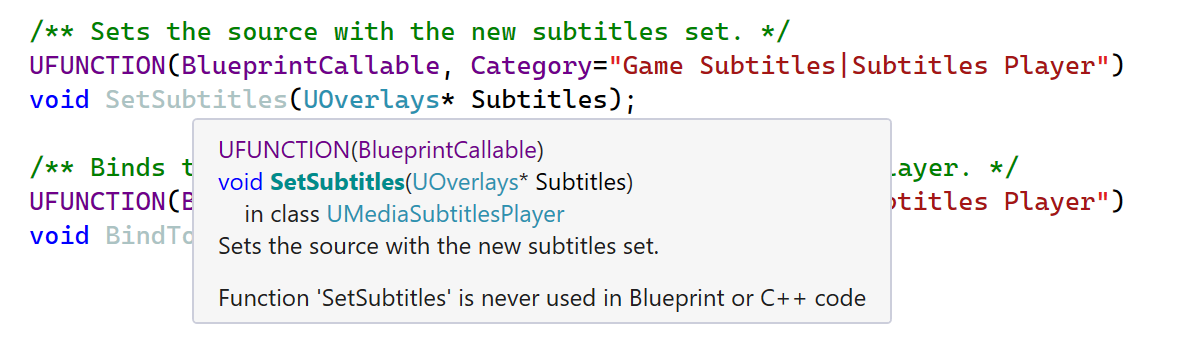
带有
BlueprintImplementableEvent函数说明符的UFunction应该在 Blueprint 中实现,但未找到任何实现。