运行代表 TeamCity 中的构建执行。 teamcity run 命令组可以启动构建、实时监控、视图日志和测试结果、管理工件,并用标记、注释和固定组织运行。
列出运行
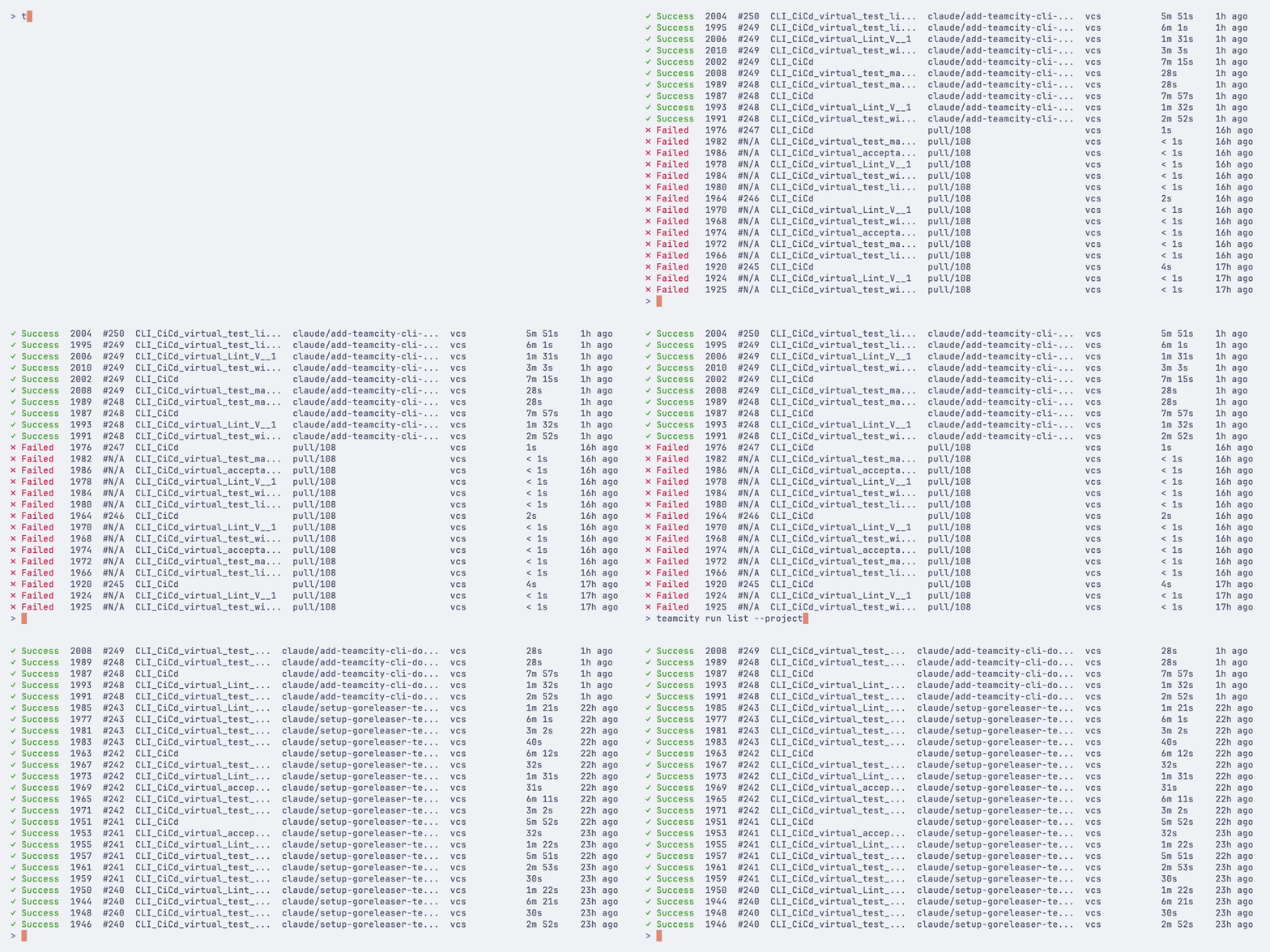
使用 teamcity run list 视图最近的构建:
teamcity run list
收藏夹运行
使用 teamcity run list --favorites 显示当前用户收藏夹构建,包括手动加星的构建和 TeamCity 标记为重要的构建:
teamcity run list --favorites
teamcity run list --favorites --status failure --limit 10
--favorites 可与现有的 run list 筛选器和输出模式一起使用。
筛选
使用标志缩小结果范围:
# Builds for a specific job
teamcity run list --job MyProject_Build
# Filter by project
teamcity run list --project MyProject
# Filter by branch
teamcity run list --branch main
# Auto-detect the current git branch
teamcity run list --branch @this
# Filter by status
teamcity run list --status failure
# Show only your favorite builds
teamcity run list --favorites
# Show only your own recent builds
teamcity run list --user @me
# Show only the latest matching run
teamcity run list --user @me --branch @this --limit 1
# Filter by user who triggered the build
teamcity run list --user alice
teamcity run list --user @me
# Combine filters
teamcity run list --job MyProject_Build --status failure --branch main
按修订筛选器
使用 --revision 查找包含特定 VCS 提交的所有构建:
# All builds for a commit
teamcity run list --revision abc1234
# Scoped to a specific job
teamcity run list --revision abc1234 --job MyProject_Build
# Auto-detect the current HEAD commit
teamcity run list --revision @head
# Builds from the last 24 hours
teamcity run list --since 24h
# Builds from the last week
teamcity run list --since 7d
# Builds from a specific date onward
teamcity run list --since 2026-01-15
# Builds in a time range
teamcity run list --since 2026-01-15 --until 2026-01-20
限制结果
teamcity run list --limit 20
输出选项
# JSON output (see Scripting and automation for details)
teamcity run list --json
teamcity run list --json=id,status,webUrl
# Plain text for scripting
teamcity run list --plain
teamcity run list --plain --no-header
# Build a specific branch
teamcity run start MyProject_Build --branch feature/login
# Build the branch you are currently on
teamcity run start MyProject_Build --branch @this
# Pin to a specific Git commit
teamcity run start MyProject_Build --branch main --revision abc123def
# Pin to the current HEAD
teamcity run start MyProject_Build --branch @this --revision @head
# Clean all source files before building
teamcity run start MyProject_Build --clean
# Rebuild all dependencies
teamcity run start MyProject_Build --rebuild-deps
# Rebuild only failed dependencies
teamcity run start MyProject_Build --rebuild-failed-deps
# Reuse existing builds as snapshot dependencies (pin by build ID)
teamcity run start MyProject_Build --reuse-deps 6946,6917
# Add to the top of the queue
teamcity run start MyProject_Build --top
# Run on a specific agent
teamcity run start MyProject_Build --agent 5
teamcity run start MyProject_Build --branch main --watch
你还可以设置超时或调整轮询间隔:
teamcity run start MyProject_Build --watch --timeout 30m
teamcity run start MyProject_Build --watch --interval 10
个人构建
在个人构建中包含未提交的本地更改:
# Auto-detect changes from Git working directory
teamcity run start MyProject_Build --local-changes
# From a patch file
teamcity run start MyProject_Build --local-changes changes.patch
# From stdin
git diff | teamcity run start MyProject_Build --local-changes -
复用已有构建作为快照依赖项。 支持以逗号分隔的构建 ID 列表,或可重复。 TeamCity 会根据构建配置解析每个依赖项槽由哪个构建填充。
--top
加入构建队列顶部
--agent
在指定代理(按ID)上运行
--watch
启动后监视构建
-i, --interval
监视时刷新间隔(秒,默认:3)
--timeout
监视时的超时时间(例如 30m、 1h ),启用 --watch
--dry-run
预览但不启动
--json
以 JSON 格式输出
-w, --web
在浏览器中打开运行
查看运行详细信息
teamcity run view 12345
teamcity run view 12345 --web
teamcity run view 12345 --json
快照依赖项树
使用 teamcity run tree 可可视化运行的快照依赖项链:
teamcity run tree 12345
限制树的深度:
teamcity run tree 12345 --depth 2
以 JSON 格式输出:
teamcity run tree 12345 --json
运行树标志
标志
描述
-d, --depth
限制树深度(0 = 不限)
--json
以 JSON 格式输出
监视运行
实时更新监控运行中的构建:
teamcity run watch 12345
监视时流式输出构建日志:
teamcity run watch 12345 --logs
设置自定义刷新间隔或超时:
teamcity run watch 12345 --interval 10
teamcity run watch 12345 --timeout 30m
使用 --quiet 实现最小化输出,仅显示状态变更及最终结果:
teamcity run watch 12345 --quiet
使用 --json 等待构建完成并以 JSON 输出最终结果(适用于脚本):
teamcity run watch 12345 --json
运行监视标志
标志
描述
-i, --interval
刷新间隔秒
--logs
监视时流式输出构建日志
--quiet
最小化输出——只显示状态变化和结果
--json
等待补全并以 JSON 格式输出结果
--timeout
达到此时长后停止监视(例如 30m、 1h)
查看构建日志
视图运行日志输出:
teamcity run log 12345
视图特定作业的最新运行日志:
teamcity run log --job MyProject_Build
显示失败诊断——包括构建问题、带完整堆栈跟踪的测试失败以及每个失败是否为新出现或历史问题:
teamcity run log 12345 --failed
跳过分页器并输出原始文本:
teamcity run log 12345 --raw
实时流式显示日志直到构建完成:
teamcity run log 12345 --follow
显示最近 50 条日志消息:
teamcity run log 12345 --tail 50
以 JSON 格式输出日志:
teamcity run log 12345 --json
在浏览器中打开构建日志:
teamcity run log 12345 --web
取消运行
取消正在运行或队列中的构建:
teamcity run cancel 12345
teamcity run cancel 12345 --comment "Canceling for hotfix"
使用 --yes 跳过确认提示:
teamcity run cancel 12345 --yes
重启运行
用相同配置重启运行:
teamcity run restart 12345
teamcity run restart 12345 --watch
teamcity run restart 12345 --timeout 30m
teamcity run restart 12345 --web
工件
列出工件
列出运行产出的工件但不下载:
teamcity run artifacts 12345
teamcity run artifacts --job MyProject_Build
teamcity run artifacts 12345 --path html_reports/coverage
teamcity run artifacts 12345 --json
下载工件
从已完成的运行中下载工件:
teamcity run download 12345
teamcity run download 12345 --path build/assets
teamcity run download 12345 -o ./artifacts
teamcity run download 12345 --artifact "*.jar"
teamcity run download 12345 --path build/assets -a "*.js"
teamcity run download 12345 --timeout 30m