Form workspace
Install the Swing UI Designer plugin
This functionality relies on the Swing UI Designer plugin, which you need to install and enable.
Press Ctrl+Alt+S to open settings and then select .
Open the Marketplace tab, find the Swing UI Designer plugin, and click Install (restart the IDE if prompted).
The form workspace is a section of a form that occupies the center part of the frame (assuming the default tool window layout and visibility). The background is white by default. When you create a new Form, a JPanel component is added to the workspace, which appears as a gray rectangle. You can place components into this container by first clicking on the component in the Palette and then clicking within the pane in the form workspace. The form workspace has a context menu that provides access to the Clipboard, layout actions, and more.
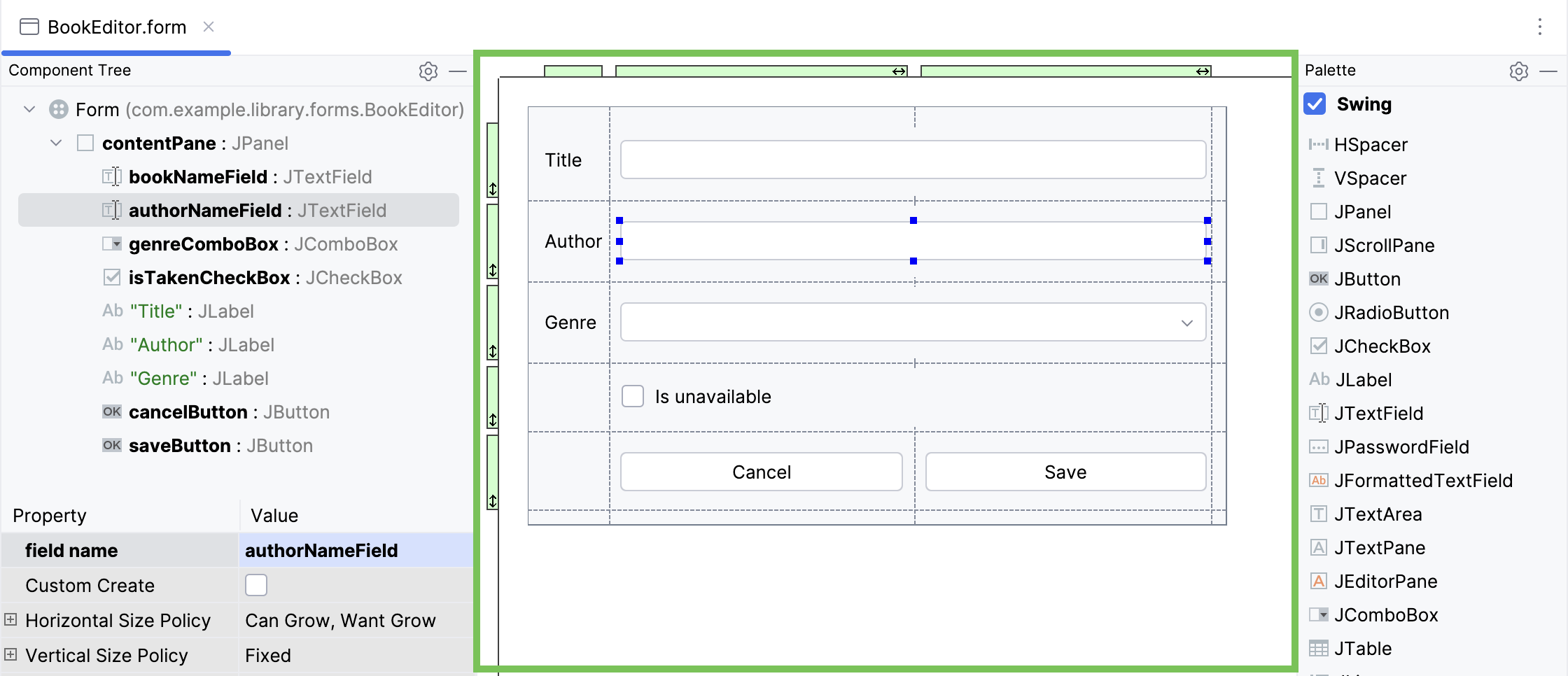
Item | Description |
|---|---|
Preview | Show the form as it should look at runtime. |
Data Binding Wizard | Generate |
Cut, Copy, Paste | Perform usual Clipboard operations. |
Pack | Choose this command to compress the current form to its minimal size, defined by the layout manager. This command is only available for the top-level container in a form. |
Show Grid | If this option is checked, the form displays grid lines. |
Show Component Tags | This option toggles display of the name of a field associated with the selected component. This feature is available for the components that exceed certain pre-defined dimensions. |
Create Component | Choose this command to display the list of available components and insert the selected one in the current location. |
Jump to Source | Open the bound class in the editor and place the caret to the field associated with the selected component. For the whole form, the caret rests at the class declaration. |
Expand/Shrink Selection | Select successively increasing sets of components from the current one to its container. |
Duplicate | Clone the selected component. |
Morph Component | Create a component of a different type with the same properties. |
Create Listener | Create a listener for the selected component. |
Go To Listener | Navigate to the source code of the selected listener. |
Surround With | Display the list of available containers and place in one or more selected components into the container of your choice. |
Flatten | Unwrap components from a container. |
Local history | Access the commands of the local version control. |