Auto import
If you are using a class, a static method, or a static field that you have not imported yet, the IDE shows you a tooltip prompting you to add a missing import statement so that you do not have to add it manually. Press Alt+Enter to accept the suggestion.
If there's more than one possible source of import, pressing Alt+Enter will open the list of suggestions.
To change the background color for the import tooltip, press Ctrl+Alt+S and go to .
Automatically add import statements
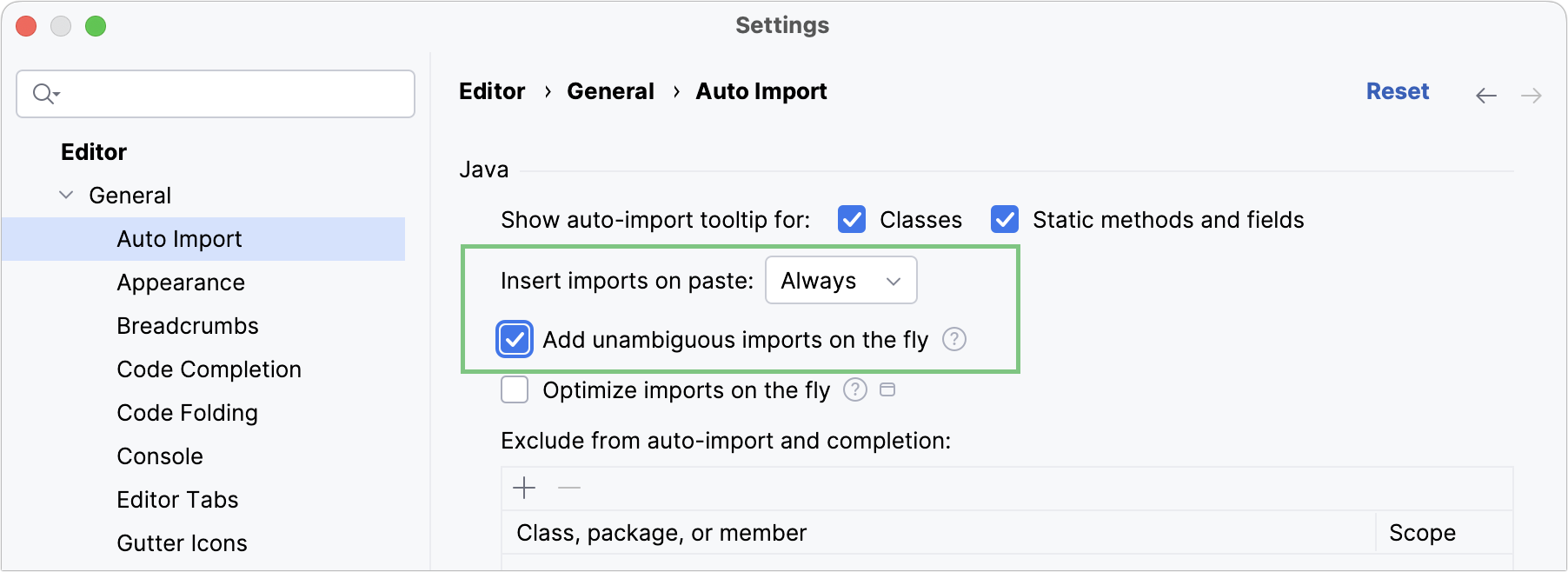
You can configure the IDE to automatically add import statements if there are no options to choose from.
Press Ctrl+Alt+S to open settings and then select .
Select the Add unambiguous imports on the fly checkbox, and apply the changes.
When you are pasting blocks of code that contain references to classes or static methods and fields that are not yet imported, the IDE automatically inserts the missing import statements. If you want to change that, from the Insert imports on paste list, select Ask to confirm every insertion or Never to insert import statements manually.
Import packages instead of single classes
IntelliJ IDEA suggests importing single classes by default. You can change the settings to import entire packages instead.
Press Ctrl+Alt+S to open settings and then select .
Clear the Use single class import checkbox and apply the changes.
Disable import tooltips
When tooltips are disabled, unresolved references are underlined and marked with the red bulb icon  . To view the list of suggestions, click this icon (or press Alt+Enter) and select Import class.
Disable all tooltips
Hover over the inspection widget in the top-right corner of the editor, click
 , and disable the Show Auto-Import Tooltip option.
Disable tooltips for classes or static methods and fields
Press Ctrl+Alt+S to open settings and then select .
Make sure the necessary options are selected for the Show auto-import tooltip for setting (both checkboxes, Classes and Static methods and fields, are enabled by default).
Disable wildcard imports
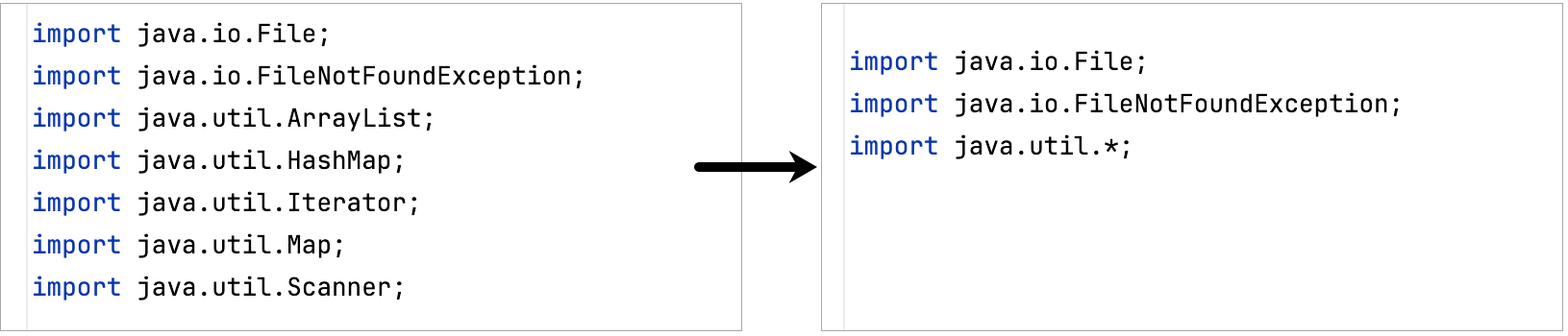
When the number of classes that IntelliJ IDEA has imported from the same package reaches the limit (5 by default), the IDE modifies the statements to import the entire package instead of importing several single classes from this package:
Disable wildcard imports to always import single classes
Press Ctrl+Alt+S to open settings and then select .
Make sure that the Use single class import option is enabled.
In the Class count to use import with '*' and Names count to use static import with '*' fields, specify values that definitely exceed the number of classes in a package and the number of names in a class (for example,
999).
To replace an import statement with single class imports in a file without changing the settings, place the caret at the import statement, press Alt+Enter (or use the intention action  icon), and select Replace with single class imports.
Disable auto import
If you want to completely disable auto-import, make sure that:
The automatic insertion of import statements is disabled.
Prioritize classes for auto-import
This option allows you to import frequently used static methods automatically. When you type a method from a prioritized class, the IDE shows completion suggestions. Selecting a suggestion from the list inserts the corresponding import statement without requiring manual edits.
Press Ctrl+Alt+S to open settings and then select .
In the Include auto-import of static members in completion section, click
 or press Alt+Insert.
Specify the class you want to add to the list.
You can exclude some members that should never be added to static imports, such as
of,valueOf, and so on. To do so, use-, for example:-java.util.Objects.requireNonNullTo the right from the class name, you can also select whether you want to prioritize it in the current project only or in all projects (globally).
Apply the changes and close the dialog.
Exclude classes and packages from auto import
The list of import suggestions may include classes and packages that you don't need. You can exclude redundant entries from automatic import so that the list of suggestions contains only relevant items.
Press Ctrl+Alt+S to open settings and then select .
In the Exclude from auto-import and completion section, click
or press Alt+Insert and specify a class or a package that you want to exclude.You can also select whether you want to exclude items from the current project or from all projects (globally).
Exclude a class or a package on the fly
Press Alt+Enter on a missing class to open the list of import suggestions.
Click the right arrow next to a package and select an item (a class or an entire package) that you want to exclude.
In the Exclude from auto-import and completion section of the Auto Import dialog, select whether you want to exclude items from the current project or from all projects, and apply the changes.
Optimize imports
The Optimize Imports feature helps you remove unused imports and organize import statements in the current file or in all files in a directory at once according to the rules specified in .
Optimize all imports
Select a file or a directory in the Project tool window ().
Do any of the following:
In the main menu, go to (or press Ctrl+Alt+O).
From the context menu, select Optimize Imports.
(If you've selected a directory) Choose whether you want to optimize imports in all files in the directory, or only in locally modified files (if your project is under version control), and click Run.
Remove unused imports
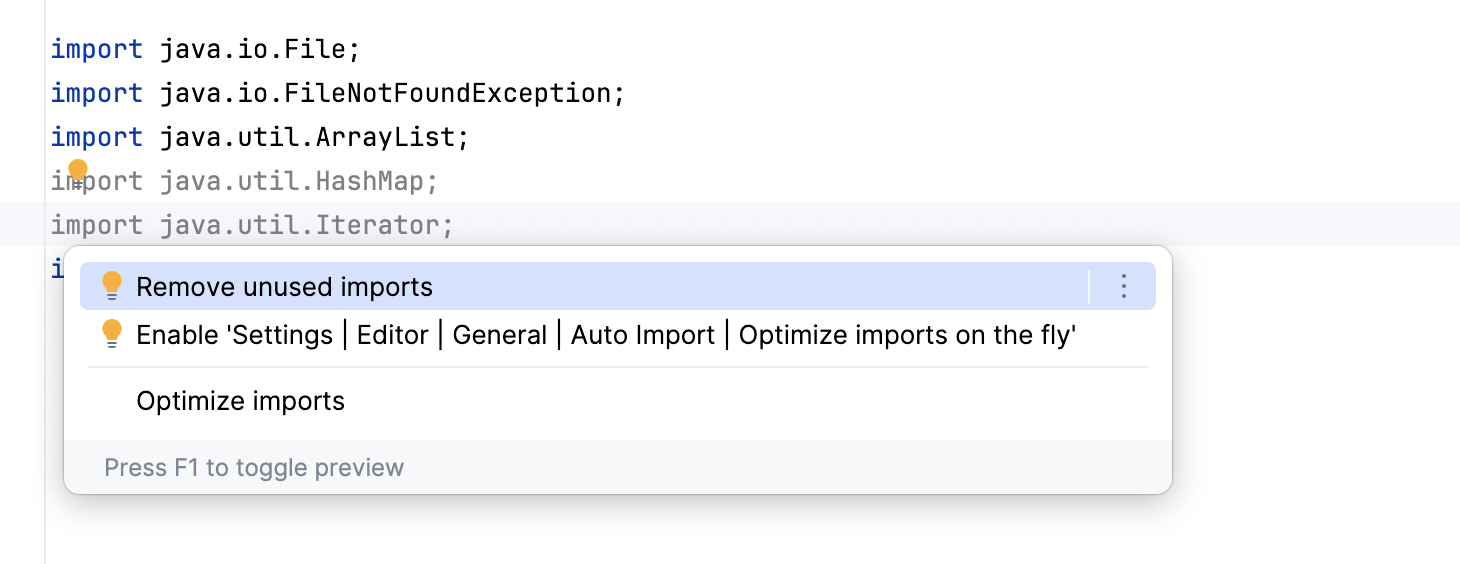
Place the caret at the unused import statement and press Alt+Enter or use the
icon.Unused statements are greyed out by default.
From the list of suggestions, select Remove unused imports.
Optimize imports on commit
If your project is under version control, you can configure IntelliJ IDEA to optimize imports in modified files before committing them to VCS.
Press Alt+0 to open the Commit tool window and click Show Commit Options
 .
.Click
and in the commit message area, select the Optimize imports checkbox.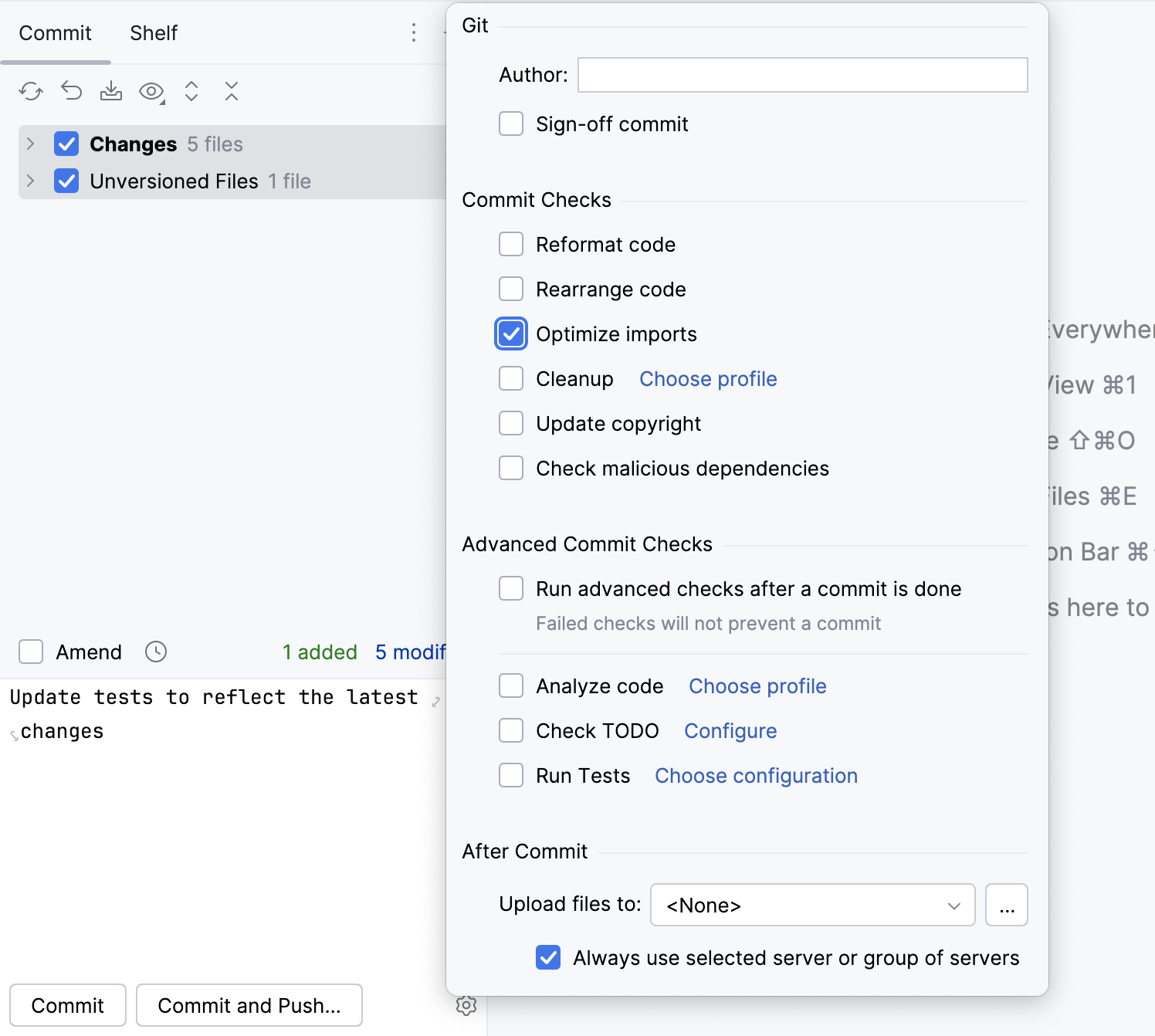
Automatically optimize imports on save
You can configure the IDE to optimize imports in modified files automatically when your changes are saved.
Press Ctrl+Alt+S to open settings and then select .
Enable the Optimize imports option.
Additionally, from the All file types list, select the types of files in which you want to optimize imports.
Apply the changes and close the dialog.
Optimize imports when reformatting a file
You can tell IntelliJ IDEA to optimize imports in a file every time it is reformatted.
Open the file in the editor, press Ctrl+Alt+Shift+L, and make sure the Optimize imports checkbox is selected in the Reformat File dialog that opens.
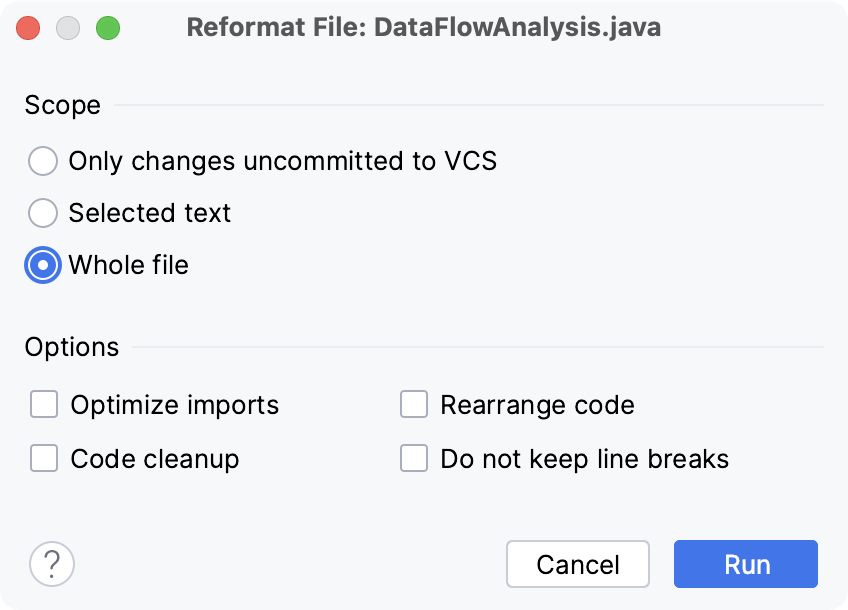
After that every time you press Ctrl+Alt+L in this project, IntelliJ IDEA will optimize its imports automatically.
Optimize imports for all files in the folder
Right-click a folder in the Project tool window and select Optimize Imports.
In the Optimize Imports dialog, click Run.
Optimize imports on the fly
You can also configure the IDE to automatically optimize imports. IntelliJ IDEA will remove or modify import statements according to the rules specified in as you work in the editor.
Press Ctrl+Alt+S to open settings and then select .
Enable the Optimize imports on the fly option and apply the changes.