Persistence tool window
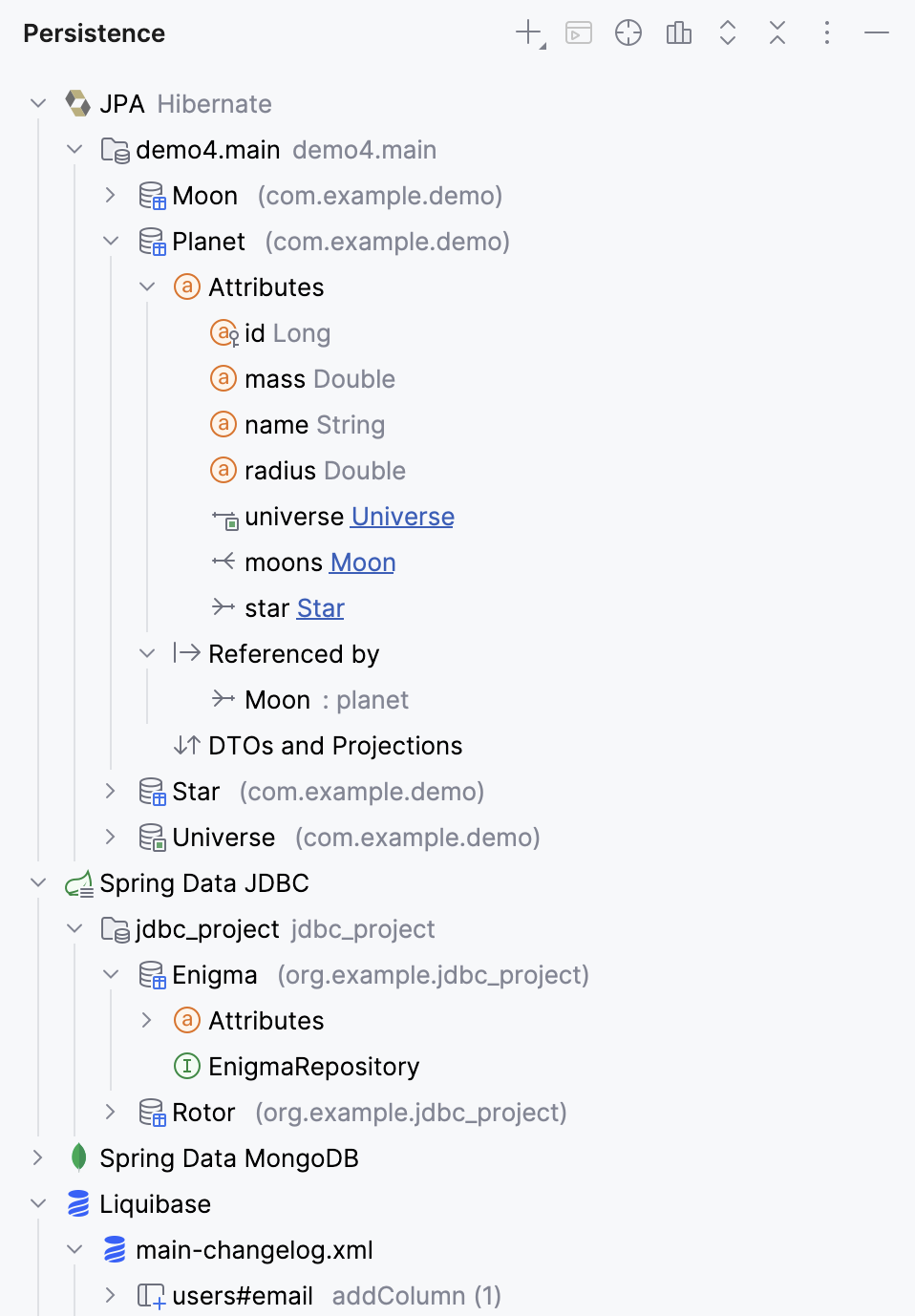
If you have a JPA or Spring Data dependency in your project, you can use the Persistence tool window. Based on the dependencies of your project, it can show the following elements:
JPA: view and manage JPA items: configuration files, persistence units, managed entities (persistent classes and fields), Spring repositories, and JPA converters.
Spring Data JDBC: view JDBC-mapped entities, attributes, relations, and repositories; configure mapping contexts.
Spring Data MongoDB: view MongoDB
@Documentclasses.Liquibase: view Liquibase changelogs, create new ones, and run Liquibase update.
Open Entity in Persistence view
In the gutter, click an entity icon
 . If you want to navigate to a particular field, click the corresponding icon next to it, such as
  or
or  .
.Select Select in Persistence View.
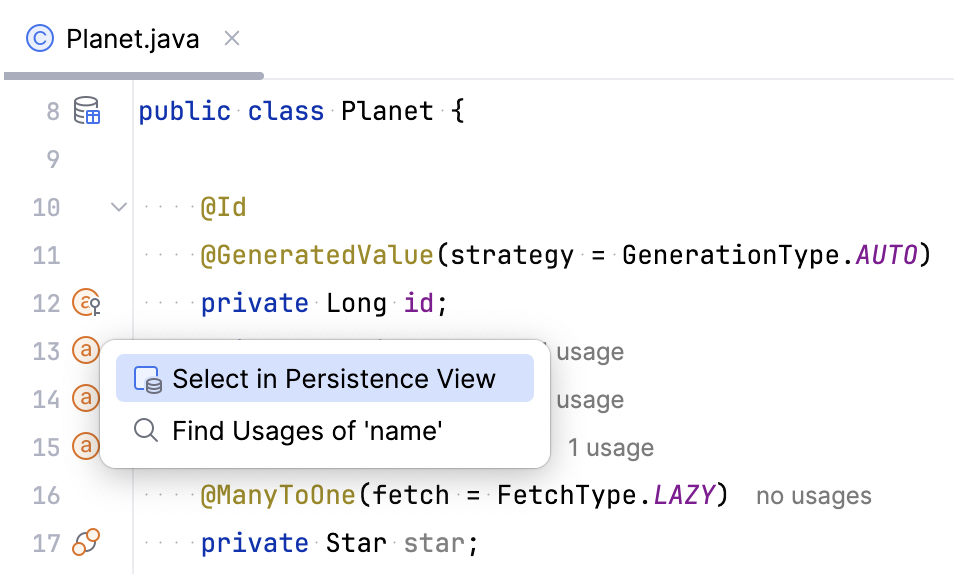
Alternatively, place the caret at your entity source code and click  in the Persistence tool window.
Navigate to entity definitions
To navigate from an entity in the Persistence tool window to the corresponding source code definition in the editor, do one of the following:
Double-click a field.
Select a field or class and press F4.
Right-click a field or class and select Jump to Source.
Create Persistence Unit manually
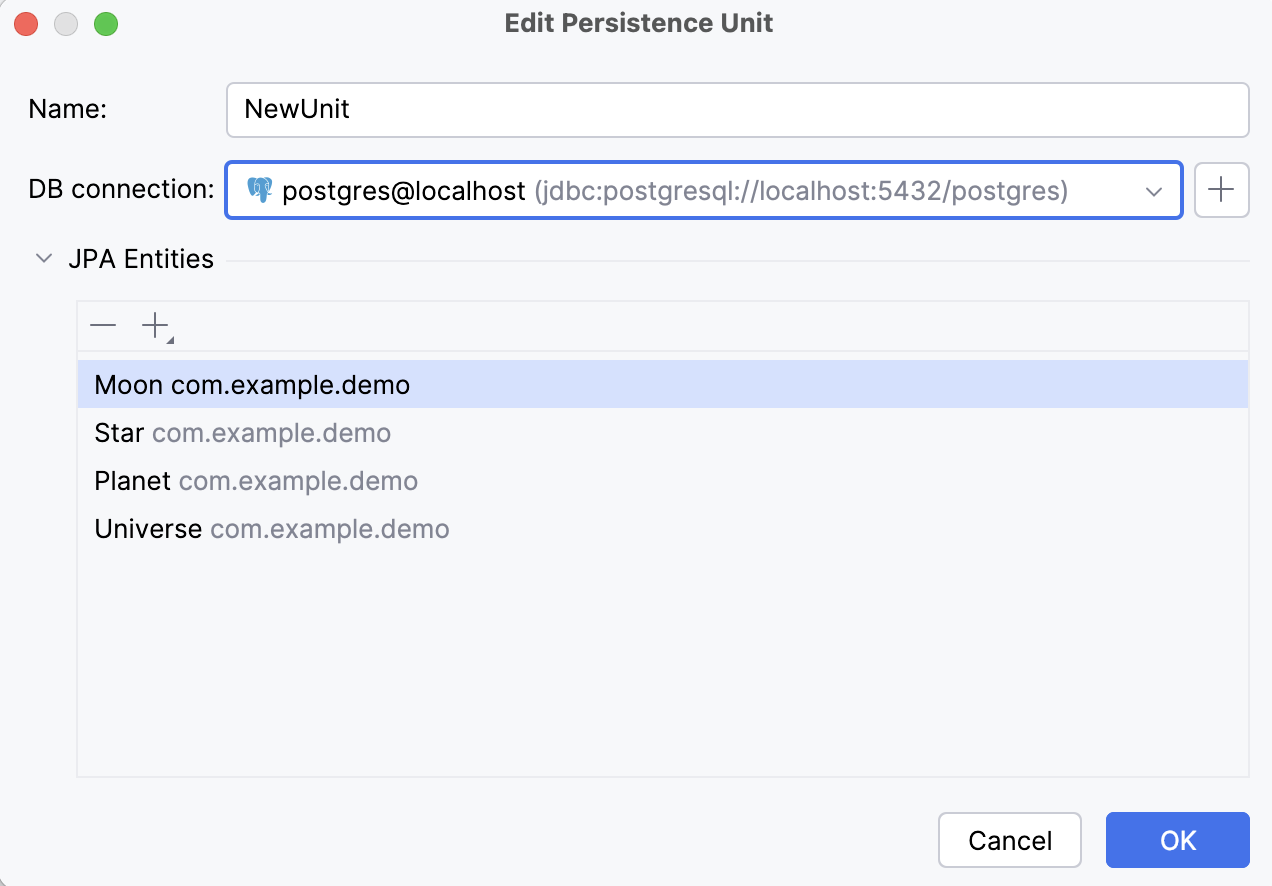
In most cases, IntelliJ IDEA automatically detects JPA entities based on the @Entity annotation. If it is not the case, you can create a persistence unit manually to add the necessary entities and map them to a database. The added entities will be available in the Persistence tool window, and from there, you can navigate to their source code definitions in the editor.
In the Persistence tool window, right-click JPA.
Select .
In the Edit Persistence Unit window that opens, configure the mapping context: give the context a name, select the database connection, and under JPA Entities, click
 to add the classes to be mapped.
Create JDBC mapping context manually
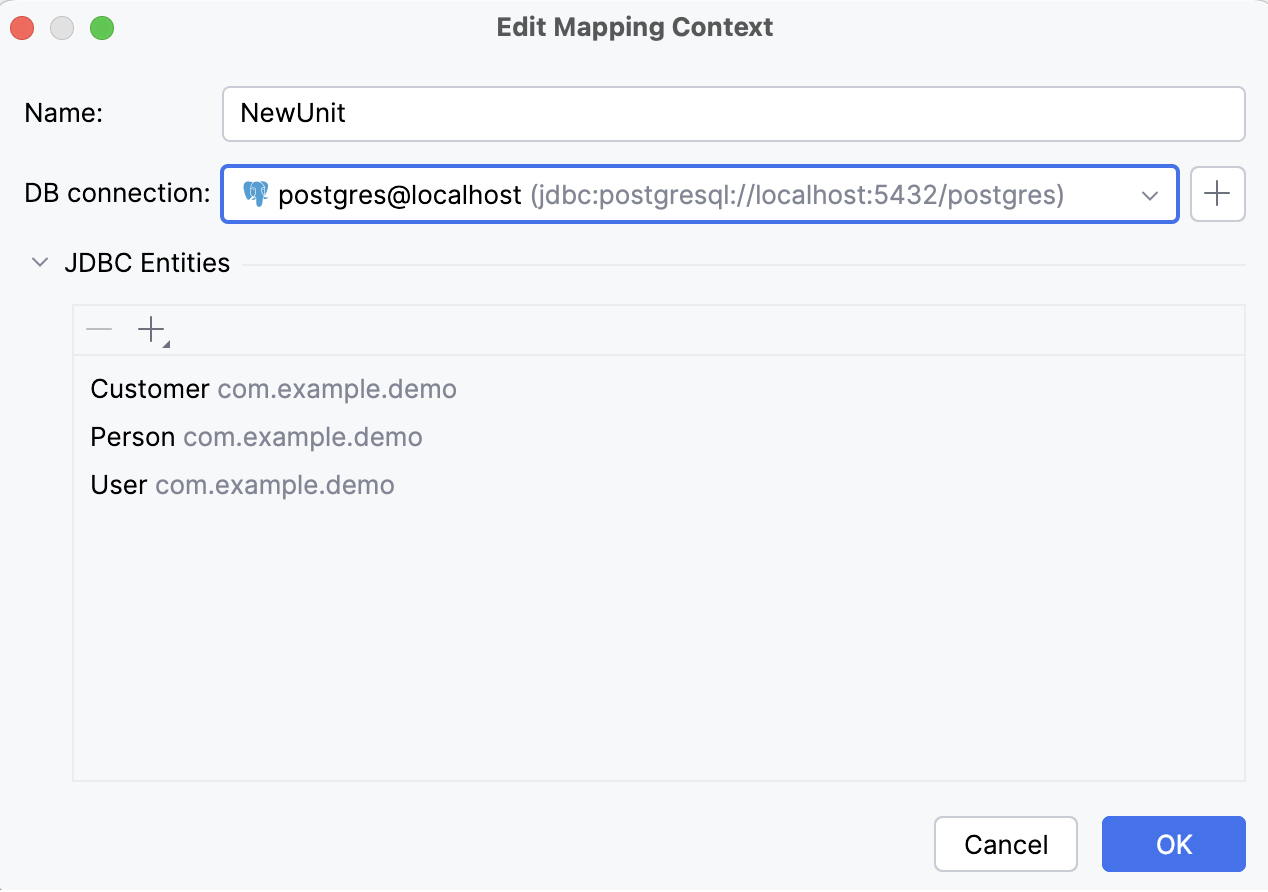
In most cases, IntelliJ IDEA automatically detects JDBC entities based on the @Table annotation or its JDBC repository. If it is not the case, you can create a mapping context manually to add the necessary JDBC entities and map them to a database. The added entities will be available in the Persistence tool window, and from there, you can navigate to their source code definitions in the editor.
In the Persistence tool window, right-click Spring Data JDBC.
Select .
In the Edit Mapping Context window that opens, configure the mapping context: give the context a name, select the database connection, and under JDBC Entities, click
to add the classes to be mapped.
View entity relationship diagrams (ERD)
Right-click a managed entity and select Entity Relationship Diagram.
Associate persistence units with data sources
Right-click a module, persistence unit, or entity, and select Assign Data Sources….
Select necessary data sources for relevant persistence units and click OK.
With this association, IntelliJ IDEA will validate the source code that references database tables against the corresponding data sources. Also, the JPA console will use proper database connection settings, and you won't need to specify them manually.
Associate persistence units with naming strategies
Right-click a module, persistence unit, or entity, and select Assign Naming Strategies….
Select necessary naming strategies for relevant persistence units and click OK.
Run JPQL queries
Right-click a persistence unit or entity and select JPA Console or click
 in the toolbar Ctrl+Shift+F10.
This will open the JPA console where you can write and execute JPQL queries.
Reverse engineer a database schema
With IntelliJ IDEA, you can create JPA entity classes and attributes based on an existing database schema. This functionality relies on the Reverse Engineering plugin, which is bundled in IntelliJ IDEA Ultimate.
Generate entities from a database
Make sure IntelliJ IDEA is connected to your database.
In the Persistence tool window, right-click a persistence unit or mapping context, and select
 New |
New |  Entities from DB.
In the Entities from DB dialog that opens, configure the entity mappings and click OK.
Generate entity attributes from a database
You can also generate attributes for an existing entity class based on columns from its corresponding database table.
Make sure IntelliJ IDEA is connected to your database.
In the Persistence tool window, right-click an entity and select
New | Entity Attributes from DB.In the Entities from DB dialog that opens, configure the entity mappings and click OK.