Run tasks of manage.py
Enable the Django plugin
This functionality relies on the Django plugin, which is bundled and enabled in PyCharm by default. If the relevant features are not available, make sure that you did not disable the plugin.
Press Ctrl+Alt+S to open settings and then select .
Open the Installed tab, find the Django plugin, and select the checkbox next to the plugin name.
Overview
With PyCharm, you can run Django's manage.py utility from within the IDE. Tasks of this utility are executed in the buit-in terminal.
Running manage.py tasks is available for both local and remote interpreters.
Configuring manage.py utility
It's important to note that configuration of the manage.py utility is done in the Django page of the Settings dialog.
Configure the manage.py utility
Go to .
In the Manage.py tasks section, specify the following:
In the field Manage script, specify the desired manage.py script.
Note that by default PyCharm shows the manage.py script that resides under the Django project root. If you are not happy with this suggestion, you can choose any other manage.py script by clicking the browse button
 .
.In the Environment variables field, specify the environment variables to be passed to the script. By default, this field is empty.
Click the browse button
to open the Environment Variables dialog. Use the toolbar buttons to make up the list of variables.If you want to see the system environment variables, click Show link in this dialog.
Running manage.py utility
To run a task of the manage.py utility
Do one of the following:
In the main menu, go to
Press Ctrl+Alt+R
Open the terminal (Alt+F12), click
 New Predefined Session in the Terminal tool window toolbar and select manage.py.
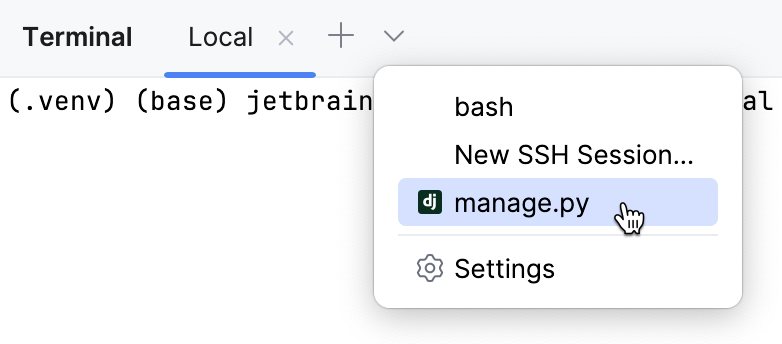
The manage.py utility starts in a terminal tab.
Type the name of the desired task.
Executing manage.py tasks
When running manage.py tasks in the terminal, you can use the following features:
Scroll through the history of executed commands using the up and down arrow keys.
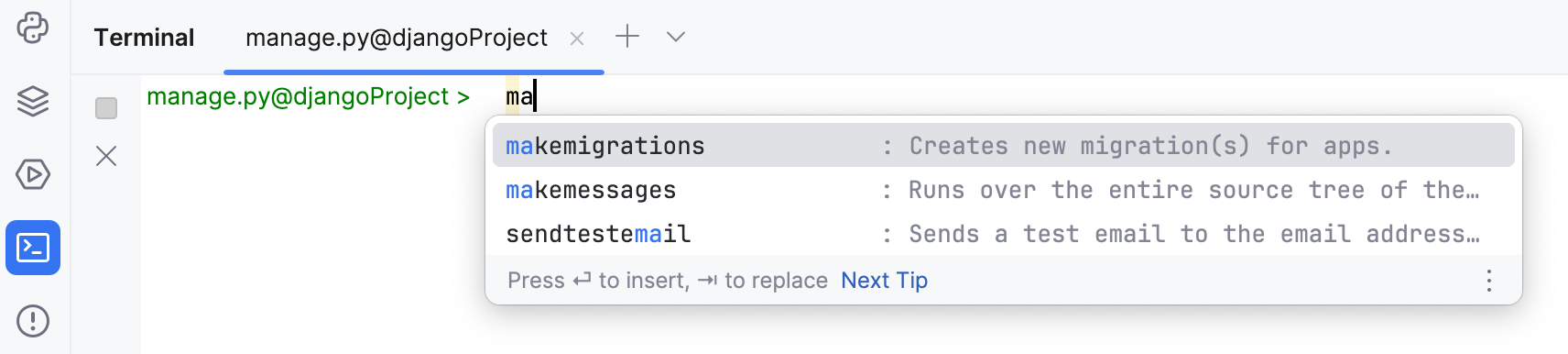
Use code completion Ctrl+Space:
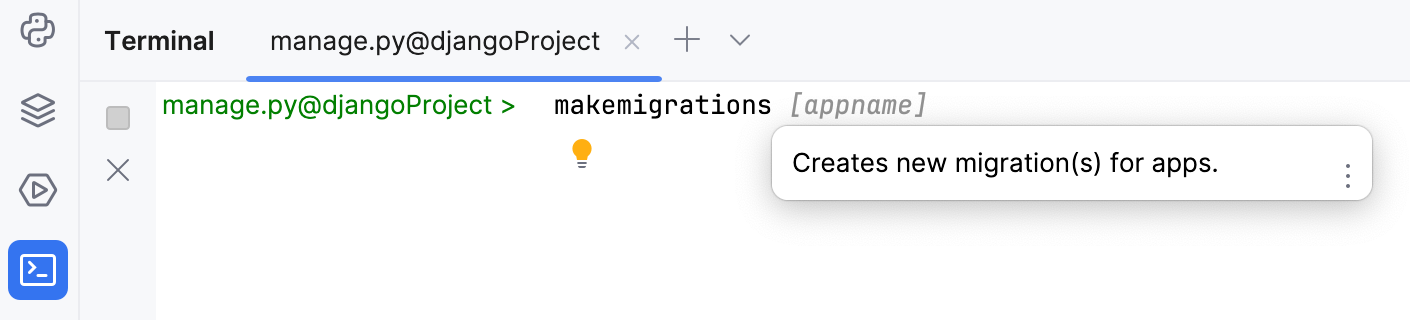
View quick documentation Ctrl+Q: